
1. Introduction
Thank you for choosing APPECK Permanent Outdoor Lights. This manual provides essential information for the safe and efficient installation, operation, and maintenance of your 50ft RGB Color Changing Outdoor String Lights. Please read these instructions thoroughly before use and retain them for future reference.
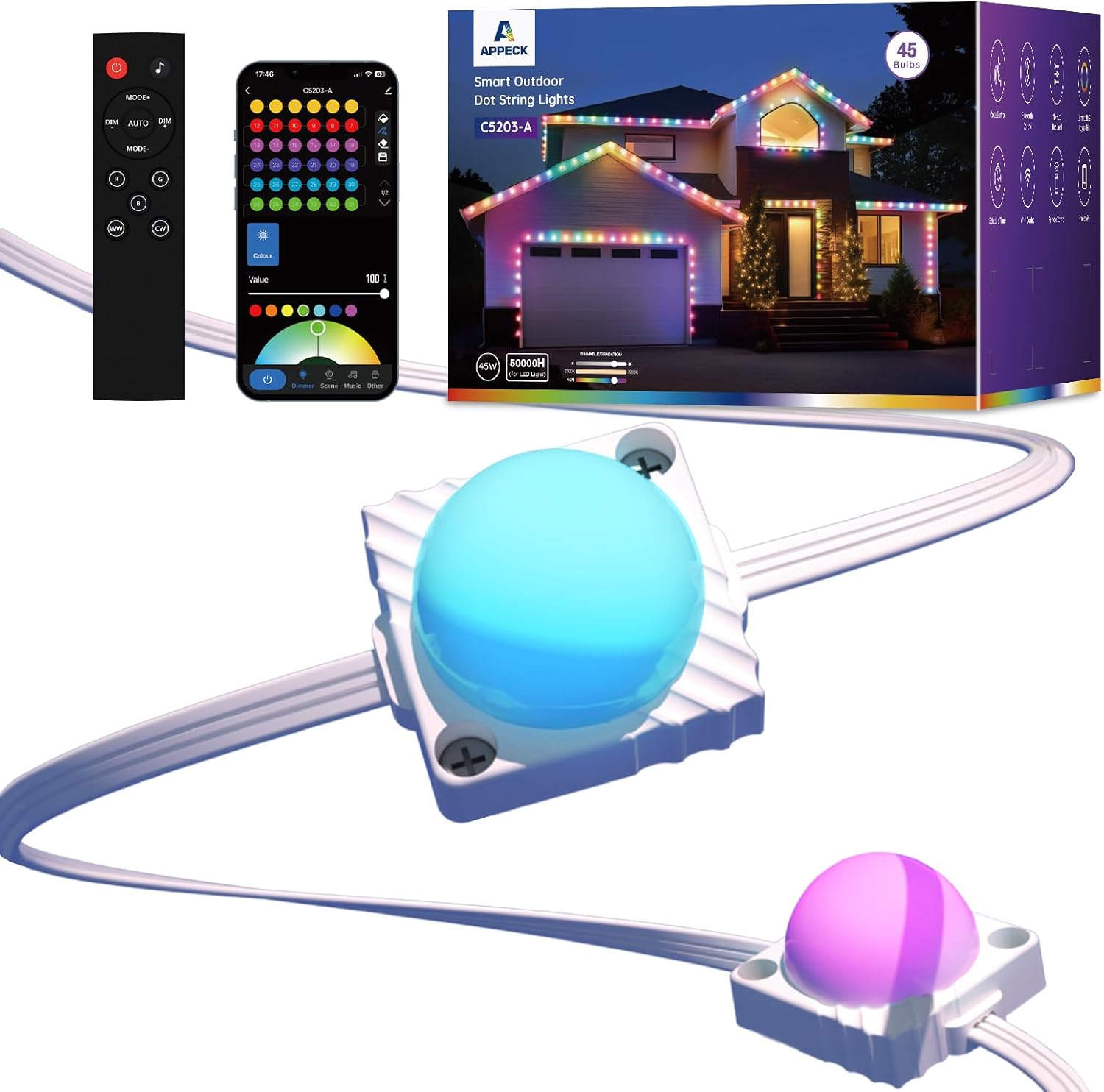
Image 1.1: APPECK Permanent Outdoor Lights 50ft, showcasing the lights, remote control, and smartphone app interface.
2. What's in the Box
Verify that all components are present before proceeding with installation:
- 14.7ft Light String x 3 (Total 45 LEDs)
- Power Adapter x 1
- Extension Cord x 1
- Control Box x 1
- Remote Controller x 1
- Screw Clips Pack x 3
- Tail Plug x 1
- User Manual x 1

Image 2.1: Detailed diagram illustrating all components included in the product package, including light strings, power adapter, control box, remote, and installation accessories.
Video 2.1: An unboxing video demonstrating the contents of the APPECK Permanent Outdoor Lights package.
3. Safety Information
- Ensure the power plug is protected from water. An outdoor outlet cover is recommended.
- Do not cut the light strings. The kit is not designed to be extendable beyond its specified length.
- Operate within the specified temperature range of -4°F to 140°F (-20°C to 60°C).
- Use only the provided power adapter and control box.
- Keep out of reach of children.
4. Setup and Installation
The APPECK Permanent Outdoor Lights are designed for easy installation on various surfaces such as wood, brick, or vinyl. It is recommended to connect, power on, and test the lights before permanent installation.
4.1 Pre-Installation Test
- Connect the male and female connectors of the light strings. Ensure they are properly aligned and screw them tightly to secure the waterproof connection.
- Connect the power adapter to the control box, and then to the light strings.
- Plug the power adapter into an electrical outlet.
- Verify that all light segments illuminate and function correctly.
- Once tested, disconnect the power and proceed with physical installation.
Video 4.1: A detailed guide on how to install APPECK Permanent Outdoor Lights, including connection and testing steps.
4.2 Mounting the Lights
- Clean the Surface: Before hanging, clean the installation surface with a cloth to ensure optimal adhesion.
- Apply Adhesive: Each light module features heavy-duty 3M adhesive tape on the back. Peel off the backing film.
- Press Firmly: Press each light module firmly against the desired surface for more than 8 seconds to ensure strong adhesion.
- Secure with Screws (Recommended): For permanent installation and enhanced security, use the provided screw clips. Secure each light and the light string segments with screws.
- Connect Segments: Connect the 14.7ft light string segments using the waterproof connectors. Ensure they are tightly screwed.
- Tail Plug: Screw the tail plug onto the last connector of the light string to protect it from environmental elements.
Image 4.2: Visual instructions for easy installation, showing cleaning the surface, peeling adhesive, pressing lights, and securing with screws and clips.
5. Operating Instructions
Your APPECK Permanent Outdoor Lights offer multiple control methods for a versatile lighting experience.
5.1 Smart Life App Control
The Smart Life App provides extensive customization and control over your lights.
- Download App: Download the "Smart Life" App from Google Play or Apple App Store.
- Wi-Fi & Bluetooth: Turn on Wi-Fi and Bluetooth on your smartphone.
- Login/Register: Log in with an existing account or create a new one.
- Pairing Mode: Ensure lights are powered on. Press and hold the on/off button on the control box for 3-5 seconds until the lights blink red.
- Add Device: In the App home page, tap the "+" icon in the top right corner and search for "C5203".
- Wi-Fi Selection: Select 2.4GHz Wi-Fi. 5GHz Wi-Fi will not work.
- Complete Pairing: Follow the on-screen steps to complete the pairing process.

Image 5.1: Screenshots illustrating the process of downloading the Smart Life App and connecting the lights via Wi-Fi.
App Features:
- Scene Customization: Choose from 111 built-in scene modes or program your own. Supports scene programming, saving, collecting, looping, and length setting.
- Individual Light Control: Change the color of each light individually with 16 million dynamic colors using Smart RGBW+IC technology.
- Brightness Adjustment: Adjust brightness from 1% to 100%.
- Music Sync: Sync lights to music for dynamic effects.
- Timer & Schedule: Set timer schedules for automatic on/off, including sunset-to-sunrise glow.
- Group Control: Control multiple sets of lights together (if applicable).

Image 5.2: App interface showing different modes for color change, scene customization, and music sync.
Video 5.1: Demonstration of App connections and remote control functionalities for the smart dot string lights.
5.2 Voice Control
Integrate your lights with smart home assistants for hands-free control.
- Works with Amazon Alexa.
- Works with Google Assistant.
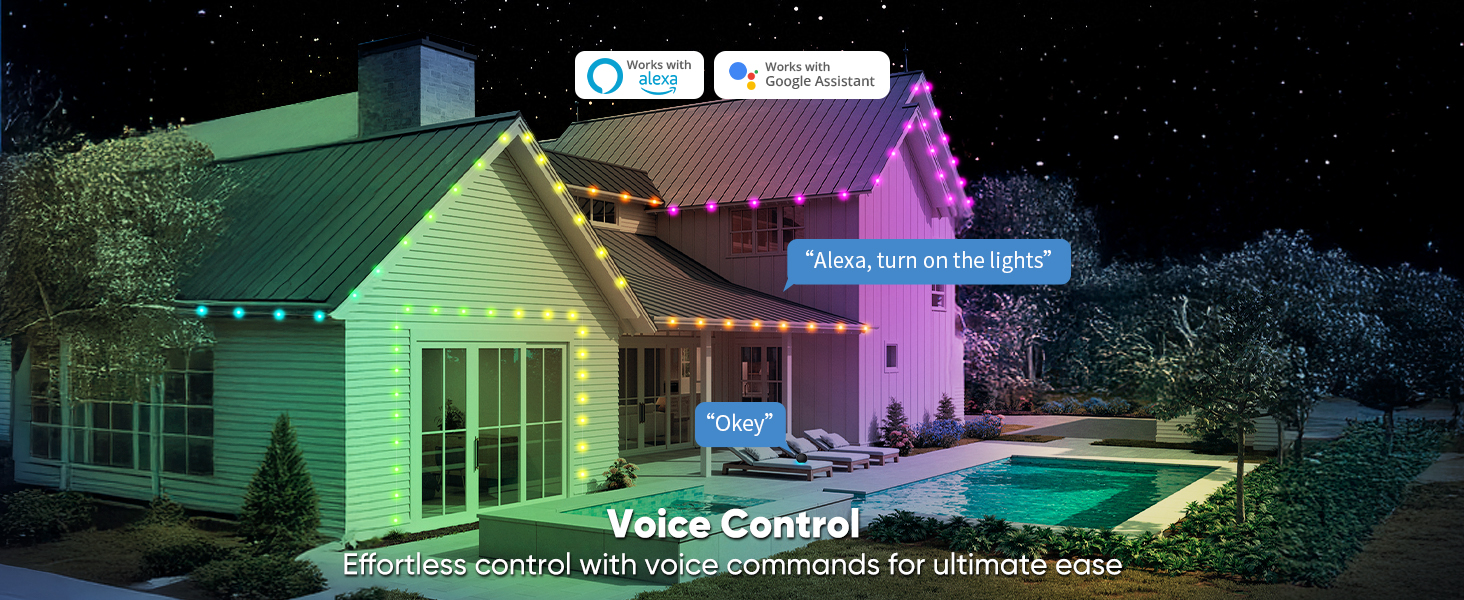
Image 5.3: Various control options including app, remote, control box, and voice control with Alexa and Google Assistant.
5.3 Remote Control
Use the included RF remote for convenient control without needing the app or voice commands. (AAA batteries not included for the remote).
6. Maintenance
The APPECK Permanent Outdoor Lights are designed for durability and year-round use.
- Waterproof Rating: The lights, cables, and control box are IP65 waterproof, designed to withstand rain, snow, and UV exposure.
- Temperature Resistance: Operates effectively in extreme temperatures from -4°F to 140°F (-20°C to 60°C).
- LED Lifespan: LED chips have a working time of approximately 50,000 hours.
- Power Plug Protection: The power plug is not waterproof. Always use an outdoor outlet cover to protect it from moisture.
- Cleaning: Periodically wipe the light modules with a soft, damp cloth to remove dirt and debris. Ensure power is disconnected before cleaning.

Image 6.1: Reliability and durability features, highlighting IP65 waterproof rating and wide operating temperature range.
Video 6.1: Demonstrates the IP65 waterproof capabilities of APPECK Smart Outdoor Dot String Lights.
7. Troubleshooting
- Lights Not Responding: Ensure the power adapter is securely plugged in and the control box is receiving power. Check remote control batteries if using the remote.
- App Connection Issues: Verify your Wi-Fi network is 2.4GHz. 5GHz Wi-Fi is not supported. Ensure Bluetooth is enabled on your device during pairing.
- Lights Not Illuminating: Check all connections between light string segments, the control box, and the power adapter. Ensure all waterproof caps are tightly screwed.
- Inconsistent Lighting: If individual lights are not functioning correctly, ensure all connections are secure. The lights are not user-serviceable at the individual bulb level.
- Lights Not Extendable: This kit is designed for a fixed length of 50ft (3 light string segments). It cannot be extended with additional segments.
8. Specifications
| Feature | Specification |
|---|---|
| Brand | APPECK |
| Model Number | C5203-A |
| Item Length | 50 Feet |
| Number of Light Sources | 45 LEDs |
| Light Color | Multicolor, RGBW (16 Million Colors) |
| White Brightness | 60lm Warm White (2700 Kelvin) |
| Power Source | AC |
| Voltage | 36 Volts (DC) |
| Wattage | 45 Watts |
| Indoor/Outdoor Usage | Indoor, Outdoor |
| Special Features | Automatic On-Off, Color Changing, Corded, Dimmable, Weather Resistant |
| Waterproof Rating | IP65 (Lights, Cable, Control Box) |
| Operating Temperature | -4°F to 140°F (-20°C to 60°C) |
| Control Method | App (Smart Life), Remote, Voice (Alexa, Google Assistant), Button Control |
| Wi-Fi Compatibility | 2.4GHz only |
9. Warranty and Support
For warranty information, technical support, or any inquiries regarding your APPECK Permanent Outdoor Lights, please refer to the contact details provided in the original product packaging or visit the official APPECK website. Keep your purchase receipt as proof of purchase for warranty claims.


