
LIGE TX1-A
LIGE Military Smart Watch TX1-A User Manual
Model: TX1-A
Brand: LIGE
1. Product Overview
The LIGE Military Smart Watch TX1-A is a rugged, feature-rich smartwatch designed for outdoor enthusiasts and daily use. It combines durability with advanced health and fitness tracking capabilities, along with convenient communication features.

Image 1.1: LIGE Military Smart Watch TX1-A showcasing its main display and various feature screens like call interface, compass, and battery level.
2. Package Contents
Ensure all items are present in the package:
- 1 x LIGE Military Smart Watch TX1-A
- 1 x Custom Nylon Watch Strap
- 1 x Silicone Strap
- 1 x Magnetic Charging Cable
- 1 x User Manual

Image 2.1: Illustration of the smartwatch dimensions and the items included in the package: smartwatch, silicone strap, steel strap (not listed in whats_in_the_box but shown in image), magnetic charging cable, and instruction manual.
3. Setup Guide
3.1 Charging the Smart Watch
Before first use, fully charge your smartwatch. The device is equipped with a 1000mAh battery. A full charge typically takes 2-5 hours.
- Connect the magnetic charging cable to the charging contacts on the back of the watch.
- Plug the USB end of the cable into a standard USB power adapter (not included) or a computer's USB port.
- The watch display will indicate charging status.
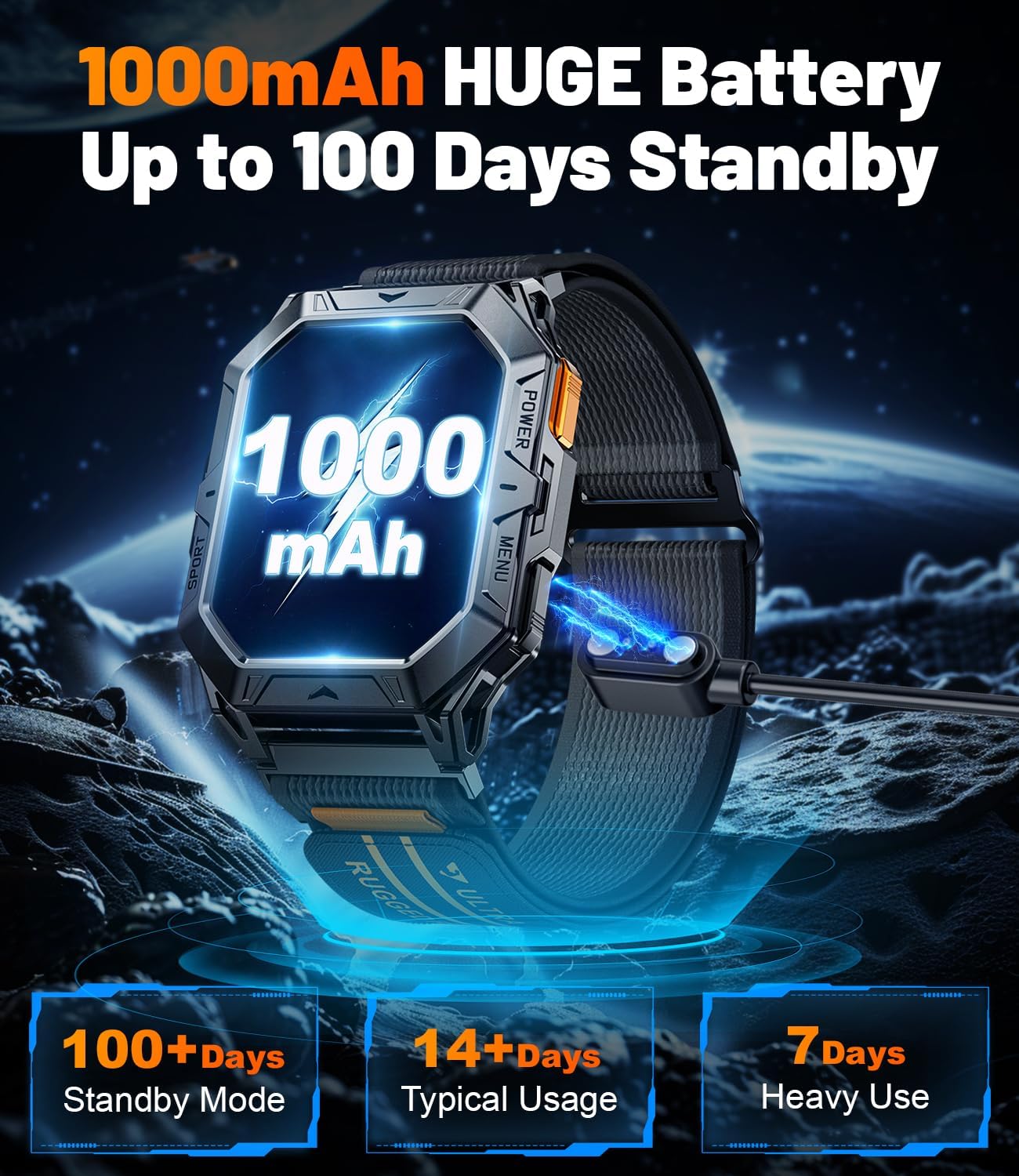
Image 3.1: The LIGE Military Smart Watch TX1-A connected to its magnetic charging cable, displaying a 1000mAh battery icon and indicating long battery life.
3.2 App Installation and Pairing
To unlock the full functionality of your smartwatch, you need to pair it with your smartphone via the dedicated app. The watch is compatible with smartphones running Android 9.0+ and iOS 9.0+.
- Scan the QR code in the user manual or search for the companion app (e.g., 'Da Fit' or similar, as often used by LIGE) in your phone's app store (Google Play Store for Android, Apple App Store for iOS).
- Download and install the app.
- Ensure Bluetooth is enabled on your smartphone.
- Open the app and follow the on-screen instructions to create an account or log in.
- In the app, navigate to 'Device' or 'Add Device' and select your LIGE TX1-A smartwatch from the list of available devices.
- Confirm the pairing request on both your phone and the watch.
Note: For detailed visual guidance on pairing, please refer to the connection video provided by the manufacturer, often accessible via a QR code in the physical manual or product page.
4. Operating Instructions
4.1 Basic Navigation
The LIGE TX1-A features a 2.13-inch AMOLED full-touch display and three physical buttons:
- Power Button: Typically used to turn the watch on/off, return to the home screen, or wake the screen.
- Menu Button: Accesses the main menu or specific functions depending on context.
- Sport Button: Quick access to sports modes.
Touchscreen Gestures:
- Swipe Up/Down: Navigate through menus or notifications.
- Swipe Left/Right: Access quick panels, widgets, or different feature screens.
- Tap: Select an item or confirm an action.
4.2 Bluetooth Calling and Message Notifications
Once paired with your smartphone, the watch supports Bluetooth calls and message notifications.
- Making/Answering Calls: Use the watch's dial pad, contact list, or call history to initiate calls. Incoming calls can be answered or rejected directly from the watch. The 60-decibel speaker and noise-cancelling microphone ensure clear communication.
- Message Notifications: Receive alerts for SMS, Facebook, WhatsApp, Twitter, TikTok, and other app notifications directly on your watch.
This feature can be easily turned off if not desired.

Image 4.1: The smartwatch screen showing an active call interface and a list of message notifications from various social media applications. A smartphone is also depicted, illustrating the Bluetooth calling feature.
4.3 Watch Faces
Customize your watch's appearance with over 200 watch face styles available through the companion app. You can also upload your favorite photos to create personalized watch faces.
4.4 Health Monitoring
The watch is equipped with high-quality biometric sensors for comprehensive health tracking.
- Heart Rate Monitoring: Tracks your heart rate throughout the day.
- SpO2 Monitoring: Measures blood oxygen levels.
- Sleep Tracking: Monitors sleep stages (deep sleep, light sleep, awake time) to provide insights into your sleep quality.

Image 4.2: The smartwatch displaying blood oxygen, blood pressure, and heart rate data. Below, a user is shown sleeping, with the watch tracking sleep stages.
4.5 Sports Modes
The watch supports over 100 sports modes for both indoor and outdoor activities. During workouts, it tracks heart rate, duration, and calories burned, helping you optimize your exercise routine.

Image 4.3: The smartwatch showing calories burned, steps taken, and distance covered during a workout. Various sports icons are displayed, indicating support for a wide range of activities.
4.6 Outdoor Features
Designed for outdoor adventures, the TX1-A includes:
- Compass: Provides accurate directional information.
- Altimeter: Measures current elevation.
- Barometer: Tracks air pressure changes for weather insights.
4.7 Other Functions
The smartwatch offers a variety of additional features:
- Voice Assistant
- Weather Forecasting
- Alarm
- Stopwatch
- Timer
- Music Control
- Camera Control
- Sedentary and Water Reminders
- Find Phone function
5. Maintenance
5.1 Cleaning
Regularly clean your smartwatch and straps to ensure optimal performance and hygiene.
- Wipe the screen and watch body with a soft, damp, lint-free cloth.
- For straps, follow the manufacturer's recommendations for the specific material (nylon or silicone).
- Avoid using harsh chemicals or abrasive materials.
5.2 Water Resistance
The LIGE TX1-A has a 5ATM waterproof rating, making it suitable for swimming and showering. However, it is not recommended for diving or high-pressure water activities. Avoid exposure to hot water or steam.
5.3 Battery Care
To prolong battery life:
- Avoid extreme temperatures.
- Do not let the battery completely drain frequently.
- Charge the watch using the provided magnetic charging cable.
6. Troubleshooting
If you encounter issues with your LIGE Military Smart Watch TX1-A, try the following steps:
- Watch not turning on: Ensure the watch is fully charged. Connect it to the charger for at least 30 minutes.
- Cannot pair with phone:
- Ensure Bluetooth is enabled on your phone.
- Make sure the watch is within range of your phone.
- Restart both your phone and the watch.
- Check if the app is updated to the latest version.
- Forget the device in your phone's Bluetooth settings and try pairing again through the app.
- Inaccurate health data: Ensure the watch is worn snugly on your wrist, not too tight or too loose. Clean the sensors regularly.
- Notifications not appearing:
- Check app notification permissions on your phone.
- Ensure the watch is connected via Bluetooth.
- Verify notification settings within the companion app.
- Short battery life: Reduce screen brightness, turn off unnecessary features, and ensure background app usage is optimized on your phone.
If problems persist, please refer to the Warranty & Support section for further assistance.
7. Specifications
| Feature | Specification |
|---|---|
| Model Number | TX1-A |
| Display | 2.13-inch AMOLED, 466*466 resolution |
| Battery Capacity | 1000mAh Lithium Ion |
| Battery Life (Typical Usage) | 7-14 days |
| Standby Time | Up to 100 days |
| Charging Time | 2-5 hours |
| Connectivity | Bluetooth 5.0 |
| Water Resistance | 5ATM |
| Durability | Military-grade (MIL-STD-810H), shockproof, drop-proof, high-temperature resistant, corrosion-resistant |
| Compatibility | Android 9.0+ / iOS 9.0+ |
| Sensors | Heart Rate, SpO2, Compass, Altimeter, Barometer |
| Product Dimensions | 10 x 1.97 x 0.98 inches |
| Item Weight | 0.035 ounces (1 Grams) |

Image 7.1: The smartwatch highlighted for its U.S. MIL-STD-810H quality, demonstrating anti-impact, dustproof, temperature resistance (-40C to 70C), and anti-fluid corrosion properties.
8. Warranty & Support
8.1 Warranty Information
The LIGE Military Smart Watch TX1-A comes with a 2-year warranty from the date of purchase. This warranty covers manufacturing defects and issues arising from normal use.
8.2 Customer Support
For any questions, technical assistance, or warranty claims, please contact LIGE customer service. You can typically find contact information on the official LIGE website or through the retailer where you purchased the product.
Please have your model number (TX1-A) and proof of purchase ready when contacting support.
Related documentsTX1-A


Ask a question about this manual
Ask about setup, troubleshooting, compatibility, parts, safety, or missing instructions. Manuals+ will review the question and use this page’s manual context to help answer it.