
Introduction
Thank you for choosing the boAt Airdopes Prime 513 ANC TWS Earbuds. This manual provides essential information for setting up, operating, and maintaining your earbuds. Please read it carefully to ensure optimal performance and longevity of your device.
What's in the Box
- TWS Earbuds
- Additional Earbuds (Eartips)
- Charging Cable
- User Manual
Product Overview
The boAt Airdopes Prime 513 ANC are True Wireless Stereo (TWS) earbuds designed for an immersive audio experience. They feature Active Noise Cancellation (ANC) up to 32dB, long battery life, and multipoint connectivity. The earbuds are equipped with 13mm dynamic drivers for boAt Signature Sound and Quad Mics with AI-ENx Technology for clear calls.
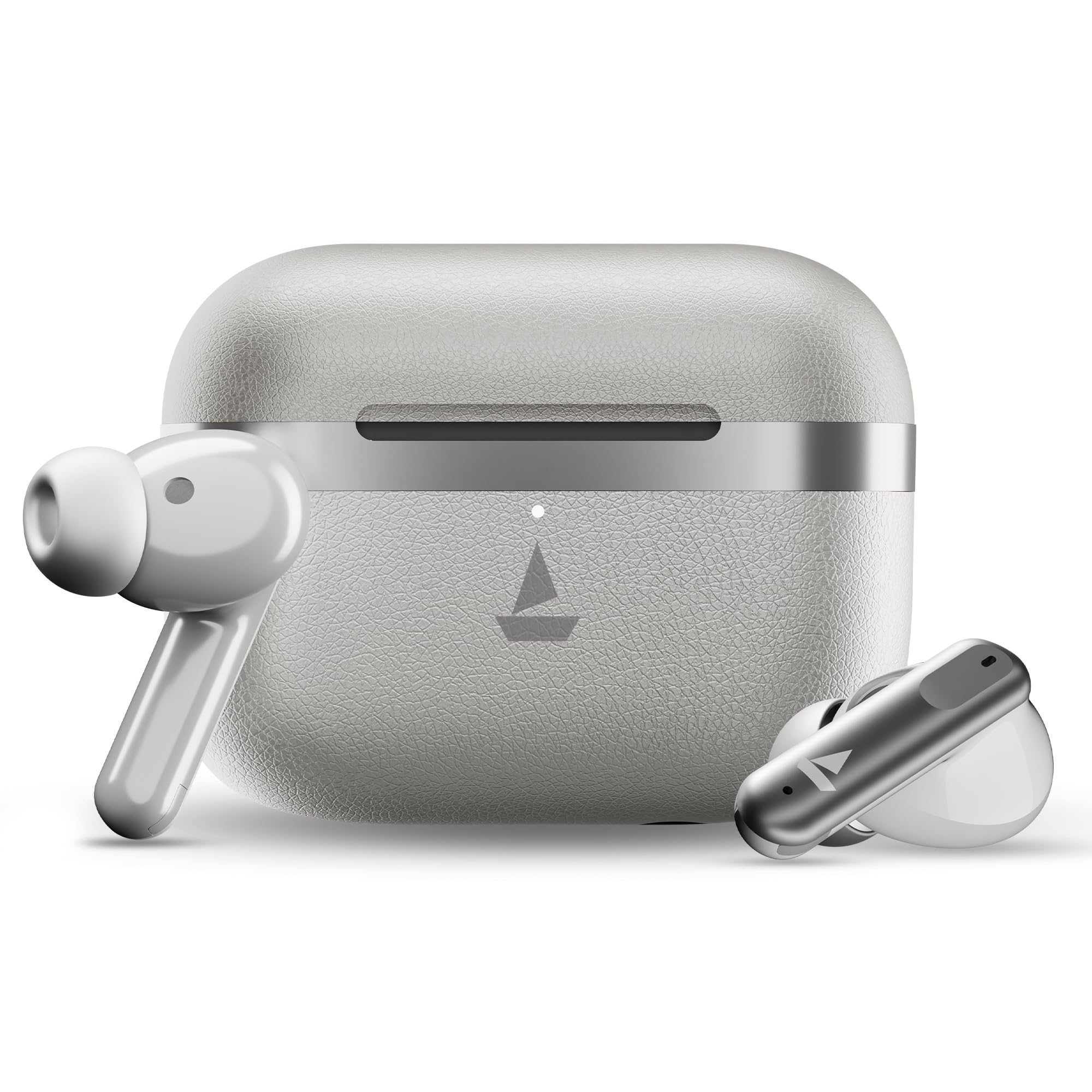
Image: boAt Airdopes Prime 513 ANC TWS Earbuds and charging case.

Image: Key features of the Airdopes Prime 513 ANC, highlighting superior audio, adaptive EQ, enhanced calling, Bluetooth stability, reliability, app integration, and software support.
Setup
1. Charging the Earbuds
Before first use, fully charge the earbuds and the charging case. Connect the provided USB cable to the charging port on the case and a power source. The LED indicator on the case will show charging status.
- ASAP Charge: A 10-minute charge provides approximately 150 minutes of playtime.

Image: Charging case demonstrating 65 hours total playback and ASAP Charge feature.
2. Pairing with a Device
The Airdopes Prime 513 ANC supports Instant Wake N' Pair (IWP) Technology and Google Fast Pair for quick connectivity.
- Initial Pairing: Open the lid of the charging case. The earbuds will automatically enter pairing mode.
- Google Fast Pair: For Android devices, a pop-up notification will appear on your screen. Tap to connect.
- Manual Pairing: On your device, go to Bluetooth settings and select "Airdopes Prime 513 ANC" from the list of available devices.

Image: Features including IWP Technology, Bluetooth v6.0, boAt Hearables App, and IPX4 rating.
3. boAt Hearables App Integration
Download the boAt Hearables App to customize settings, manage features, and personalize your earbuds. Scan the QR code provided in the product packaging or search for the app on your device's app store.
For more information and to download the app, visit: boAt Hearables App
Operating Instructions
1. Active Noise Cancellation (ANC)
The earbuds feature up to 32dB Active Noise Cancellation to reduce ambient noise. You can switch between ANC modes (ANC On, Ambient Mode, ANC Off) using the touch controls on the earbuds or through the boAt Hearables App.

Image: Illustration of Active Noise Cancellation technology within the earbud.
2. Multipoint Connectivity
Connect your Airdopes Prime 513 ANC to two devices simultaneously. This allows you to seamlessly switch between audio sources, for example, from a laptop to a phone call, without re-pairing.

Image: Multipoint Connectivity, showing earbuds connected to a phone and a laptop.
3. Touch Controls
The earbuds feature intuitive touch controls for playback, call management, and ANC mode switching. Refer to the boAt Hearables App for detailed customization options for these controls.
4. Calling with Quad Mics and AI-ENx Technology
The earbuds are equipped with four microphones and AI-driven ENx Technology to filter out environmental noise, ensuring clear voice transmission during calls.

Image: Illustration of Quad Mics with AI-ENx Technology for enhanced call clarity.
5. BEAST Mode for Gaming
Activate BEAST Mode for an ultra-low latency experience (50ms), optimizing audio and visuals for gaming.

Image: BEAST Mode for gaming, highlighting 50ms low latency.
6. Sound Quality
Experience boAt Signature Sound delivered by 13mm dynamic drivers, providing rich bass and clear audio across various media.

Image: Internal components of an earbud, highlighting the 13mm drivers for boAt Signature Sound.
Maintenance
1. Cleaning
Regularly clean the earbuds and charging case with a soft, dry, lint-free cloth. Avoid using abrasive materials or harsh chemicals. Ensure the charging contacts are free of dust and debris.
2. Water Resistance
The earbuds are IPX4 rated for sweat and splash resistance. This means they can withstand light splashes of water and sweat, making them suitable for workouts. Do not submerge the earbuds in water or expose them to heavy rain.
3. Battery Care
To prolong battery life, avoid fully discharging the earbuds and charging case frequently. Store the device in a cool, dry place when not in use for extended periods.
Troubleshooting
- No Sound/Connectivity Issues:
- Ensure earbuds are charged.
- Turn off and on Bluetooth on your device.
- Forget the device in your Bluetooth settings and re-pair.
- Reset the earbuds (refer to the boAt Hearables App or product support for specific reset instructions).
- ANC Not Working Effectively:
- Ensure ANC mode is activated.
- Check for a proper seal with your ear canal; try different sized eartips.
- Microphone Issues:
- Ensure microphones are not obstructed.
- Check for software updates via the boAt Hearables App.
Specifications
| Feature | Specification |
|---|---|
| Brand | boAt |
| Model Name | Airdopes |
| Model Number | PP0043 |
| Ear Placement | In Ear |
| Noise Control | Active Noise Cancellation (up to 32dB) |
| Bluetooth Version | 6.0 |
| Battery Average Life | 65 Hours (Total Playback) |
| Battery Charge Time | 10 Minutes (for 150 mins playtime via ASAP Charge) |
| Audio Driver Type | Dynamic Driver |
| Driver Size | 13mm |
| Microphones | Quad Mics with AI-ENx Technology |
| Water Resistance Level | IPX4 (Sweat and Splash Resistant) |
| Connectivity Features | Multipoint Connectivity, Google Fast Pair, IWP Technology |
| Special Modes | BEAST Mode (50ms Low Latency) |
| App Integration | boAt Hearables App |
| Compatible Devices | Cellphones, Laptops, Tablets, Smart Speakers |
| Item Weight | 40 Grams |
Warranty
The boAt Airdopes Prime 513 ANC comes with a 1-year warranty from the date of purchase. Please retain your proof of purchase for warranty claims. For detailed warranty terms and conditions, refer to the official boAt website or contact customer support.
Support
For any queries, technical assistance, or support, please contact boAt customer service:
- Email: info@imaginemarketingindia.com
- Manufacturer: Imagine Marketing Ltd


