
1. Introduction
The LIGE FV18-A Smart Watch is a versatile fitness tracker designed for daily use, offering a range of features to monitor your health and activity. This manual provides detailed instructions for setting up, operating, maintaining, and troubleshooting your device.
2. What's in the Box
Upon unboxing your LIGE FV18-A Smart Watch, you should find the following items:
- LIGE FV18-A Smart Watch
- Charging Cable
- User Manual
- Watch Band (typically two interchangeable straps: silicone and metal)

Image: Contents of the LIGE FV18-A Smart Watch box, showing the watch, charging cable, user manual, and two interchangeable watch bands.
3. Setup
3.1 Charging the Device
Before initial use, fully charge your smart watch. Connect the magnetic charging cable to the charging points on the back of the watch. A full charge typically takes 1-2 hours. The watch offers up to 7 days of regular use and up to 20 days of standby time.

Image: The LIGE FV18-A Smart Watch connected to its magnetic charger, illustrating the charging process and its IP68 waterproof capability.
3.2 App Installation and Pairing
To unlock the full functionality of your smart watch, download and install the "Glory Fit" application on your smartphone. The app is compatible with Android 4.0 (inclusive) and iOS 9.0 (inclusive) and above.
- Search for "Glory Fit" in your phone's app store (Google Play Store for Android or Apple App Store for iOS).
- Download and install the app.
- Open the app and follow the on-screen instructions to create an account or log in.
- Enable Bluetooth on your smartphone.
- In the "Glory Fit" app, navigate to the device section and select to add a new device.
- The app will search for nearby devices. Select "FV18-A" or the corresponding device name from the list.
- Confirm the pairing request on both your phone and the smart watch.
For a visual guide on connecting your smartwatch, please refer to the video below:
Video: A step-by-step tutorial demonstrating how to connect the smartwatch to a smartphone via Bluetooth and the companion app.
3.3 Customizing Watch Faces
The LIGE FV18-A offers over 100 preset watch faces. You can also customize watch faces using your own photos through the "Glory Fit" app.

Image: The smartwatch screen showcasing different watch face designs and the app interface for custom photo uploads.
4. Operating Instructions
4.1 Navigation
The watch features a 1.47" HD full touch screen for intuitive navigation. Swipe left, right, up, or down to access different functions and menus. Use the side button for power on/off or to return to the home screen.

Image: A detailed view of the LIGE FV18-A Smart Watch's 1.47-inch HD screen, highlighting its display quality and touch capabilities.
4.2 Smart Notifications and Calls
Once paired with your smartphone, the watch will display notifications for incoming calls, messages, and various social media applications (e.g., WhatsApp, Instagram, Facebook). The built-in speaker and microphone allow for clear call quality and music playback directly from the watch.

Image: The smartwatch displaying incoming call and message notifications, along with logos of supported social media applications.
4.3 Sports Modes
The LIGE FV18-A features over 24 built-in sports modes to track your exercise performance, including steps, calories burned, distance, and exercise time. You can set personalized fitness goals through the "Glory Fit" app.
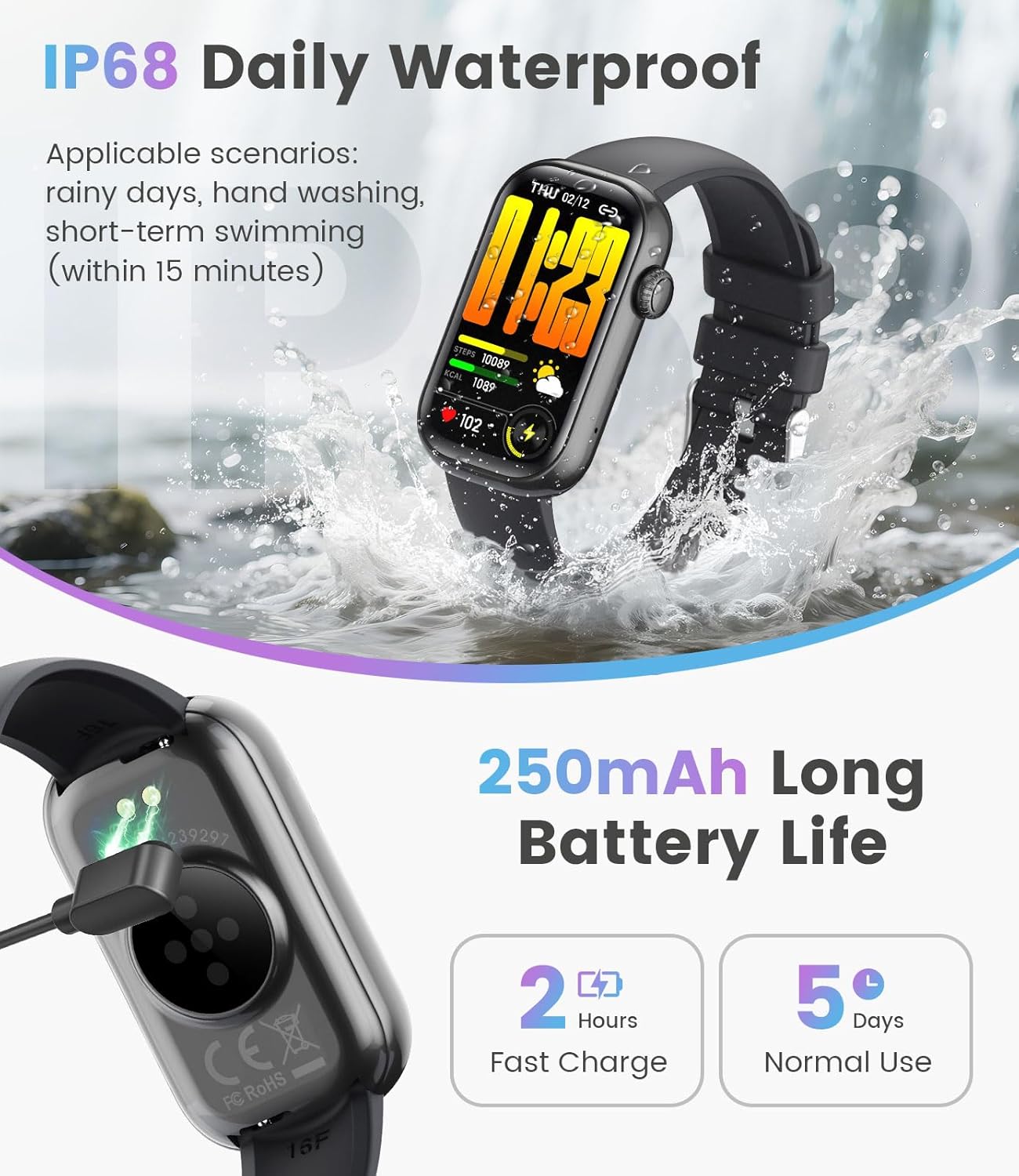
Image: The smartwatch interface showing different sports tracking options, with individuals engaged in various physical activities.
4.4 Health Monitoring
The watch provides 24/7 health monitoring capabilities, including:
- Heart Rate Monitoring: Tracks your heart rate throughout the day.
- Blood Oxygen (SpO2) Monitoring: Measures your blood oxygen levels.
- Sleep Tracking: Analyzes your sleep patterns, including deep sleep, light sleep, and awake times.
- Women's Health: Provides features for menstrual cycle tracking and reminders.

Image: The smartwatch screen showing detailed sleep monitoring data, including sleep stages and duration.
To enable the menstrual cycle feature, follow the instructions in the video below:
Video: A guide on how to enable and set up the menstrual cycle tracking feature within the smartwatch's companion app.
4.5 Additional Functions
The LIGE FV18-A Smart Watch includes several other useful functions:
- Remote Photography: Control your phone's camera remotely.
- Water Drinking Reminder: Get alerts to stay hydrated.
- Sedentary Reminder: Prompts you to move after periods of inactivity.
- Alarm Clock: Set alarms directly from your wrist.
- Stopwatch: For timing activities.
- Find Device: Helps locate your paired smartphone.
- Music Control: Manage music playback on your phone.
- Weather Forecast: View current weather conditions and forecasts.

Image: A collage showing the smartwatch interface for various utility features such as phone finding, stopwatch, weather, sedentary reminders, and music control.
5. Maintenance
5.1 Waterproof Rating
The LIGE FV18-A Smart Watch has an IP68 waterproof rating, meaning it is resistant to dust and can withstand immersion in water up to 1.5 meters for up to 30 minutes. This makes it suitable for daily activities like hand washing, rain, and short-term swimming (within 15 minutes). Avoid hot water, saunas, or diving.
Image: The smartwatch submerged in water, illustrating its IP68 waterproof feature.
5.2 Cleaning and Care
To maintain your watch's performance and appearance:
- Wipe the screen and strap regularly with a soft, damp cloth.
- Avoid using harsh chemicals or abrasive cleaners.
- Ensure the charging contacts are clean and dry before charging.
6. Troubleshooting
If you encounter issues with your LIGE FV18-A Smart Watch, try the following steps:
- Watch not turning on: Ensure the watch is fully charged.
- Cannot pair with phone: Make sure Bluetooth is enabled on your phone and the watch is within range. Restart both devices and try pairing again.
- Notifications not received: Check app permissions on your phone to ensure "Glory Fit" has access to notifications. Verify notification settings within the "Glory Fit" app.
- Inaccurate data: Ensure the watch is worn snugly on your wrist. For sleep tracking, wear it throughout the night.
7. Specifications
| Feature | Specification |
|---|---|
| Brand | LIGE |
| Model Name | FV18-A |
| Display Type | AMOLED |
| Screen Size | 1.47 Inches |
| Resolution | 172 x 320 |
| Battery Capacity | 250 Milliamp Hours (Lithium Polymer) |
| Charging Time | 1 Hour |
| Battery Average Life (Normal Use) | 7 Days |
| Battery Average Life (Standby) | 20 Days |
| Waterproof Rating | IP68 |
| Connectivity Technology | Bluetooth |
| Compatible Devices | Smartphone (Android 4.0+, iOS 9.0+) |
| Human Interface Input | Microphone, Touchscreen |
| Product Dimensions | 4.8 x 4.3 x 0.7 cm; 180 g |
| GPS | No GPS |
8. Warranty and Support
LIGE provides a 24-month warranty for your smart watch. If you have any questions or require support, please contact our support team. Your satisfaction is our top priority.


