
1. Product Overview
The LIGE LG8908 is a men's chronograph quartz watch designed for daily wear. It features a precise Japanese quartz movement, chronograph functionality, date display, and luminous hands for visibility in low light conditions. The watch is constructed with a durable stainless steel case and a comfortable silicone strap.

Image 1.1: Front view of the LIGE LG8908 watch, showcasing its black dial, silver case, and silicone strap.
2. Components and Functions
Familiarize yourself with the main components and their functions:
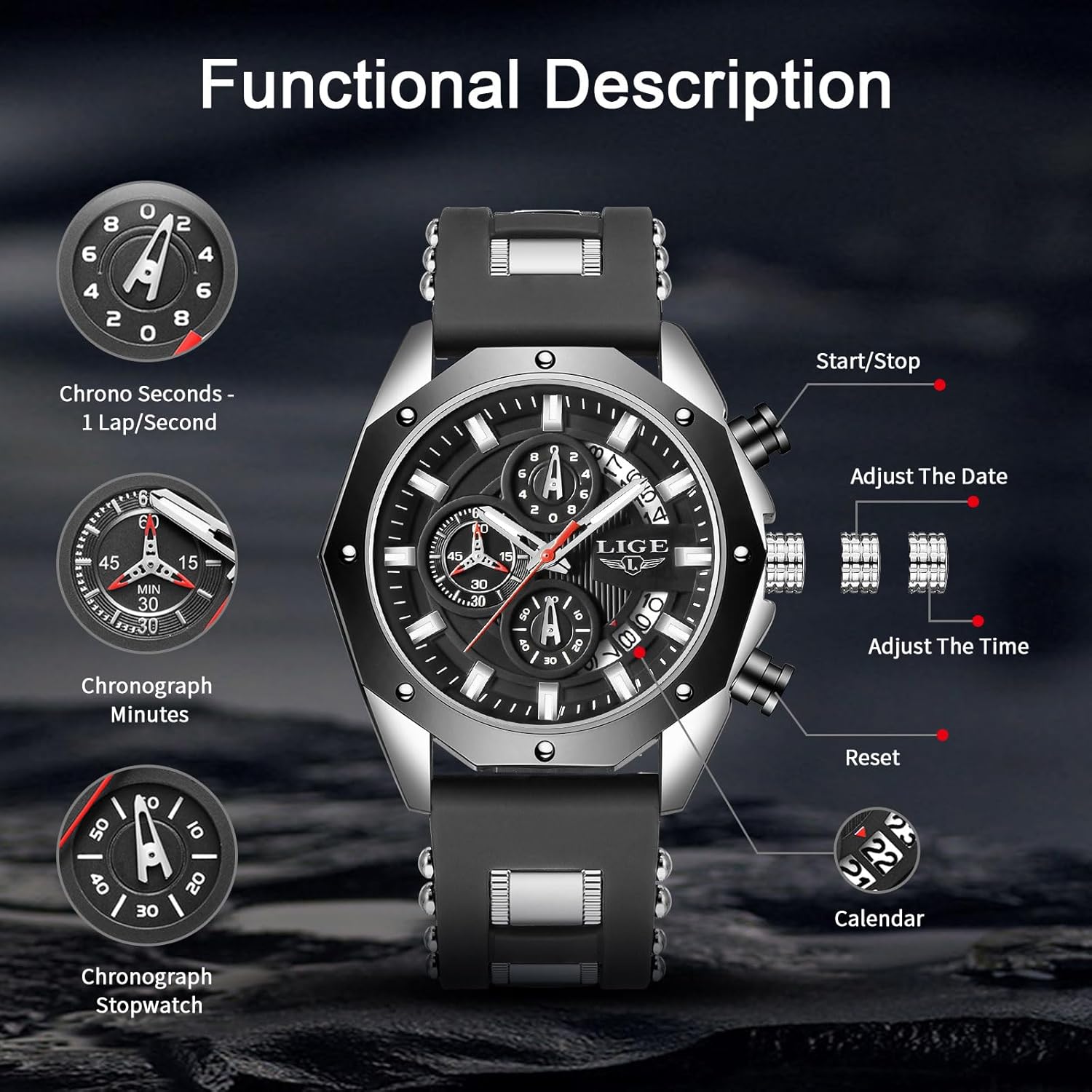
Image 2.1: Detailed diagram illustrating the watch's crown, pushers, and sub-dials for chronograph and date functions.
- Crown (Middle): Used for setting time and date.
- Pusher A (Top Right): Controls the chronograph Start/Stop function.
- Pusher B (Bottom Right): Controls the chronograph Reset function.
- Sub-dial (Top): Chrono Seconds - measures 1 lap/second.
- Sub-dial (Left): Chronograph Minutes - measures up to 60 minutes.
- Sub-dial (Bottom): Chronograph Stopwatch - measures up to 60 seconds.
- Date Window: Displays the current date.
- Luminous Hands and Markers: Provide visibility in low-light conditions after absorbing light.
3. Setup
3.1 Initial Inspection
Upon receiving your watch, inspect it for any visible damage. Ensure the crown is pushed in to its normal operating position.
3.2 Setting the Time
- Pull the crown out to position 2.
- Rotate the crown to move the hour and minute hands to the desired time.
- Push the crown back into position 0 to start the watch.
3.3 Setting the Date
- Pull the crown out to position 1.
- Rotate the crown clockwise or counter-clockwise (depending on the movement) to adjust the date.
- Once the correct date is displayed, push the crown back into position 0.
Note: Avoid setting the date between 9 PM and 3 AM, as this may interfere with the date change mechanism. If you need to set the date during this period, first set the time outside this range, adjust the date, then reset the time.

Image 3.1: Close-up view of the watch crown and pushers, used for time and date adjustments, and chronograph control.
3.4 Strap Adjustment
The silicone strap is designed for comfort and can be adjusted to fit various wrist sizes. If the strap is too long, it may require professional adjustment by removing segments or cutting the silicone, if applicable to your specific strap design. For minor adjustments, use the buckle mechanism.

Image 3.2: Close-up of the watch's two-tone silicone strap, highlighting its texture and design.
4. Operating the Chronograph
The chronograph function allows you to measure elapsed time.
- Start: Press Pusher A (top right) to start the chronograph. The chronograph second hand and minute sub-dial will begin to move.
- Stop: Press Pusher A again to stop the chronograph. The elapsed time will be indicated by the chronograph hands.
- Reset: After stopping the chronograph, press Pusher B (bottom right) to reset all chronograph hands to their zero positions.
5. Maintenance
5.1 Water Resistance
This watch has a 3ATM (30 meters) water resistance rating. This means it is suitable for daily use and can withstand splashes, rain, and brief immersion in water. It is not recommended for swimming, bathing, diving, or any activities involving prolonged water exposure or high-pressure water.
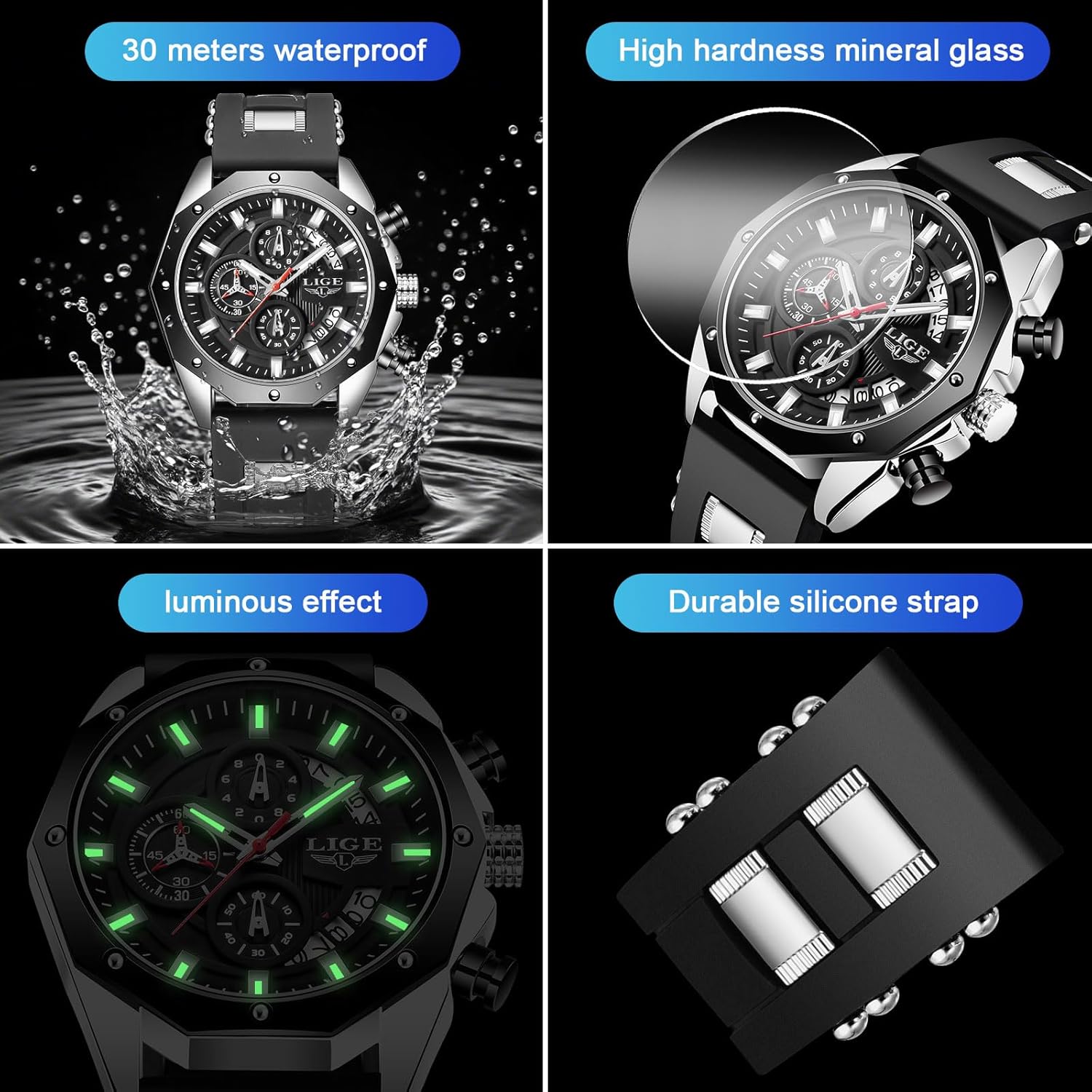
Image 5.1: A multi-panel image illustrating the watch's 30-meter water resistance, high-hardness mineral glass, luminous display, and durable silicone strap.
Important: Do not operate the crown or pushers when the watch is wet or submerged in water, as this can compromise the water resistance.
5.2 Cleaning
To clean your watch, wipe the case and strap with a soft, damp cloth. For the silicone strap, a mild soap solution can be used, followed by rinsing with clean water and thorough drying. Avoid using harsh chemicals or abrasive materials.
5.3 Battery Replacement
The watch is powered by one nonstandard battery (included). When the watch stops running or the timekeeping becomes erratic, the battery may need replacement. Battery replacement should ideally be performed by a qualified watch technician to ensure proper sealing and maintain water resistance.
5.4 Luminous Feature
The luminous hands and markers absorb light during the day and glow in the dark. The intensity and duration of the glow depend on the amount of light absorbed. Exposure to bright light for a period will enhance the luminous effect.
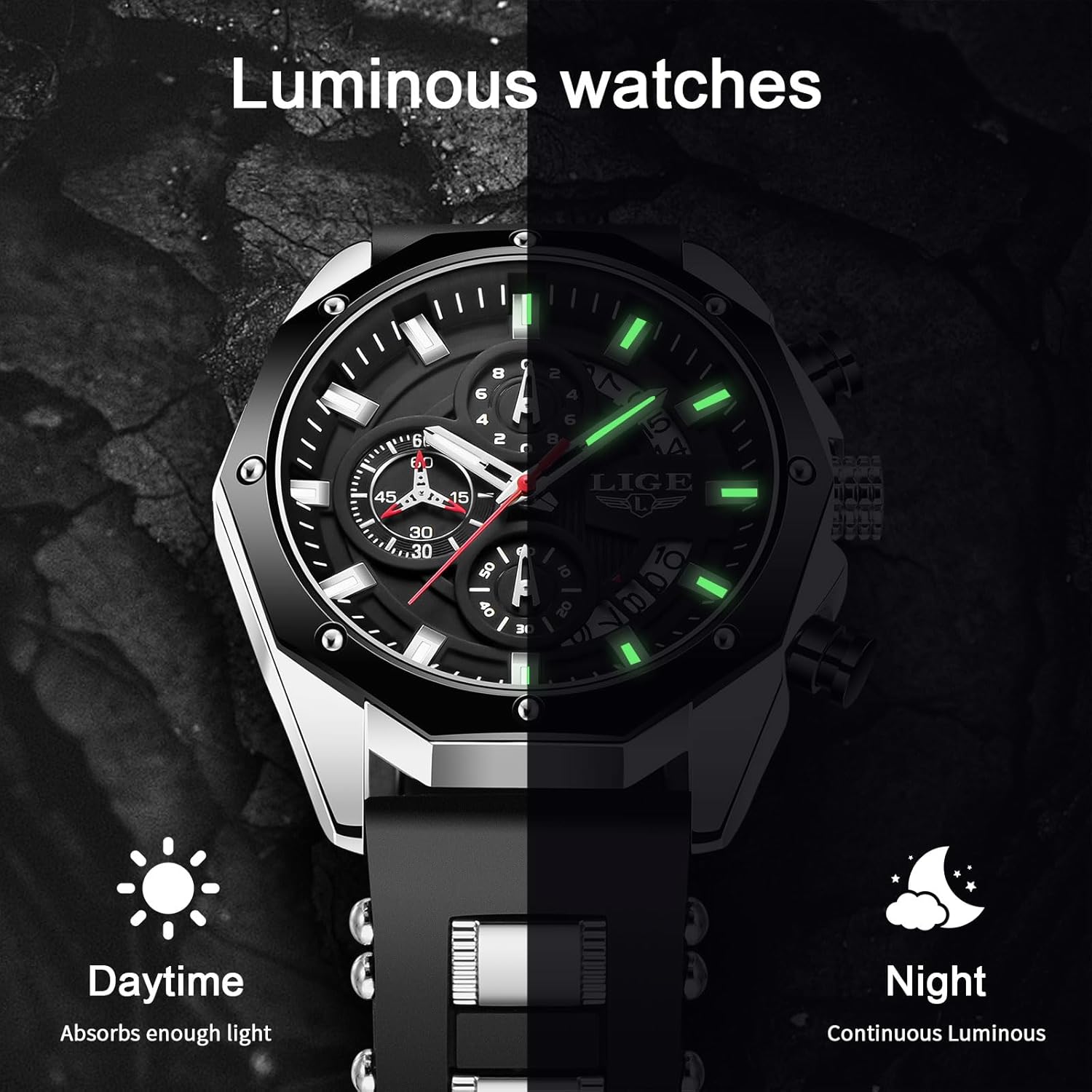
Image 5.2: Comparison image showing the watch's appearance in daylight and its luminous glow in darkness.
6. Troubleshooting
- Watch not running: Check if the crown is fully pushed in. If it is, the battery may need replacement.
- Incorrect time/date: Refer to Section 3.2 and 3.3 for setting instructions.
- Chronograph hands not resetting to zero: If the chronograph hands do not return to the 12 o'clock position after pressing Pusher B, a calibration may be needed. Consult a professional watch repair service.
- Water inside the watch: Immediately take the watch to a professional for inspection and repair to prevent further damage.
7. Specifications
| Feature | Specification |
|---|---|
| Model Number | LG8908 |
| Movement | Japanese Quartz |
| Case Material | Stainless Steel |
| Strap Material | Silicone |
| Dial Case Diameter | 47mm |
| Dial Case Thickness | 12mm |
| Band Width | 22mm |
| Water Resistance | 3ATM (30 meters) |
| Glass Type | High-hardness Mineral Glass (500-600Hv) |
| Special Features | Chronograph, Date Display, Luminous Hands |
| Battery | 1 Nonstandard Battery (included) |
8. Warranty and Support
8.1 Warranty Information
The LIGE LG8908 watch comes with a two-year customer service warranty from the date of purchase. This warranty covers manufacturing defects under normal use. It does not cover damage resulting from improper handling, accidents, unauthorized repairs, or normal wear and tear.
8.2 Return and Exchange Policy
A 60-day return and exchange policy is offered. Please refer to your purchase documentation or retailer for specific terms and conditions regarding returns and exchanges.
8.3 Customer Support
If you have any questions, require assistance, or need to claim warranty service, please contact LIGE customer service through the retailer where the watch was purchased. Our customer service team is available to provide professional support.