1. Introduction
Thank you for choosing the Miady 10000mAh Dual USB Portable Charger. This device is designed to provide reliable portable power for your electronic devices. This manual provides essential information for the safe and efficient use of your portable charger, including setup, operation, maintenance, and troubleshooting.
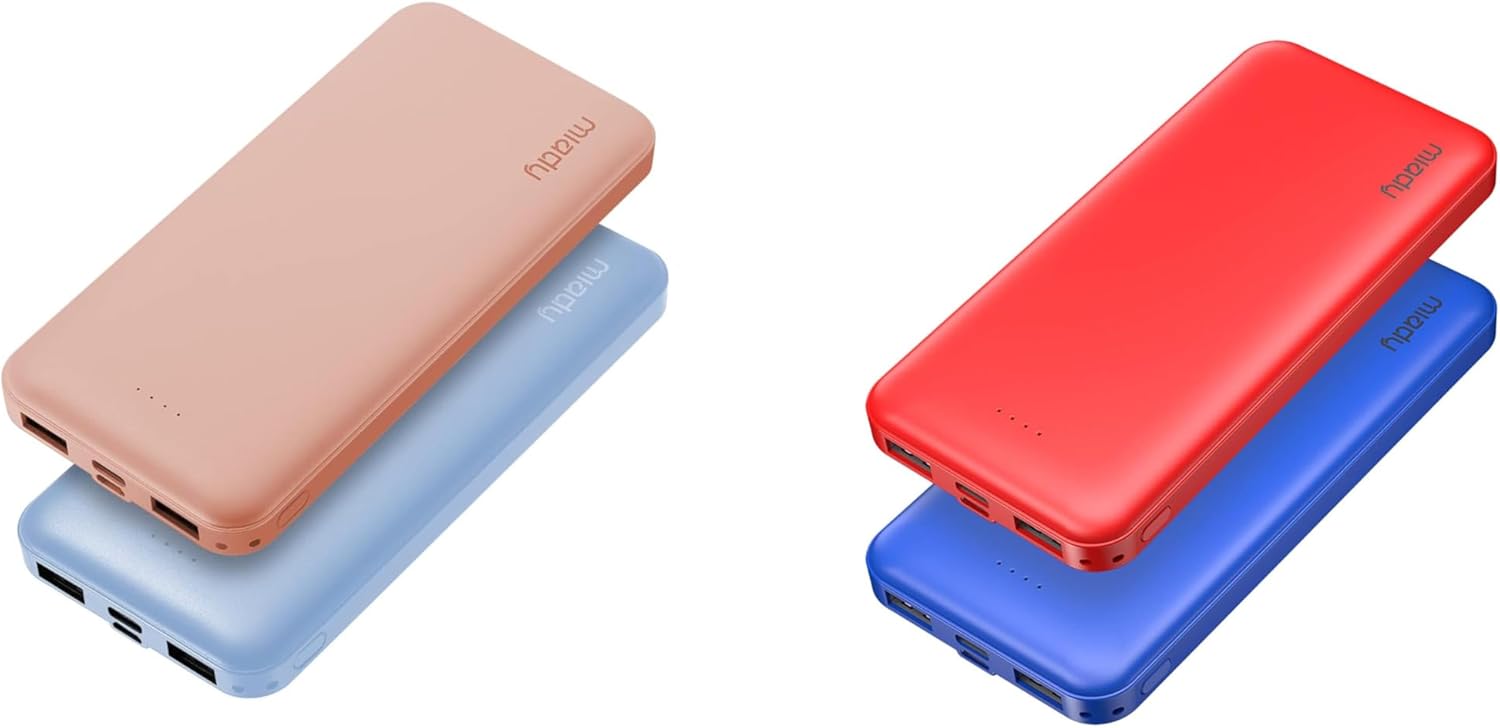
Image 1.1: Miady 10000mAh Portable Chargers in various colors (Blue, Pink, Red).
This image displays multiple Miady 10000mAh portable chargers in different colors, showcasing the compact and sleek design of the product. The chargers are shown stacked, highlighting their slim profile.
2. Safety Information
To ensure safe operation and prevent damage, please read and follow these safety guidelines:
- Do not expose the portable charger to extreme temperatures, direct sunlight, or fire.
- Avoid dropping, impacting, or disassembling the device.
- Keep the device away from water and other liquids.
- Do not use the portable charger if it is damaged or shows signs of swelling.
- Keep out of reach of children.
- Dispose of the device according to local regulations.
- Use only certified cables for charging and recharging.

Image 2.1: Miady Portable Charger with Multiple Safety Protections.
This image highlights the safety features of the Miady portable charger, including icons for Over Heat Protection, Over Surge Protection, Over Charge Protection, and Short Circuit Protection, emphasizing the device's built-in safeguards.
3. Product Overview
3.1. Components
The Miady 10000mAh Portable Charger features multiple ports for versatile charging and recharging:
- USB-A Output Ports (x2): For charging external devices.
- USB-C Port (Input/Output): For charging external devices and recharging the power bank.
- Micro USB Port (Input): For recharging the power bank.
- LED Indicator Lights: To display battery level.

Image 3.1: Close-up of Miady Portable Charger ports.
This image provides a detailed view of the Miady portable charger's ports, including the USB-A output ports, the USB-C port, and the Micro USB input port. The LED indicator lights are also visible, showing the device's charging status.
3.2. Dimensions and Weight
The portable charger is designed for portability and convenience.
- Dimensions: Approximately 5.5 x 2.6 x 0.6 inches (140 x 67 x 16 mm)
- Weight: Approximately 7.68 ounces (218.5 g) per unit

Image 3.2: Miady Portable Charger dimensions.
This image shows a hand holding the Miady portable charger, illustrating its compact size and slim profile. The dimensions (140*67*16mm / 218.5g each) are overlaid on the image, emphasizing its portability.
4. Setup and Initial Use
4.1. Initial Charging of the Power Bank
Before first use, it is recommended to fully charge your Miady portable charger. This ensures optimal performance and battery longevity.
- Connect the provided USB-C cable to the USB-C input port on the portable charger.
- Connect the other end of the USB-C cable to a compatible USB wall adapter (not included) or a computer's USB port.
- The LED indicator lights will illuminate to show the charging progress. All lights will be solid when fully charged.
- A full recharge typically takes approximately 5 hours when using a 5V 2.0A adapter.
5. Operating Instructions
5.1. Charging External Devices
The portable charger can charge up to three devices simultaneously using its dual USB-A ports and one USB-C port.
- Connect your device's charging cable to one of the USB-A output ports or the USB-C output port on the portable charger.
- Connect the other end of the cable to your electronic device (e.g., smartphone, tablet).
- The portable charger will automatically begin charging your device. The LED indicators will show the remaining battery level.
- Disconnect your device once it is fully charged or when you no longer need to charge.
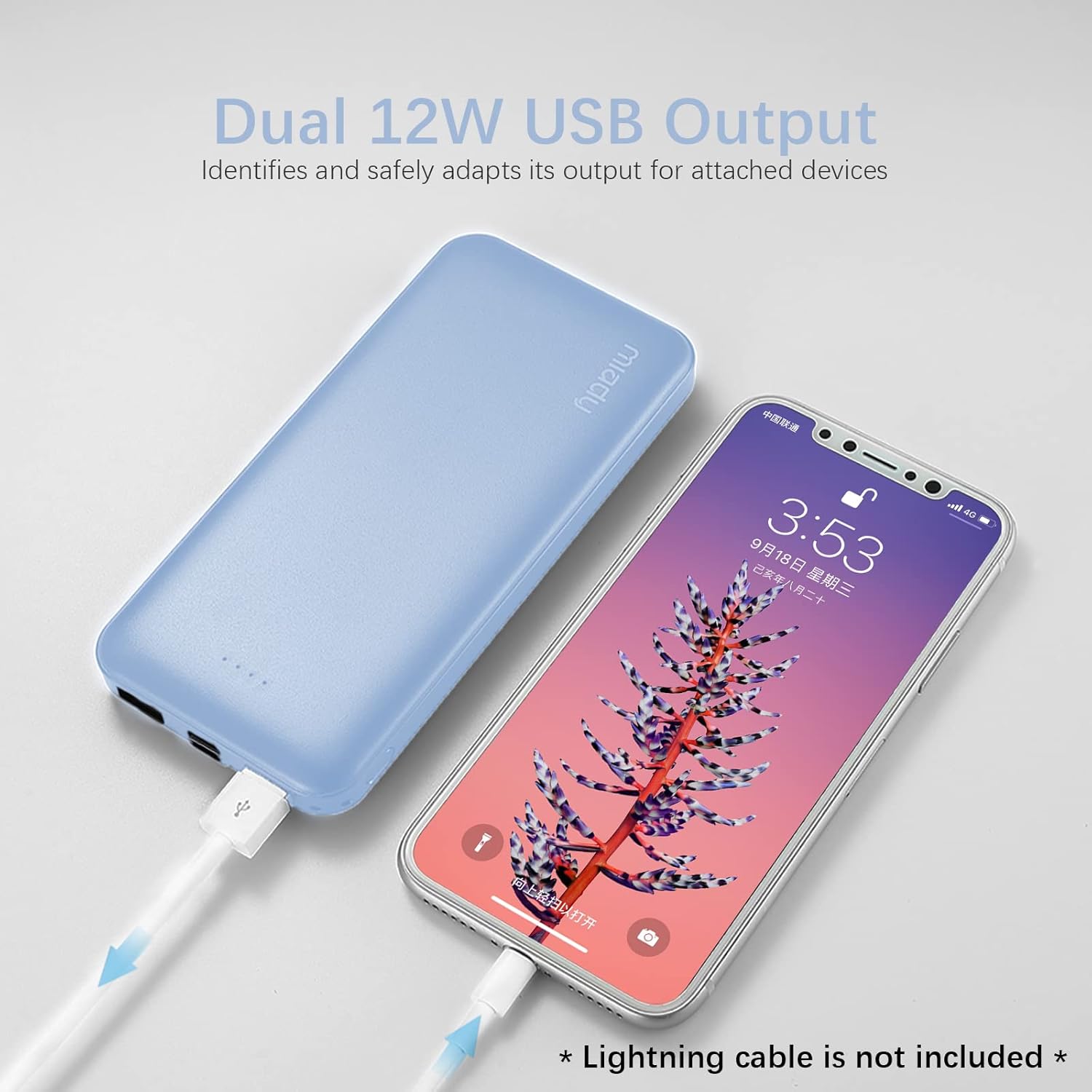
Image 5.1: Miady Portable Charger charging an iPhone.
This image shows a light blue Miady portable charger connected via a USB cable to an iPhone, demonstrating the device in active use for charging a mobile phone. The iPhone screen displays a charging animation.
The 10000mAh capacity provides multiple charge cycles for most smartphones:
- iPhone X: Approximately 2.4 charge cycles
- iPhone 8: Approximately 3.6 charge cycles
- Samsung S9: Approximately 2.2 charge cycles

Image 5.2: Miady Portable Charger charge cycle examples.
This image illustrates the charging capacity of the Miady portable charger by showing estimated charge cycles for various smartphone models, such as iPhone X, iPhone 8, and Samsung S9. Two portable chargers are visible in the background.
5.2. Recharging the Power Bank
You can recharge the portable charger using either the USB-C input port or the Micro USB input port.
- Connect a USB-C cable to the USB-C input port or a Micro USB cable to the Micro USB input port on the portable charger.
- Connect the other end of the cable to a USB wall adapter (5V 2.0A recommended) or a computer's USB port.
- The LED indicators will flash to show the charging status. All four lights will be solid when the power bank is fully recharged.
6. Maintenance and Care
Proper maintenance ensures the longevity and performance of your portable charger.
- Cleaning: Use a soft, dry cloth to clean the surface of the device. Do not use harsh chemicals or abrasive materials.
- Storage: Store the portable charger in a cool, dry place away from direct sunlight and extreme temperatures.
- Battery Health: For optimal battery life, recharge the power bank at least once every three months if not in regular use.
- Travel: The Li-polymer cell design makes it safe for air travel.

Image 6.1: Miady Portable Charger in a travel setting.
This image depicts a red Miady portable charger in an airplane cabin setting, with a person in the background using a mobile device. It illustrates the product's suitability and convenience for travel.
7. Troubleshooting
If you encounter issues with your Miady portable charger, please refer to the following common problems and solutions:
- Device not charging:
- Ensure the portable charger has sufficient power (check LED indicators).
- Verify that the charging cable is securely connected to both the portable charger and your device.
- Try a different charging cable or a different port on the power bank.
- Ensure your device is compatible with the power bank's output specifications.
- Power bank not recharging:
- Ensure the charging cable is securely connected to the power bank's input port and the power source.
- Try a different charging cable or a different wall adapter.
- Verify the wall adapter provides at least 5V 2.0A output.
- Slow charging:
- Ensure you are using a high-quality cable.
- Check if your device supports faster charging speeds.
- Charging multiple devices simultaneously may reduce individual charging speeds.
8. Specifications
| Feature | Specification |
|---|---|
| Model | 10000mAh Dual USB Portable Charger |
| Battery Capacity | 10000mAh |
| Battery Type | Li-polymer |
| USB-A Output | 5V / 2.4A (Max per port) |
| USB-C Output | 5V / 2.4A |
| USB-C Input | 5V / 2.0A |
| Micro USB Input | 5V / 2.0A |
| Dimensions | 5.5 x 2.6 x 0.6 inches (140 x 67 x 16 mm) |
| Weight | 7.68 ounces (218.5 g) per unit |
9. Warranty and Support
Miady products are designed for reliability and performance. For any questions or support needs, please contact our customer service.
- Customer Service: Miady offers 24/7 customer service. Please contact the Miady store directly for assistance.
- Return Policy: Standard return policies apply, typically 30 days for refund/replacement. Refer to your purchase platform for specific details.