
1. Introduction
This manual provides detailed instructions for the installation, operation, and maintenance of your PGST Wireless Alarm System A519W. This 5-piece kit is designed to enhance the security of your home or apartment by providing real-time alerts and a deterrent against unauthorized entry. Please read this manual thoroughly before using the system.
2. Package Contents
The PGST Wireless Alarm System 5-piece kit includes the following components:
- 1 x Siren Hub (Main control unit)
- 1 x PIR Motion Detector
- 1 x Door/Window Sensor
- 2 x Remote Controls
- 1 x Power Adapter for Siren Hub
- Mounting accessories (screws, adhesive pads)
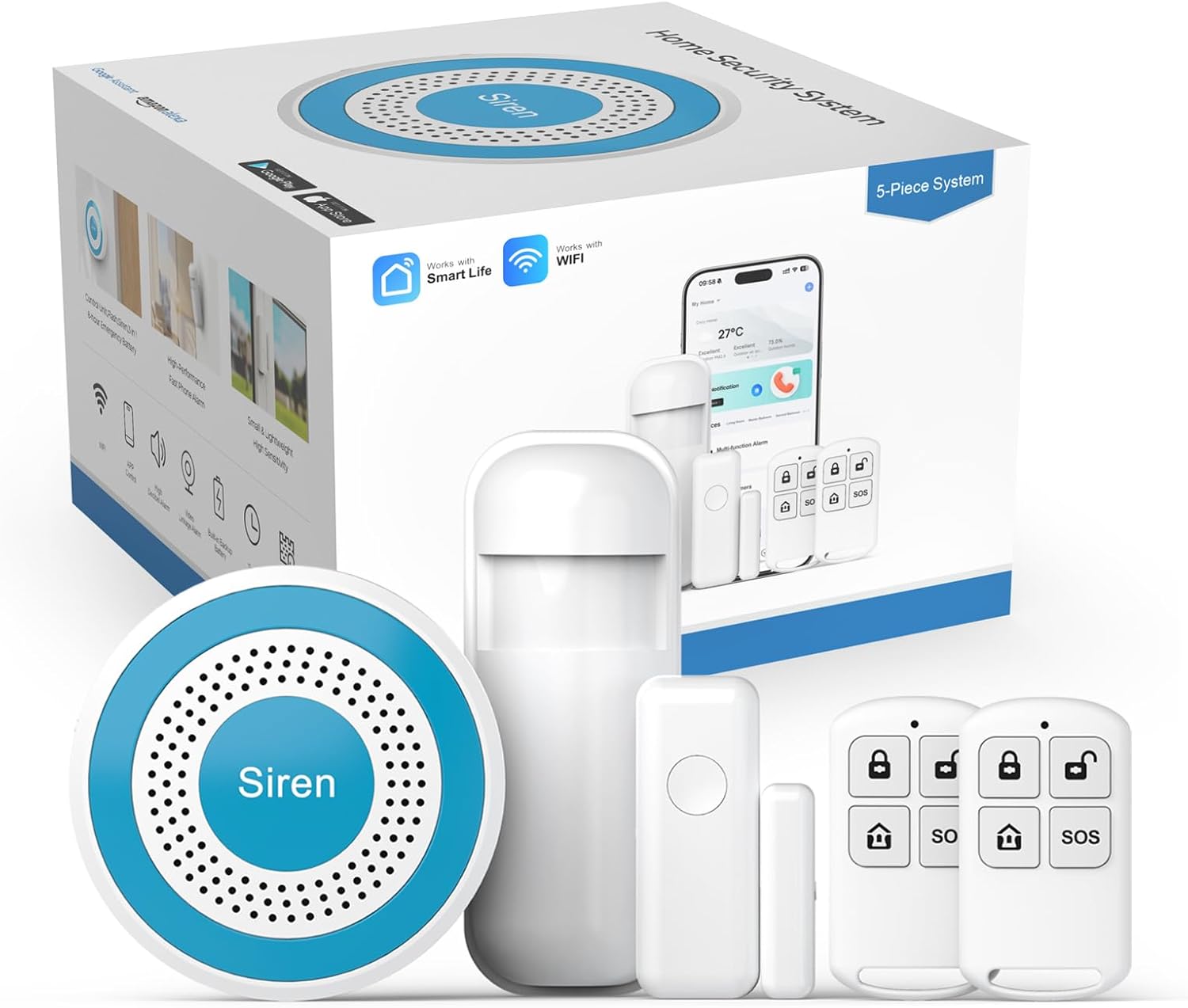
Image 2.1: Overview of the PGST Wireless Alarm System 5-piece kit, showing the siren hub, motion sensor, door/window sensor, and two remote controls.
3. Setup Guide
3.1 Initial Setup and App Connection
- Download the App: Download the 'Smart Life' or 'Tuya Smart' app from your smartphone's app store.
- Register an Account: Open the app and follow the on-screen instructions to register a new user account.
- Connect to Wi-Fi: Ensure your smartphone is connected to a 2.4GHz Wi-Fi network. The system does not support 5GHz Wi-Fi.
- Add Device: In the app, select 'Add Device' and choose 'Alarm (Wi-Fi)' or similar security device option.
- Power On Siren Hub: Connect the Siren Hub to power. Long press the 'Setting' button on the Siren Hub until it beeps once to enter pairing mode.
- Complete Connection: Follow the remaining prompts in the app to connect the Siren Hub to your Wi-Fi network.

Image 3.1: Visual guide for connecting the alarm system, showing app registration, Wi-Fi selection, and pressing the setting button on the siren hub.
3.2 Sensor and Remote Pairing
Once the Siren Hub is connected to the app, you can add the included sensors and remote controls:
- Follow the app's instructions to add new accessories. This typically involves activating the sensor (e.g., separating the door sensor magnets, triggering the motion sensor) or pressing a button on the remote control while the hub is in pairing mode.
- The system supports adding up to 20 wireless defense zones (door/window sensors, infrared sensors) and up to 5 remote controls.
3.3 Sensor Installation
Install the door/window sensor and PIR motion detector in strategic locations:
- Door/Window Sensor: Mount the two parts of the sensor on a door or window frame, ensuring they are aligned and within 1 cm of each other when the door/window is closed. Use the provided adhesive pads or screws.
- PIR Motion Detector: Install the motion detector in a corner or on a wall where it can cover the desired area without obstructions. Avoid placing it near heat sources or direct sunlight. The detector is designed to detect human movement within its range.

Image 3.2: Illustration of door and PIR motion sensors detecting entry, with a smartphone displaying a real-time alert.
4. Operation
4.1 Arming and Disarming the System
The system can be armed or disarmed using the mobile app, remote controls, or voice commands.
- Mobile App: Use the 'Smart Life' or 'Tuya Smart' app to arm (Home/Away mode) or disarm the system from anywhere.
- Remote Control: Press the 'Arm' button (usually a closed padlock icon) to arm the system and the 'Disarm' button (usually an open padlock icon) to disarm it.
- Voice Control: The system is compatible with Alexa and Google Assistant. You can use voice commands such as "Alexa, arm my home" or "Hey Google, disarm the alarm" after linking the system in the respective smart home apps.

Image 4.1: Example of voice control functionality, showing a user issuing a command to arm the system using Alexa.
4.2 Alarm Modes
The system offers multiple modes to suit different security needs:
- Home Mode: Activates specific sensors (e.g., perimeter sensors like door/window sensors) while allowing free movement within the home.
- Away Mode: Activates all sensors, including motion detectors, for full protection when no one is home.
- SOS Function: Pressing the SOS button on the remote control or in the app will immediately trigger the alarm and send alerts to pre-set contacts.

Image 4.2: Screenshot of the mobile app interface demonstrating various sensor and alarm modes, including how a door sensor behaves in 'Stay Arm Active' versus 'Out Arm Active' modes.
4.3 Scheduling Arm/Disarm
You can set schedules for automatic arming and disarming of the system:
- Access the scheduling feature within the 'Smart Life' or 'Tuya Smart' app.
- Set specific times for the system to arm (e.g., when leaving for work or going to bed) and disarm (e.g., upon waking up or returning home).

Image 4.3: Visual representation of setting timed arm and disarm schedules for various daily activities, such as waking up, going out, returning home, and bedtime.
4.4 Receiving Alerts and Alarm Calls
When the alarm is triggered, the system will:
- Sound the Siren Hub at a high decibel level.
- Send instant notifications to your smartphone via the app.
- If a 4G GSM card is installed (not included in this 5-piece kit), the system can call or send messages to up to five pre-set emergency contact numbers.

Image 4.4: A banner illustrating the feature to preset five alarm call numbers, ensuring alerts are not missed.
5. Maintenance
Regular maintenance ensures the optimal performance and longevity of your PGST Wireless Alarm System.
- Battery Check: Periodically check the battery status of your wireless sensors and remote controls via the app. Replace batteries as needed to avoid system malfunctions.
- Cleaning: Gently wipe the Siren Hub, sensors, and remotes with a soft, dry cloth. Avoid using abrasive cleaners or solvents.
- Firmware Updates: Check the 'Smart Life' or 'Tuya Smart' app regularly for any available firmware updates for your Siren Hub to ensure you have the latest features and security enhancements.
6. Troubleshooting
If you encounter issues with your PGST Wireless Alarm System, refer to the following common solutions:
- System Not Connecting to Wi-Fi:
- Ensure your Wi-Fi network is 2.4GHz. The system does not support 5GHz networks.
- Verify that your Wi-Fi password is entered correctly in the app.
- Move the Siren Hub closer to your Wi-Fi router to improve signal strength.
- Restart your Wi-Fi router and the Siren Hub, then attempt to reconnect.
- Sensors Not Triggering Alarm:
- Check the battery level of the sensor in the app. Replace if low.
- Ensure the sensor is properly paired with the Siren Hub. Re-pair if necessary.
- For door/window sensors, verify that the two parts are correctly aligned and within the specified gap when closed.
- For motion detectors, ensure there are no obstructions and that it is placed in an area where movement is expected.
- False Alarms:
- Adjust the sensitivity settings of motion detectors if available in the app.
- Ensure motion detectors are not placed near vents, windows, or areas with significant temperature fluctuations that could cause false triggers.
- Verify that all sensors are securely mounted and not subject to vibrations.
- App Not Functioning/Downloading:
- Ensure your smartphone's operating system is up to date.
- Check your region settings on your app store; some apps may have regional restrictions.
- Try reinstalling the app.
If these steps do not resolve the issue, please contact PGST customer support for further assistance.
7. Specifications
| Feature | Specification |
|---|---|
| Brand | PGST |
| Model Number | PGST A519W |
| Power Source | Battery Powered (Siren Hub: DC5V/1000mA, Backup Battery: 3.7V/280mAh Lithium Polymer) |
| Compatible Devices | Smartphone (via Tuya/Smart Life App) |
| Dimensions (Siren Hub) | 5 x 4 x 3 inches (approx. Φ81x35mm) |
| Item Weight | 12 ounces |
| Connectivity Technology | Wireless (2.4GHz Wi-Fi, Wireless RF 433.92 MHz) |
| Installation Type | Self-Adhesive |
| Alert Type | Motion Only (for PIR sensor), Door/Window Open/Close |
| Control Method | App, Remote Control, Voice (Alexa, Google Assistant) |
| Alarm Sound Pressure | >100db |
| Wireless Receiving Distance | >100 m (in open space) |
| Operating Temperature | -20℃ ~ +55℃ |
| Operating Humidity | 40%RH-80%RH |
| UPC | 735083580971 |

Image 7.1: Diagram illustrating the functional components of the siren hub and a table detailing key technical specifications.
8. Warranty and Support
PGST provides a One Year quality warranty from the date of purchase for this product. This warranty covers manufacturing defects and ensures the product functions as intended under normal use.
For technical assistance, troubleshooting not covered in this manual, or warranty claims, please contact PGST customer support. You may find contact information on the PGST official website or through your purchase platform. If additional operation videos are needed, support can provide them upon request.


