
1. Product Overview
The BUGANI Luster Bluetooth Speaker is a portable wireless stereo speaker designed for high-quality audio output with dynamic colorful lighting. It features Bluetooth 5.3 connectivity, IPX6 waterproofing, and extended playtime, making it suitable for various indoor and outdoor environments.

Image: The BUGANI Luster Bluetooth Speaker, showcasing its design and the vibrant light effects, surrounded by water splashes to highlight its waterproof capabilities.
2. What's in the Box
- BUGANI Luster Bluetooth Speaker
- USB-C Charging Cable
- AUX-in Cable
- Quick Start Guide
- Detachable Lanyard
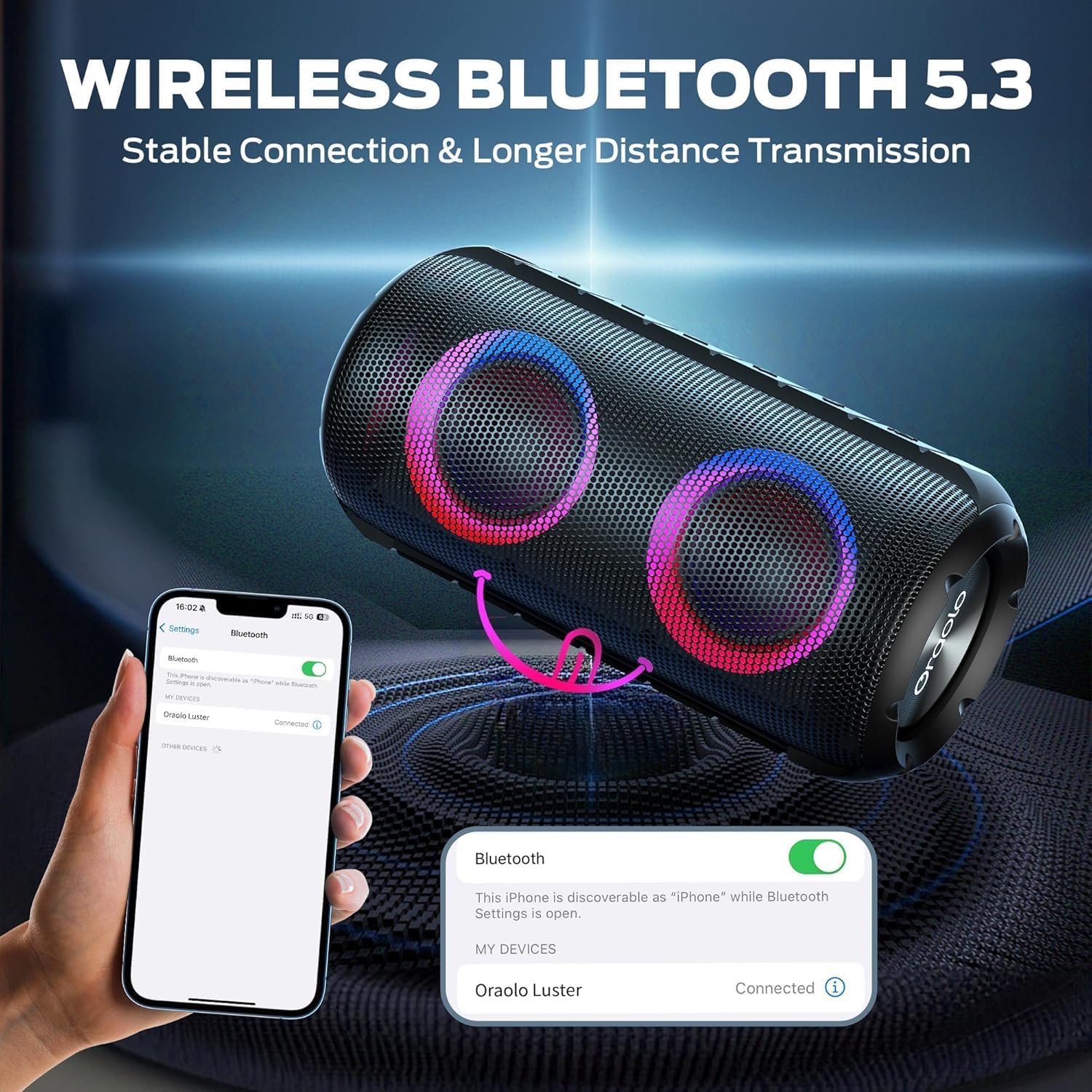
Image: The BUGANI Luster Bluetooth Speaker with its detachable lanyard, illustrating its portability and ease of carrying.
3. Setup
3.1 Initial Charging
Before first use, fully charge the speaker. Connect the provided USB-C cable to the speaker's charging port and the other end to a USB power adapter (not included) or a computer's USB port. The charging indicator light will show the charging status.
3.2 Power On/Off
- Power On: Press and hold the Power button (⏻) for 2-3 seconds until you hear an audible prompt and the lights illuminate.
- Power Off: Press and hold the Power button (⏻) for 2-3 seconds until you hear an audible prompt and the lights turn off.
3.3 Bluetooth Pairing
- Ensure the speaker is powered on and in Bluetooth pairing mode (indicated by a flashing blue light).
- On your device (smartphone, tablet, etc.), enable Bluetooth and search for available devices.
- Select "BUGANI Luster" from the list of devices.
- Once connected, you will hear a confirmation sound, and the Bluetooth indicator light will become solid blue.
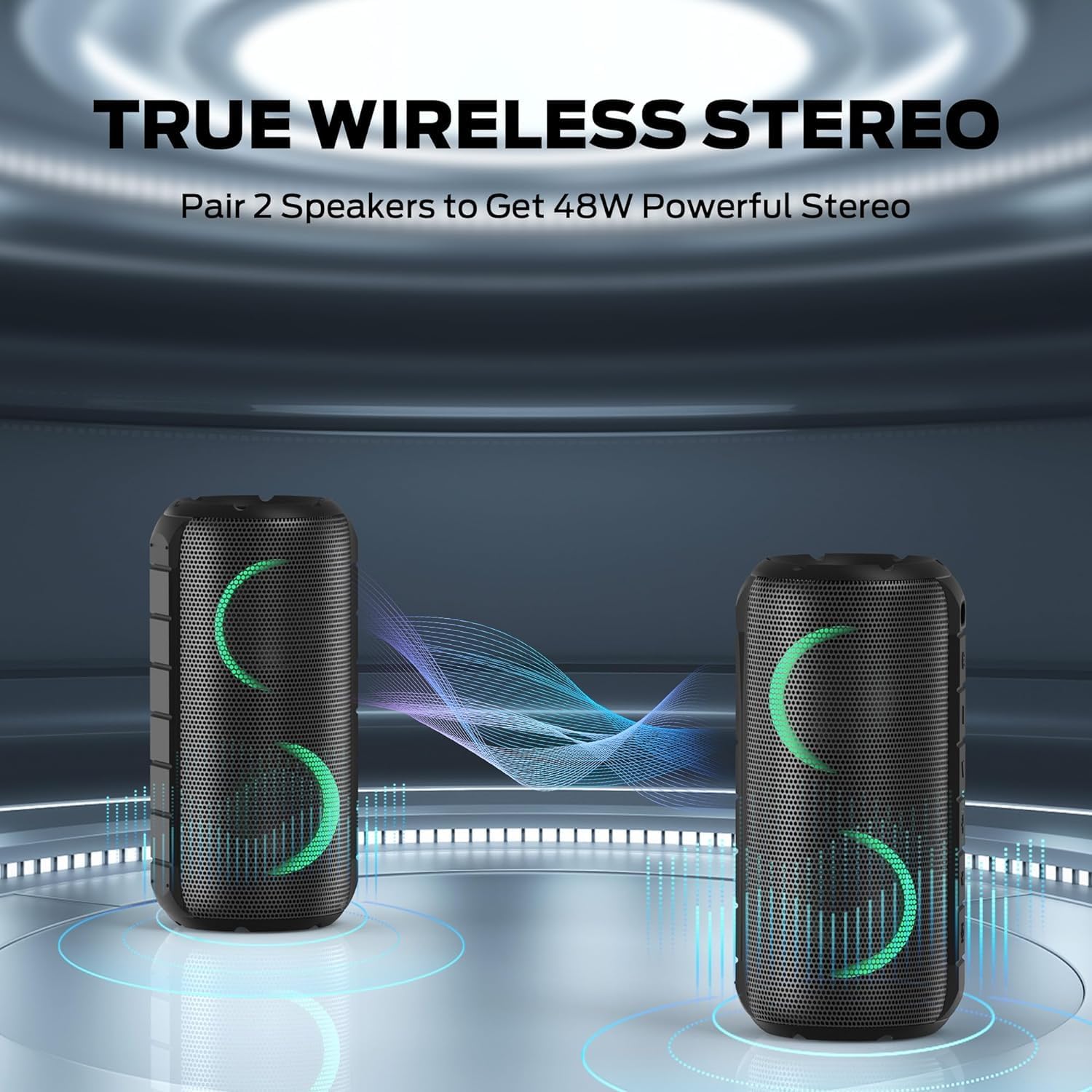
Image: A smartphone displaying its Bluetooth settings, showing a successful connection to the "Oraolo Luster" (BUGANI Luster) speaker, demonstrating the ease of Bluetooth 5.3 pairing.
3.4 True Wireless Stereo (TWS) Pairing
To achieve a more immersive stereo sound, you can pair two BUGANI Luster speakers together.
- Ensure both speakers are powered on and not connected to any Bluetooth device.
- On one speaker (this will be the primary speaker), press the TWS button (often indicated by two interlocking circles or a dedicated TWS icon). The speaker will enter TWS pairing mode.
- The primary speaker will automatically search for the secondary speaker. Once connected, you will hear a confirmation sound, and the lights on both speakers will synchronize.
- Now, connect your device to the primary speaker via Bluetooth as described in section 3.3. Audio will play through both speakers in stereo.

Image: Two BUGANI Luster speakers positioned to illustrate their True Wireless Stereo (TWS) pairing capability, creating a wider soundstage.
3.5 AUX-in Connection
For non-Bluetooth devices, use the provided 3.5mm AUX-in cable.
- Connect one end of the 3.5mm AUX-in cable to the speaker's AUX-in port.
- Connect the other end to the audio output jack of your device.
- The speaker will automatically switch to AUX-in mode.
4. Operating Instructions
4.1 Button Functions

Image: A close-up view of the BUGANI Luster speaker's top panel, clearly showing the control buttons for various functions.
| Button | Function (Short Press) | Function (Long Press) |
|---|---|---|
| ⏻ (Power) | N/A | Power On/Off |
| + (Volume Up) | Volume Up | Next Track |
| - (Volume Down) | Volume Down | Previous Track |
| ▶‖ (Play/Pause) | Play/Pause; Answer/End Call | Reject Call; Activate Voice Assistant |
| 💡 (Light Mode) | Cycle through Light Modes | Turn Lights On/Off |
| TWS (TWS Pairing) | N/A | Enter TWS Pairing Mode |
4.2 Colorful Light Show
The speaker features a dynamic RGB light system with 7 colors and 5 light modes. Press the Light Mode button (💡) to cycle through the available modes. Long press the button to turn the lights on or off.

Image: The BUGANI Luster speaker showcasing its vibrant and dynamic colorful light patterns, which enhance the listening experience.
4.3 Hands-Free Calling
When connected via Bluetooth, the speaker's built-in microphone allows for hands-free calls.
- Answer/End Call: Short press the Play/Pause button (▶‖).
- Reject Call: Long press the Play/Pause button (▶‖).
4.4 Voice Assistant Activation
Long press the Play/Pause button (▶‖) to activate your phone's voice assistant (e.g., Siri, Google Assistant).
5. Maintenance
5.1 Cleaning
Wipe the speaker with a soft, damp cloth. Do not use abrasive cleaners, alcohol, or chemical solvents, as these may damage the surface or internal components.
5.2 Waterproof Care (IPX6)
The speaker has an IPX6 waterproof rating, meaning it is protected against powerful water jets. It is suitable for use in rainy conditions or near water bodies like pools and beaches. However, it is not designed for submersion in water. Ensure the charging port cover is securely closed before exposing the speaker to water.
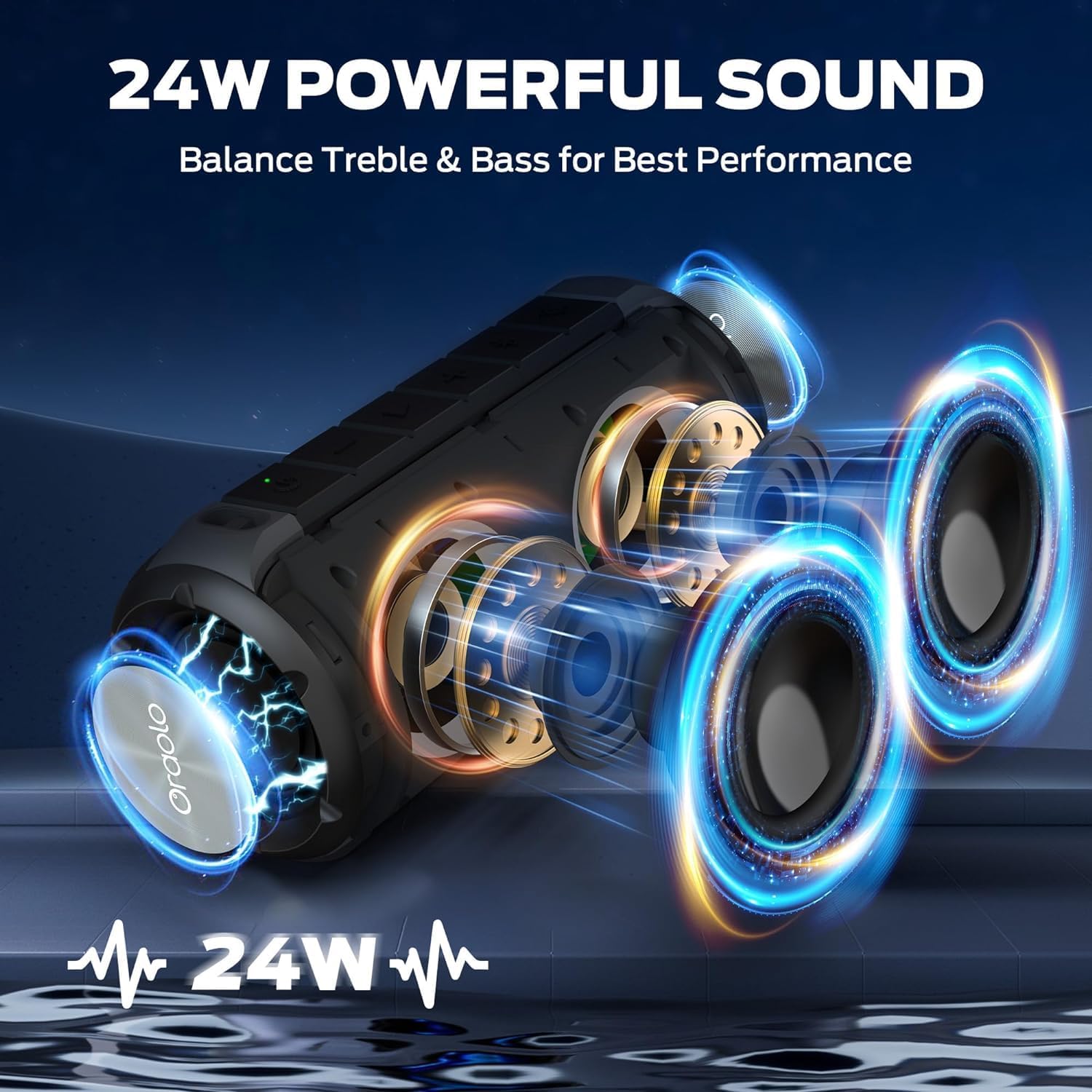
Image: The BUGANI Luster speaker resting on a wet rock with water droplets, visually confirming its IPX6 waterproof rating for outdoor use.
5.3 Storage
Store the speaker in a cool, dry place away from direct sunlight and extreme temperatures. If storing for an extended period, charge the battery to approximately 50% every few months to maintain battery health.
6. Troubleshooting
6.1 No Power
- Ensure the speaker is fully charged.
- Press and hold the Power button for 2-3 seconds.
6.2 No Sound
- Check the volume level on both the speaker and your connected device.
- Ensure the speaker is correctly paired via Bluetooth or the AUX-in cable is securely connected.
- If using Bluetooth, try disconnecting and re-pairing the device.
6.3 Bluetooth Pairing Issues
- Ensure the speaker is within the effective range (up to 33 feet/10 meters) of your device.
- Clear the Bluetooth pairing history on your device and try pairing again.
- Turn off and on both the speaker and your device.
- Ensure no other Bluetooth devices are interfering.
6.4 TWS Pairing Fails
- Ensure both speakers are fully charged and not connected to any other Bluetooth device.
- Place the speakers close to each other during the TWS pairing process.
- Follow the TWS pairing steps precisely as described in section 3.4.
7. Specifications
| Feature | Detail |
|---|---|
| Brand | BUGANI |
| Model Name | M166 |
| Speaker Type | Portable Stereo Speaker |
| Speaker Maximum Output Power | 24 Watts |
| Connectivity Technology | Bluetooth 5.3, Auxiliary (3.5mm AUX-in) |
| Waterproof Rating | IPX6 |
| Playtime | Up to 24 hours (at 50% volume, lights off) |
| Product Dimensions | 4"D x 8"W x 4"H |
| Item Weight | 1.34 pounds (0.61 Kilograms) |
| Batteries | 1 AA battery required (included) |
8. Warranty and Support
BUGANI products are manufactured to high-quality standards. For specific warranty information and support, please refer to the warranty card included with your product or visit the official BUGANI website. Keep your purchase receipt as proof of purchase for warranty claims.
For technical assistance or customer service inquiries, please contact BUGANI customer support through their official channels.