
Introduction
Thank you for purchasing the DWVO 55-inch L-Shaped Desk. This manual provides essential information for the safe assembly, operation, and maintenance of your new desk. Please read these instructions carefully before beginning assembly and retain this manual for future reference.
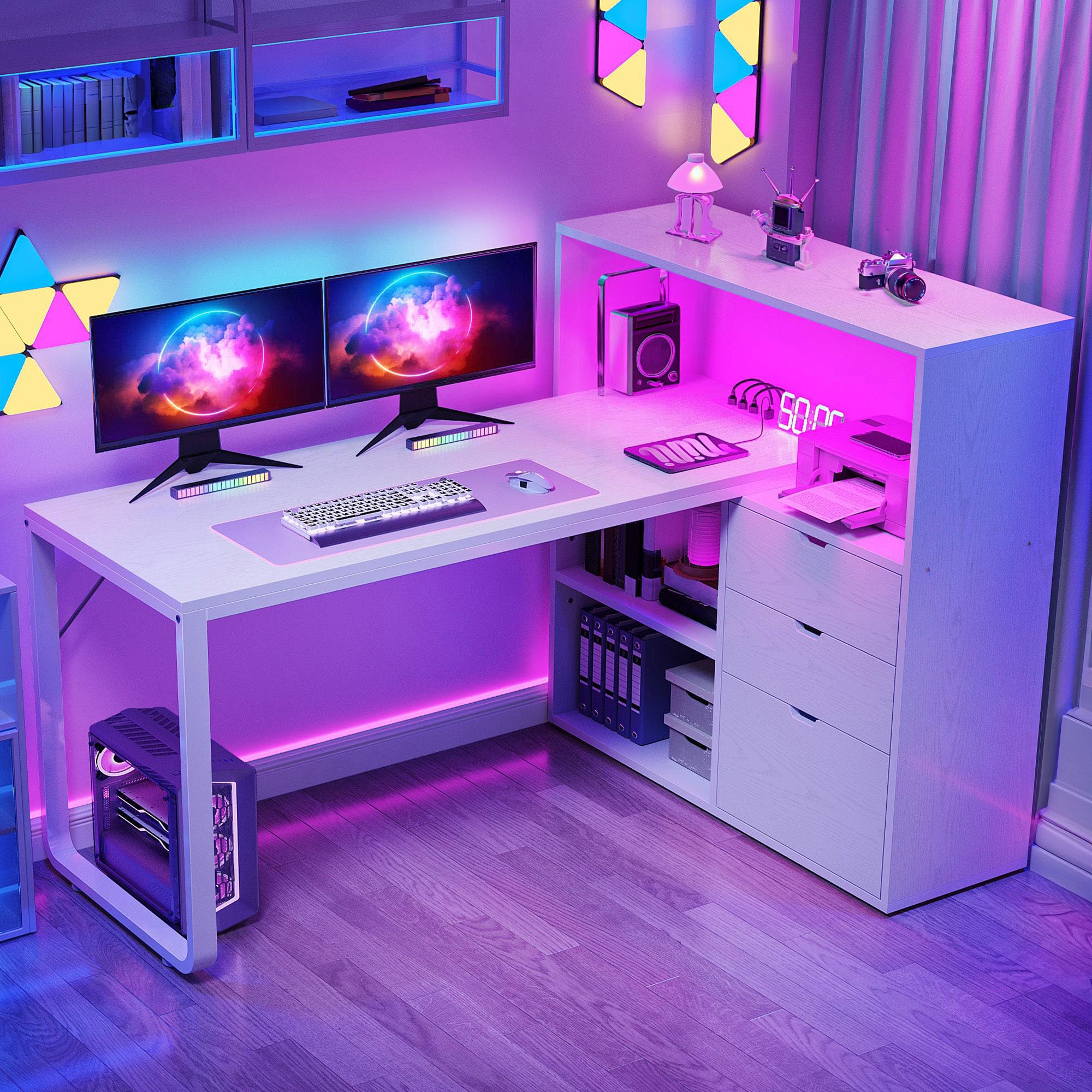
Figure 1: Overview of the DWVO L-Shaped Desk.
Safety Information
WARNING: Failure to follow these safety instructions may result in injury or damage to the product.
- Always follow the assembly instructions provided.
- This desk is heavy (approximately 99.2 pounds) and requires two people for safe assembly and relocation.
- Be cautious when handling the LED lights and power outlets. Ensure all electrical connections are secure and comply with local electrical codes.
- Ensure the desk is properly anchored to the wall or floor if stability is a concern, to prevent tipping.
- Keep the desk and surrounding area clear of flammable materials, especially near power outlets and LED lights.
- Do not overload drawers or shelves. Refer to specifications for weight limits if available.
Setup and Assembly
Assembly is required for this product. All necessary assembly tools are included in the package. It is recommended that two people perform the assembly to ensure safety and ease of construction.
Dimensions
Refer to the diagram below for detailed product dimensions to ensure the desk fits your intended space.

Figure 2: Product Dimensions.
Adjustable Leg Pads
The desk is equipped with adjustable leg pads. These can be rotated to stabilize the desk on uneven floors and to prevent scratching your floor surfaces.

Figure 3: Adjustable Leg Pad Detail.
Operating Instructions
Smart LED Light Strips
The L-shaped desk features an RGB LED light strip. This strip can be controlled via a dedicated phone application or a remote control. You can customize the color, choose from various modes including music sync, and set timer functions to enhance your workspace ambiance.
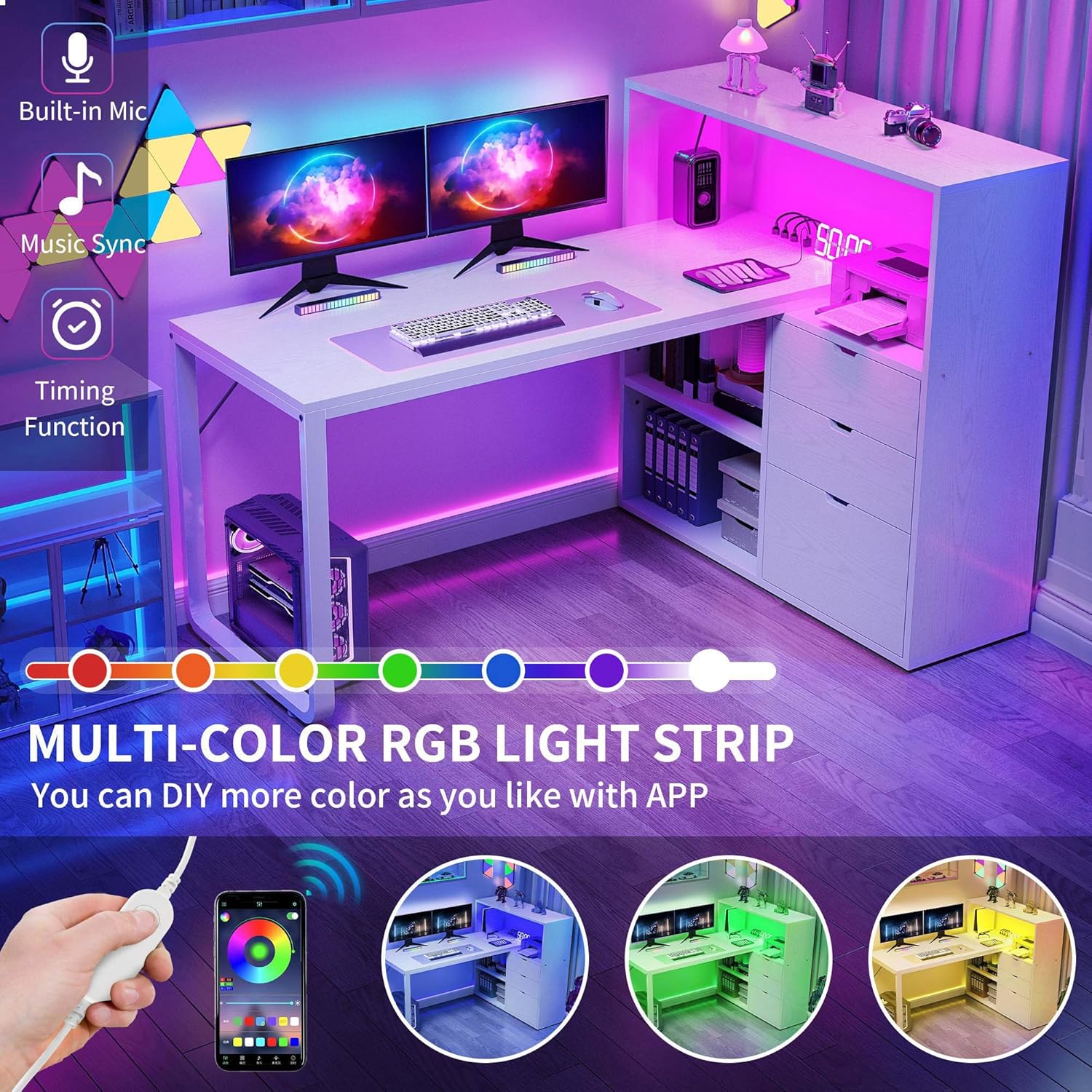
Figure 4: LED Light Strip Features.
Convenient Charging Station
The desk includes a built-in charging station with 2 USB ports and 4 standard power outlets. A 6.56ft power cord is provided to connect the station to a wall outlet. This allows for convenient charging of laptops, tablets, printers, and other electronic devices directly from your desk.
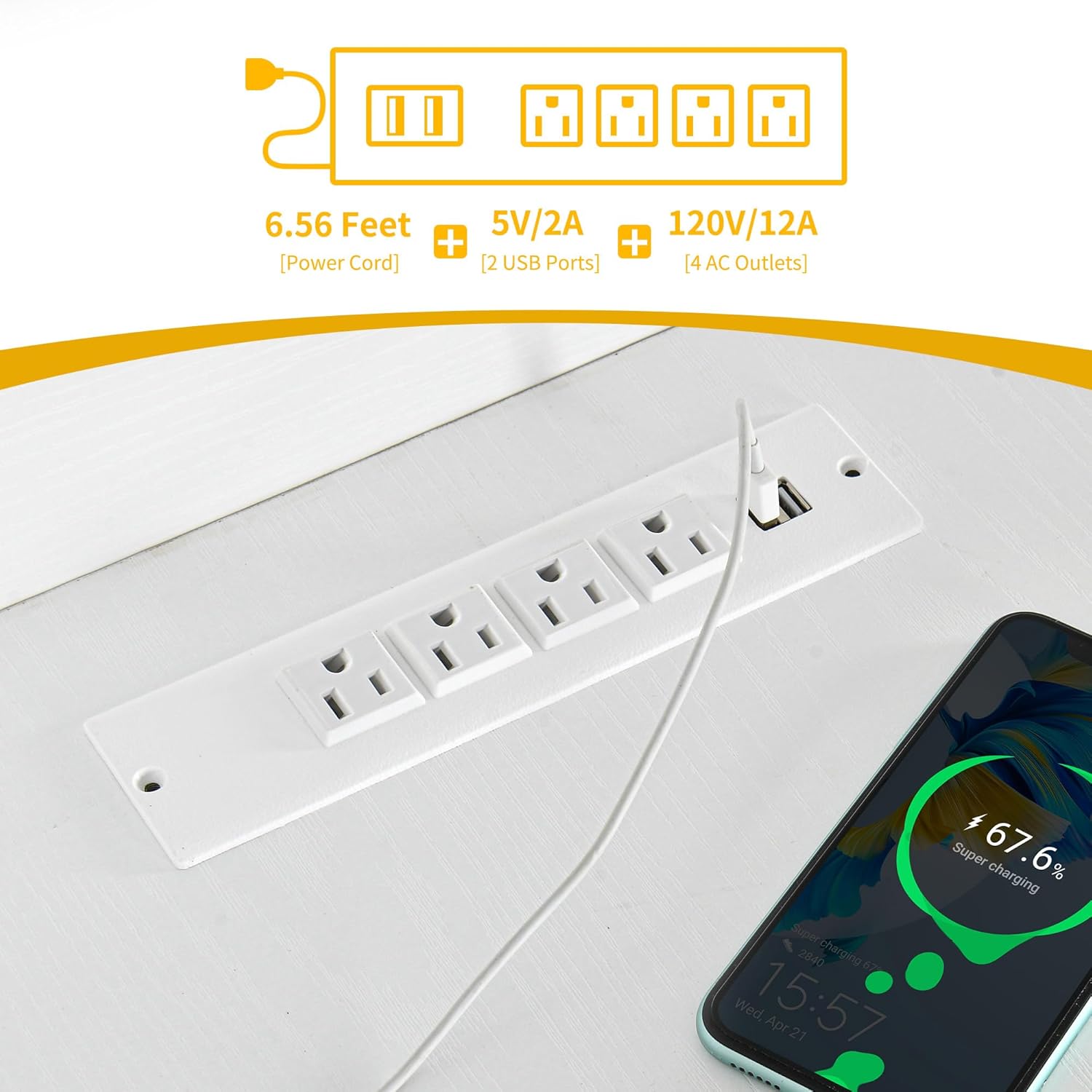
Figure 5: Integrated Power Outlets and USB Ports.
Storage Solutions
The desk is designed with multiple storage options to keep your workspace organized:
- File Drawer: One file drawer with adjustable hanging bars is suitable for letter, A4, and legal-size files.
- Small Drawers: Two additional drawers are provided for small office supplies and personal items.
- Open Storage Shelves: Two bottom open storage shelves offer three-height adjustable settings to accommodate items of various sizes.
- Upper Open Shelf: A spacious upper open shelf can be utilized as a printer stand or for other office machines, keeping them within easy reach.

Figure 6: Storage Choices.

Figure 7: 3-Drawer Design.

Figure 8: Adjustable Shelf.
Product Video
Watch this short video for a quick overview of the DWVO L-Shaped Desk with Drawers & Power Outlets.
Video 1: DWVO L-Shaped Desk with Drawers & Power Outlets (Seller Video).
Maintenance
To maintain the appearance and longevity of your desk, wipe surfaces with a damp cloth as needed. Avoid using harsh chemicals or abrasive cleaners that may damage the finish. The desk features a scratch-resistant finish to protect against daily wear and tear.
Troubleshooting
If you encounter any issues with your DWVO L-Shaped Desk, please refer to the following general troubleshooting tips:
- Stability Issues: Ensure all screws and fasteners are tightened. Adjust the leg pads to compensate for uneven flooring.
- LED Lights Not Working: Check the power connection to the LED strip and ensure the remote control or phone app is properly paired and has fresh batteries (if applicable).
- Power Outlets Not Functioning: Verify the main power cord is securely plugged into a wall outlet. Check if the wall outlet itself is functional.
- Drawer Operation: If drawers are stiff or misaligned, check the drawer glide mechanism for obstructions or ensure they are correctly installed according to the assembly instructions.
For persistent issues, please contact customer support.
Specifications
| Feature | Detail |
|---|---|
| Brand | DWVO |
| Model Number | MADWVohB9G |
| Shape | L-Shape |
| Desk Design | Computer Desk |
| Product Dimensions (D x W x H) | 39.4"D x 55.1"W x 44.5"H |
| Color | White |
| Style | Modern |
| Base Material | Metal |
| Top Material Type | Engineered Wood |
| Finish Type | Laminated |
| Special Features | With Power Outlets & LED Lights & File Drawer |
| Number of Drawers | 3 |
| Item Weight | 99.2 Pounds |
| Number Of Shelves | 3 (including open shelves) |
| Tabletop Thickness | 0.59 Inches |
| Maximum Height | 44.5 Inches |
| Required Assembly | Yes |
| Recommended People for Assembly | 2 |
| Includes All Assembly Tools | Yes |
Warranty & Support
Warranty Information
This DWVO L-Shaped Desk comes with a Limited Warranty. Please refer to the warranty documentation included with your purchase for specific terms, conditions, and duration of coverage.
Customer Support
For any questions, assistance with assembly, or to report missing/damaged parts, please contact DWVO customer support through the retailer where the product was purchased or visit the official DWVO website for contact information.

