
1. Introduction
Thank you for choosing the FLEXISPOT EC5 Lite Electric Height Adjustable Desk. This manual provides essential information for the safe assembly, operation, and maintenance of your new desk. The EC5 Lite features a robust dual-motor system, a 3-stage frame, and a wide height adjustment range (60-125 cm) to support a dynamic and ergonomic workspace. With a maximum load capacity of 100 kg, 4 memory presets, and an anti-collision function, this desk is designed for comfort and efficiency.

Image: The FLEXISPOT EC5 Lite Series Dual-Motor Standing Desk in various usage scenarios, highlighting its versatility for sitting and standing work.
2. Safety Information
- Read all instructions carefully before assembly and operation.
- Keep children and pets away from the desk during operation.
- Ensure all cables are properly routed and secured to prevent tripping hazards or damage.
- Do not overload the desk beyond its maximum weight capacity of 100 kg.
- Avoid placing liquids directly on the control panel or near electrical components.
- Disconnect power before cleaning or performing any maintenance.
- The anti-collision feature is designed to prevent damage but should not replace careful operation.
3. Package Contents
Your FLEXISPOT EC5 Lite package typically includes the following components. Please verify all parts are present before beginning assembly.
- Desk Frame (legs, crossbars, motor system)
- Control Panel
- Power Adapter and Cable
- Assembly Hardware (screws, bolts, etc.)
- Instruction Manual
Note: The desktop surface is often packaged separately or purchased independently.
4. Setup and Assembly
Assembly of the FLEXISPOT EC5 Lite desk frame is straightforward. While the process is designed for ease, having an extra person can be helpful, especially when attaching the desktop. Please note that some assembly tools may not be included.
- Unpack Components: Carefully remove all parts from the packaging and lay them out on a clean, soft surface to prevent scratches.
- Assemble Legs and Crossbars: Follow the detailed diagrams in the included paper manual to connect the desk legs to the crossbars. Ensure all screws are tightened securely.
- Attach Control Box and Motors: Mount the control box and connect the motor cables as indicated in the instructions.
- Install Control Panel: Secure the control panel to the underside of the desktop or frame in an easily accessible location.
- Attach Desktop: Carefully place your desktop onto the assembled frame. Align the pre-drilled holes (if applicable) and secure the desktop using the provided screws. The frame width is adjustable (111.6-148.6 cm) to accommodate various tabletop sizes (recommended 120-180 cm length, 60-80 cm width, and >2.5 cm thickness).
- Cable Management: Route and secure all power and motor cables using cable ties or clips to prevent tangling and ensure safe operation.
- Connect Power: Plug the power adapter into the control box and then into a wall outlet.
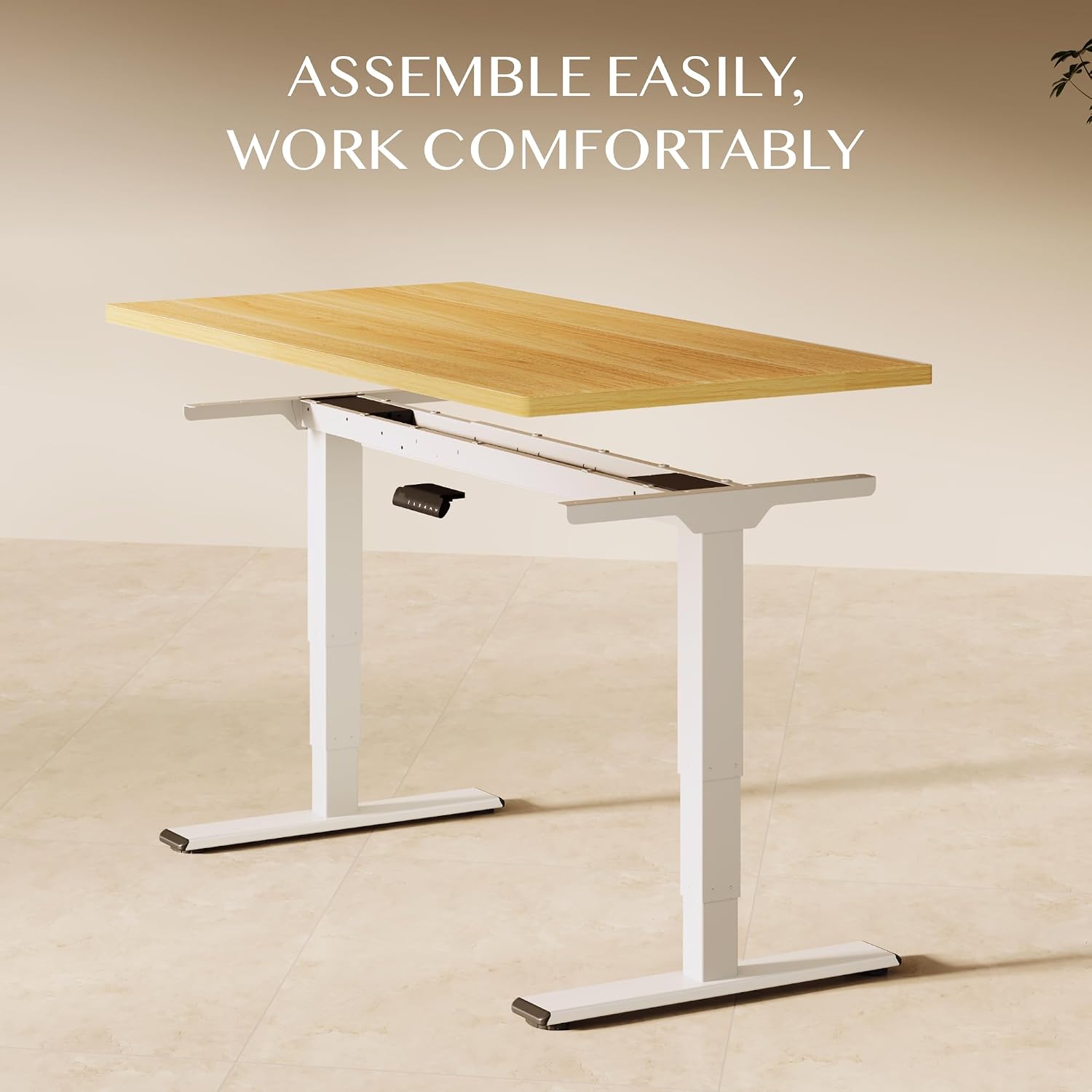
Image: An exploded diagram showing the main components of the desk for easy assembly.

Image: A diagram illustrating the adjustable frame width and recommended tabletop dimensions for the desk.
5. Operating Instructions
The FLEXISPOT EC5 Lite desk is operated via a smart control panel, allowing for smooth and precise height adjustments.

Image: The smart control panel with its buttons for height adjustment and memory settings.
5.1. Adjusting Height
- Up/Down Buttons: Press and hold the “▲” (Up) or “▼” (Down) buttons to raise or lower the desk to your desired height. Release the button to stop movement. The desk moves at a speed of 25 mm/s.
- The height adjustment range is from 60 cm to 125 cm.

Image: The desk in motion, illustrating its lift speed and smooth transition between sitting and standing heights.

Image: A visual representation of the desk's flexible height range, accommodating users of various heights.
5.2. Memory Presets
The control panel allows you to save up to four preferred height settings.
- To Save a Height: Adjust the desk to your desired height. Press the “M” button, then press one of the number buttons (1, 2, 3, or 4) within 3 seconds. The display will show “S-” followed by the number, indicating the height is saved.
- To Recall a Height: Press the corresponding number button (1, 2, 3, or 4). The desk will automatically move to the saved height.
5.3. Anti-Collision Function
The desk is equipped with an anti-collision system. If the desk encounters an obstacle during movement, it will automatically stop and reverse slightly to prevent damage.
- Sensitivity Adjustment: Refer to the full product manual for instructions on adjusting the anti-collision sensitivity, if available.
6. Maintenance
Regular maintenance ensures the longevity and optimal performance of your FLEXISPOT EC5 Lite desk.
- Cleaning: Wipe the desk surface and frame with a soft, damp cloth. Avoid harsh chemicals or abrasive cleaners. Ensure the desk is unplugged before cleaning.
- Cable Check: Periodically inspect all cables for wear or damage. Ensure they are securely connected and not pinched.
- Tighten Screws: Occasionally check and tighten any loose screws on the frame to maintain stability.
- Load Capacity: Do not exceed the maximum load capacity of 100 kg.

Image: The desk highlighting its 100 kg maximum load capacity, demonstrating its robust design.

Image: A detailed view of the desk's enhanced stability features, such as reinforced columns and double crossbars.

Image: A graphic detailing the extra stability design, emphasizing thicker components for durability and wobble-free performance.
7. Troubleshooting
If you encounter issues with your FLEXISPOT EC5 Lite desk, refer to the following common troubleshooting steps:
| Problem | Possible Cause | Solution |
|---|---|---|
| Desk does not move | Power cable disconnected; Control box issue; Overload | Check power connections; Reset by unplugging for 10 seconds; Reduce load on desk. |
| Desk moves unevenly | Uneven load; Loose connections | Distribute weight evenly; Check and tighten all frame connections. |
| Error code on display | Specific system fault | Refer to the full manual for specific error code meanings and solutions, or contact customer support. |
| Anti-collision triggers too often | High sensitivity setting; Obstruction | Adjust sensitivity (if applicable); Ensure no objects are in the desk's path. |
If these steps do not resolve the issue, please contact FLEXISPOT customer support for further assistance.
8. Specifications
Detailed technical specifications for the FLEXISPOT EC5 Lite Electric Height Adjustable Desk.

Image: A technical diagram detailing the desk's dimensions and performance specifications.
| Feature | Detail |
|---|---|
| Brand | FLEXISPOT |
| Model Number | EC5lite SET |
| Desk Design | Standing Desk |
| Height Adjustment Range | 60 cm - 125 cm |
| Lift Speed | 25 mm/s |
| Motor System | Dual Motor |
| Leg Stages | 3-Stage |
| Maximum Load Capacity | 100 kg |
| Noise Level | <50 dB |
| Memory Presets | 4 Positions |
| Safety Features | Anti-collision Function |
| Base Material | Alloy Steel |
| Top Material Type | Engineered Wood |
| Tabletop Thickness | 2.5 cm |
| Item Weight | 30 kg (frame only) |
| UPC | 840460469241 |
9. Warranty and Support
FLEXISPOT stands behind the quality of its products.
- Warranty: The desk frame of your FLEXISPOT EC5 Lite is covered by a 5-year warranty. Please retain your proof of purchase for warranty claims.
- Customer Support: For any questions, technical assistance, or warranty claims, please contact FLEXISPOT GmbH customer service. Contact details can typically be found on the FLEXISPOT official website or your purchase documentation.


