
Baseus Baseus Bass BP1 Pro
Baseus Bass BP1 Pro Noise Cancelling Wireless Earbuds User Manual
Model: Baseus Bass BP1 Pro | Brand: Baseus
Introduction
This manual provides comprehensive instructions for the Baseus Bass BP1 Pro Noise Cancelling Wireless Earbuds. Designed for superior audio experience and convenience, these earbuds feature real-time adaptive noise cancelling, adaptive active EQ, LDAC Hi-Res sound, and extended playtime. Please read this manual thoroughly to ensure proper use and maintenance of your device.
What's in the Box
Verify that all items listed below are present in your product packaging:
- Baseus Bass BP1 Pro Noise Cancelling Wireless Earbuds
- Eartips (various sizes for optimal fit)
- USB-C Charging Cable
- User Manual (this document)

Image: All components included in the Baseus Bass BP1 Pro package, neatly arranged.
Setup
Initial Charging
Before first use, fully charge the earbuds and the charging case. Connect the provided USB-C charging cable to the charging port on the case and a power source. The indicator light on the case will show charging status.
Pairing with Your Device
- Open the charging case. The earbuds will automatically enter pairing mode.
- On your device (smartphone, tablet, laptop), enable Bluetooth.
- Search for "Baseus Bass BP1 Pro" in the list of available Bluetooth devices.
- Select the earbuds to connect. A voice prompt will confirm successful pairing.
Wearing the Earbuds
Select the eartips that provide the most comfortable and secure fit for your ears. Insert the earbuds into your ear canal and gently twist them to ensure a snug seal. A proper fit is crucial for optimal sound quality and noise cancellation.
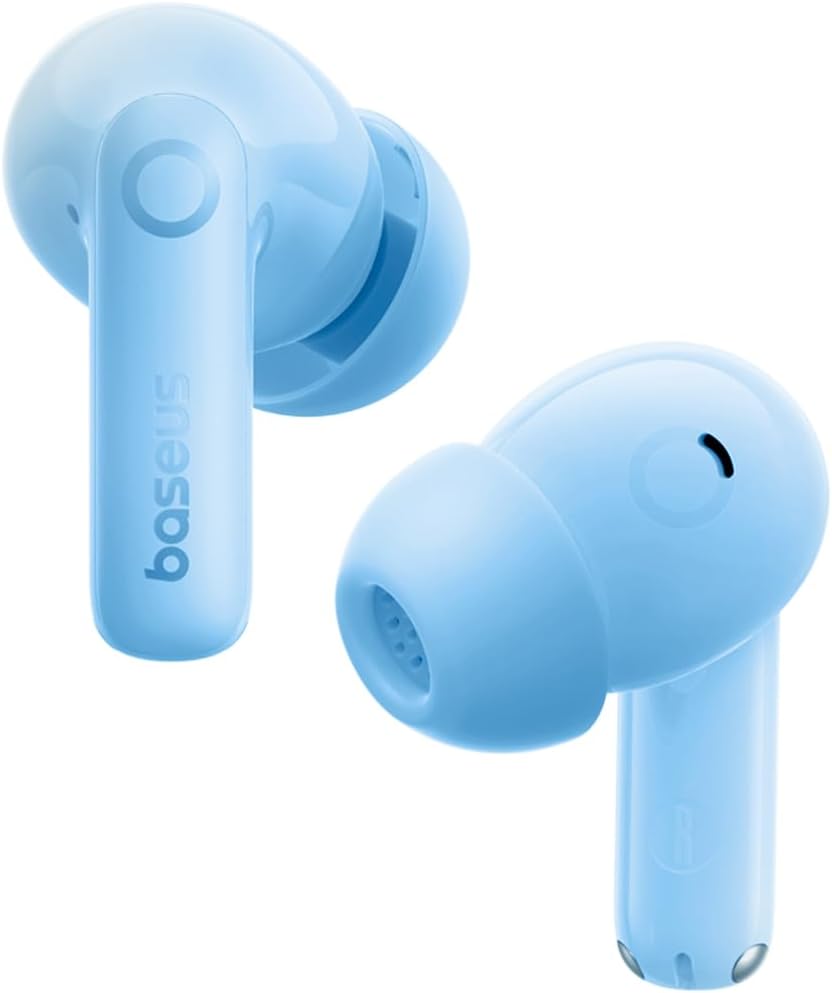
Image: The Baseus Bass BP1 Pro Earbuds in Ocean Blue, ready for use.

Image: Illustration demonstrating the correct fit of the earbuds with various ear tip options.
Operating Instructions
Touch Controls
The Baseus Bass BP1 Pro earbuds feature intuitive touch controls for easy management of music and calls:
- Play/Pause: Tap L or R earbud 2 times.
- Activate Voice Assistant: Tap L or R earbud 3 times.
- Answer/End Call: Tap L or R earbud 2 times.
- Reject Call: Tap L or R earbud 3 times.
- Switch Noise Reduction Modes (ANC/Transparency/Normal): Press and hold L or R earbud for 2 seconds.

Image: Visual guide to the touch control functions of the earbuds.
Adaptive Noise Cancelling (ANC)
The earbuds feature real-time adaptive noise cancelling, reducing noise by up to -50dB. They utilize 4 real-time noise sensors to recognize 4 kHz of wideband noise. You can select from 5 ANC modes via the Baseus App for personalized quiet.

Image: Depiction of the adaptive noise cancelling technology in action.
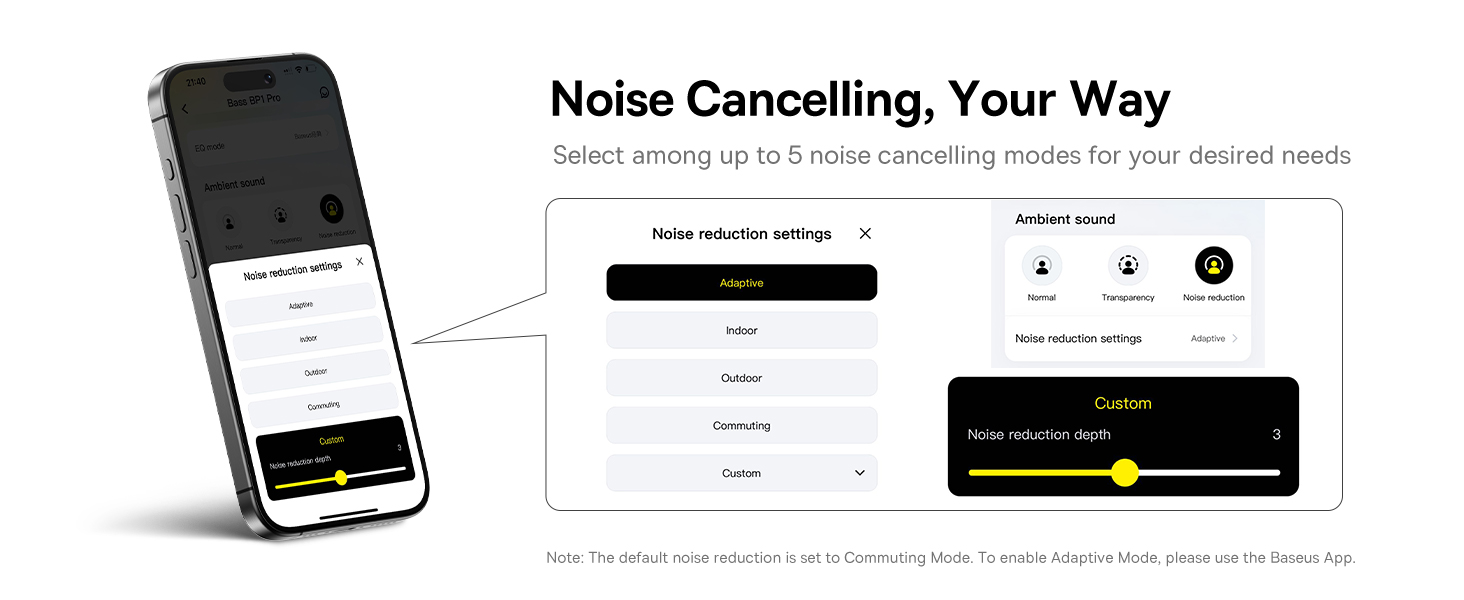
Image: The Baseus App interface for customizing noise cancellation modes.
Adaptive Balanced Audio & Hi-Res Sound
Experience deep bass and crisp highs with exclusive volume-adaptive Active EQ technology. Choose between "SuperBass" for powerful beats or "SuperBalance" for detailed clarity through the Baseus App. Certified Hi-Res and equipped with LDAC codec, these earbuds transmit 3x the audio details for stunning, lossless Hi-Fi sound.

Image: Illustration of the earbud's audio technology, emphasizing balanced sound.

Image: A user experiencing the lossless Hi-Res sound quality of the earbuds.

Image: The Baseus App's equalizer settings for personalizing your audio experience.
Clear Calls
Equipped with 6 microphones and AI-powered noise reduction, the Bass BP1 Pro ensures crystal-clear voice capture and seamless conversations by blocking out background noise.

Image: A user making a clear call with the earbuds.

Image: Detailed view of the 6-mic AI clear call system within the earbuds.
Battery Life & Charging
Enjoy extended listening with up to 12 hours of playtime on a single charge (ANC off) and a total of 55 hours with the charging case. With ANC on, you get 7 hours per charge and 36 hours total. The Baseus Rapid Charge (BRC) provides 2.5 hours of music from just a 10-minute charge.

Image: The earbuds and charging case, showcasing their impressive battery life.

Image: A comprehensive overview of the earbuds' battery performance and rapid charging capability.
Multipoint Connection & Low Latency
Baseus Smart-Connect (BSC) technology allows for effortless switching between two devices. Combined with Bluetooth 6.0 and Baseus DCLL technology, it ensures a fast, stable wireless connection with ultra-low latency (0.58ms), ideal for lag-free gaming.

Image: The advanced Bluetooth 6.0 technology powering the earbuds' seamless wireless performance.

Image: The earbuds seamlessly connected to multiple devices via Instant Multipoint Connection.

Image: Enjoying lag-free gaming thanks to the earbuds' low-latency connection.
Maintenance
Water Resistance
The Bass BP1 Pro earbuds are IP55 rated, meaning they are resistant to dust, water, sweat, and splashes. This makes them suitable for workouts, commutes, and everyday adventures. While they can withstand splashes, they are not designed for submersion in water.

Image: The earbuds demonstrating their IP55 water and dust resistance.
Cleaning
To maintain optimal performance and hygiene, regularly clean your earbuds and charging case. Use a soft, dry, lint-free cloth to wipe down the surfaces. For the eartips, remove them from the earbuds and clean with a mild soap solution if necessary, then rinse and dry thoroughly before reattaching.
Troubleshooting
If you encounter any issues with your Baseus Bass BP1 Pro earbuds, please refer to the following common solutions:
| Problem | Possible Solution |
|---|---|
| Earbuds not pairing | Ensure Bluetooth is enabled on your device. Place earbuds back in the case, close, then reopen to re-enter pairing mode. Check if earbuds are charged. |
| Poor sound quality or weak bass | Ensure eartips provide a secure seal. Try different sized eartips. Clean any debris from the earbud nozzles. Adjust EQ settings in the Baseus App. |
| Noise Cancelling not effective | Ensure a proper fit in your ear. Check ANC mode settings in the Baseus App and try different modes. |
| Call quality issues | Ensure microphones are not obstructed. Check for strong Bluetooth connection. Move closer to your connected device. |
| Earbuds not charging | Ensure the charging cable is securely connected. Check the charging case battery level. Clean charging contacts on both earbuds and case. |
For further assistance, please refer to the official Baseus support channels.
Specifications
| Feature | Detail |
|---|---|
| Model Name | Baseus Bass BP1 Pro |
| Connectivity Technology | Bluetooth 6.0, Wireless |
| Wireless Communication Technology | Bluetooth 6.0 |
| Noise Control | Adaptive Noise Cancellation (-50dB) |
| Audio Driver Type | Dynamic Driver |
| Water Resistance Level | IP55 Water Resistant |
| Control Method | Touch |
| Playtime (ANC Off) | Up to 12 hours (earbuds), 55 hours (with charging case) |
| Playtime (ANC On) | Up to 7 hours (earbuds), 36 hours (with charging case) |
| Quick Charge | 10 minutes for 2.5 hours playtime (Baseus Rapid Charge) |
| Microphones | 6-Mic AI Clear Calls |
| Audio Codec | LDAC (Hi-Res Audio Certified) |
| Compatible Devices | Cellphones, Devices with Bluetooth Audio Capability (iOS, Android, Windows, Mac OS, Switch), Laptops, Tablets |
| Item Weight | 3.84 ounces |
| Color | Ocean Blue |
Warranty and Support
For warranty information and customer support, please visit the official Baseus website or contact their customer service directly. Keep your purchase receipt as proof of purchase for any warranty claims.
You can visit the Baseus Store for more information: Baseus Official Store
Related documentsBaseus Bass BP1 Pro


Ask a question about this manual
Ask about setup, troubleshooting, compatibility, parts, safety, or missing instructions. Manuals+ will review the question and use this page’s manual context to help answer it.