
1. Product Overview
The DARKBEAM 501M-850nm IR Flashlight is designed to supplement night vision devices by emitting powerful 850nm infrared light. This light is invisible to the naked human eye and is intended for use with night vision scopes, infrared cameras, or goggles. It is not a standard visible light flashlight.
This device is ideal for activities such as hunting, wildlife observation, search and patrol missions, and assisting with infrared photography in low-light conditions.
Included Components:
- 1 x DARKBEAM 501M-850nm Infrared Flashlight
- 1 x Rechargeable Lithium-Ion Battery (pre-installed)
- 1 x USB Battery Charger
- 1 x USB Charging Cable
- 1 x Battery Holder (for AAA batteries, AAA batteries not included)
- 1 x Lanyard
- 1 x Cloth Holster
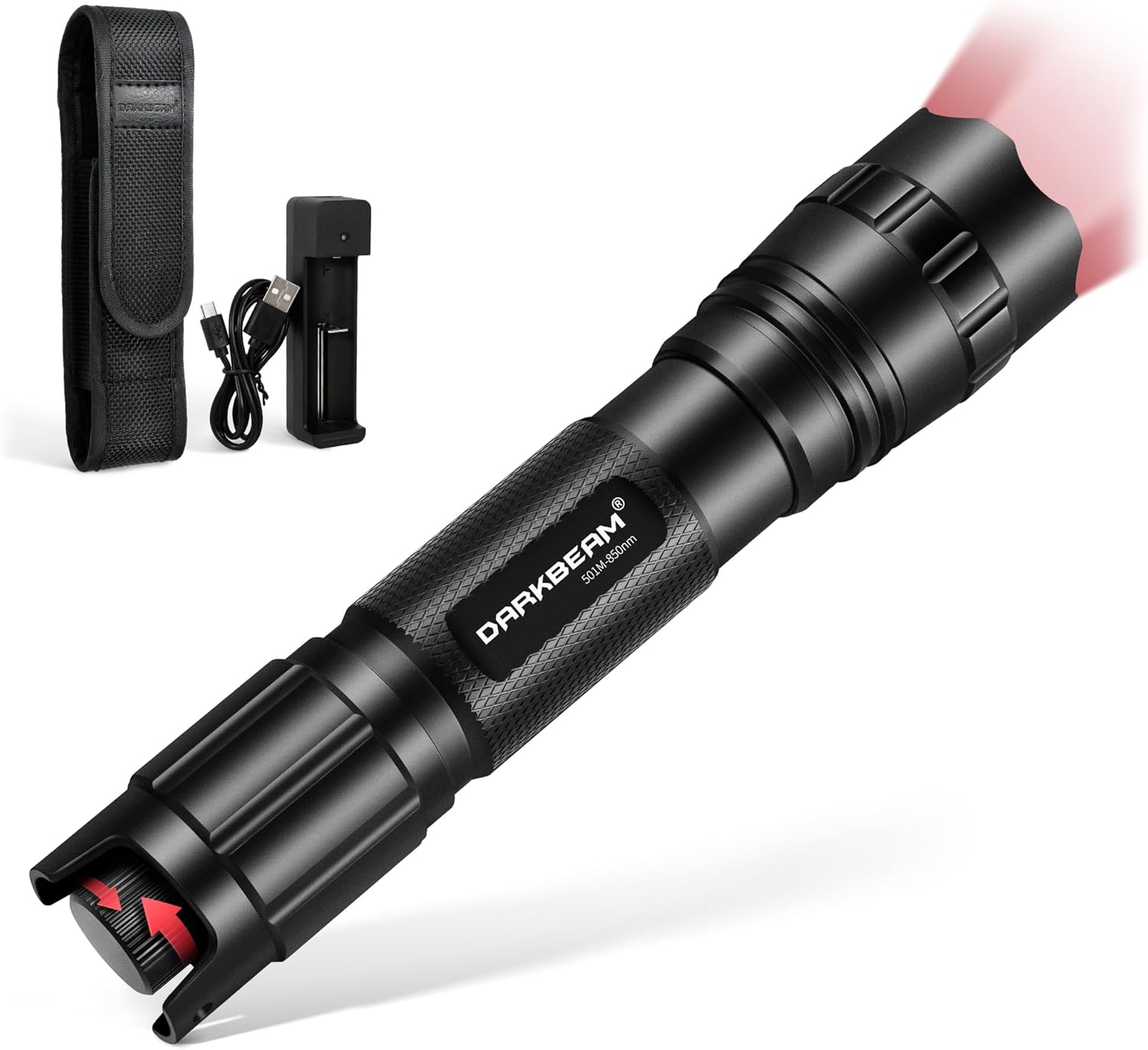
Image 1: The DARKBEAM 501M-850nm IR Flashlight and its included accessories, including the flashlight body, battery, charger, cable, AAA battery holder, lanyard, and holster.

Image 2: Illustration showing that infrared light is not visible to the human eye and requires a night vision device for detection.
2. Setup
Battery Installation and Charging:
The flashlight comes with a pre-installed rechargeable Lithium-Ion battery. Before first use, it is recommended to fully charge the battery.
- Unscrew the tail cap of the flashlight to access the battery compartment.
- Remove the pre-installed Lithium-Ion battery.
- Insert the battery into the provided USB battery charger, ensuring correct polarity (+/-).
- Connect the USB charging cable to the charger and a compatible USB power source (e.g., power bank, laptop, USB wall adapter 5V/2A max).
- The indicator light on the charger will show charging status. Charge until fully charged.
- Once charged, re-insert the Lithium-Ion battery into the flashlight with the positive (+) end facing towards the head of the flashlight.
- Securely screw the tail cap back on.
Alternative Power Source: The flashlight also includes a battery holder for 3x AAA batteries (not included). To use AAA batteries, insert them into the holder, then insert the holder into the flashlight body, replacing the Lithium-Ion battery.
Video 1: This video demonstrates the unboxing and initial setup of the DARKBEAM 501M-850nm IR Flashlight, including how to access the battery compartment and use the charger. It shows the components and how to prepare the flashlight for use.
3. Operation
Power On/Off and Brightness Adjustment:
The flashlight features a multi-function switch at the tail cap for power control and brightness adjustment.
- To turn the flashlight ON or OFF, press the tail switch fully once.
- To adjust the brightness (from 10% to 100%), rotate the tail switch. Rotate clockwise to increase brightness and counter-clockwise to decrease brightness.
- A green pilot lamp next to the switch indicates power status. If the green light flashes, the battery needs charging.

Image 3: Diagram illustrating the rotary dimmer switch for stepless brightness adjustment and the pilot lamp indicating battery status.
Focus Adjustment (Zoom Function):
The flashlight's head can be extended or retracted to adjust the IR beam width, allowing for both spotlight and floodlight modes.
- Spotlight: Stretch the flashlight head forward to narrow the beam, providing a longer-range, more concentrated illumination (up to 1640 feet / 500 meters).
- Floodlight: Shorten the flashlight head to widen the beam, covering a larger area for broader observation.

Image 4: Visual representation of the flashlight's telescopic head for adjusting between floodlight and long beam modes, with corresponding dimensions.
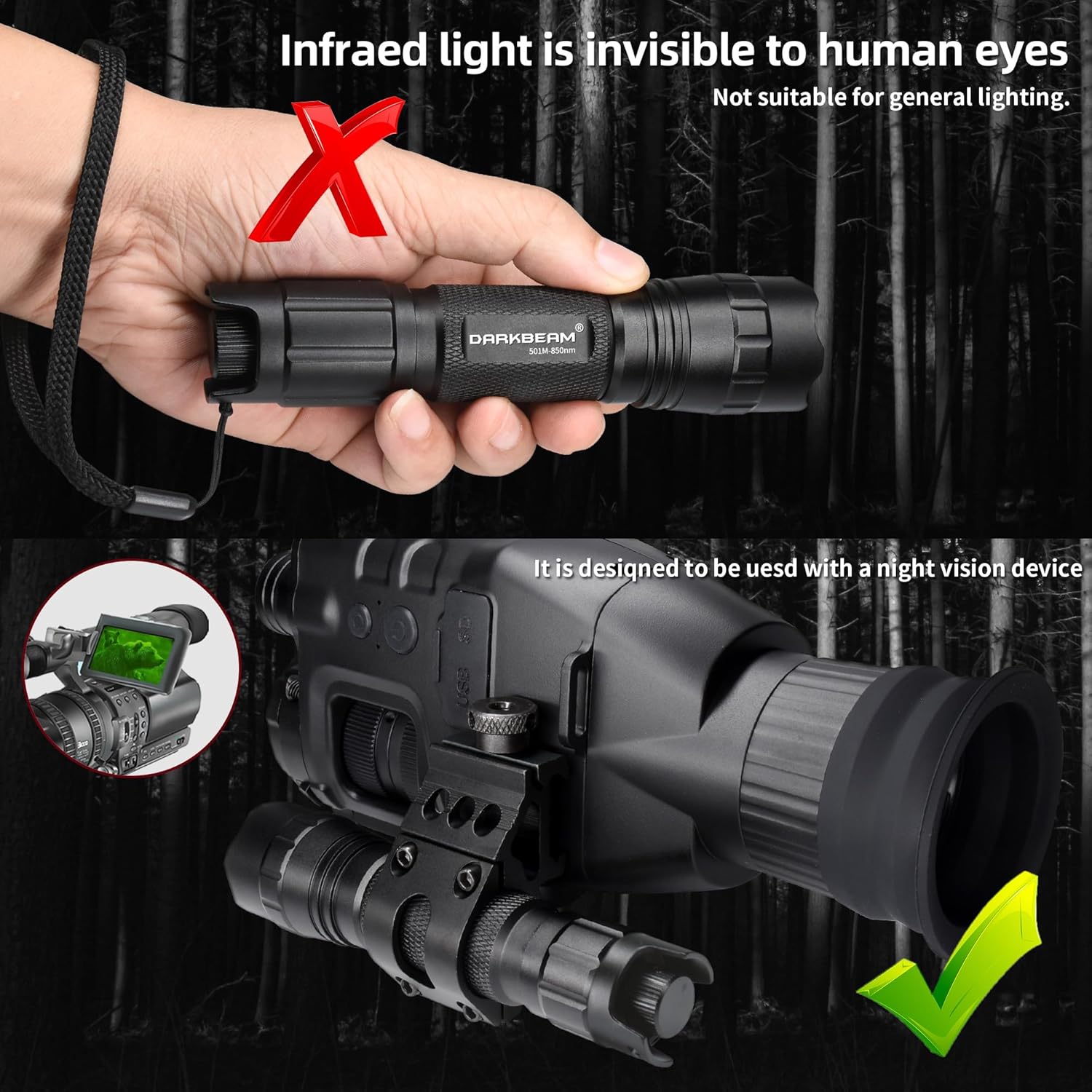
Image 5: Demonstration of the flashlight's long-range illumination capability, showing how it can light up objects at a distance when used with night vision.
4. Maintenance
Cleaning and Care:
- Wipe the flashlight body with a soft, damp cloth to remove dirt and debris.
- Ensure the lens is clean for optimal performance. Use a lens cleaning cloth if necessary.
- Periodically check and clean the battery contacts to ensure good electrical connection.
- Store the flashlight in a cool, dry place when not in use.
Water Resistance:
The DARKBEAM 501M-850nm IR Flashlight features an IPX65 waterproof design, utilizing thickened rubber seals for enhanced water resistance. This makes it suitable for use in wet environments, such as rain or damp conditions. However, it is not designed for submersion in water.

Image 6: Illustration highlighting the IPX65 waterproof rating, showing the flashlight being used in rainy conditions and its durable aluminum construction.
5. Troubleshooting
Common Issues and Solutions:
- Flashlight does not turn on:
- Ensure the battery is fully charged.
- Check if the battery is inserted with correct polarity.
- Verify that the tail cap is screwed on tightly. A loose tail cap can prevent electrical contact.
- If using AAA batteries, ensure they are new and correctly oriented.
- Green pilot lamp flashes:
- This indicates the battery needs charging. Connect the battery to the charger and a power source.
- IR beam appears weak or inconsistent:
- Ensure the battery is fully charged.
- Clean the flashlight lens and the IR LED surface.
- Adjust the focus by extending or retracting the flashlight head.
- Flashlight gets warm during prolonged use:
- This is normal for high-power devices. The aluminum alloy body is designed to dissipate heat. If it becomes excessively hot, reduce brightness or turn off for a short period.
6. Specifications
| Feature | Detail |
|---|---|
| Model Number | 501M-850nm |
| Light Source Type | LED (Infrared 850nm) |
| Light Source Wattage | 10 Watts |
| Light Path Distance | Up to 1640 Feet (500 meters) |
| Brightness Adjustment | 10% - 100% Stepless Dimming |
| Focus Adjustment | Telescopic (Spotlight to Floodlight) |
| Power Source | Battery Powered |
| Battery Type | 1 x 18650 Lithium-Ion (included) or 3 x AAA (not included) |
| Runtime (Li-ion) | Approximately 3 hours |
| Material | Aluminum Alloy |
| Water Resistance Level | IPX65 (Waterproof) |
| Item Weight | 6.3 Ounces |
| Item Dimensions (D x W x H) | 5.75"D x 1.3"W x 1.1"H |
7. Warranty and Support
The DARKBEAM 501M-850nm IR Flashlight comes with a 180-day money-back guarantee and a one-year warranty.
For any questions, assistance, or warranty claims, please contact the vendor directly via email through your Amazon order. Support inquiries are typically responded to within 24 hours.