
Moondrop Pill
Moondrop Pill Open Ear Headphones User Manual
Model: MD-0WS-003
Introduction
Thank you for choosing Moondrop Pill Open Ear Headphones. These headphones are designed to provide a high-quality audio experience with an innovative open-ear design, advanced noise cancellation, and seamless connectivity. This manual will guide you through the setup, operation, and maintenance of your new headphones.
Package Contents
Please verify that all items are present in your package:
- Moondrop Pill Open Ear Headphones (Left and Right Earbuds)
- Charging Case
- USB Charging Cable
- User Manual (this document)
- Certificate
- Service Card
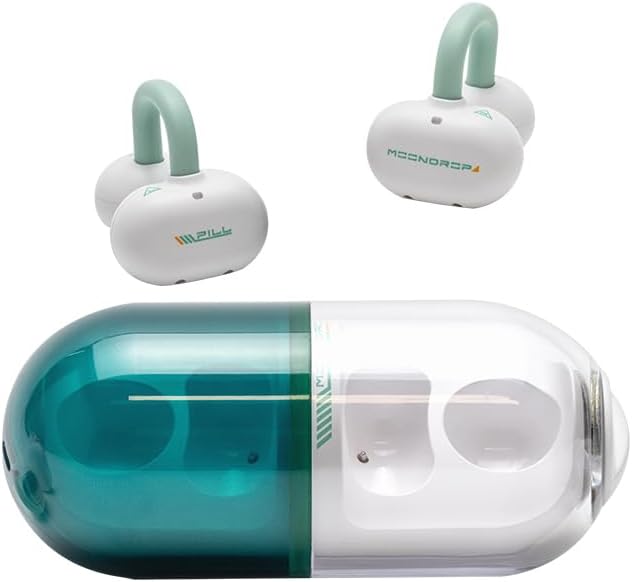
Image: The Moondrop Pill open ear headphones shown with their unique pill-shaped transparent charging case. The earbuds are white with light green ear hooks.
Product Overview
The Moondrop Pill headphones feature a conceptual design with a transparent capsule shell, showcasing mechanical aesthetics. They are equipped with a 13mm circular low-distortion dynamic driver for superior audio performance and utilize Dipole Directional Sound Transmission Technology to minimize sound leakage.
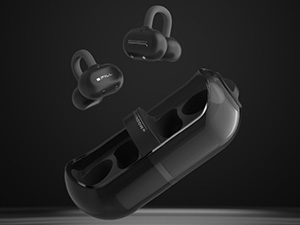
Image: A close-up view of the Moondrop Pill earbuds securely placed inside their transparent charging case.
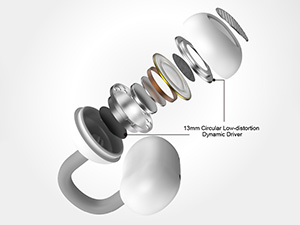
Image: An exploded diagram illustrating the components of the 13mm circular low-distortion dynamic driver used in the Moondrop Pill headphones.
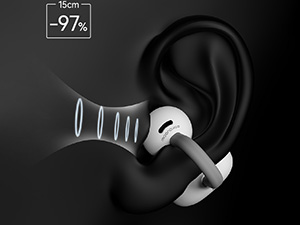
Image: A diagram showing how the Dipole Directional Sound Transmission Technology works to reduce sound leakage from the earbud.
Setup
1. Charging the Headphones and Case
Before first use, fully charge the Moondrop Pill headphones and their charging case. The case provides additional battery life for on-the-go charging.
- Place both earbuds into the charging case.
- Connect the USB charging cable to the charging port on the case and to a compatible 5V=1A USB power source.
- The indicator lights on the case will show the charging status. Once fully charged, the lights will indicate completion or turn off.
A full charge provides approximately 8 hours of playback for the earbuds and an additional 20 hours from the charging case.
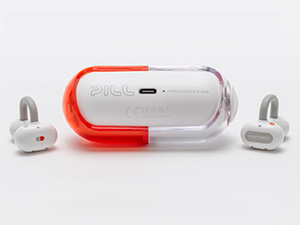
Image: The Moondrop Pill charging case showing the USB-C charging port on the side.
2. Bluetooth Pairing
To connect your Moondrop Pill headphones to a device:
- Ensure the earbuds are charged and placed in the charging case.
- Open the charging case. The earbuds will automatically enter pairing mode, indicated by a flashing light (refer to product for specific light indicators).
- On your device (smartphone, tablet, computer), go to the Bluetooth settings and turn Bluetooth on.
- Search for available devices and select "Moondrop Pill" from the list.
- Once connected, the indicator light on the earbuds will change (e.g., solid blue) and a voice prompt may confirm the connection.
The headphones support Bluetooth 6.0 and can maintain a connection up to 10 meters in a barrier-free environment.
3. Wearing the Headphones
The Moondrop Pill headphones are designed for an open-ear fit, resting comfortably on your ear without entering the ear canal. This design allows you to remain aware of your surroundings while enjoying audio.
- Gently place the earbud over your ear, ensuring the speaker portion is positioned near your ear canal.
- Adjust the ear hook for a secure and comfortable fit. The ergonomic design ensures stability during various activities.
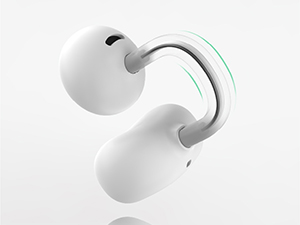
Image: A diagram illustrating the ergonomic design of the Moondrop Pill earbud and how it comfortably fits around the ear.
Operating Instructions
Basic Controls
The Moondrop Pill headphones feature touch controls for easy management of audio and calls. Specific touch gestures may vary; refer to the quick start guide included with your product for detailed touch commands.
- Play/Pause: Single tap on either earbud.
- Next Track: Double tap on the right earbud.
- Previous Track: Double tap on the left earbud.
- Answer/End Call: Single tap on either earbud.
- Reject Call: Press and hold on either earbud.
- Activate Voice Assistant: Triple tap on either earbud.
Dual-Device Connectivity
The Moondrop Pill supports simultaneous connection to two devices, allowing for seamless switching between them. Manage this feature through the dedicated Moondrop app.
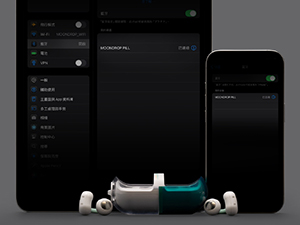
Image: A visual representation of the Moondrop app interface demonstrating the dual-device connectivity feature, allowing users to switch between paired devices.
Low Latency Game Mode
Switch to Game Mode for a low-latency audio experience, ideal for gaming. This mode reduces audio delay to approximately 55ms.
- To activate Game Mode: Refer to the product's quick start guide for the specific touch control gesture (e.g., press and hold a specific earbud for a duration).
- To exit Game Mode and return to high-fidelity music mode: Repeat the same gesture.
AI Environmental Noise Cancellation (ENC)
The built-in NPU hardware-level AI ENC algorithm enhances call clarity by effectively eliminating environmental noise while preserving vocal sounds.
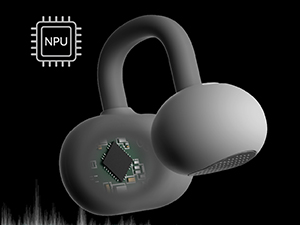
Image: A diagram highlighting the Neuron Processor Unit (NPU) chip integrated into the earbud, responsible for the AI Environmental Noise Cancellation (ENC) functionality.
Maintenance
Cleaning
Regular cleaning helps maintain the performance and longevity of your headphones.
- Use a soft, dry, lint-free cloth to wipe the earbuds and charging case.
- Do not use abrasive cleaners, alcohol, or chemical solvents.
- Avoid getting moisture in any openings.
Storage
When not in use, store the headphones in their charging case to protect them from dust and damage.
Water Resistance (IPX4)
The Moondrop Pill headphones are IPX4 rated, meaning they are resistant to splashing water from any direction. This makes them suitable for use during workouts or in light rain. However, they are not designed for submersion in water.
- Do not intentionally submerge the headphones in water.
- Avoid exposing them to high-pressure water jets.
- If the headphones get wet, wipe them dry thoroughly before placing them back in the charging case or charging them.

Image: The Moondrop Pill earbuds shown with water droplets, visually representing their IPX4 waterproof protection against splashes.
Troubleshooting
| Problem | Possible Cause | Solution |
|---|---|---|
| Headphones not turning on. | Low battery. | Place earbuds in the charging case and charge fully. |
| Cannot pair with device. | Bluetooth is off on device; headphones not in pairing mode; device too far. | Ensure Bluetooth is on. Open case to enter pairing mode. Move device closer (within 10m). Forget device and re-pair. |
| No sound or low volume. | Volume too low; earbud placement; connection issue. | Increase volume on device. Adjust earbud position. Reconnect headphones. |
| Sound cuts out or is unstable. | Interference; device too far; low battery. | Move away from sources of interference. Stay within 10m range. Charge headphones. |
| AI ENC not working effectively. | Extreme noise environment; software glitch. | AI ENC works best for common environmental noises. Try resetting the headphones or updating firmware via the Moondrop app. |
Specifications
Detailed technical specifications for the Moondrop Pill Open Ear Headphones:
| Model Name | PILL (MD-0WS-003) |
| Connectivity Technology | Wireless (Bluetooth) |
| Bluetooth Version | 6.0 |
| Bluetooth Protocols | A2DP / AVRCP / HFP / HSP |
| Audio Codecs | SBC / AAC |
| Working Distance | 10m (Barrier Free Environment) |
| Earbud Battery Life | 8H (AAC mode) |
| Charging Case Battery Life | 20H (AAC mode) |
| Earbud Battery Volume | 3.7V / 40mAh |
| Charging Case Battery Volume | 3.7V / 300mAh |
| Charging Input | 5V = 1A |
| Charging Output | 5V = 0.25A |
| Water Resistance Rating | IPX4 |
| Driver Type | 13mm Circular Low-distortion Dynamic Driver |
| Noise Cancellation | Built-in NPU Hardware-level AI ENC |
| Low Latency Mode | 55ms Game Mode |

Image: A table summarizing the key product information and specifications for the Moondrop Pill headphones.
Official Product Video
Video: An official product video showcasing the Moondrop Pill Open Ear Headphones, demonstrating their design, features, and usage scenarios.
Warranty and Support
Moondrop products are designed and manufactured to the highest quality standards. For warranty information and technical support, please refer to the Service Card included in your package or visit the official Moondrop website. You can also contact the seller, SHENZHENAUDIO, for assistance.
For further assistance, please contact Moondrop customer service or visit their official support channels.
Ask a question about this manual
Ask about setup, troubleshooting, compatibility, parts, safety, or missing instructions. Manuals+ will review the question and use this page’s manual context to help answer it.