
1. Overview
The LITDUCK 2570 LED Dual Wavelength Red Light Therapy Mat is designed to provide comprehensive red light therapy. This mat features 2570 three-in-one LED beads, combining 660nm red light chips and 850nm infrared chips for targeted application. Its large size (approximately 74.6” x 33.3”) ensures full-body coverage, including extended therapy zones for the neck and head.
The mat is constructed from premium leather, offering a durable and easy-to-clean surface. It includes a multifunctional custom controller that allows users to adjust intensity levels, set session durations, and select from various therapy modes.
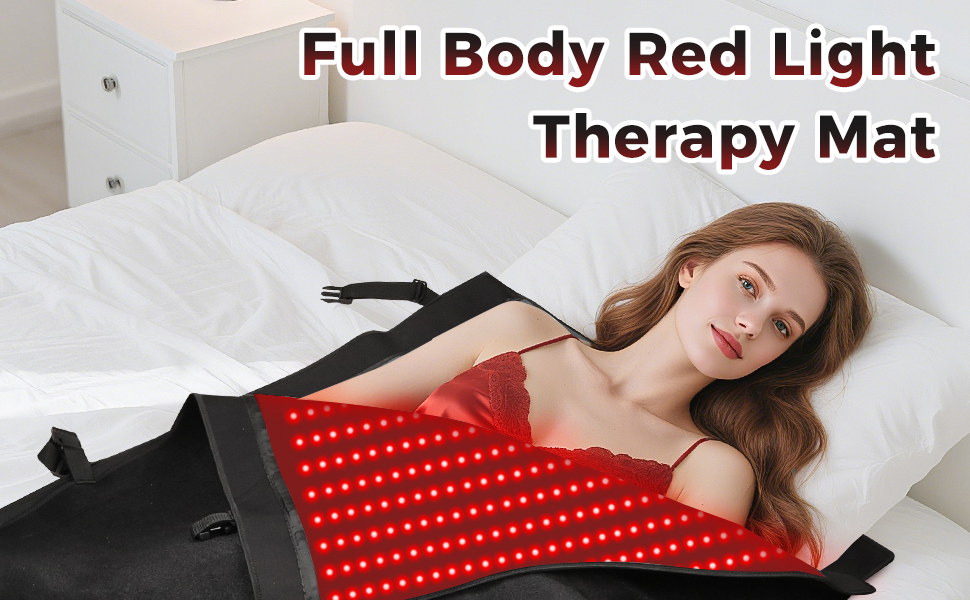
Figure 1: Full Body Coverage Diagram. This image illustrates the extensive coverage provided by the therapy mat, targeting various body areas for comprehensive treatment.
2. Safety Information
Legal Disclaimer: Statements regarding dietary supplements have not been evaluated by the FDA and are not intended to diagnose, treat, cure, or prevent any disease or health condition.
Always consult with a healthcare professional before starting any new therapy, especially if you have pre-existing medical conditions, are pregnant, or are taking medications. Avoid direct eye exposure to the LED lights. If using with clothing, ensure garments are light-colored to allow for optimal light penetration.
3. Product Components
- Red Light Therapy Mat (190x85cm)
- Custom Controller with LED Screen
- Power Adapter
Figure 2: Custom Controller. This image displays the controller with its LED screen and buttons for adjusting settings.
4. Setup
- Unroll the therapy mat and lay it flat on a comfortable surface such as a bed, couch, or chair.
- Connect the power adapter to the mat and then plug it into a standard electrical outlet.
- Ensure the controller is securely connected to the mat.
5. Operating Instructions
The custom controller allows for precise adjustment of your therapy session:
- Power On/Off: Press the power button to turn the mat on or off.
- Intensity Levels: Select from 5 intensity levels (P1 to P5) to adjust the power output (ranging from 39W to 100W). Higher levels provide brighter light.
- Timer Settings: Set the session duration using the timer function, adjustable from 5 to 30 minutes.
- Light Modes: Choose from three modes: Standard, 10 Hz pulse, and 40 Hz pulse settings. These modes can optimize results based on your specific needs.
For optimal results, it is recommended to use the mat on bare skin. If clothing is worn, ensure it is light-colored to allow maximum light penetration.

Figure 3: Customization Options. This image illustrates the adjustable power levels and timer settings available on the controller.
6. Maintenance
To maintain hygiene and extend the lifespan of your therapy mat:
- After each use, especially if sweat is present, wipe down the mat with a slightly damp washcloth.
- For deeper cleaning, a small amount of rubbing alcohol can be used on the washcloth.
- Ensure the mat is completely dry before storing or turning it on again.
- Store the mat rolled up or folded neatly in a dry place away from direct sunlight.
7. Troubleshooting
- Mat not turning on: Ensure all connections (power adapter to mat, power adapter to outlet, controller to mat) are secure. Check if the power outlet is functional.
- Lights not illuminating evenly: Verify that the mat is laid flat and not creased. If a specific section consistently fails to light up, contact customer support.
- Mat unexpectedly shuts off: This may be due to the timer setting. Check the timer duration on the controller. If the issue persists outside of the timer function, contact customer support.
8. Specifications
| Model | 190x85cm |
| LED Count | 2570 (three-in-one beads) |
| Wavelengths | 660nm (Red Light), 850nm (Infrared Light) |
| Intensity Levels | 5 (39W to 100W) |
| Timer Settings | 5 to 30 minutes |
| Dimensions | 74.6” x 33.3” (190cm x 85cm) |
| Material | Premium Leather |
| Manufacturer | LITDUCK |
| ASIN | B0F8R616ND |

Figure 4: Mat Dimensions. This image provides a visual representation of the mat's size for full body coverage.
9. Warranty and Support
For warranty information, technical support, or any product-related inquiries, please contact LITDUCK customer service through the retailer's platform or the contact information provided with your purchase. Please have your product model and ASIN (B0F8R616ND) ready when contacting support.