1. Introduction
This manual provides essential instructions for the setup, operation, maintenance, and troubleshooting of your AIRROBO T25+ Robot Vacuum and Mop. Please read this manual thoroughly before using the product to ensure safe and efficient operation.
Important Voltage Notice: This product is designed for 110-120V voltage. For use in regions with 220-230V voltage, a transformer is required.

Figure 1: The AIRROBO T25+ robot vacuum, its self-emptying dust collection station, the mobile application interface for control, and the included remote control, illustrating the complete system.
2. Getting Started
2.1 Package Contents
Verify that all items are present in the package:
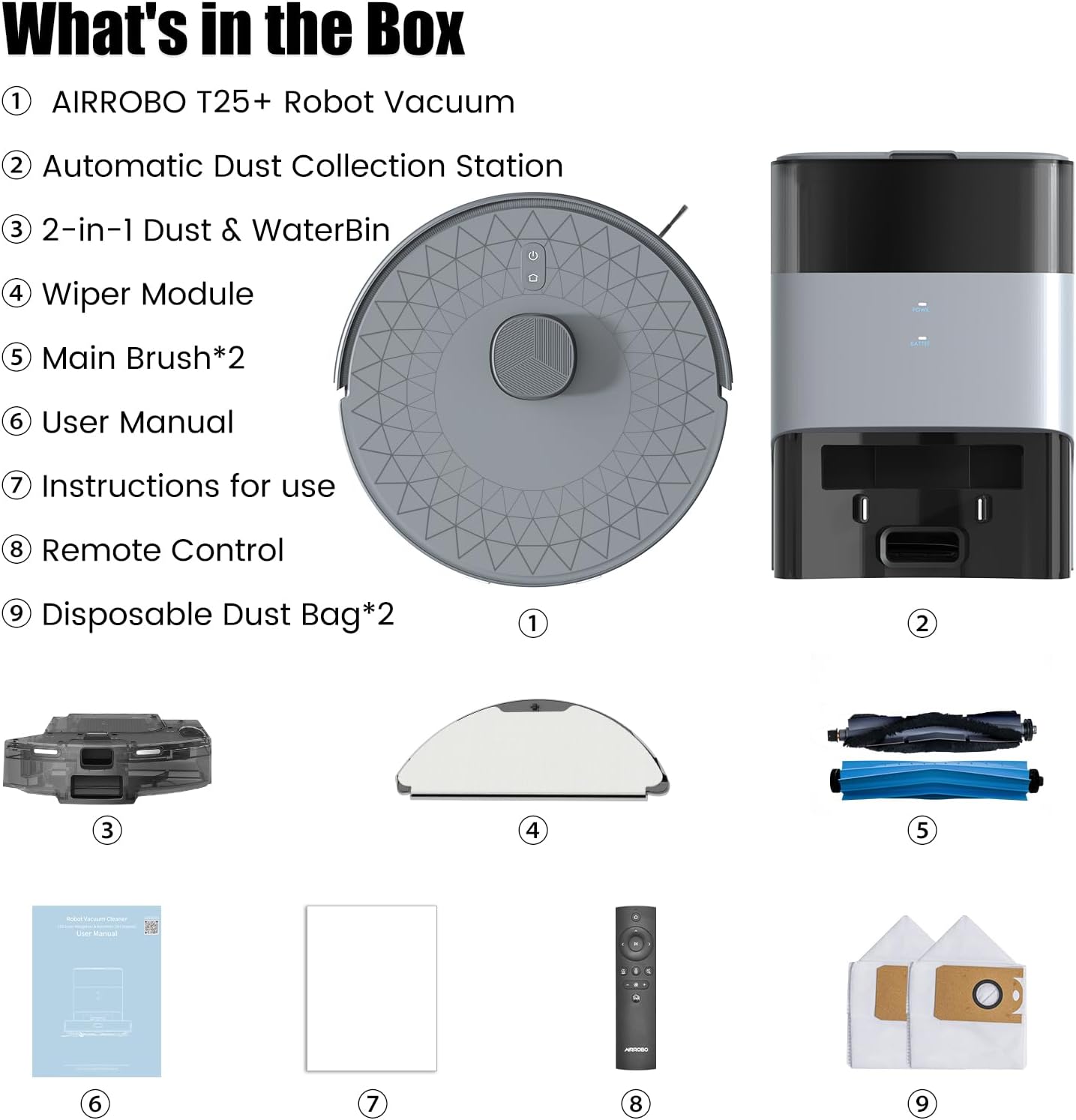
Figure 2: An exploded view showing all components included in the AIRROBO T25+ package: the robot vacuum, automatic dust collection station, 2-in-1 dust & water bin, wiper module, main brushes, user manual, instructions, remote control, and disposable dust bags.
- AIRROBO T25+ Robot Vacuum
- Automatic Dust Collection Station
- 2-in-1 Dust & Water Bin
- Wiper Module
- Main Brush (x2)
- User Manual
- Instructions for Use
- Remote Control
- Disposable Dust Bag (x2)
2.2 Charging Base Placement
Place the automatic dust collection station on a flat, hard floor against a wall. Ensure there are no obstacles around it. Avoid placing the base in direct sunlight or on carpets, as this can interfere with the robot's ability to recharge effectively.
2.3 App Download and Connection
To connect your robot vacuum to the mobile application:
- Download the AIRROBO app from your device's app store and create a user account.
- Tap the '+' icon in the upper right corner of the app, navigate to the 'T25+' page, and select your device model (RoboVacTB).
- Follow the in-app instructions to establish the Wi-Fi connection.
Note:
- Only 2.4GHz Wi-Fi is supported.
- Ensure your phone is connected to a 2.4GHz Wi-Fi network and Bluetooth is enabled.
- Keep the router, mobile phone, and robot vacuum cleaner in close proximity for a smooth connection.
- Update the firmware promptly for optimal user experience when prompted.

Figure 3: A user interacting with the versatile AIRROBO mobile application to control the T25+ robot vacuum, displaying features such as setting emptying modes, no-go zones, scheduling, and multi-level mapping.
3. Operation
3.1 Cleaning Modes and Suction Power
The AIRROBO T25+ offers 5-level suction modes, providing up to 5500Pa of ultra-strong suction for effective cleaning on various surfaces, including hard floors and carpets. It efficiently removes dirt, dust, debris, and pet hair.

Figure 4: The AIRROBO T25+ robot vacuum cleaning a floor, with visual representations of its 5500Pa ultra-strong suction effectively removing buried hair, pet food, and cereal crumbs.
3.2 Mopping Function
The robot includes a 340 ml water tank with 3 levels of water output adjustment for mopping. The mopping module should not be used on carpets. If the mopping module is installed, the robot will automatically avoid carpets by default. Further settings can be adjusted via the app.
3.3 Navigation and Mapping
The T25+ utilizes LDS laser navigation for precise mapping and efficient cleaning paths. It can save multi-floor maps for seamless cleaning across different levels of your home.
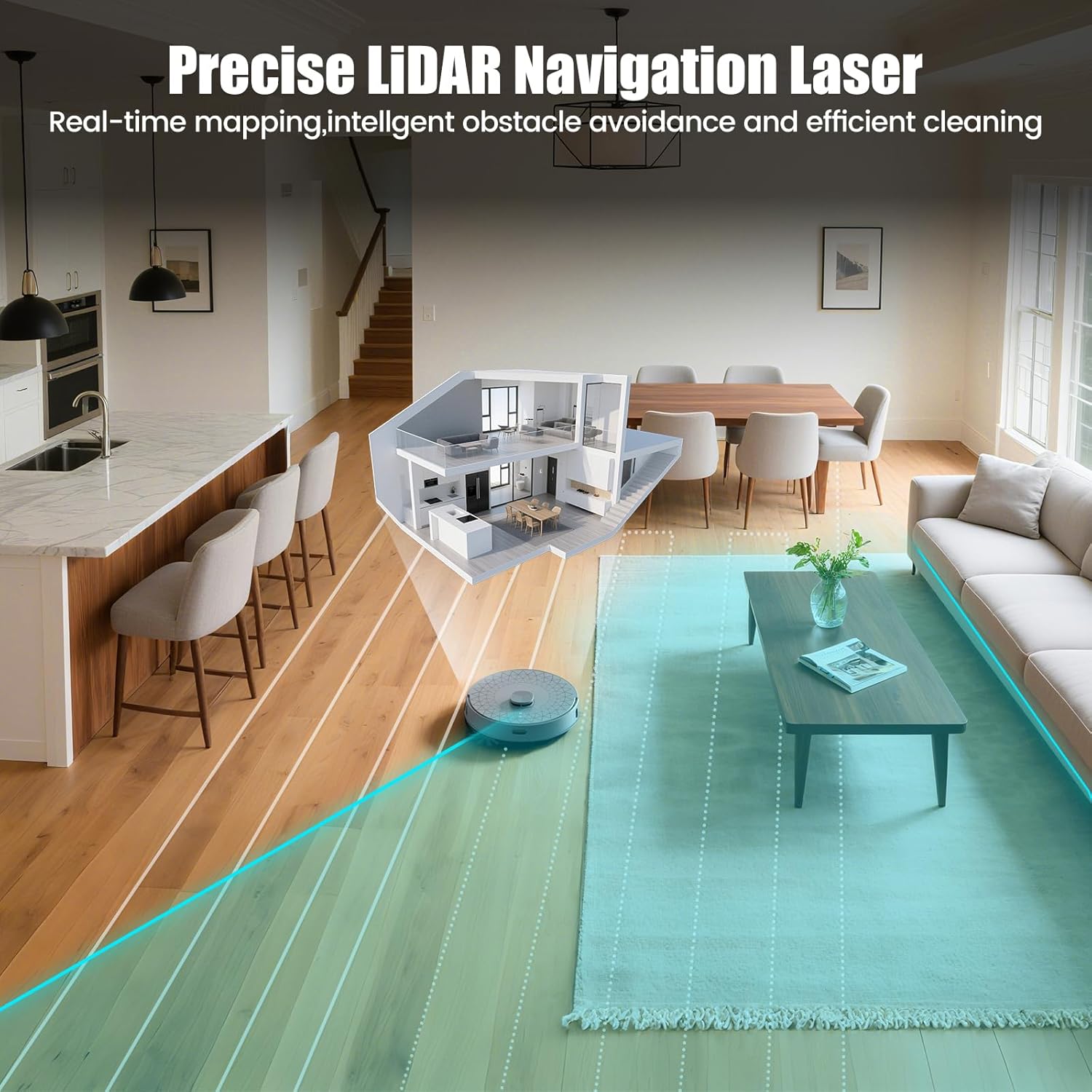
Figure 5: A visual representation of the AIRROBO T25+ robot vacuum utilizing precise LiDAR navigation to create a real-time map of a home, ensuring intelligent obstacle avoidance and efficient cleaning paths.
3.4 Carpet Detection and Avoidance
The advanced ultrasonic sensor enables the robot to automatically activate 'Carpet Lift Mode' for enhanced suction and deep cleaning of carpet fibers. When 'Carpet Avoidance Mode' is enabled, the robot will detect carpet edges and prevent entry into carpeted areas during mopping.

Figure 6: This image illustrates the AIRROBO T25+'s intelligent carpet features: it avoids carpets when mopping to keep them dry and automatically boosts suction for deep cleaning when vacuuming carpets.
3.5 Smart App Control and Voice Control
Control your robot via the Smart APP to set schedules, create no-go zones, and manage multi-floor maps. The T25+ is compatible with Alexa and Google Assistant, allowing you to initiate cleaning or adjust settings using voice commands.
4. Maintenance
4.1 Self-Emptying Dust Collection
The self-emptying base station features a 3.5L dust bag, providing up to 60 days of hands-free dust disposal. This reduces the frequency of manual emptying.
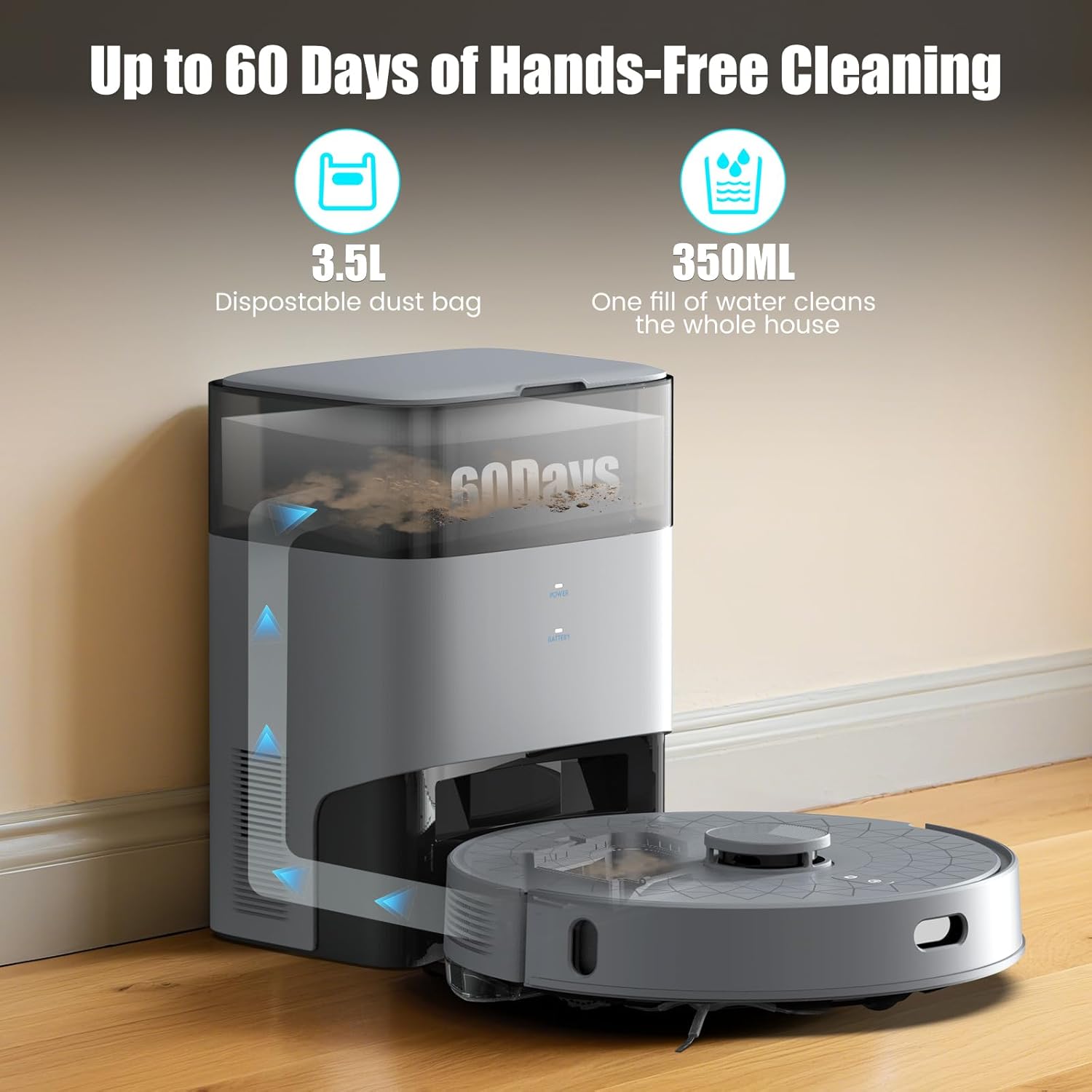
Figure 7: The self-emptying station for the AIRROBO T25+ robot vacuum, showing its 3.5-liter disposable dust bag for up to 60 days of hands-free operation and a 350ml water tank for mopping.
4.2 Cleaning the Robot and Accessories
- Roller Brush, Side Brushes, and Filter: Refer to the accessory maintenance page in the app to clean these components at least once a week.
- Auto-Detangling Roller Brush: The specially designed rubber brush minimizes tangles from pet hair. If brushes become tangled, power off the robot and carefully remove any hair or foreign matter.
- Connection Pins: Regularly wipe the robot's and base's connection pins and ensure the station's pins rebound normally.

Figure 8: An illustration comparing the AIRROBO T25+'s tangle-free rubber brush, designed to prevent hair entanglement, against a standard brush, demonstrating its efficiency with pet hair.
4.3 Firmware Updates
Regularly check for new firmware updates within the app and install them to ensure optimal cleaning performance and access to new features.
5. Troubleshooting
5.1 Common Issues and Solutions
- Shipping Damage or Missing Accessories: If you encounter issues such as damaged packaging, missing accessories, or signs of prior use, contact AIRROBO support immediately.
- Robot Not Completing Cleaning Tasks Efficiently:
- Clean up debris on the ground (e.g., wires, toys) to prevent the robot from getting stuck.
- The robot should not be allowed to enter wet areas.
- Set no-go zones in the app for long-pile carpets and furniture with similar bottom heights.
- Once the map is complete, it is recommended to back up the map in the app. If the map becomes abnormal, it can be restored.
- Inefficient Recharging:
- Ensure the base station is placed on a flat, hard floor against a wall, with no obstacles.
- Do not place the base in areas exposed to sunlight or on carpets, as this can prevent the robot from recharging.
- Mopping on Carpets: Do not use the mopping module on carpets. Remove the mopping module when not using the mopping function. If the mopping module is installed, the robot will automatically avoid carpets by default.
6. Specifications
| Feature | Specification |
|---|---|
| Brand | AIRROBO |
| Model Name | T25+C |
| Special Features | LiDAR Navigation, No-Go Zone, Self-Emptying, Smart Mapping |
| Color | Light Gray |
| Product Dimensions | 13.5"L x 13.5"W x 3.5"H |
| Included Components | T25+C Robot Vacuum |
| Filter Type | HEPA |
| Battery Life | 240 minutes |
| Voltage | 110 Volts |
| Capacity (Dust Bag) | 3.5L (60 days) |
| Power Source | Battery Powered |
| Item Weight | 10.42 pounds |

Figure 9: The AIRROBO T25+ robot vacuum and its charging station, highlighting its 5200mAh high-capacity battery that offers up to 240 minutes of extended cleaning operation.
7. Support and Warranty
For any product-related inquiries, technical assistance, or warranty claims, please contact AIRROBO customer support. Refer to the product packaging or the official AIRROBO website for contact details.
AIRROBO ensures that all products are sold as new. If you encounter any issues, such as damaged packaging, missing accessories, or signs of prior use, please contact AIRROBO support immediately. We are committed to promptly resolving your concerns and ensuring your satisfaction.


