
1. Introduction
Thank you for choosing the Baseus Qi2 Certified 15W Wireless Magnetic Power Bank. This device is designed to provide convenient and efficient charging for your compatible mobile devices, featuring both wireless and wired charging capabilities. Please read this manual thoroughly before use to ensure proper operation and to maximize the product's lifespan.

Image 1.1: The Baseus Qi2 Certified 15W Wireless Magnetic Power Bank.
2. Product Overview
2.1 Package Contents
- Baseus Qi2 Certified 15W Wireless Magnetic Power Bank (10000mAh)
- USB-C to USB-C Charging Cable
- User Manual
2.2 Key Features
- Qi2 Certified Wireless Charging: Provides up to 15W wireless charging for compatible devices.
- High-Speed Wired Charging: Features a USB-C port with up to 22.5W Power Delivery (PD) output.
- Magnetic Attachment: Strong magnetic connection compatible with MagSafe-enabled devices (iPhone 12-17 series).
- 10000mAh Capacity: Offers substantial power for multiple charges.
- Advanced Safety Features: Equipped with AI temperature monitoring and graphene for enhanced heat dissipation, preventing overheating.
- Compact and Portable Design: Slim profile for easy carrying.
- Pass-Through Charging: Allows simultaneous charging of the power bank and a connected device.
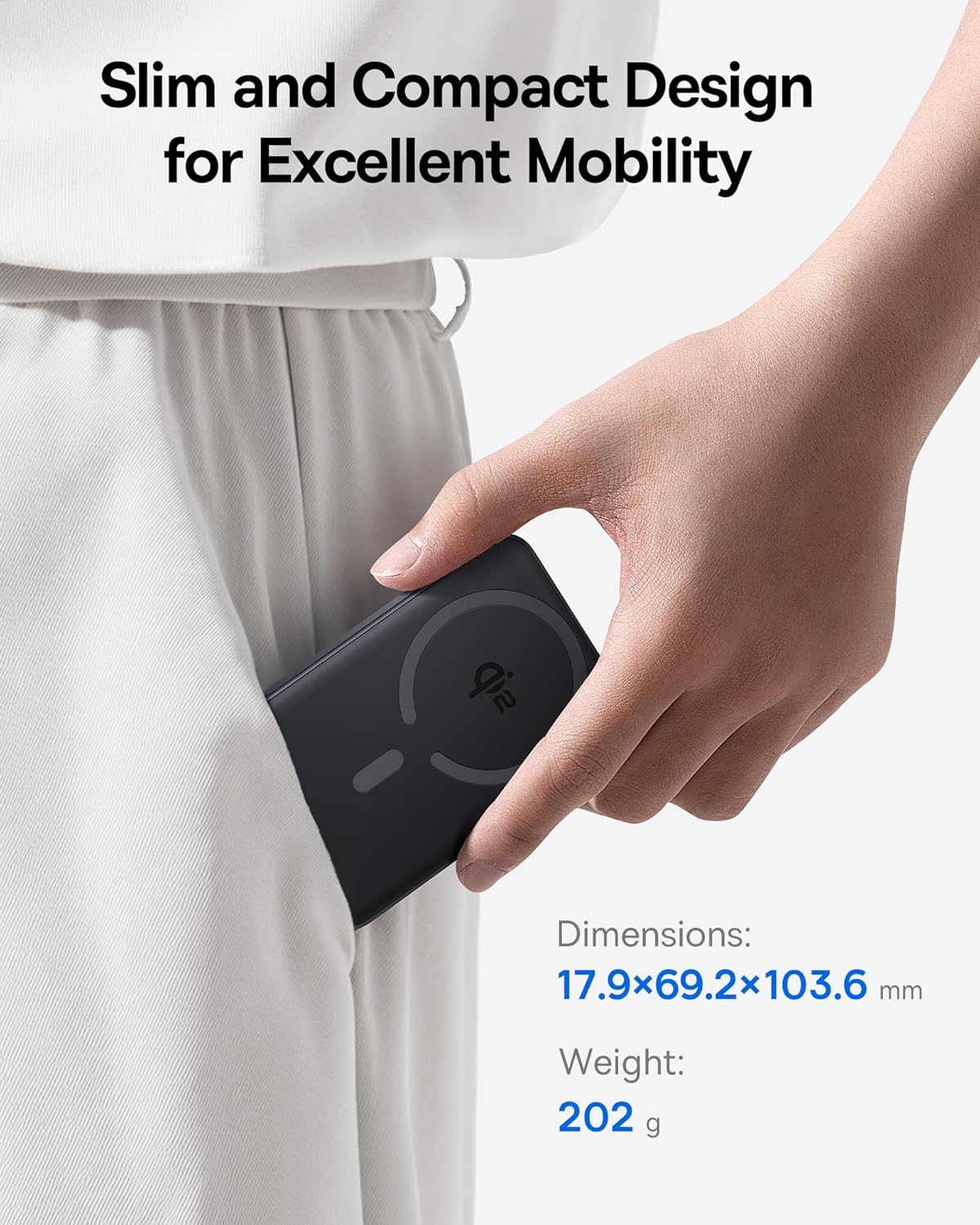
Image 2.1: The power bank's compact design allows for easy portability.
3. Setup
3.1 Initial Charge
- Before first use, fully charge the power bank.
- Connect the provided USB-C cable to the power bank's USB-C port.
- Connect the other end of the USB-C cable to a compatible USB power adapter (not included).
- The LED indicators on the power bank will illuminate to show the charging status. All LEDs will be solid when fully charged.
4. Operating Instructions
4.1 Charging the Power Bank
To recharge the power bank, use the included USB-C cable and connect it to a power source. The power bank supports fast input charging.
4.2 Wireless Charging Your Device
- Ensure your device is compatible with MagSafe or Qi2 wireless charging (e.g., iPhone 12-17 series).
- Align the back of your compatible device with the magnetic charging area of the power bank. The magnets will snap into place, securing the connection.
- Wireless charging will begin automatically. The power bank does not require a power button for wireless charging.

Image 4.1: Wireless charging in progress, demonstrating the magnetic connection.

Image 4.2: Magnetic attachment for effortless charging.
4.3 Wired Charging Your Device
- Connect one end of the USB-C cable to the power bank's USB-C port.
- Connect the other end of the USB-C cable to your device's charging port.
- The power bank will automatically detect the connected device and begin charging.
4.4 Pass-Through Charging
The power bank supports pass-through charging, allowing you to charge both the power bank and a connected device simultaneously. Connect the power bank to a wall adapter, and then connect your device to the power bank via either wireless or wired connection.

Image 4.3: The power bank supports both wired and wireless charging simultaneously.
4.5 Universal Compatibility

Image 4.4: Compatibility overview for wireless and wired charging.
5. Safety Information
To ensure safe operation and prevent damage to the device or injury, please observe the following safety guidelines:
- Do not expose the power bank to extreme temperatures, direct sunlight, or fire.
- Do not disassemble, modify, or repair the device.
- Keep the power bank away from water and other liquids.
- Avoid dropping or subjecting the device to strong impacts.
- Use only certified charging cables and adapters.
- Keep out of reach of children.
- The power bank features multiple built-in protections, including over-voltage, under-voltage, overcharge, over-discharge, over-temperature, over-current, short circuit, recovery, and over-power protection.

Image 5.1: Advanced thermal management for safe charging.

Image 5.2: Comprehensive safety protections integrated into the power bank.
6. Maintenance
Proper maintenance ensures the longevity and optimal performance of your power bank:
- Clean the device with a soft, dry cloth. Do not use abrasive cleaners or solvents.
- Store the power bank in a cool, dry place when not in use.
- If storing for extended periods, charge the power bank to approximately 50% every three months to maintain battery health.
7. Troubleshooting
7.1 Device Not Charging Wirelessly
- Ensure your device is Qi2 or MagSafe compatible.
- Check for proper alignment of your device on the power bank's charging surface.
- Remove any thick cases or metallic objects between your device and the power bank.
- Verify the power bank has sufficient charge.
7.2 Device Not Charging Via USB-C
- Ensure the USB-C cable is securely connected to both the power bank and your device.
- Try using a different USB-C cable to rule out cable malfunction.
- Verify the power bank has sufficient charge.
7.3 Power Bank Not Recharging
- Ensure the USB-C cable is securely connected to the power bank and the wall adapter.
- Try a different wall adapter and/or USB-C cable.
- Ensure the wall adapter provides sufficient power output.
8. Specifications
| Model Number | E00285 |
| Battery Capacity | 10000mAh (3.7V/37Wh) |
| USB-C Input | 5V=3A; 9V=2.22A |
| USB-C Output | 5V=3A; 9V=2.22A; 12V=1.5A; 10V=2.25A (Max 22.5W) |
| Wireless Output | 5W/7.5W/15W (Max 15W) |
| Total Output | 5V=3A |
| Product Dimensions | 4.6 x 2.7 x 0.7 inches (17.9 x 69.2 x 103.6 mm) |
| Item Weight | 8.8 ounces (202g) |
| Color | Black (also available in Moon White, Baby Pink) |
9. Warranty and Support
Baseus products are designed and manufactured to the highest quality standards. This product is covered by a limited warranty from the date of purchase. For detailed warranty information, product support, or to register your product, please visit the official Baseus website or contact their customer service.
Please retain your proof of purchase for warranty claims.


