
1. Overview
The Geokay 16-Inch Rechargeable Doodle Glow LED Note Board is a versatile and engaging creative tool designed for drawing, messaging, and decorative lighting. It features a durable acrylic surface, multiple light modes, and a built-in stand for convenient use. This manual provides essential information for setting up, operating, and maintaining your LED Note Board.

Image: The Geokay 16-Inch Rechargeable Doodle Glow LED Note Board in use, showcasing a vibrant drawing illuminated by its LED lights.
2. What's Included
Upon unboxing your Geokay LED Note Board, please ensure all the following components are present:
- Rechargeable 7-light effects LED drawing Pad
- 7 colorful markers
- 10 double-sided tracing papers
- USB-C cable
- Spray bottle & cloth for cleaning
- User manual (this document)

Image: All items included in the Geokay LED Note Board package, neatly arranged on a surface.
3. Setup
- Unpack: Carefully remove all components from the packaging.
- Charge: Connect the provided USB-C cable to the board's charging port and a compatible 5V-1A power adapter (not included). The battery power display will indicate charging status. A full charge provides up to 8 hours of unplugged operation.
- Prepare Markers: If the marker's color is not vibrant, shake the pen to help reactivate the ink.
- Positioning: The board features a built-in stand for upright display. For optimal stability when writing or drawing, ensure the clear acrylic board rests only on the table, not the entire base.
- Tracing: To use tracing papers, simply place the desired tracing paper underneath the clear acrylic board.

Image: Detailed view of the LED Note Board's base, highlighting the power indicator lights, power button, built-in stand, and hanging holes.
4. Operating Instructions
- Power ON/OFF: Press and hold the power button for 3 seconds to turn the LED Note Board on or off.
- Change Light Modes: Single tap the power button to cycle through the available lighting modes: Warm White, Cold White, Red, Purple, Green, Blue, and Flashing Mode.
- Drawing: Use the provided colorful liquid chalk markers to draw directly on the clear acrylic surface.
- Display: Utilize the built-in stand to prop up your artwork for display. The board can also be wall-mounted using the hanging holes.

Image: The LED Note Board showcasing a Halloween-themed drawing, demonstrating the 7 different light effects and the built-in stand.
Official Product Video: Rechargeable 7-Color LED Note Board
Video: An official demonstration by Geokay-US showing the features and various light modes of the Rechargeable 7-Color LED Note Board.
5. Maintenance
- Cleaning the Board: For drawings left on for over 3 days, lightly spray the acrylic surface with water using the provided spray bottle, then wipe with the included soft cloth for best results. For fresh drawings, simply wipe with the cloth.
- Important: Do not use alcohol-based cleaning solutions, as they may damage the board's surface.
- Marker Care: Ensure marker caps are securely placed after use to prevent drying.
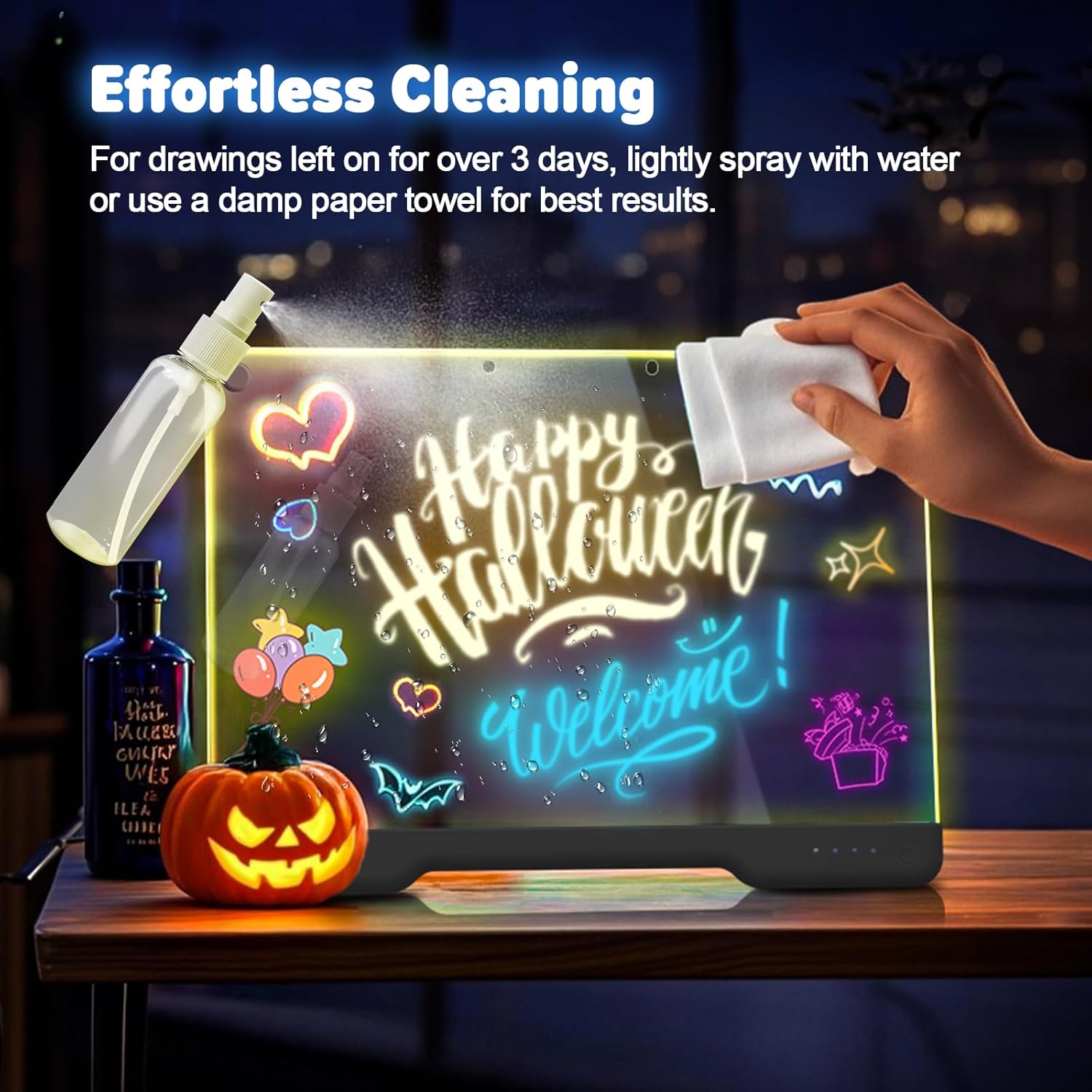
Image: Demonstrates the effortless cleaning process of the LED Note Board using the provided spray bottle and cloth.
6. Troubleshooting
- Board not turning on: Ensure the board is fully charged. Connect it to a power source using the USB-C cable and allow it to charge for a period.
- Markers not vibrant: Shake the liquid chalk markers well before use to reactivate the ink. If colors remain dull, ensure the board's LED lights are on and set to a bright mode.
- Difficulty erasing: If drawings are difficult to remove, lightly spray the surface with water using the provided spray bottle before wiping with the cloth.
- Scratches on surface: The board features an extra-hardened acrylic surface and silicone corner pads for protection. Avoid using abrasive materials or sharp objects on the drawing surface.
7. Specifications
| Feature | Detail |
|---|---|
| Brand | Geokay |
| Model Number | E16 |
| Color | Black |
| Material | Acrylic, Plastic |
| Input | 5V-1A (supports all phone charge adapters) |
| Battery Life (Unplugged Operation) | Up to 8 hours |
| Light Type | LED |
| Number of Light Modes | 7 (Warm White, Cold White, Red, Purple, Green, Blue, Flashing Mode) |
| Additional Features | Dry Erase, Eco-Friendly, Illuminated, Rechargeable, Built-in Stand, Scratch Resistant |
| Item Dimensions W x H | 13.7"W x 10"H |
| Item Weight | 425 Grams |
8. Warranty
The Geokay 16-Inch Rechargeable Doodle Glow LED Note Board comes with a 12-Month Free Replacement Warranty. Please retain your proof of purchase for warranty claims.
9. Support
We value your satisfaction. If you encounter any issues with your product, or if you have questions, please contact us:
- Email: donghaixinx@outlook.com
- Amazon Messaging: You can reach us via Amazon by following these steps:
- Go to Your Orders.
- Choose the item that you want to return or replace.
- Select 'Contact Seller'. You will be directed to the Seller Messaging Assistant.
- Select the appropriate option and start the conversation.
We strive to respond to all inquiries within 24 hours.