
IQUNIX MQ80 Low Profile Keyboard
IQUNIX MQ80 Low Profile Mechanical Keyboard User Manual
Model: MQ80 Low Profile Keyboard | Brand: IQUNIX
Introduction
The IQUNIX MQ80 is a high-performance low-profile mechanical keyboard designed for both work and gaming. It features a durable CNC aluminum body, tri-mode connectivity (wireless 2.4GHz, Bluetooth, and wired USB-C), hot-swappable switches, and customizable RGB backlighting with VIA software support. This manual provides comprehensive instructions for setting up, operating, and maintaining your MQ80 keyboard.

Image: The IQUNIX MQ80 Low Profile Mechanical Keyboard in Moonlight Silver, showcasing its compact 80% layout and sleek design.
What's in the Box
Verify that all the following items are included in your package:
- MQ80 Keyboard
- Premium Carrying Case
- Keycap & Switch Puller
- 2.4G USB Receiver
- Type-C Cable

Image: A flat lay of the IQUNIX MQ80 keyboard and its accessories, including the carrying case, keycap and switch puller, 2.4G USB receiver, and Type-C cable.
Setup
Charging the Keyboard
Before first use, it is recommended to fully charge the keyboard. Connect the provided Type-C cable to the keyboard's USB-C port and the other end to a USB power source (e.g., computer USB port, wall adapter). The charging indicator light will show the charging status.

Image: The IQUNIX MQ80 keyboard highlighting its impressive 350-hour battery life, significantly longer than typical low-profile keyboards.
Connectivity Modes
The IQUNIX MQ80 supports three connectivity modes: 2.4GHz wireless, Bluetooth, and wired USB-C. Use the switch located on the side of the keyboard to select your desired mode.
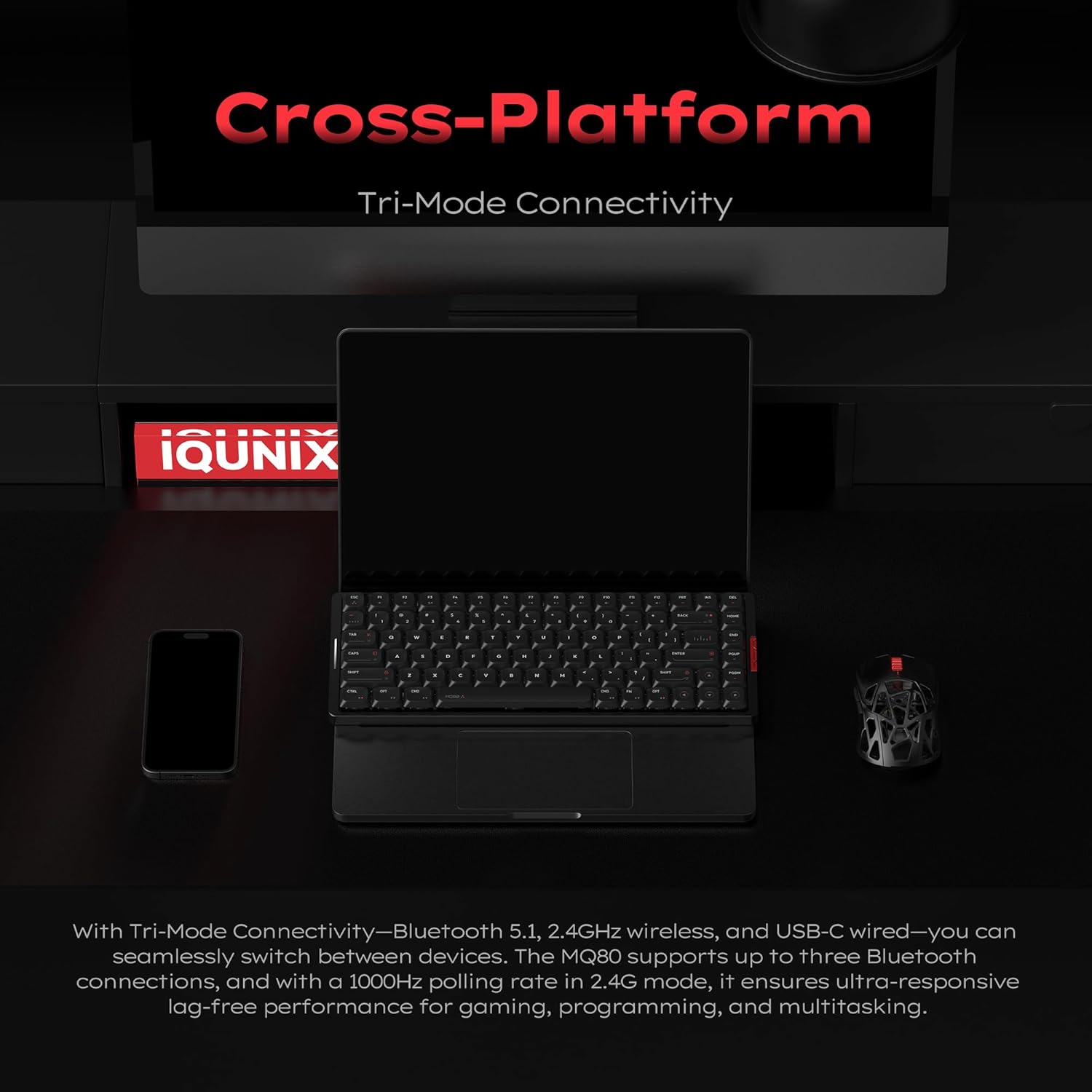
Image: The IQUNIX MQ80 keyboard positioned with a laptop, smartphone, and mouse, illustrating its seamless cross-platform tri-mode connectivity.
2.4GHz Wireless Connection
- Locate the 2.4G USB receiver in the package.
- Plug the 2.4G USB receiver into an available USB port on your computer.
- Switch the keyboard to 2.4G mode. The keyboard will automatically connect.
Bluetooth Connection
- Switch the keyboard to Bluetooth mode.
- On your device (computer, tablet, smartphone), enable Bluetooth and search for new devices.
- Select "IQUNIX MQ80" from the list of available devices to pair.
- The keyboard can store up to three Bluetooth connections. Use Fn + 1/2/3 to switch between paired devices.
Wired USB-C Connection
- Connect the provided Type-C cable to the keyboard's USB-C port.
- Connect the other end of the cable to a USB port on your computer.
- The keyboard will automatically switch to wired mode.
Operating Instructions
Key Functions and Layout
The MQ80 features an 80% layout, providing essential keys while maintaining a compact form factor. Refer to the image below for a visual representation of the key layout.
Image: A clear top-down view of the IQUNIX MQ80 keyboard, illustrating its 80% layout with all keys visible.
RGB Lighting Customization
The MQ80 features dynamic RGB lighting with 16 million colors and various effects. You can customize the lighting directly on the keyboard using key combinations or through the VIA software for more advanced control.
Video: Demonstrates various RGB lighting effects on the IQUNIX MQ80 keyboard, showcasing the dynamic color options.
Video: Shows additional RGB lighting effects on the IQUNIX MQ80, highlighting the range of customization available.

Image: The IQUNIX MQ80 keyboard illuminated with vibrant blue RGB backlighting, showcasing its dynamic lighting capabilities.
VIA Software Support
The IQUNIX MQ80 supports VIA software for powerful key remapping, macro recording, and advanced RGB lighting customization. No coding is required to personalize your keyboard settings.
- Download the VIA software from the official IQUNIX website.
- Connect your keyboard in wired mode to ensure proper detection by the software.
- Use the intuitive interface to remap keys, create custom macros, and adjust lighting effects to match your workflow and style.

Image: A laptop screen displaying the VIA software interface, demonstrating the options for custom key mappings, macros, and RGB settings for the IQUNIX MQ80.
Hot-Swappable Switches
The MQ80 features a hot-swappable design, allowing you to easily change switches without soldering. This enables customization of your typing feel and sound.
- Power off the keyboard or disconnect it from your device.
- Use the provided switch puller to carefully remove the desired switch.
- Align the pins of the new switch with the sockets on the PCB and gently press it into place until it clicks.

Image: A hand demonstrating the hot-swappable feature of the IQUNIX MQ80 keyboard by using a tool to remove a key switch.

Image: A detailed diagram of the Kailh POM Gold Red Linear Switch, highlighting its components and specifications like total travel, pre-travel, lifespan, and actuation force.
Video: A demonstration of the typing sounds produced by the IQUNIX MQ80 Low Profile Keyboard, highlighting its acoustic profile.
Video: Illustrates the creamy typing feel of the IQUNIX Low Profile Keyboard, emphasizing the smooth and satisfying keystroke experience.
Maintenance
Cleaning the Keyboard
To maintain the appearance and functionality of your MQ80 keyboard:
- Use a soft, lint-free cloth to wipe down the aluminum body.
- For keycaps, a damp cloth with mild soap and water can be used. Ensure keycaps are completely dry before reattaching.
- Use compressed air to remove dust and debris from between the keycaps and switches.
- Avoid using harsh chemicals or abrasive materials, as these can damage the finish and keycap legends.

Image: A close-up view of the high-purity PBT keycaps, emphasizing their durable, oil-resistant, and long-lasting qualities.
Troubleshooting
If you encounter issues with your IQUNIX MQ80 keyboard, refer to the following common solutions:
- Keyboard not responding:
- Ensure the keyboard is charged.
- Check the connectivity mode switch (2.4G, Bluetooth, Wired) and ensure it matches your connection type.
- For wireless connections, try re-pairing or re-inserting the 2.4G receiver.
- For wired connections, try a different USB port or cable.
- Bluetooth connection issues:
- Ensure Bluetooth is enabled on your device.
- Forget the device in your device's Bluetooth settings and re-pair.
- Try connecting to a different Bluetooth slot (Fn + 1/2/3).
- RGB lighting not working or incorrect:
- Check the keyboard's battery level.
- Use the VIA software to reset or reconfigure lighting settings.
- Keys not registering or double-typing:
- Ensure switches are fully seated in their sockets.
- If a specific switch is faulty, use the hot-swappable feature to replace it.
Specifications
| Brand | IQUNIX |
| Model Number | MQ80 Low Profile Keyboard |
| Product Dimensions | 12.64 x 1.08 x 4.9 inches |
| Item Weight | 3.98 pounds |
| Connectivity Technology | 2.4GHz Wireless, Bluetooth 5.1, USB-C Wired |
| Keyboard Description | Mechanical |
| Number of Keys | 84 |
| Backlighting | RGB (16 Million Colors) |
| Special Features | Ergonomic, Backlit, Low-Profile Key, Programmable Keys, Hot-Swappable |
| Battery Life | Up to 350 hours (single charge) |
| Compatible Devices | Laptop, PC, Tablet (Mac & Windows ready) |

Image: A technical diagram illustrating the precise dimensions of the IQUNIX MQ80 keyboard, including its length, width, and ultra-thin profile.

Image: The underside of the IQUNIX MQ80 keyboard, showcasing its full aluminum CNC body and durable 180-grit anodized finish.
Video: An overview of the IQUNIX MQ80 Low Profile Mechanical Keyboard, highlighting its key features and design.
Video: Showcases the tri-mode connectivity of the IQUNIX Low Profile Mechanical Keyboard, demonstrating seamless switching between Bluetooth, 2.4G, and wired modes.
Warranty and Support
IQUNIX products are designed for durability and performance. For specific warranty details and technical support, please refer to the official IQUNIX website or contact their customer service directly. Keep your purchase receipt as proof of purchase for warranty claims.
For further assistance, visit the IQUNIX Store on Amazon.
Related documentsMQ80 Low Profile Keyboard


Ask a question about this manual
Ask about setup, troubleshooting, compatibility, parts, safety, or missing instructions. Manuals+ will review the question and use this page’s manual context to help answer it.