
Baseus PrimeTrip VB1
Baseus PrimeTrip VB1 Phone Holder User Manual
Model: PrimeTrip VB1
1. Introduction
Thank you for choosing the Baseus PrimeTrip VB1 Phone Holder. This manual provides comprehensive instructions for the proper installation, operation, and maintenance of your new phone holder, ensuring a secure and reliable experience for your smartphone on various types of bicycles.

Image 1.1: The Baseus PrimeTrip VB1 Phone Holder securely mounted on a bicycle handlebar, holding a smartphone in place.
2. Package Contents
Please verify that all the following components are included in your package:
- 1 x Baseus PrimeTrip VB1 Phone Holder Unit (main mount)
- 1 x Magnetic Phone Adapter (for attaching to phone/case)
- 4 x Universally Compatible Adapter Inserts (for various handlebar diameters: 22.2mm ~ 31.8mm)
- 1 x Positioning Card (for magnetic sticker alignment)
- 1 x Alcohol Wipe (for surface preparation)
- 1 x Hex Key (for installation)

Image 2.1: Exploded view of the phone holder components, highlighting the main mount, adapter inserts, and the anti-theft square-screw locking mechanism.

Image 2.2: Overview of the durable materials used in the construction of the phone holder, such as aerospace-grade aluminum alloy for strength and lightness.
3. Setup and Installation
Follow these steps to properly install the Baseus PrimeTrip VB1 Phone Holder on your bicycle and prepare your smartphone for use.
3.1 Mounting the Holder to Your Bicycle
- Select Adapter Inserts: Choose the appropriate rubber adapter inserts from the provided set that best fit your bicycle's handlebar diameter (compatible with 22.2mm to 31.8mm). These inserts ensure a snug and secure fit.
- Position the Mount: Place the main phone holder unit on your handlebar at the desired location.
- Secure the Mount: Use the included hex key to tighten the anti-theft square-screw, securing the holder firmly to the handlebar. Ensure it is tight enough to prevent rotation but do not overtighten.
Image 3.1: The handlebar clamp with universally compatible adapter inserts, allowing installation on various handlebar sizes.
3.2 Attaching the Magnetic Phone Adapter to Your Smartphone Case
The magnetic phone adapter must be securely attached to your smartphone case. For optimal adhesion and performance, use a plastic, glass, or hard leather case. Avoid soft-touch or uneven cases as they may compromise adhesion.
- Clean the Area: Use the provided alcohol wipe to thoroughly clean the back surface of your phone case where the magnetic adapter will be attached. Allow it to dry completely.
- Align the Magnetic Sticker: Use the included positioning card to accurately align the magnetic phone adapter on the back of your phone case. This ensures proper magnetic alignment with the holder.
- Ensure Full Contact: Press the magnetic adapter firmly onto the cleaned surface of your phone case, ensuring full and even contact.
- Wait for Adhesion: It is crucial to wait a minimum of 12 hours after attaching the magnetic adapter before using it with the phone holder. This allows the 3M adhesive to fully cure and achieve maximum bonding strength. The 3M adhesive is a one-time use application, so place it carefully.
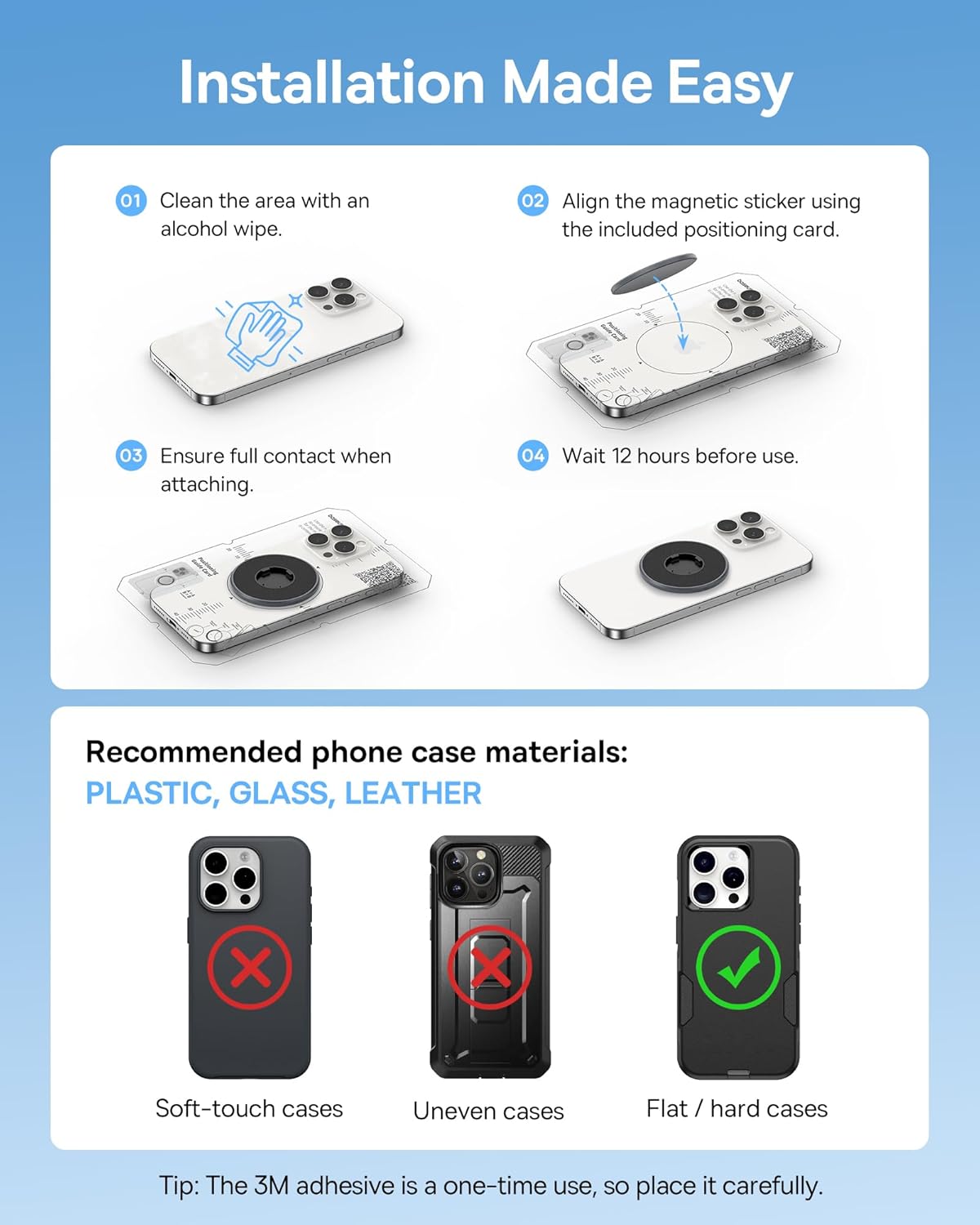
Image 3.2: Step-by-step guide for attaching the magnetic phone adapter to your smartphone case, emphasizing the importance of surface preparation and curing time.
Note: Once the magnetic adapter is attached, it is designed for permanent adhesion. Attempting to remove it may damage the adhesive or the case.
4. Operation
Operating the Baseus PrimeTrip VB1 Phone Holder is designed to be quick, secure, and convenient.
4.1 Attaching Your Smartphone
To attach your smartphone to the holder:
- Simply bring your smartphone (with the attached magnetic adapter) close to the phone holder unit on your bicycle.
- The strong magnetic linking will effortlessly align and snap the phone into place.
- An instant auto-lock mechanism will engage, securing your phone firmly.

Image 4.1: The effortless magnetic alignment and instant auto-lock feature for quick attachment of your smartphone.
4.2 Detaching Your Smartphone (Quick Release)
To detach your smartphone:
- Locate the quick release switch on the side of the phone holder unit.
- Slide the switch to disengage the mechanical lock and release your smartphone.
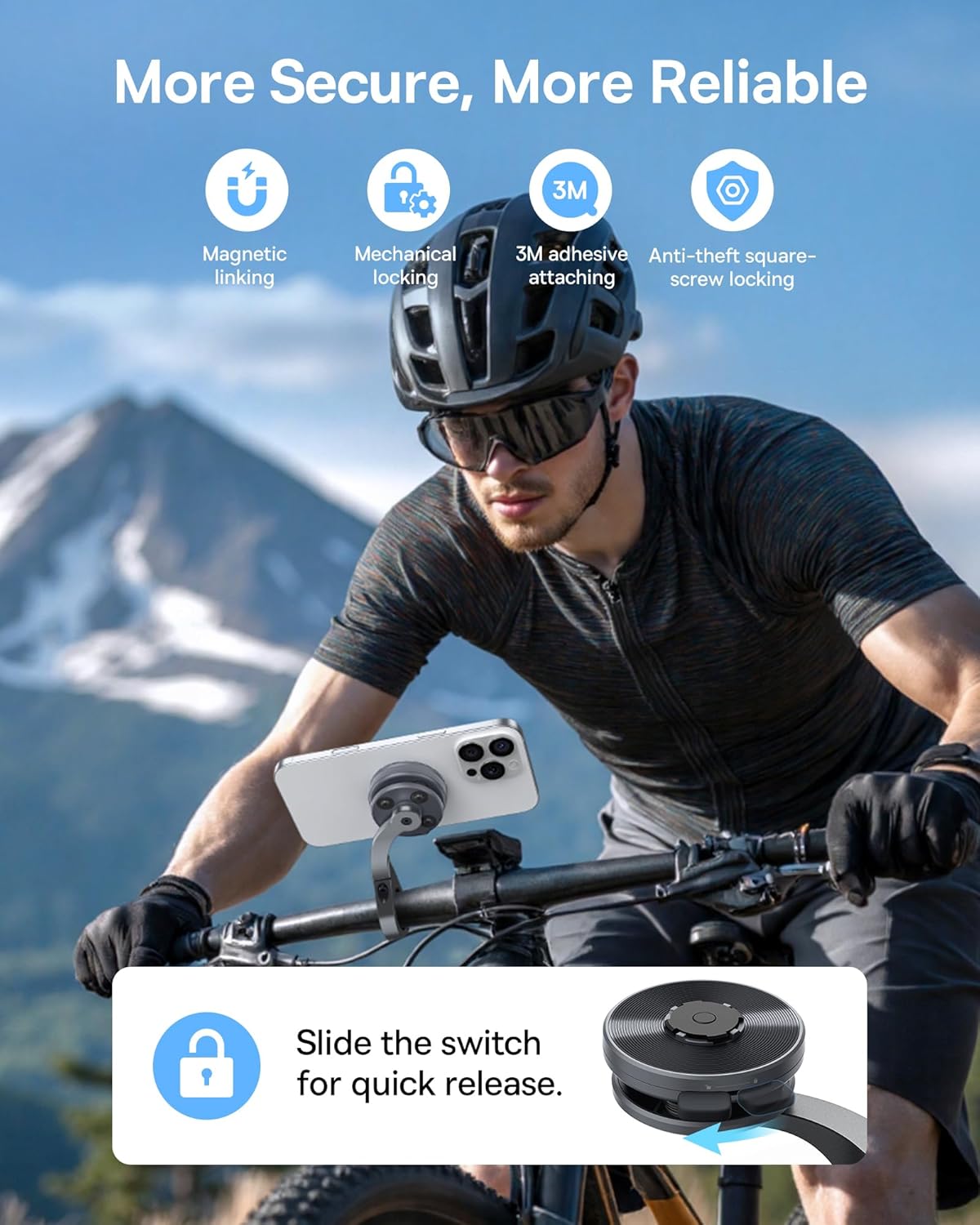
Image 4.2: The quick release switch allows for rapid and convenient detachment of your smartphone.
4.3 Switching Between Portrait and Landscape Orientation
The Baseus PrimeTrip VB1 allows for easy rotation of your smartphone between portrait and landscape orientations to suit your navigation or viewing needs.
- Once attached, simply rotate your smartphone to the desired orientation. The holder's design accommodates smooth rotation while maintaining a secure grip.
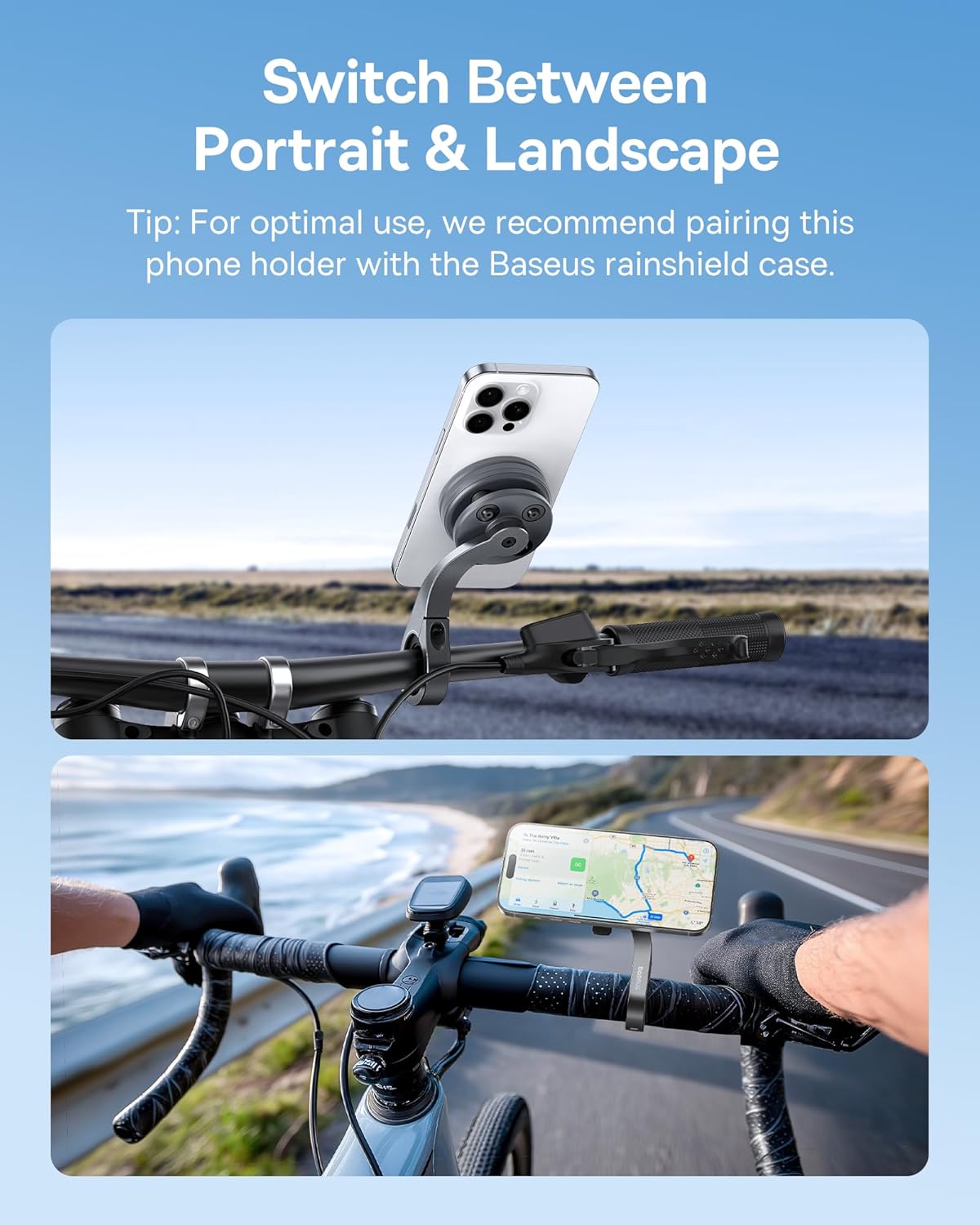
Image 4.3: The phone holder supports switching between portrait and landscape modes for optimal viewing.
Tip: For optimal use and enhanced protection, especially in adverse weather conditions, consider pairing this phone holder with a Baseus rainshield case (sold separately).
5. Maintenance
To ensure the longevity and optimal performance of your Baseus PrimeTrip VB1 Phone Holder, follow these simple maintenance guidelines:
- Cleaning: Wipe the holder regularly with a soft, damp cloth to remove dust and dirt. Avoid using harsh chemicals or abrasive cleaners, as they may damage the materials.
- Inspection: Periodically check all screws and connections to ensure they remain tight. If any looseness is detected, re-tighten with the provided hex key.
- Storage: When not in use for extended periods, store the phone holder in a clean, dry place away from direct sunlight and extreme temperatures.
6. Troubleshooting
If you encounter any issues with your Baseus PrimeTrip VB1 Phone Holder, refer to the following common problems and solutions:
| Problem | Possible Cause | Solution |
|---|---|---|
| Phone adapter does not stick firmly to the case. | Surface not clean; adhesive not fully cured; incompatible case material. | Ensure the case surface is clean and dry before application. Allow at least 12 hours for the 3M adhesive to cure. Use a plastic, glass, or hard leather case. Avoid soft-touch or uneven surfaces. |
| Phone holder feels loose on the handlebar. | Mounting screws are loose; incorrect adapter inserts used. | Re-tighten the anti-theft square-screw with the hex key. Ensure you are using the correct size adapter inserts for your handlebar diameter. |
| Phone does not snap securely into the holder. | Magnetic adapter misaligned; debris on magnetic surfaces. | Verify the magnetic phone adapter is correctly aligned on your case using the positioning card. Clean any debris from both the phone adapter and the holder's magnetic surface. |
7. Specifications
| Feature | Detail |
|---|---|
| Model Name | PrimeTrip VB1 |
| Brand | Baseus |
| Item Weight | 230 g |
| Package Dimensions | 26 x 16.5 x 7.5 cm |
| Compatible Devices | Smartphones |
| Compatible Phone Models | All smartphones |
| Handlebar Compatibility | 22.2mm ~ 31.8mm (with included adapter inserts) |
| Mounting Mechanism | Magnetic linking with mechanical auto-lock and anti-theft screw |
| Materials | Aerospace-grade Aluminum Alloy, Silicone, PC+ABS, Silicone+PA66 |
| UPC | 810196180390 |
8. Warranty and Support
Specific warranty details for the Baseus PrimeTrip VB1 Phone Holder are not provided within this manual. For warranty information, technical support, or any inquiries not covered in this document, please visit the official Baseus website or contact their customer service directly.
You can often find support information on the manufacturer's official website:
Related documentsPrimeTrip VB1


Ask a question about this manual
Ask about setup, troubleshooting, compatibility, parts, safety, or missing instructions. Manuals+ will review the question and use this page’s manual context to help answer it.