
1. Introduction
This manual provides essential information for the proper setup, operation, and maintenance of your Yoidesu Smart Health Ring. Please read these instructions carefully before using the device to ensure optimal performance and longevity.
The Yoidesu Smart Health Ring is a BT5.0 activity and fitness tracker designed to monitor various health metrics including heart rate, sleep patterns, and steps. It supports multiple sports modes and connects to a dedicated application for data management.
2. Product Overview
The Smart Health Ring is constructed from stainless steel and features a lightweight, comfortable design. It integrates advanced sensors for health monitoring and connects wirelessly via Bluetooth 5.0.

Image: The Yoidesu Smart Health Ring, highlighting its internal sensors and overall design.

Image: Overview of the Smart Health Ring's features, including its smart chip technology, IP68 water resistance, and durable materials.
Package Contents:
- 1 x Fitness Tracker Ring
- 1 x Charging Cable
- 1 x User Manual (this document)
3. Setup
3.1. Sizing and Fit
Ensure the ring fits comfortably on your finger. An accurate fit is crucial for reliable data collection. Refer to the sizing guide below to determine the correct size.

Image: Instructions for measuring finger size and a size chart for the Smart Health Ring.
Notice: Check if the ring fits you based on inner diameter for optimal comfort and sensor contact.
3.2. Charging the Device
Before first use, fully charge your Smart Health Ring. The device uses magnetic fast charging.
- Connect the provided charging cable to a USB power source.
- Attach the magnetic end of the charging cable to the charging contacts on the ring. Ensure it snaps into place securely.
- The ring will indicate charging status (e.g., an indicator light).
- A full charge takes approximately 1 hour and provides up to 6 days of working time.

Image: The Smart Health Ring connected to its magnetic charging cable.
3.3. App Download and Connection
To access all features and view your health data, download the dedicated application and connect your ring via Bluetooth.
- Search for the official Yoidesu Smart Health Ring application in your smartphone's app store (e.g., Google Play Store for Android).
- Download and install the application.
- Ensure Bluetooth is enabled on your smartphone.
- Open the application and follow the on-screen instructions to pair your Smart Health Ring. The ring uses Bluetooth 5.0 for connection.
- Once connected, the app will synchronize data from your ring.
4. Operating Instructions
The Smart Health Ring continuously monitors your activity and sleep once worn and connected to the app.
4.1. Activity Tracking
The ring automatically tracks your daily steps and supports multiple exercise modes. Data is accessible through the connected application.
- Step Counter: The ring records your daily steps.
- Multiple Sports Modes: Supports tracking for activities such as walking, running, skipping, and sit-ups. Specific mode activation may be available through the app.
- Data Viewing: All exercise data, including historical steps and exercise routes, can be viewed within the application.
4.2. Sleep Monitoring
The ring analyzes your sleep quality automatically when worn during sleep.
- The high-performance chipset analyzes overall sleep quality, including deep sleep, light sleep, and awake times.
- Daily, weekly, and monthly sleep data reports are available in the application to help you understand and adjust your sleep habits.
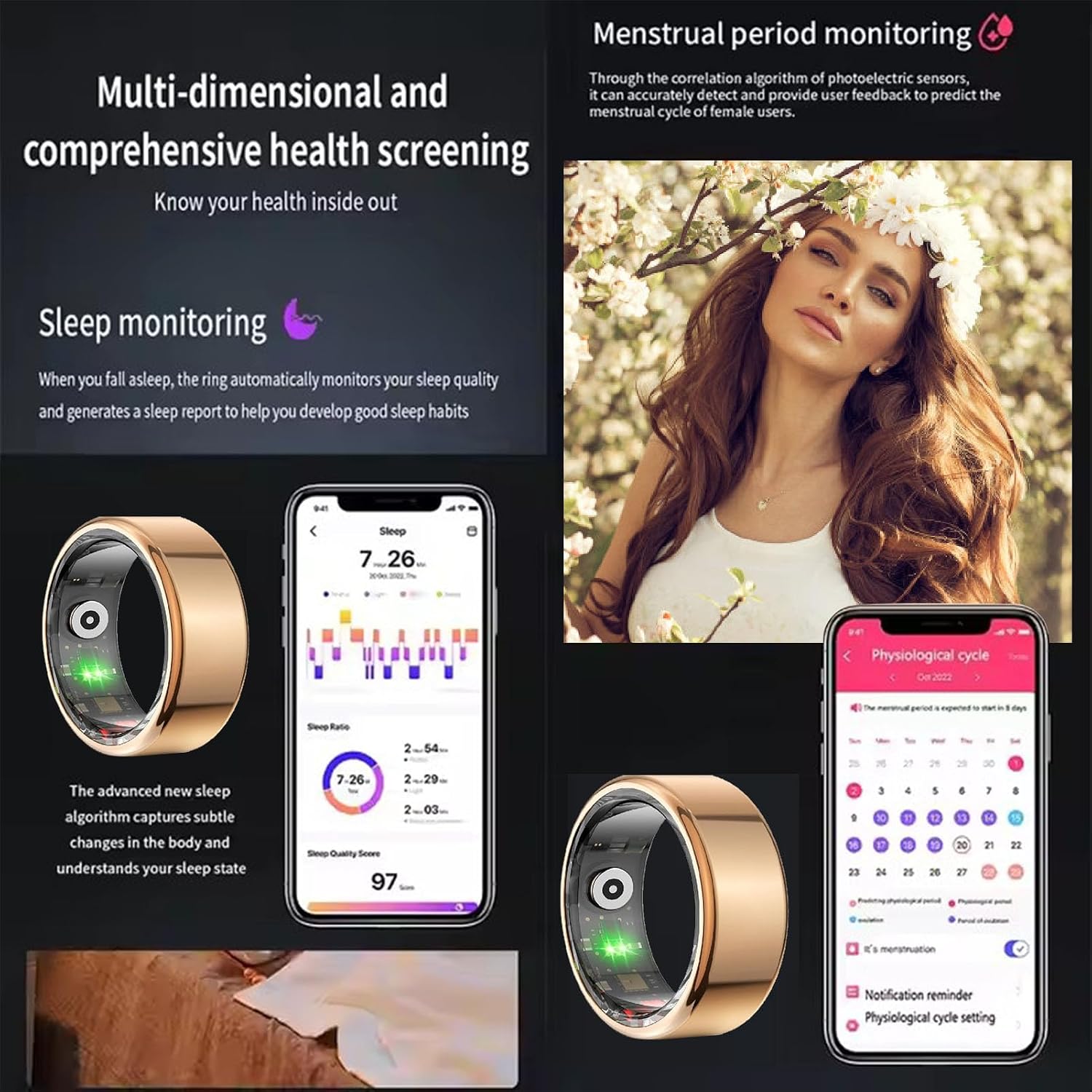
Image: The application interface displaying sleep monitoring data and an illustration of menstrual period tracking.

Image: The Smart Health Ring being worn during sleep for monitoring.
5. Maintenance
5.1. Cleaning
To maintain hygiene and sensor accuracy, clean your Smart Health Ring regularly.
- Wipe the ring with a soft, damp cloth.
- Avoid using harsh chemicals or abrasive materials, as these can damage the finish or sensors.
- Ensure the charging contacts are clean and dry before charging.
5.2. Water Resistance (IP68 Rating)
The Smart Health Ring has an IP68 rating, meaning it is water and dust proof. This allows for use in various conditions without fear of rain or sweat.
- The ring is suitable for swimming and can withstand immersion in water up to 1.5 meters for 30 minutes.
- Avoid prolonged exposure to hot water, steam, or high-pressure water jets.
- Rinse the ring with fresh water after exposure to saltwater or chlorinated water and dry thoroughly.
6. Troubleshooting
If you encounter issues with your Smart Health Ring, refer to the following common solutions:
- Device not turning on: Ensure the ring is fully charged. Connect it to the charger and check for charging indicators.
- Unable to connect to app:
- Ensure Bluetooth is enabled on your smartphone.
- Make sure the ring is within Bluetooth range of your phone.
- Restart both the ring (if possible, by placing it on the charger briefly) and your smartphone.
- Try unpairing and re-pairing the device in the app's settings.
- Inaccurate data:
- Ensure the ring is worn correctly and fits snugly on your finger.
- Clean the sensors on the inside of the ring.
- Ensure the app is up to date.
- Short battery life:
- Ensure the ring is fully charged for the recommended 1 hour.
- Environmental factors or heavy usage may affect battery performance.
If the issue persists, please contact Yoidesu customer support for further assistance.
7. Specifications
| Feature | Detail |
|---|---|
| Item Type | Fitness Tracker Ring |
| Material | Stainless Steel |
| Bluetooth Version | Bluetooth 5.0 |
| Battery Capacity | 18mAh Polymer Battery |
| Charging Time | Approximately 1 Hour |
| Working Time | Up to 6 Days |
| Water Resistance | IP68 Rating (Water and Dust Proof) |
| Compatibility | Android Smartphones (via dedicated APP) |
| Model Name | Yoidesu6mn1ugqwsv-11 |
| Package Weight | 71 Grams |
| Package Dimensions | 3.15 x 3.15 x 1.97 inches |
8. Warranty and Support
Information regarding warranty coverage and customer support is typically provided with your purchase documentation or on the official Yoidesu website. Please retain your proof of purchase for warranty claims.
For technical assistance, troubleshooting not covered in this manual, or warranty inquiries, please refer to the contact information provided in your product packaging or visit the official Yoidesu support page.