Introduction
This manual provides detailed instructions for the Kinglucky A8 Upgraded Clip-On Open-Ear Earbuds. Please read this manual thoroughly before using the product to ensure proper operation and to maintain optimal performance.
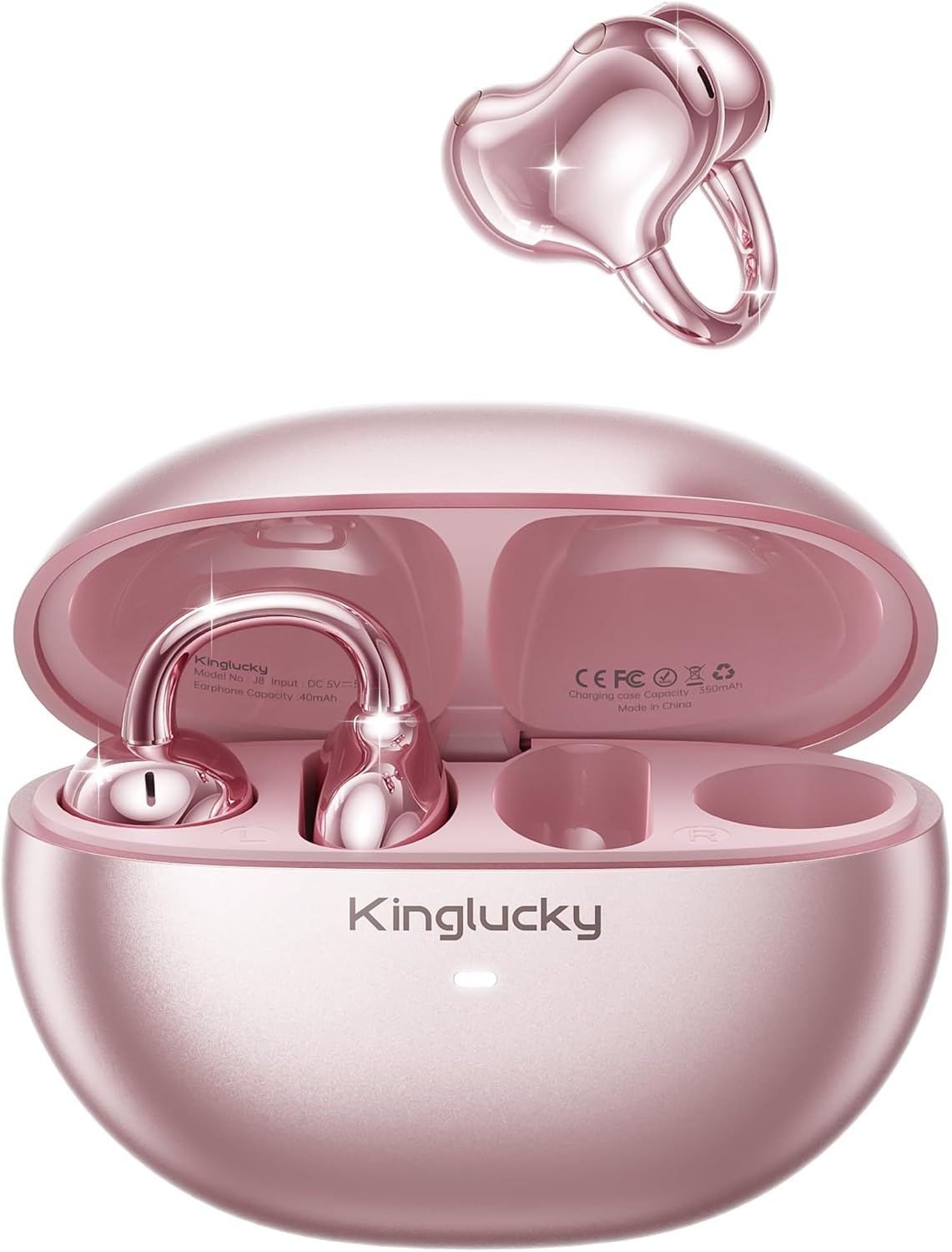
Image: Kinglucky A8 Clip-On Open-Ear Earbuds and their charging case. The earbuds are shown both inside and outside the case, highlighting their rose gold pink color and unique clip-on design.
What's in the Box
Verify that all items are present in the package:
- Kinglucky A8 ClipFree Earbuds
- Charging Case
- USB-C Charging Cable
- User Manual (this document)

Image: A visual representation of the package contents, showing the gift wrapping box, the charging case, the ClipFree A8 earbuds, and a USB-C charging cable.
Setup
1. Charging the Earbuds and Case
Before first use, fully charge the earbuds and the charging case. Place the earbuds into the charging case. Connect the USB-C charging cable to the charging port on the case and plug the other end into a USB power source. The indicator light on the case will show charging status.
- A full charge provides up to 6 hours of playtime for the earbuds.
- The charging case extends total playtime to approximately 50 hours.
2. Wearing the Earbuds
The Kinglucky A8 earbuds feature a flexible C-shaped clip design for comfortable and secure placement. Each earbud weighs approximately 4.0g.
- Gently clip the earbud onto the top edge of your ear.
- Adjust the earbud slightly up or down to find your most comfortable and secure fit. The open-ear design allows you to remain aware of your surroundings.

Image: A two-panel diagram illustrating the correct way to wear the clip-on earbuds. The first panel shows gently clipping the earbud onto the ear, and the second shows adjusting it for a perfect fit.
3. Bluetooth Pairing
The earbuds utilize Bluetooth 5.4 for stable and efficient connection.
- Open the charging case. The earbuds will automatically enter pairing mode.
- On your device (smartphone, tablet, etc.), go to Bluetooth settings.
- Select "Kinglucky A8" from the list of available devices.
- Once connected, you will hear an audio confirmation, and the indicator light on the earbuds will change.
Operating Instructions
Touch Controls
The Kinglucky A8 earbuds feature intuitive touch controls on each earbud for managing audio playback and calls.

Image: A visual guide to the touch controls. It shows icons for music and calls, detailing single taps for volume/answer, double taps for play/pause, and press-and-hold for rejecting calls.
| Action | Function |
|---|---|
| Single Tap | Volume Up / Volume Down (depending on earbud) or Answer Call |
| Double Tap | Play / Pause Music |
| Press and Hold (2 seconds) | Reject Call / Activate Voice Assistant |
MultiPoint Pairing
The Kinglucky A8 earbuds support MultiPoint Pairing, allowing simultaneous connection to two devices. This enables seamless switching between your phone, tablet, smartwatch, or computer without needing to manually disconnect and reconnect.

Image: A visual showing the Kinglucky A8 earbuds connected to both a smartphone and a laptop simultaneously, illustrating the MultiPoint Pairing feature.
Maintenance
Cleaning
To maintain optimal performance and hygiene, regularly clean your earbuds and charging case. Use a soft, dry, lint-free cloth. Avoid using abrasive materials, alcohol, or chemical cleaners.
Water Resistance (IP56)
The Kinglucky A8 earbuds are rated IP56 for water resistance. This means they are protected against dust ingress and high-pressure water jets from any direction. They are suitable for use during workouts, light rain, and daily activities where sweat or splashes may occur. They are not designed for submersion in water.

Image: A graphic depicting the Kinglucky A8 earbuds with water droplets, emphasizing their IP56 water-resistant rating and suitability for active use.
Troubleshooting
If you encounter issues with your Kinglucky A8 earbuds, refer to the following common solutions:
- Earbuds not pairing:
- Ensure both earbuds are charged.
- Place earbuds back in the case, close it, then open it again to re-enter pairing mode.
- Turn off and on your device's Bluetooth.
- Forget "Kinglucky A8" from your device's Bluetooth list and try pairing again.
- No sound or low volume:
- Check the volume levels on both your device's and the earbuds.
- Ensure earbuds are properly connected to your device.
- Clean any debris from the earbud speakers.
- Charging issues:
- Verify the charging cable and adapter are working correctly.
- Ensure the charging contacts on the earbuds and inside the case are clean and free of obstruction.
- Intermittent connection:
- Ensure your device is within the effective Bluetooth range (typically 10 meters/33 feet) without significant obstacles.
- Avoid strong electromagnetic interference.
If problems persist, please contact Kinglucky customer support for further assistance.
Specifications
| Feature | Detail |
|---|---|
| Model Name | A8 |
| Connectivity Technology | Wireless (Bluetooth 5.4) |
| Ear Placement | Open Ear (Clip-On) |
| Form Factor | True Wireless |
| Playtime (Earbuds) | Up to 6 hours per charge |
| Total Playtime (with Charging Case) | Up to 50 hours |
| Earbud Weight | Approximately 4.0g each |
| Water Resistance Rating | IP56 |
| Microphones | Dual beamforming with ENC noise cancelling |
| Material | Plastic |
| Impedance | 32 Ohm |
| Compatible Devices | Cellphones and other Bluetooth-enabled devices |
Warranty and Support
Kinglucky products are designed for reliability and performance. For warranty information or technical support, please refer to the official Kinglucky website or contact their customer service directly.
You can visit the Kinglucky store for more information: Kinglucky Official Store


