
1. Introduction
Thank you for choosing the LIGE Smartwatch EF12-B. This manual provides essential information for setting up, operating, and maintaining your device. Please read it carefully to ensure optimal performance and longevity of your smartwatch.

Figure 1: LIGE Smartwatch EF12-B, main product view.
2. Key Features
The LIGE Smartwatch EF12-B is designed with advanced functionalities to enhance your daily life and fitness routine:
- Bluetooth Calling: Make and receive calls directly from your wrist.
- Smart Notifications: Receive alerts for messages from social media apps like Facebook, WhatsApp, Instagram, and Twitter.
- Long-Lasting Battery: Equipped with a 1000mAh battery, offering up to 10-15 days of typical use and over 40 days standby.
- 1.75-inch AMOLED Display: A vibrant and clear display with 360x360 resolution, visible even in direct sunlight.
- Customizable Watch Faces: Choose from over 200 watch faces or create your own via the FitCloudPro app.
- 100+ Sports Modes: Track various activities including walking, running, cycling, skipping, badminton, basketball, and football.
- IP68 Water Resistance: Designed to withstand hand washing, sudden rain, and extreme sports without damage from sweat.
- Comprehensive Health Monitoring: Real-time heart rate, blood oxygen, and automatic sleep tracking (deep sleep, light sleep).
- Multifunctional Tools: Includes calculator, weather display, alarm clock, timer, stopwatch, music and camera control, and find phone/watch functions.
- Voice Assistant: Activate your phone's voice assistant for calls, music, weather, and more.
- Built-in Flashlight: A convenient flashlight function with continuous, warning, and SOS modes.

Figure 2: The smartwatch meets military standards for durability, including IP68 water resistance, shockproof, dustproof, and resistance to extreme temperatures.
3. Initial Setup
3.1 Package Contents
Before starting, ensure all items are present:
- LIGE Smartwatch EF12-B
- Charging Cable
- User Manual

Figure 3: Package contents and smartwatch dimensions.
3.2 Charging the Smartwatch
Connect the charging cable to the charging port on the back of the smartwatch and plug the USB end into a power adapter (not included) or a computer's USB port. The watch will display a charging indicator. A full charge typically takes approximately 2 hours.
3.3 App Installation and Pairing
To unlock all features, download and install the "FitCloudPro" app on your smartphone. The smartwatch is compatible with Android 5.0+ and iOS 10.0+ devices.
- Scan the QR code in the manual or search for "FitCloudPro" in your phone's app store.
- Open the app and follow the on-screen instructions to create an account and set up your profile.
- Enable Bluetooth on your smartphone.
- In the FitCloudPro app, navigate to the device section and search for your LIGE Smartwatch (EF12-B).
- Select your smartwatch from the list to pair. Confirm the pairing request on both your phone and the watch.
4. Operating Instructions
4.1 Basic Navigation
- Touchscreen: Swipe left/right, up/down to navigate menus and select functions.
- Side Buttons: Use the physical buttons on the side for power, back, or quick access to specific features.
4.2 Bluetooth Calls and Notifications
Once paired, you can manage calls and notifications directly from your watch.
- Making Calls: Access the dial pad or contacts list on your watch to initiate calls.
- Answering Calls: Tap the green icon on the watch screen when an incoming call is received.
- Notifications: Messages from social media apps will appear as vibrating alerts on your watch. Swipe down from the top of the screen to view recent notifications.

Figure 4: Smartwatch displaying an incoming Bluetooth call.
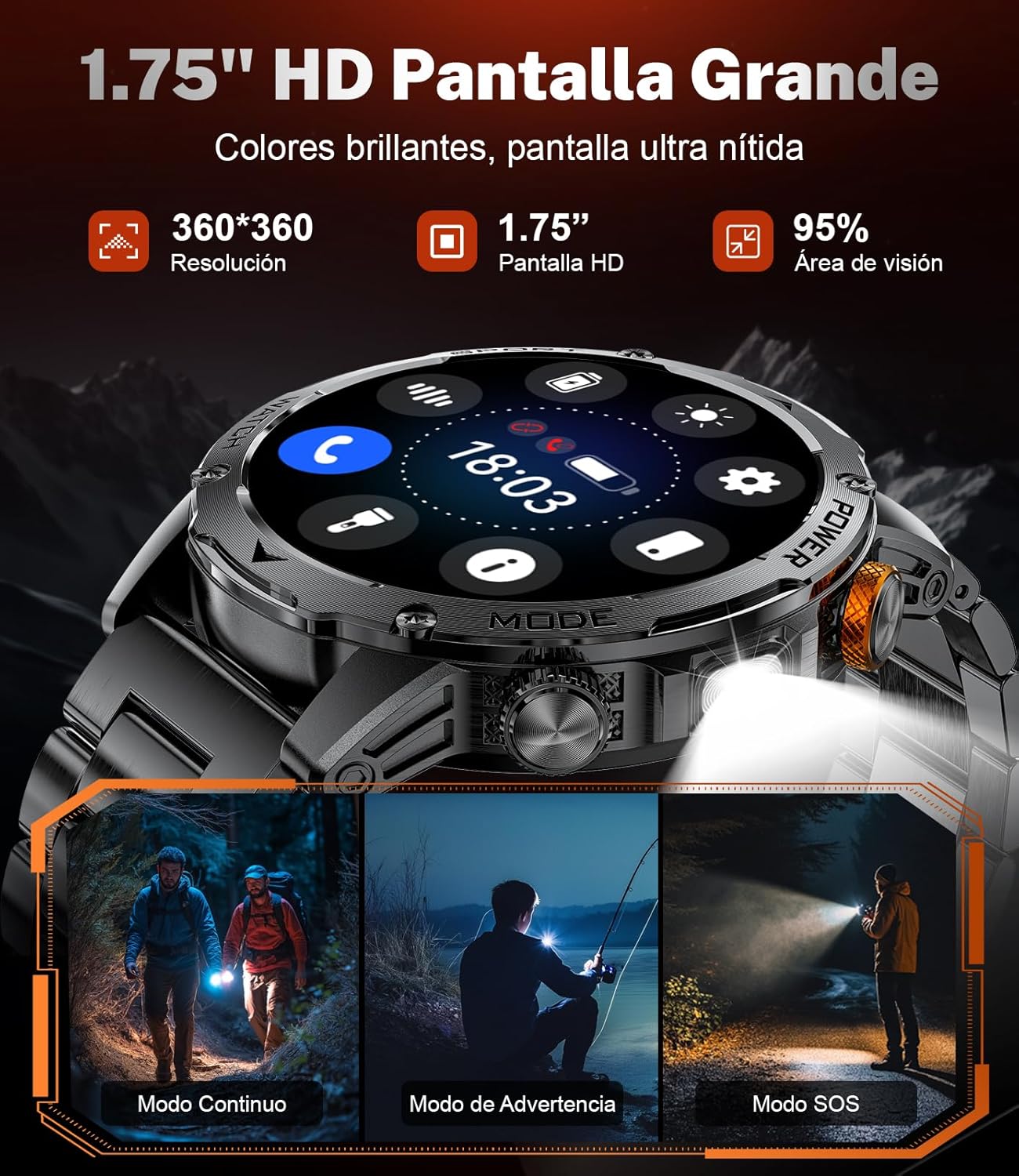
Figure 5: Smartwatch displaying social media message notifications.
4.3 Health Monitoring
The smartwatch continuously monitors your health metrics:
- Heart Rate: Real-time heart rate monitoring. Access the heart rate interface to view your current BPM.
- Blood Oxygen: Measure your blood oxygen saturation levels.
- Sleep Tracking: Automatically detects and analyzes your sleep patterns, including deep and light sleep duration. View detailed sleep reports in the FitCloudPro app.

Figure 6: Health monitoring features including heart rate, blood oxygen, and sleep tracking.
4.4 Sports Modes
Select from over 100 sports modes to track your workouts. The watch records steps, distance, calories, and other activity data.
- Navigate to the sports mode menu.
- Select your desired activity (e.g., walking, running, cycling).
- The watch will begin tracking your performance.

Figure 7: Smartwatch displaying various sports modes and tracking data like calories, steps, and distance.
4.5 Flashlight Function
The smartwatch includes a built-in flashlight. Activate it via the quick settings or a dedicated button. It offers continuous, warning, and SOS modes for different situations.

Figure 8: The smartwatch's LED flashlight illuminating the path during outdoor activities.
4.6 Other Functions
Explore additional features through the watch's menu:
- Music Control: Play, pause, skip tracks on your phone.
- Remote Camera: Use your watch as a remote shutter for your phone's camera.
- Weather: View current weather conditions and forecasts.
- Alarm Clock: Set alarms directly from the watch.
- Timer/Stopwatch: Utilize for various timing needs.
- Find Phone/Watch: Locate your paired device.
- Voice Assistant: Interact with your phone's voice assistant.

Figure 9: Smartwatch functions including music control, weather display, and remote camera operation.

Figure 10: Smartwatch features such as drink reminders, stopwatch, alarm, and sedentary alerts.
5. Maintenance
5.1 Cleaning
Regularly clean your smartwatch and strap with a soft, dry cloth. If necessary, use a slightly damp cloth and mild soap, then rinse and dry thoroughly. Avoid harsh chemicals or abrasive materials.
5.2 Water Resistance (IP68)
The LIGE Smartwatch EF12-B is IP68 water-resistant, meaning it can withstand dust, splashes, and brief immersion in water. It is suitable for hand washing, rain, and sweat during exercise. However, it is not recommended for hot showers, saunas, or diving, as steam and high water pressure can compromise the seals.
5.3 Storage
Store the smartwatch in a cool, dry place when not in use. Avoid extreme temperatures and direct sunlight.
6. Troubleshooting
If you encounter issues with your smartwatch, refer to the following common solutions:
| Problem | Possible Solution |
|---|---|
| Watch does not turn on | Ensure the watch is fully charged. Connect it to the charger for at least 30 minutes. |
| Cannot pair with phone | Make sure Bluetooth is enabled on your phone. Ensure the watch is within range. Restart both the watch and phone. Check the FitCloudPro app for pairing instructions. |
| Notifications not received | Verify that notifications are enabled in the FitCloudPro app and in your phone's settings for the relevant apps. Ensure the app is running in the background. |
| Inaccurate health data | Ensure the watch is worn snugly on your wrist, not too tight or too loose. Keep the sensor clean. Note that the data is for reference and not for medical use. |
| Flashlight won't turn off | Try restarting the watch. If the issue persists, contact customer support. |
If the problem persists after trying these solutions, please contact customer support.
7. Specifications
| Feature | Detail |
|---|---|
| Model Name | EF12-B |
| Brand | LIGE |
| Screen Size | 1.75 Inches |
| Display Type | AMOLED |
| Resolution | 360 x 360 |
| Battery Capacity | 1000 mAh |
| Battery Type | Polymer |
| Charging Time | 2 Hours |
| Connectivity Technology | Bluetooth |
| Wireless Communication Standard | Bluetooth |
| Water Resistance Level | IP68 (Water Resistant) |
| Strap Material Type | Silicone |
| Product Dimensions | 6 x 2 x 3 centimeters |
| Item Weight | 90 Grams |
| Compatible Devices | Smartphone (Android 5.0+, iOS 10.0+) |
| Measurement Types | Heart Rate Monitor, Sleep Duration, Distance, Step Count, Blood Oxygen Monitor |
| Special Feature | Camera (Remote Control) |
8. Warranty & Support
8.1 Product Warranty
This LIGE Smartwatch EF12-B comes with a 2-year product warranty. Please retain your proof of purchase for warranty claims. The warranty covers manufacturing defects but does not cover damage caused by misuse, accidents, unauthorized repairs, or normal wear and tear.
8.2 Customer Support
For technical assistance, troubleshooting, or warranty inquiries, please contact LIGE customer support through the retailer where you purchased the product or visit the official LIGE website for contact information.
9. Product Videos
Video 1: This video demonstrates the LIGE Smartwatch EF12-B's durability through various tests including impact, drilling, and freezing. It also showcases its water resistance and key user interface features such as Bluetooth calls, flashlight modes, sports tracking, and health monitoring functions like heart rate and sleep tracking.


