
eLinkSmart YL-MD1
eLinkSmart Fingerprint Keyless Entry Door Lock (Model YL-MD1) User Manual
Model: YL-MD1 | Brand: eLinkSmart
Introduction
This manual provides detailed instructions for the installation, operation, maintenance, and troubleshooting of your eLinkSmart Fingerprint Keyless Entry Door Lock (Model YL-MD1). This smart deadbolt offers multiple unlocking methods and advanced security features for your home, hotel, or apartment.
What's Included
Please verify that all components are present in your package:
- Smart Deadbolt Lock (Front and Rear Assemblies)
- Door Magnetic Sensor
- Mechanical Keys (x2)
- RFID Cards (x4 - 2 large, 2 small)
- User Manual
- Hole Template
- Screws Kit

Setup and Installation
Pre-Installation Checks
Before beginning installation, ensure your door meets the following requirements:
- Door Thickness: 1-3/8" to 2-1/8" (35mm-55mm)
- Door Hole (Diameter): 2-1/8" or 1-1/2" (54mm or 38mm)
- Door Backset: 2-3/8" or 2-3/4" (60mm or 70mm)

Installation Steps
- Prepare the Latch: Adjust the deadbolt latch to match your door's backset (60mm or 70mm). Ensure the 'UP' marking on the latch faces upwards and the latch is in the unlocked position before insertion.
- Install Latch Lock Body: Insert the latch into the door edge and secure it with screws.
- Install Front Lock Assembly: Feed the cables from the front lock assembly through the door hole and align the spindle with the latch mechanism. Secure the front assembly.
- Install Rear Lock Bracket: Mount the rear lock bracket on the interior side of the door, ensuring the cables are properly routed.
- Connect Cables and Install Rear Lock: Connect the cables from the front assembly to the rear lock assembly. Carefully tuck excess cable into the door cavity. Mount the rear lock assembly onto the bracket and secure it.
- Install Battery: Insert the rechargeable battery into the rear lock assembly.
- Install Magnetic Sensor: Use the provided template to accurately position and install the door magnetic sensor on the door frame, aligning it with the lock.


Operating Instructions
Unlocking Methods
The eLinkSmart YL-MD1 offers six convenient ways to unlock your door:
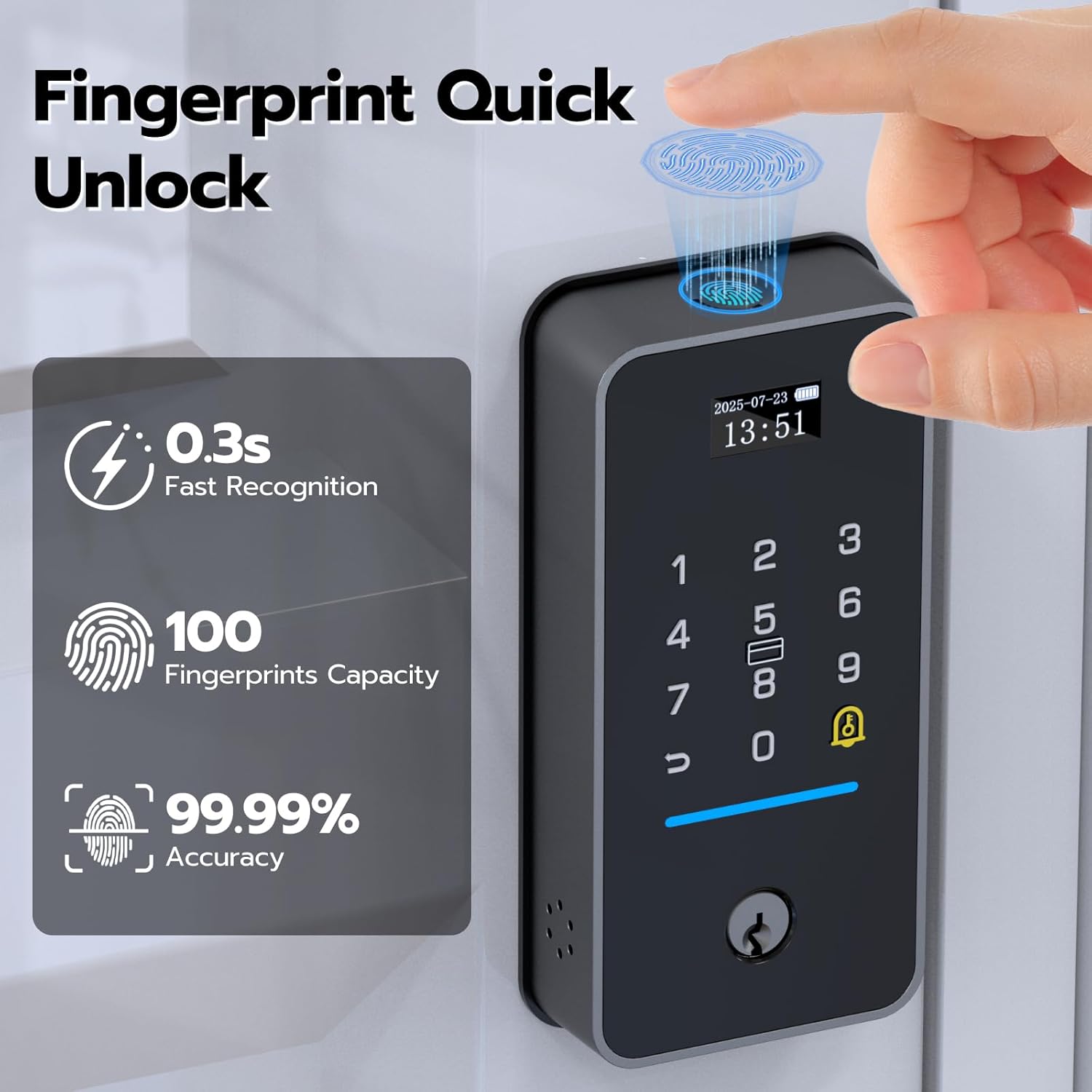
- Fingerprint: Fast 0.3s recognition with up to 100 fingerprints capacity.
- Password: Use the keypad for secure entry.
- RFID Card/NFC: Tap a registered card or NFC-enabled device.
- Bluetooth App: Unlock directly from the eSmartLock app on your smartphone.
- Built-in Wi-Fi: Remotely unlock from anywhere via the eSmartLock app (no gateway required).
- Mechanical Key: For emergency manual access.

Fingerprint Unlock
Place your registered finger on the fingerprint sensor for quick access. The lock features 0.3-second fast recognition and can store up to 100 unique fingerprints.
Keypad Unlock (Password)
Enter your programmed password on the illuminated keypad. The lock supports an anti-peeking password feature, allowing you to enter random digits before or after your actual code to prevent others from guessing it.

RFID Card/NFC Unlock
Present a registered RFID card or NFC-enabled device to the designated area on the lock for convenient entry.
App Control (eSmartLock App)
The eSmartLock app allows you to manage users, generate temporary passwords, view unlock records, and remotely unlock your door from anywhere thanks to built-in Wi-Fi.


Smart Features
Auto-Lock & Door Magnetic Sensor
The built-in magnetic sensor detects when your door is closed and automatically locks it after a set period (configurable via app). You can also disable this feature for passage mode. The sensor also provides real-time notifications if the door is not properly closed or is left open.

Do Not Disturb & Passage Mode
Activate 'Do Not Disturb' mode to mute lock sounds during specific times, ensuring quiet. 'Passage Mode' allows the door to remain unlocked for continuous access, ideal for gatherings or busy periods.

Temporary Passwords
Generate temporary passwords through the app for guests, cleaners, or delivery personnel, providing controlled access for a limited time.

Real-time Notifications
Receive instant alerts on your smartphone for all lock activity, including unlocks, door status, and low battery warnings.

Voice Control
The lock is compatible with Amazon Alexa, allowing for convenient voice commands to lock or unlock your door.

Exclusive Display Screen
The lock features an intuitive display screen that shows date, time, battery level, current mode (e.g., Passage Mode, Privacy Mode), and password input status.

Maintenance
Battery Management
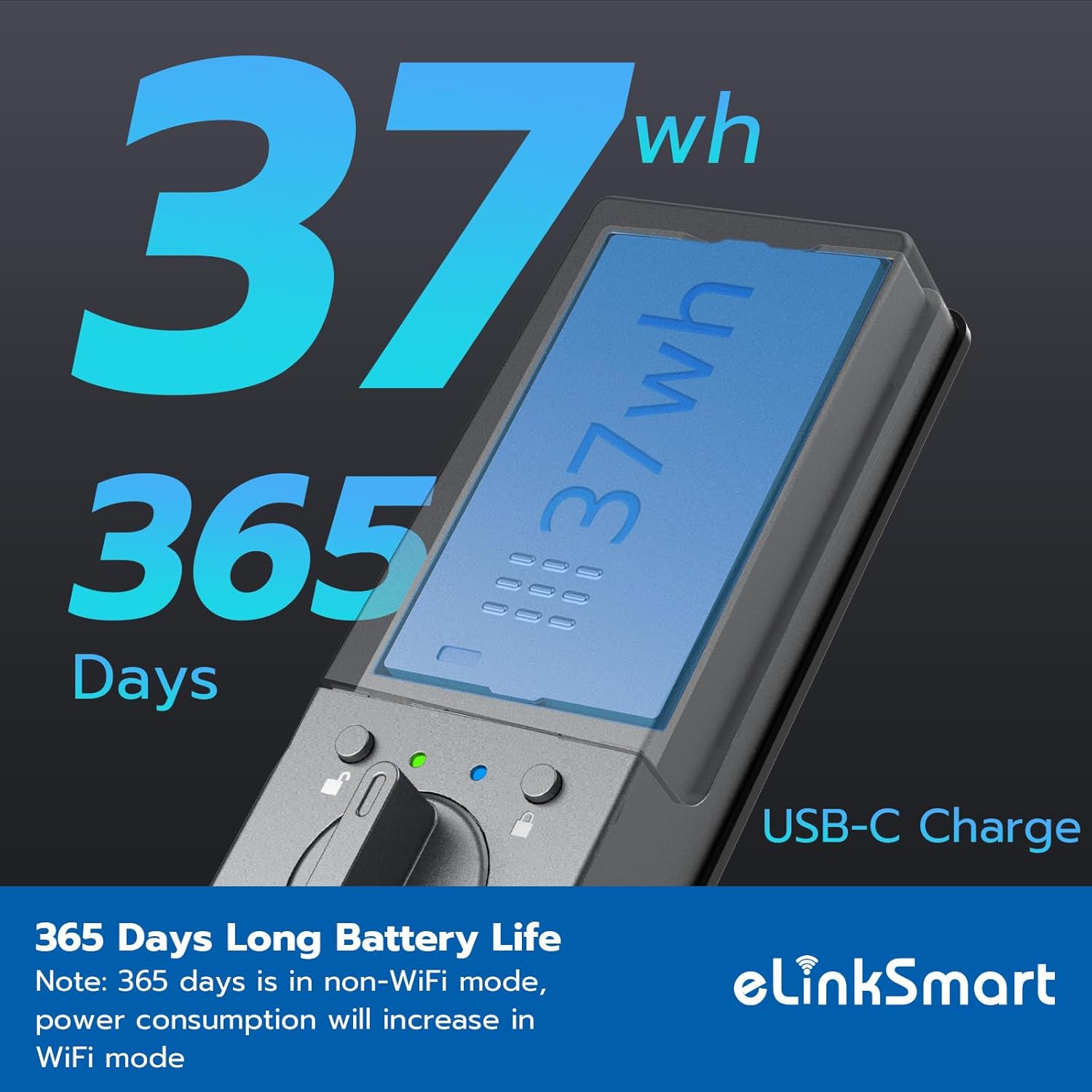
The lock is equipped with a built-in 37Wh rechargeable lithium battery, providing up to 365 days of standby time in non-Wi-Fi mode. Power consumption will increase in Wi-Fi mode. The eSmartLock app will provide low battery alerts, and the lock itself will also indicate a low battery status on its display.


General Care
- Clean the lock surface with a soft, dry cloth. Avoid abrasive cleaners or solvents.
- Ensure the fingerprint sensor and keypad are free from dirt or moisture for optimal performance.
- Regularly check the mechanical components for any signs of wear or damage.
Troubleshooting
| Problem | Possible Cause | Solution |
|---|---|---|
| Fingerprint not recognized | Dirty sensor, unregistered fingerprint, dry/wet finger. | Clean sensor, re-register fingerprint, ensure finger is clean and dry. |
| Keypad unresponsive | Low battery, incorrect password, keypad malfunction. | Charge battery, verify password, contact support if issue persists. |
| Auto-lock not working | Magnetic sensor misaligned/damaged, auto-lock disabled in app. | Check sensor alignment, enable auto-lock in eSmartLock app. |
| Remote unlock fails | No Wi-Fi connection, app not connected to lock, server issues. | Verify Wi-Fi, check app connection, ensure app is updated. |
| Lock makes unexpected sounds/unlocks | Possible software bug, interference, or incorrect settings. | Check app settings, restart lock, contact support for advanced diagnostics. |
Specifications
| Feature | Detail |
|---|---|
| Brand | eLinkSmart |
| Model Name | YL-MD1 Deadbolt |
| Lock Type | Biometric |
| Material | Zinc |
| Color | Black |
| Item Dimensions (L x W x H) | 5.31 x 2.95 x 2.36 inches |
| Item Weight | 2.2 Pounds |
| Control Method | App |
| Connectivity Protocol | Wi-Fi |
| Special Features | Auto-lock, privacy mode, passage mode, temporary password, low battery alert, anti-peeping keypad, silent mode, wrong code entry limit, vacation mode. |
| Included Components | Door Magnetic Sensor, Mechanical keys x2, RFID Card x4 (2 big and 2 small), Smart Deadbolt Lock, User Manual, Hole Template |
Warranty and Support
eLinkSmart products are designed for reliability and performance. For specific warranty details and duration, please refer to the warranty card included in your product packaging or visit the official eLinkSmart website.
For technical support, troubleshooting assistance, or any product-related inquiries, please contact eLinkSmart customer service through their official channels. You can also visit the eLinkSmart Store on Amazon for more information and support resources.
Related documentsYL-MD1


Ask a question about this manual
Ask about setup, troubleshooting, compatibility, parts, safety, or missing instructions. Manuals+ will review the question and use this page’s manual context to help answer it.