1. Introduction
This manual provides essential information for the proper use and maintenance of your MSI Katana 15 HX B14WGK-248CA gaming laptop. Please read this guide thoroughly before operating your device to ensure optimal performance and longevity. This laptop is designed for high-performance computing, featuring an Intel Core i7-14650HX processor, NVIDIA GeForce RTX 5070 Laptop GPU, and a 15.6-inch QHD 165Hz display with 4-zone RGB keyboard.

Figure 1: Front view of the MSI Katana 15 HX B14WGK-248CA Gaming Laptop.
2. Package Contents
Verify that all items are present and in good condition upon opening the package:
- MSI Katana 15 HX B14WGK-248CA Gaming Laptop
- AC Adapter
- Power Cord (region-specific)
- Quick Start Guide (this document)
- Warranty Card
3. Setup
3.1 Connecting the Power Adapter
- Connect the AC adapter to the power jack on the laptop.
- Plug the power cord into the AC adapter.
- Connect the other end of the power cord to a grounded electrical outlet.
It is recommended to fully charge the battery before initial use.
3.2 Initial Boot and Windows Setup
- Open the laptop lid.
- Press the power button, typically located above the keyboard or on the side.
- Follow the on-screen instructions to complete the Windows 11 Home setup process. This includes selecting your region, language, creating a user account, and connecting to a network.
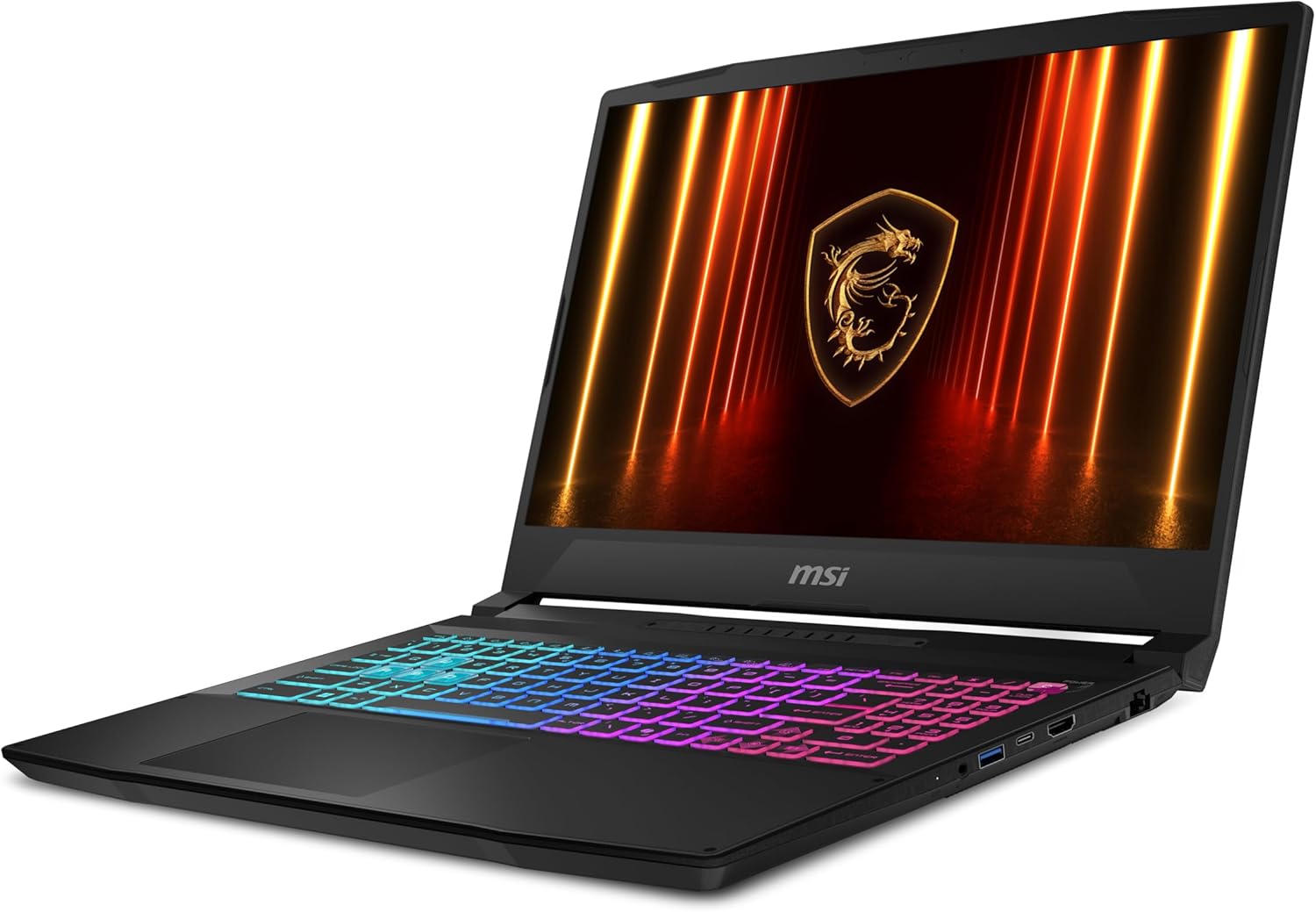
Figure 2: Front-right view of the laptop, illustrating the keyboard and display.
4. Operating the Laptop
4.1 Power Management
- Power On: Press the power button.
- Sleep Mode: Close the lid or select "Sleep" from the Windows Start menu.
- Shut Down: Select "Shut down" from the Windows Start menu.
- Restart: Select "Restart" from the Windows Start menu.
4.2 Keyboard and Touchpad
The laptop features a 4-zone RGB backlit keyboard. You can customize lighting effects through MSI software (e.g., MSI Center). The touchpad supports multi-touch gestures for navigation.
- Function Keys (Fn): Combine the Fn key with F1-F12 keys for quick access to features like volume control, brightness adjustment, and Wi-Fi toggle.
- Touchpad Gestures: Refer to Windows settings for a full list of supported gestures.

Figure 3: Top-down view of the laptop, showcasing the RGB keyboard.
4.3 Display
Your laptop is equipped with a 15.6-inch QHD (2560x1440) display with a 165Hz refresh rate, offering a smooth visual experience for gaming and multimedia. Adjust display settings via Windows Display Settings or NVIDIA Control Panel.
4.4 Connectivity
The MSI Katana 15 HX B14WGK-248CA provides various ports for external devices:
- 1x USB 3.2 Gen 2 / DisplayPort (with PD3.0 Charging)
- 2x USB 3.2 Gen 2
- 1x USB 3.2 Gen 1
- HDMI output
- Ethernet (RJ45) port
- Audio combo jack
For wireless connectivity, the laptop supports Wi-Fi 6E (802.11ax) and Bluetooth 5.3.

Figure 4: Left side view of the laptop, highlighting available ports.
5. Maintenance
5.1 Cleaning
- Screen: Use a soft, lint-free cloth lightly dampened with water or a screen cleaner. Avoid harsh chemicals.
- Keyboard/Chassis: Use a soft cloth. For dust, use compressed air.
- Vents: Regularly clean the cooling vents with compressed air to prevent dust buildup and maintain optimal airflow.

Figure 5: Bottom view of the laptop, illustrating the cooling vents.
5.2 Software Updates
Keep your operating system, drivers, and MSI software (e.g., MSI Center) updated to ensure system stability, security, and performance. Check for updates regularly through Windows Update and MSI's official website.
5.3 Battery Care
- Avoid exposing the laptop to extreme temperatures.
- Do not fully discharge the battery frequently.
- If storing the laptop for an extended period, ensure the battery is charged to approximately 50-60%.
6. Troubleshooting
This section addresses common issues you might encounter. For more detailed troubleshooting, refer to the MSI support website.
| Problem | Possible Solution |
|---|---|
| Laptop does not power on. | Ensure the AC adapter is securely connected and the power outlet is functional. Check battery charge level. |
| Screen is blank or black. | Check display brightness. Connect to an external monitor to verify if the laptop is outputting video. Restart the laptop. |
| System is slow or unresponsive. | Close unnecessary applications. Check for background processes. Ensure sufficient free storage space. Update drivers. |
| Wi-Fi connection issues. | Ensure Wi-Fi is enabled (Fn+F10). Restart your router and laptop. Update Wi-Fi drivers. |
| Excessive fan noise or overheating. | Ensure cooling vents are clear of obstructions. Use the laptop on a hard, flat surface. Adjust fan profiles in MSI Center. |
7. Specifications
Key technical specifications for the MSI Katana 15 HX B14WGK-248CA:
- Model: Katana 15 HX B14WGK-248CA
- Processor: Intel Core i7-14650HX (1.6 GHz base)
- Graphics: NVIDIA GeForce RTX 5070 Laptop GPU (8 GB GDDR6)
- Display: 15.6-inch QHD (2560x1440) 165Hz, 100% DCI-P3
- RAM: 32GB DDR5
- Storage: 1TB NVMe PCIe SSD
- Operating System: Windows 11 Home
- Wireless: Wi-Fi 6E (802.11ax), Bluetooth 5.3
- Ports: 1x USB 3.2 Gen 2/DP (w/PD3.0 Chargin), 2x USB 3.2 Gen2, 1x USB 3.2 Gen1, HDMI, RJ45, Audio Combo Jack
- Dimensions (LxWxH): 14.13 x 0.99 x 10.31 inches
- Weight: 9.46 pounds
- Battery: 1 Lithium Ion battery (included)

Figure 6: Rear view of the laptop, showing the cooling vents and some rear ports.
8. Warranty and Support
Your MSI Katana 15 HX B14WGK-248CA laptop comes with a manufacturer's warranty. Please refer to the warranty card included in your package for specific terms and conditions. For technical support, driver downloads, and further assistance, visit the official MSI support website:
9. Safety Information
- Do not expose the laptop to extreme temperatures, humidity, or direct sunlight.
- Avoid placing heavy objects on the laptop.
- Use only the provided AC adapter and power cord.
- Do not attempt to disassemble or repair the laptop yourself. Refer to qualified service personnel.
- Keep liquids away from the device.