
DWVO MADWVGX4dP
DWVO Makeup Vanity with LED Lights User Manual
Model: MADWVGX4dP
Product Overview
This DWVO Makeup Vanity is designed to provide a functional and elegant space for your beauty routine. It features a large mirror with adjustable LED lighting, ample storage, a comfortable stool, and integrated power outlets for convenience.

Image: The DWVO Makeup Vanity in Pearl White, featuring a large mirror with LED lights, a spacious tabletop, four drawers, and a matching stool.
Setup and Assembly
Assembly of the DWVO Makeup Vanity is required. The package includes all necessary instructions and accessories to facilitate the process. It is recommended to follow the provided step-by-step guide carefully.
Before You Begin
- Verify all parts are present according to the packing list.
- Prepare a clean, spacious area for assembly.
- Have basic tools ready, such as a screwdriver (one may be included).
Assembly Steps
- Begin by assembling the main desk frame.
- Attach the mirror unit to the desk, ensuring secure fastening.
- Install the drawers and their slides. Ensure smooth operation.
- Assemble the accompanying stool.
- Secure the vanity to the wall using the provided anti-tip kit for safety.

Image: Detailed dimensions of the DWVO Makeup Vanity, showing height, width, and depth measurements for the desk, mirror, and stool components.
Operating Instructions
LED Mirror Lighting
The large mirror features integrated LED lights with three adjustable color modes: cool, warm, and neutral. To operate:
- Power On/Off: Tap the touch sensor on the mirror to turn the lights on or off.
- Change Color Mode: Tap the touch sensor repeatedly to cycle through warm white, warm yellow, and cool white lighting modes.
- Adjust Brightness: Press and hold the touch sensor to dim or brighten the lights to your desired level.
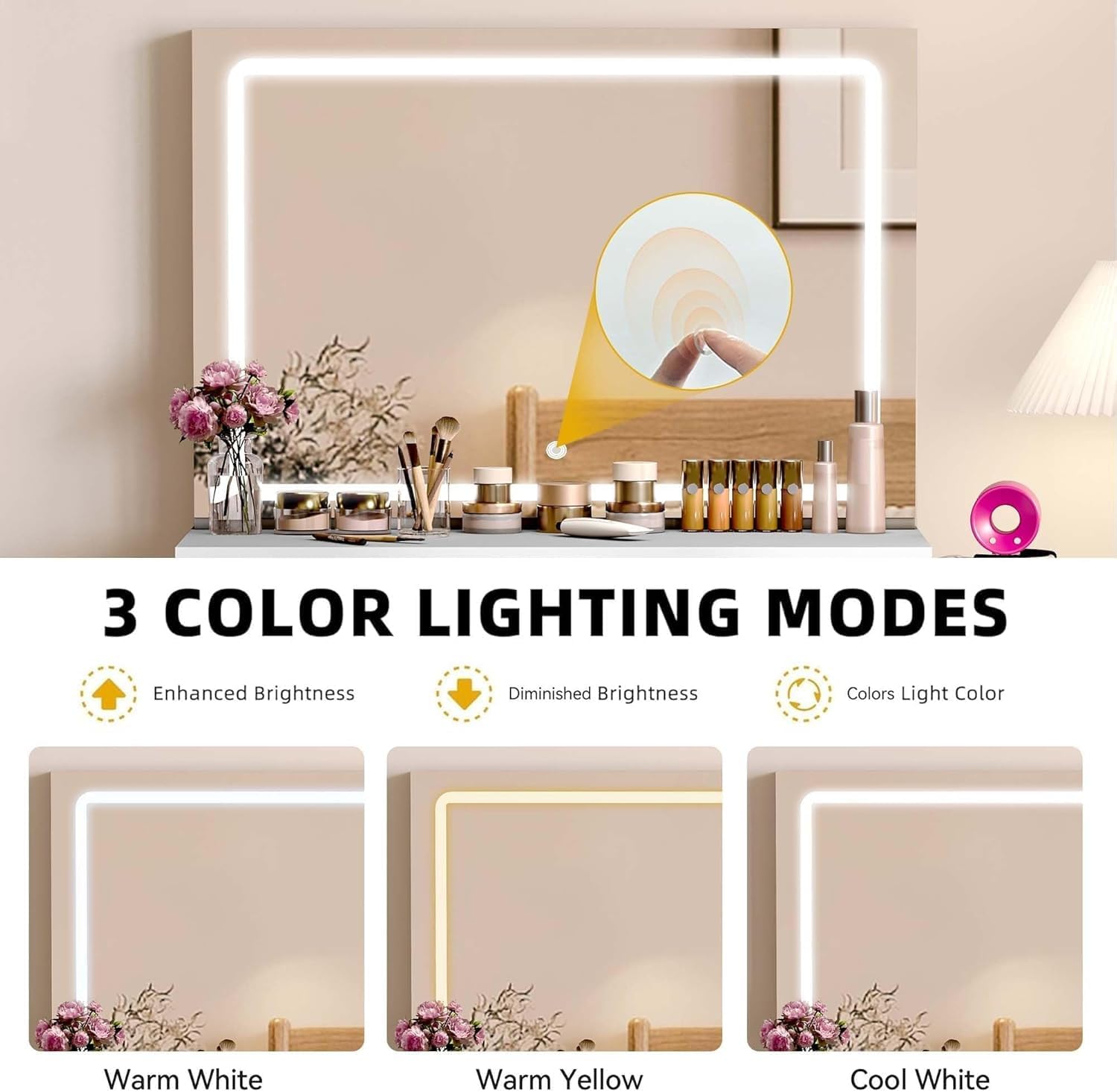
Image: Illustration of the three distinct lighting modes available on the vanity mirror: Warm White, Warm Yellow, and Cool White, demonstrating how to adjust brightness and switch colors.
Charging Station and Hairdryer Rack
The vanity is equipped with a convenient charging station and a dedicated hairdryer rack.
- Power Outlets: Utilize the two 125V/12A AC outlets for powering hair tools, lamps, or other small appliances.
- USB Ports: Use the two 5V/2A USB ports to charge mobile phones, tablets, or other USB-powered devices.
- Hairdryer Holder: Place your hairdryer in the integrated rack for easy access and organized storage.
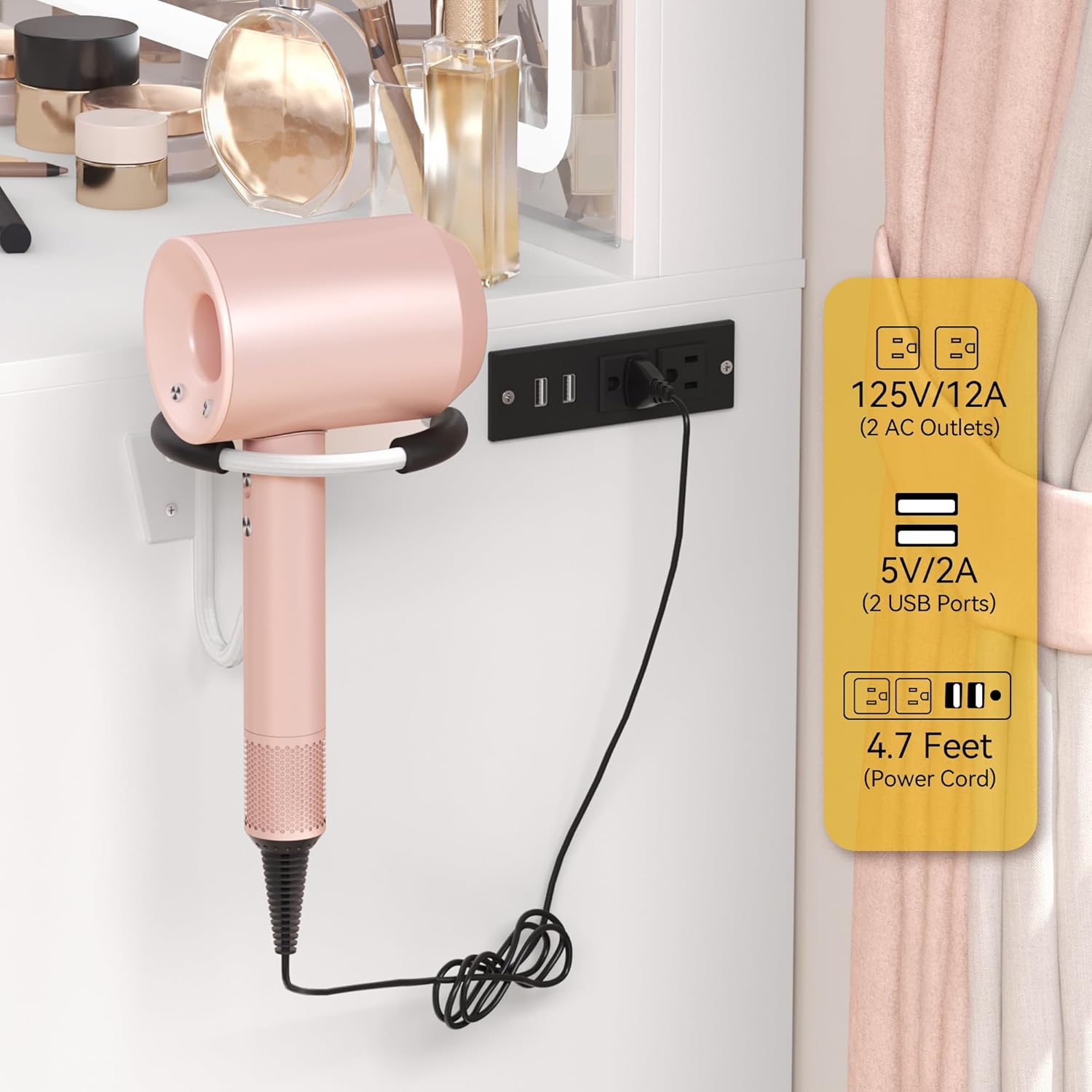
Image: Close-up view of the integrated charging station with two AC outlets and two USB ports, alongside the convenient hairdryer rack on the side of the vanity.
Storage Drawers
The vanity includes four spacious drawers and a large tabletop for organizing your beauty essentials.
- Utilize the drawers for storing makeup, brushes, jewelry, and other personal items.
- The tabletop provides ample space for items you use frequently or for decorative displays.

Image: Overhead view of the vanity's drawers, showcasing their depth and capacity for organizing various beauty products and accessories.
Maintenance and Care
- Cleaning: Wipe surfaces with a soft, damp cloth. Avoid harsh chemicals or abrasive cleaners that may damage the finish.
- Mirror Care: Clean the mirror with a glass cleaner and a lint-free cloth. Do not spray cleaner directly onto the LED lights or electrical components.
- Drawer Maintenance: Periodically check drawer slides for smooth operation. If needed, apply a small amount of silicone lubricant.
- Electrical Safety: Ensure all electrical connections are secure. Do not overload the power outlets.
- Anti-Tip Kit: Regularly check the anti-tip kit to ensure the vanity remains securely fastened to the wall.
Troubleshooting
| Problem | Possible Cause | Solution |
|---|---|---|
| LED lights not turning on. | Power cord not plugged in; loose connection; faulty touch sensor. | Ensure power cord is securely plugged into a working outlet. Check connections to the mirror. If problem persists, contact customer support. |
| Drawers are stiff or do not slide smoothly. | Improper assembly of drawer slides; debris in slides; misaligned drawers. | Recheck assembly instructions for drawer slides. Clear any debris. Adjust drawer alignment if necessary. Apply silicone lubricant to slides. |
| Power outlets/USB ports not working. | Not plugged in; circuit breaker tripped; internal wiring issue. | Verify the vanity is plugged into a live outlet. Check your home's circuit breaker. Avoid overloading the outlets. If still not working, contact customer support. |
| Vanity feels unstable. | Anti-tip kit not installed or improperly secured; loose assembly screws. | Ensure the anti-tip kit is correctly installed and securely anchored to the wall. Tighten all assembly screws. |
Specifications
| Feature | Detail |
|---|---|
| Brand | DWVO |
| Model Number | MADWVGX4dP |
| Color | Pearl White |
| Frame Material | Engineered Wood |
| Product Dimensions (D x W x H) | 15.7" x 35.4" x 53.9" (40cm x 90cm x 137cm) |
| Item Weight | 84.5 pounds (38.3 kg) |
| Assembly Required | Yes |
| Lighting Modes | 3 (Cool, Warm, Neutral) with adjustable brightness |
| Power Outlets | 2 x 125V/12A AC Outlets |
| USB Ports | 2 x 5V/2A USB Ports |
| Included Components | Vanity Desk, Mirror with LED Lights, Stool, Power Outlet Unit, Hairdryer Rack, Instructions & Accessories |
| Country of Origin | Vietnam |
Warranty and Support
Specific warranty information for the DWVO Makeup Vanity is not provided in this manual. For details regarding warranty coverage, product support, or replacement parts, please contact DWVO customer service directly.
You may find contact information on the product packaging, the manufacturer's official website, or through your point of purchase.
Related documentsMADWVGX4dP


Ask a question about this manual
Ask about setup, troubleshooting, compatibility, parts, safety, or missing instructions. Manuals+ will review the question and use this page’s manual context to help answer it.