
1. Introduction and Key Features
The Smartstitch S1501 Plus Beast Embroidery Machine is a versatile and powerful tool designed for a wide range of embroidery projects. With its advanced features and robust construction, it offers precision and efficiency for both personal and commercial use.
Key Features Overview
- Large Embroidery Area: 24"x16" (600mm x 400mm) for diverse projects including jackets, appliques, and large format designs.
- High Speed: Max 1200 SPM (Stitches Per Minute) for efficient production.
- 15 Needles: Allows for multi-color designs without frequent thread changes.
- 12" Touch Screen: Intuitive interface for easy operation and design management.
- WiFi Connectivity: Seamless transfer of DST/DSB files from your computer.
- Enhanced Cap & Hat Embroidery: Upgraded cap driver, raised needle plate, rotating trimming system, and 270° cap rotating for superior results.
- Laser Positioning: For precise design placement.
- Automatic Color Change: Streamlines multi-color embroidery.
- Self-Lubrication System: Ensures smooth operation and extends machine lifespan.
- Thread Break Detection: Alerts the user to thread issues, preventing errors.


2. Setup and Assembly
Proper setup is crucial for optimal performance. Follow these steps carefully to assemble your Smartstitch S1501 Plus embroidery machine.
Unboxing the Machine
The machine is shipped in a wooden crate to ensure its safety during transit. Carefully remove the buckles and wooden panels as shown in the unboxing video. Keep the wooden pallet and inner boxes for accessories, metal buckles, and fixed bolts intact for potential future returns or relocation.
Stand Assembly
Assemble the machine stand using the provided accessories. Ensure all screws are securely tightened for stability.

3. Operating Instructions
The Smartstitch S1501 Plus is designed for user-friendly operation. This section covers basic functions and specialized embroidery types.
Control Panel and Interface
The machine features a 12-inch touch screen with WiFi connectivity for easy design management and control. Physical buttons are also available for quick access to common functions.

Cap and Hat Embroidery
The S1501 Plus is optimized for cap and hat embroidery with its upgraded cap driver, raised needle plate, and rotating trimming system. This allows for high-speed embroidery on caps with a 270° rotation capability.

Large Area and Flat Embroidery
Utilize the expansive 24"x16" embroidery area for large designs on various fabrics like denim, canvas, leather, and more. The machine supports DST/DSB files for versatile application.

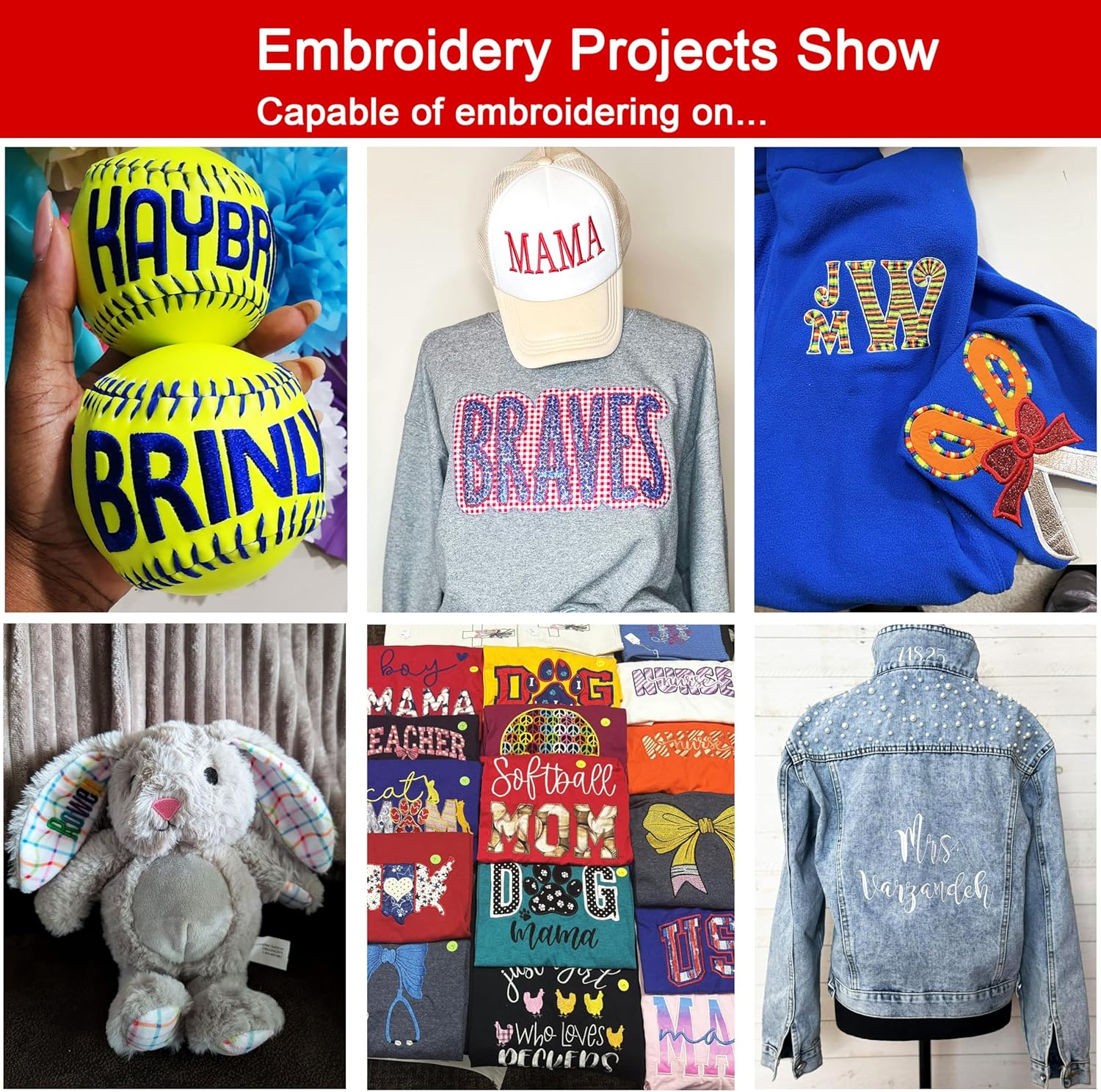
4. Maintenance
Regular maintenance ensures the longevity and optimal performance of your embroidery machine.
Self-Lubrication System
The Smartstitch S1501 Plus is equipped with a self-lubrication system. Regularly check the oil level and refill as needed to keep moving parts well-lubricated. Refer to the detailed operation manual for specific lubrication points and schedules.
Thread Break Detection
The machine features automatic thread break detection. If a thread breaks, the machine will pause, allowing you to re-thread and resume the embroidery process without losing your place.
5. Troubleshooting and Support
Should you encounter any issues or require assistance, Smartstitch provides comprehensive support resources.
Common Issues
- Thread Tension: Incorrect thread tension can lead to skipped stitches or thread breaks. Adjust tension according to your fabric and thread type.
- Needle Issues: A bent or dull needle can cause thread breaks and poor stitch quality. Replace needles regularly.
- Hooping: Improper hooping can result in fabric puckering or design misalignment. Ensure fabric is taut and secure in the hoop.
Customer Support
Smartstitch offers extensive training and technical support to ensure a smooth learning curve and successful embroidery experience. You can find assistance through:
- Online Community: Join the 'Smartstitch embroidery machine club' for peer support and advice from experienced users.
- Video Trainings: Access a library of video tutorials covering various aspects of machine operation and maintenance.
- Online & Local Technical Support: Experienced engineers and trainers are available online, with local technical support options also provided.

6. Specifications
| Feature | Detail |
|---|---|
| Brand | Smartstitch |
| Model Number | SS-EM-1501-PL01 |
| Embroidery Area | 24"D x 16"W (600mm x 400mm) |
| Max Speed | 1200 SPM |
| Needles | 15 |
| Touch Screen | 12" LCD |
| Connectivity | USB/WiFi |
| Product Dimensions | 33"D x 44"W x 35"H |
| Item Weight | 187 Pounds |
| Material | Metal, Plastic |
| Power Source | Corded Electric |
7. Warranty and Additional Support
Smartstitch is committed to providing reliable products and excellent customer service. For detailed warranty information, please refer to your purchase documentation or contact Smartstitch customer support directly.
Protection Plans
Extended protection plans are available for purchase to cover your machine beyond the standard warranty period. Options include 3-Year and 4-Year plans.
Return Policy
A 30-day return policy is typically offered. Please ensure all accessories are returned in their original packaging and the machine is intact and fixed in its wooden pallet for any returns.
Community and Training
Leverage the Smartstitch community and training resources for ongoing learning and support:
- Join the 'Smartstitch embroidery machine club' on social media for community interaction.
- Access video trainings and operation manuals provided by Smartstitch.
- Contact our professional support team for online assistance and local technical support.