
Introduction
Thank you for choosing the VGR V-339 Dual-Sided Trimmer. This manual provides essential information for the safe and effective use, maintenance, and care of your device. Please read it thoroughly before first use and keep it for future reference.
Safety Information
WARNING: To reduce the risk of electric shock, injury, or damage:
- Keep the trimmer away from water sources when not in use or charging.
- Exercise caution when using the trimmer near the face and other sensitive areas.
- Always disconnect the trimmer before cleaning or storing.
- Do not use the trimmer on infants or children.
- This appliance is designed for personal use only.
- Do not disassemble the device. For repairs, contact qualified service personnel.
- Ensure the charging cable is not damaged before use.
Product Overview
The VGR V-339 is a versatile dual-sided trimmer designed for precise grooming. It features stainless steel blades and is IPX7 waterproof for wet and dry use.

Image: The VGR V-339 Dual-Sided Trimmer shown with its various comb attachments, highlighting its versatility for different trimming lengths.

Image: A detailed diagram illustrating the key components of the VGR V-339 Trimmer, including the ON/OFF button, hanging hook, USB-C charging port, its IPX7 waterproof rating, and the stainless steel blades.
Key Features:
- Dual-sided design with stainless steel blades for trimming and shaving.
- 600mAh Lithium-ion battery providing 90 minutes of operation.
- IPX7 waterproof rating for wet and dry use, including showering.
- USB charging capability.
- Includes 5 beard combs for various trimming lengths.
Package Contents
Upon opening the package, please ensure all items are present:
- VGR V-339 Dual-Sided Trimmer
- 5 Trimming Guide Combs (1mm, 3mm, 5mm, or 7mm)
- USB Charging Cable (Type-C)
- Cleaning Brush
- User Manual
Charging the Device
Before first use, fully charge the trimmer. The device operates on a built-in 600mAh Lithium-ion battery.
- Connect the USB Type-C charging cable to the trimmer's charging port.
- Plug the other end of the USB cable into a compatible USB power source (e.g., PC, laptop, USB wall adapter, power bank).
- The charging indicator light will illuminate (specific behavior not detailed, assume solid or blinking during charge).
- A full charge takes approximately 1.5 hours.
- Once fully charged, the trimmer provides approximately 90 minutes of cordless operation.
- Disconnect the charging cable once charging is complete.

Image: The VGR V-339 Trimmer connected to its USB-C charging cable, illustrating the charging process and highlighting its 600mAh battery and 1.5-hour charging time.
Setup and Operation
Attaching Guide Combs:
- Ensure the trimmer is turned off.
- Select the desired guide comb (1mm, 3mm, 5mm, or 7mm) for your preferred hair length.
- Align the comb with the trimmer head and gently push it until it clicks into place.
- To remove, gently pull the comb away from the trimmer head.
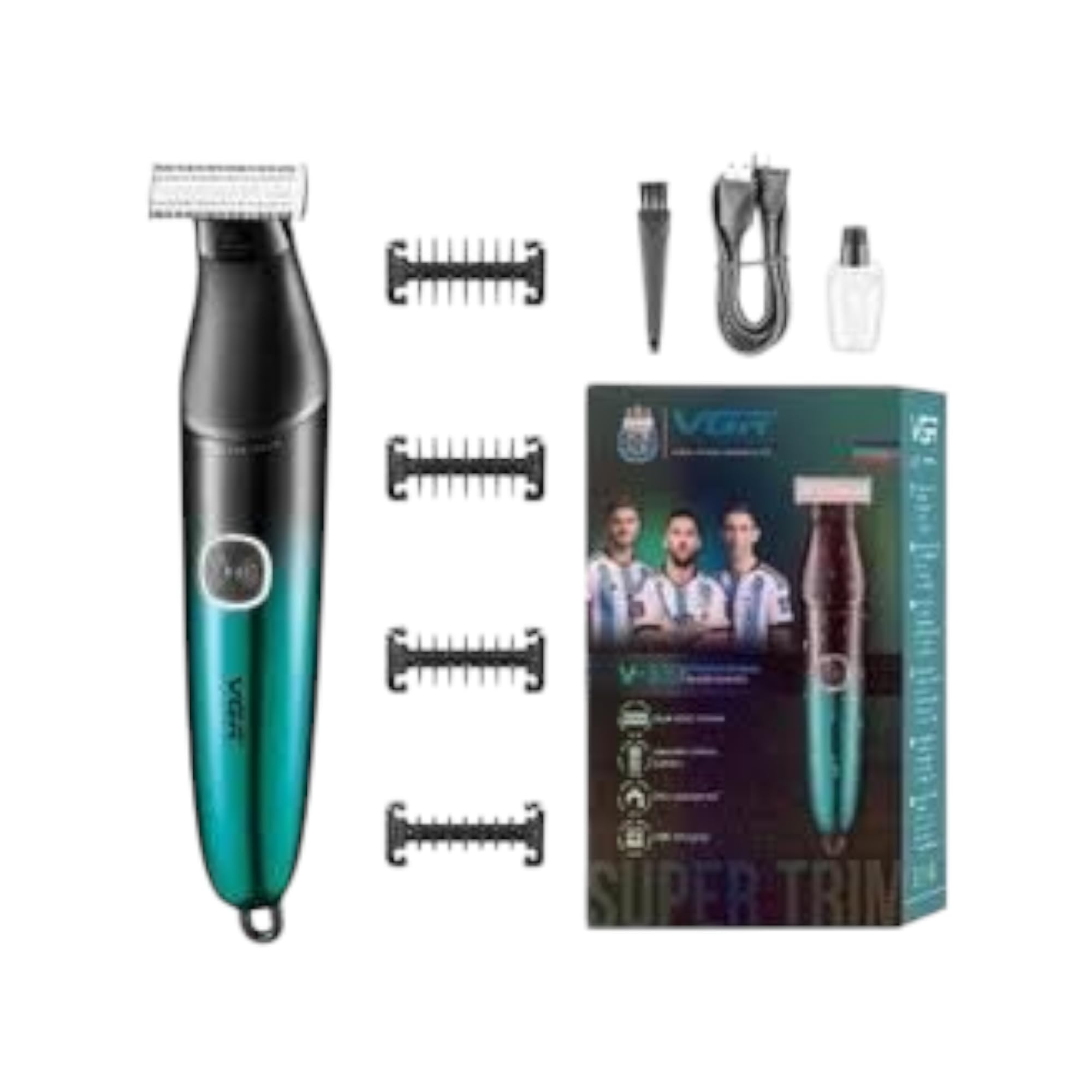
Image: A man demonstrating the use of the VGR V-339 trimmer with a guide comb, illustrating the available comb lengths (1mm, 3mm, 5mm, 7mm) for precise trimming.
Trimming and Shaving:
- Press the ON/OFF button to turn on the trimmer.
- For trimming, attach a guide comb. Hold the trimmer with the comb flat against the skin and move it against the direction of hair growth.
- For a close shave (0.1mm), remove the guide comb. Gently press the blade against the skin and move it slowly.
- The dual-sided design allows for versatile use on different body areas.
- After use, press the ON/OFF button to turn off the trimmer.
Maintenance and Cleaning
Regular cleaning ensures optimal performance and extends the life of your trimmer.
Cleaning the Blades:
- Ensure the trimmer is turned off and disconnected from the charging cable.
- Remove any attached guide comb.
- Use the provided cleaning brush to remove loose hairs from the blades and trimmer head.
- Since the trimmer is IPX7 waterproof, you can rinse the blades and trimmer head under running water. Do not submerge the entire device for extended periods, although it is rated to withstand immersion up to 1 meter for 30 minutes.
- Allow the trimmer to air dry completely before storing or recharging.

Image: Two VGR V-339 trimmers depicted with water splashing around them, visually confirming the IPX7 waterproof rating, allowing for easy cleaning under running water.

Image: A hand holding the VGR V-339 trimmer partially submerged in water, illustrating its waterproof design and suitability for wet use or rinsing.
Storage:
Store the trimmer in a cool, dry place, away from direct sunlight and out of reach of children.
Troubleshooting
| Problem | Possible Cause | Solution |
|---|---|---|
| Trimmer does not turn on. | Battery is depleted. | Charge the trimmer for 1.5 hours. |
| Trimmer does not cut effectively. | Blades are clogged with hair or dull. | Clean the blades thoroughly. If blades are dull, consider replacement (contact support). |
| Trimmer stops during use. | Battery is low. | Recharge the trimmer. |
Specifications
| Feature | Detail |
|---|---|
| Model | V-339 |
| Power Source | Battery Operated (Lithium-ion) |
| Battery Capacity | 600mAh |
| Charging Time | Approx. 1.5 hours |
| Operating Time | Approx. 90 minutes |
| Waterproof Rating | IPX7 |
| Blade Material | Stainless Steel |
| Included Combs | 1mm, 3mm, 5mm, 7mm |
| Weight | 210 grams |
| Dimensions (Package) | 19.4 x 12.1 x 5.2 cm |
| Country of Origin | China |
Warranty and Support
This product comes with a standard manufacturer's warranty. Please refer to the warranty card included in your package for specific terms and conditions. For technical support, troubleshooting assistance, or warranty claims, please contact your retailer or the manufacturer's customer service.
Keep your purchase receipt as proof of purchase for warranty purposes.