
1. Introduction
Thank you for choosing the OLIXIS 32 Inch Office Desk. This compact and modern desk is designed to provide a functional workspace for various activities, including office work, studying, writing, and gaming. Constructed with high-quality materials and a sturdy design, it offers durability and stability. This manual provides detailed instructions for assembly, operation, maintenance, and troubleshooting to ensure optimal use of your new desk.
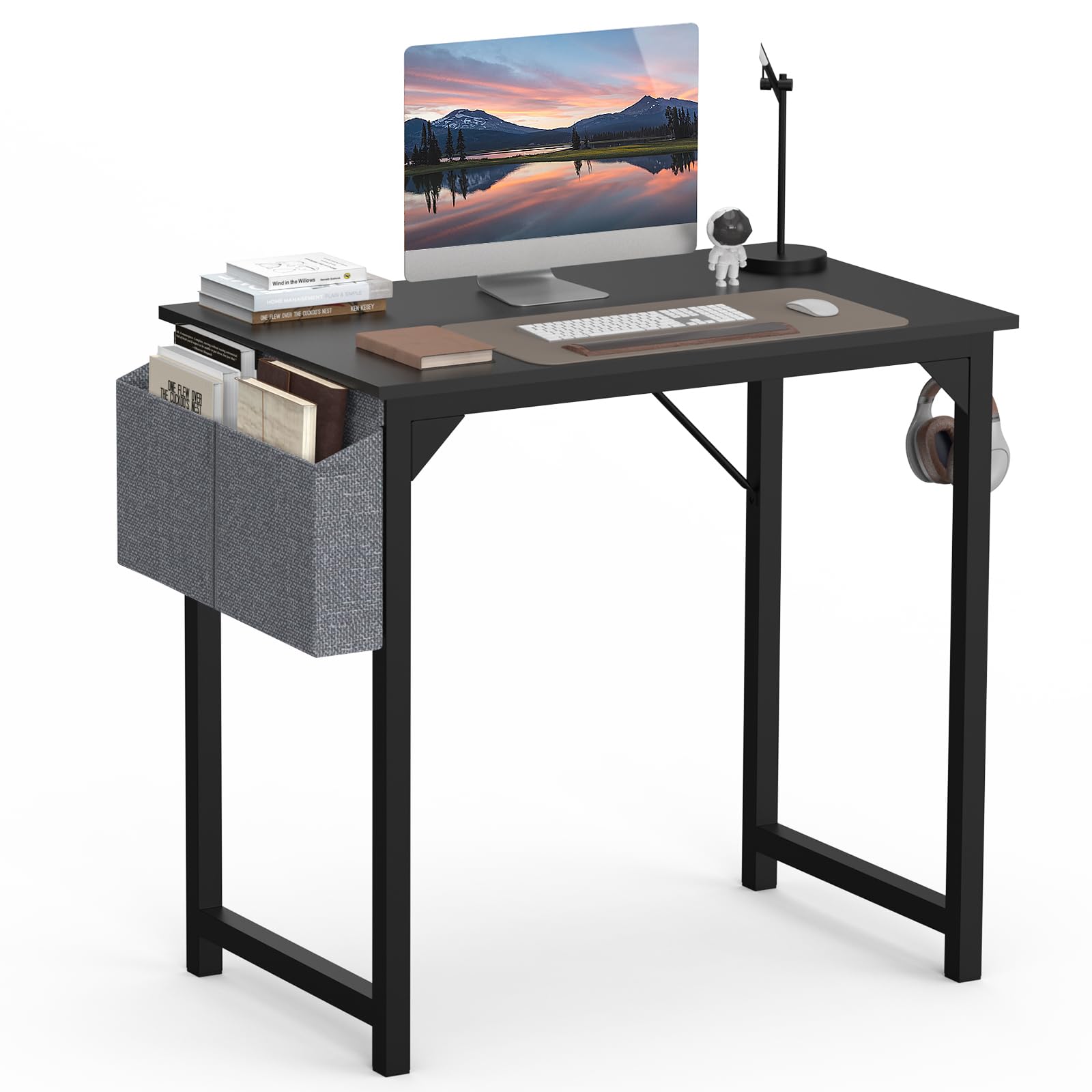
Image 1.1: The OLIXIS 32 Inch Office Desk in a modern home office setup.
2. Package Contents
Please verify that all components are present before beginning assembly. If any parts are missing or damaged, please contact customer support.
- Desktop Board (x1)
- Side Frames (x2)
- Horizontal Support Bars (x2)
- Diagonal Braces (x2)
- Storage Bag (x1)
- Headphone Hook (x1)
- Assembly Hardware (Screws, Wrench)
- Instruction Manual (x1)

Image 2.1: All components and hardware included for assembly.
3. Safety Information
- Keep small parts and packaging materials away from children.
- Assemble the desk on a soft, clean surface to prevent scratches.
- Ensure all screws are tightened securely before use.
- Do not overload the desk; refer to specifications for weight capacity.
- Avoid standing or sitting on the desk.
4. Assembly Instructions
Assembly is straightforward and typically requires one person. An instruction video is available for visual guidance.
4.1. Video Guide
Video 4.1: Detailed installation instructions for the OLIXIS desk.
4.2. Step-by-Step Assembly
- Assemble the Frame: Connect the two side frames using the horizontal support bars. Ensure the holes align for the diagonal braces.
- Attach Diagonal Braces: Secure the diagonal braces to the pre-drilled holes on the back of the frame using the provided screws. These braces enhance stability.
- Install Headphone Hook: Attach the headphone hook to one of the side frames using a screw. You can choose either side based on your preference.
- Attach Storage Bag: Secure the storage bag to the opposite side frame using the provided screws. Ensure it is firmly attached.
- Mount the Desktop: Carefully place the desktop onto the assembled frame. Align the pre-drilled holes on the underside of the desktop with the holes on the frame.
- Secure Desktop: Use the remaining screws to firmly attach the desktop to the frame. Tighten all screws with the provided wrench, but do not overtighten.
- Attach Foot Pads: Insert the plastic foot pads into the bottom of each leg to protect your floor and provide stability.

Image 4.2: The heavy-duty metal frame ensures stability and durability.
5. Operating Instructions
Your OLIXIS desk is designed for versatile use. Here's how to make the most of its features:
5.1. Utilizing the Storage Bag
The side storage bag provides convenient access to your essentials, helping to keep your desktop clutter-free. It's ideal for storing books, files, notebooks, or small accessories.

Image 5.1: The multifunctional storage bag keeps your workspace organized.
5.2. Using the Headphone Hook
The integrated headphone hook allows you to hang your headphones or headset, keeping them within reach and preventing damage or clutter on the desk surface.

Image 5.2: The convenient headphone hook helps maintain an organized desk.
5.3. Versatile Placement
The compact design of the OLIXIS desk makes it suitable for various settings, including offices, bedrooms, and living rooms. Its modern style blends seamlessly with different decor.

Image 5.3: The desk's compact size makes it ideal for smaller spaces.
6. Maintenance
To ensure the longevity and appearance of your OLIXIS desk, follow these simple maintenance guidelines:
- Cleaning: Wipe the desktop and frame with a damp cloth. Avoid harsh chemicals or abrasive cleaners that could damage the finish.
- Spills: The desktop is water and oil resistant. In case of spills, wipe them immediately with a dry cloth to prevent staining.
- Tighten Screws: Periodically check and tighten all assembly screws to maintain stability.

Image 6.1: The waterproof desktop is durable and easy to clean.
7. Troubleshooting
If you encounter any issues with your desk, please refer to the following common solutions:
- Desk Wobbles: Ensure all screws are securely tightened. The desk features a reinforced triangular connecting design for improved stability. Check that the rubber foot pads are properly installed and making even contact with the floor.
- Scratches/Damage: While the desktop is scratch-resistant, extreme force or sharp objects can cause damage. For minor scratches, touch-up pens or furniture markers may be used.
- Missing Parts: If any parts were missing upon delivery, please contact OLIXIS customer support with your purchase details.

Image 7.1: The X-shaped structure provides enhanced stability.
8. Specifications
| Feature | Detail |
|---|---|
| Brand | OLIXIS |
| Model Number | 32BK |
| Product Dimensions (D x W x H) | 19.69"D x 32"W x 29.8"H |
| Item Weight | 17.42 Pounds |
| Color | Black |
| Top Material Type | Wood (Chipboard with Laminated Finish) |
| Base Material | Metal |
| Special Features | Compact, Storage Pockets (2), Headphone Hooks (2) |
| Assembly Required | Yes (Recommended 1 person) |

Image 8.1: Detailed product dimensions for the 32-inch desk.
9. Warranty and Support
OLIXIS is committed to providing high-quality products. For any questions, concerns, or assistance with your product, please contact our customer support team. We aim to respond within 24 hours.
- Contact Information: Refer to your purchase documentation or the OLIXIS brand store for contact details.
- Warranty: Specific warranty details may vary. Please retain your proof of purchase for any warranty claims.


