
Introduction
The Yoidesu Smart AI Translator Glasses are designed to facilitate communication through real-time translation and offer smart functionalities. These glasses integrate wireless Bluetooth technology, provide IP65 water resistance, and feature lenses with blue light guard. This manual provides essential information for the proper setup, operation, and maintenance of your device.

The Yoidesu Smart AI Translator Glasses are designed for real-time translation and smart functions.
Package Contents
Verify that all items listed below are included in your package:
- 1 x Smart Glasses
- 1 x Charging Cable
- 1 x Cleaning Cloth
- 1 x Portable Bag
- 2 x Instruction Manual (this document is one of them)

This image displays the complete package contents: the smart glasses, a charging cable, a cleaning cloth, and a portable carrying bag.
Specifications
| Feature | Detail |
|---|---|
| Item Type | AI Smart Glasses |
| Material | PC, Electronic |
| Bluetooth Version | V5.4 |
| Control Method | Touch Control |
| Charging Time | Approximately 60 minutes |
| Transfer Distance | ≥ 10 meters |
| Charging Voltage & Current | DC 5V |
| Standby Time | 168 hours |
| Battery Type | Built-in 150mAh battery |
| Item Weight | 5.5 ounces |
| Package Dimensions | 6.69 x 2.36 x 2.36 inches |
| Waterproofing | IP65 rated |
| Lenses | Blue Light Guard |
Setup
1. Charging the Glasses
Before initial use, fully charge the glasses. Connect the provided charging cable to the charging port on the glasses and to a DC 5V power source. Charging typically takes approximately 60 minutes.
2. Bluetooth Pairing
The glasses feature easy automatic pairing. To connect to your smartphone:
- Ensure the glasses are charged and powered on.
- Activate Bluetooth on your smartphone.
- Search for available Bluetooth devices and select the Yoidesu Smart AI Translator Glasses from the list.
- Once connected, the glasses will indicate successful pairing.

The glasses feature automatic pairing with a smartphone, simplifying the connection process for audio and smart functions.
Operating Instructions
1. Power On/Off
The glasses are controlled via touch. Refer to the specific touch gestures in the included quick start guide for powering the device on or off.
2. Translation Modes
The glasses support three distinct translation modes:
- Bluetooth Glasses and Cell Phone Mode: One person wears the glasses, and the other uses a connected phone. Tap the translate key on the glasses or phone to automatically recognize and translate speech.
- Translator Mode: Tap the language key on the glasses to initiate translation. The translated audio will play through the phone's speaker.
- Flexible Talk Mode: The glasses automatically recognize the spoken language, allowing for continuous translation during conversations.

This image illustrates the real-time translation capability of the glasses, displaying translated conversations on a connected smartphone.
3. Voice Assistant Function
Utilize the AI intelligent voice dialogue function to interact with a voice assistant. This allows you to ask questions and receive information directly through the glasses.

The AI intelligent voice dialogue function allows users to ask questions and receive answers through the glasses.
4. Call and Music Control
The glasses provide 360-degree surround sound for clear audio during Bluetooth calls and music playback. They include a high-sensitivity microphone and noise reduction technology for enhanced call quality. Use the touch controls on the glasses to answer, dial, hang up, or decline calls, and to manage music playback.

The glasses are equipped with touch controls on the temple for quick interaction with functions like calls and music.
5. Usage Scenarios
The Yoidesu Smart AI Translator Glasses are designed for various environments and activities, including:
- Driving
- Outdoor travel
- Cycling
- Office work
- Listening to music
- General communication
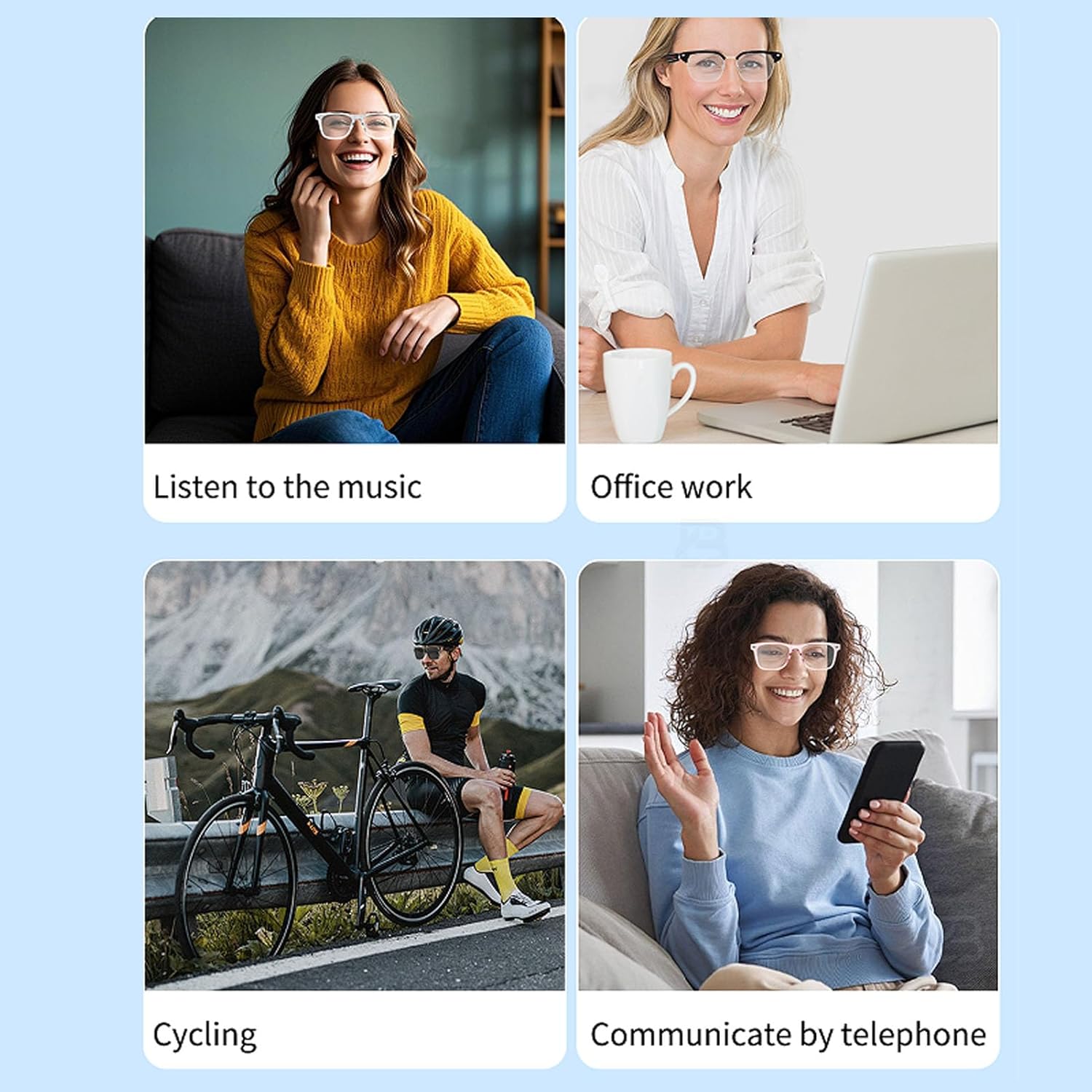
The glasses are versatile for various activities including listening to music, office work, cycling, and phone communication.
Maintenance
Cleaning
Use the provided cleaning cloth to gently wipe the lenses and frame. Avoid using abrasive materials or harsh chemicals that could damage the surfaces.
Water Resistance
The glasses are IP65 rated for water resistance, meaning they are protected against dust ingress and low-pressure water jets from any direction. They are not designed for submersion in water.
Storage
When not in use, store the glasses in the portable bag provided to protect them from scratches and dust. Avoid exposing them to extreme temperatures or direct sunlight for prolonged periods.
Troubleshooting
- Glasses not powering on: Ensure the glasses are fully charged. Connect them to a power source and allow sufficient charging time.
- Unable to pair via Bluetooth: Make sure Bluetooth is enabled on your smartphone and the glasses are in pairing mode. Try restarting both devices. Ensure the glasses are within the 10-meter transfer distance.
- No sound during calls or music: Check the volume settings on both the glasses and your connected smartphone. Ensure the glasses are properly paired and connected.
- Translation not working: Verify that the glasses are correctly paired with your phone and that the translation application or feature is active. Check your internet connection if the translation relies on online services.
- Touch controls unresponsive: Ensure your fingers are clean and dry. If the issue persists, try restarting the glasses.
Warranty and Support
Warranty Information
For detailed warranty information, please refer to the warranty card included with your product packaging or contact the seller directly.
Customer Support
If you encounter any issues or have questions regarding your Yoidesu Smart AI Translator Glasses, please contact Yoidesu customer support through the platform where the product was purchased or refer to the contact information provided in your product documentation.