
1. Product Overview
The Rowenta X-Plorer Serie 85+ is an advanced robot vacuum cleaner designed for efficient and thorough cleaning of various floor types. It features intelligent laser navigation, powerful suction, and a 2-in-1 vacuum and mop function. This manual provides essential information for its proper use and maintenance.

Image: The Rowenta X-Plorer Serie 85+ robot vacuum cleaner positioned next to its auto-empty charging station.
2. Package Contents
Ensure all items are present in the package before proceeding with setup.
- Rowenta X-Plorer Robot Vacuum Cleaner
- Auto-empty Charging Station
- Washing mop pad support
- 1 Grey mop pad for normal use
- 1 Blue mop pad for stubborn stains
- 1 Green mop pad for fine dust
- 3 Hygiene+ dust bags for the auto-empty station
- Power adapter
- User Manual (this document)

Image: The retail packaging box for the Rowenta X-Plorer Serie 85+ robot vacuum cleaner.
3. Setup
- Unpacking: Carefully remove all components from the packaging. Retain packaging for future transport or storage.
- Charging Station Placement: Place the auto-empty charging station against a wall in an open area, ensuring there are no obstacles within 1.5 meters in front and 0.5 meters on either side. Connect the power adapter to the station and a wall outlet.
- Initial Charge: Place the robot onto the charging station. Ensure the charging contacts align. Allow the robot to fully charge before its first use. This may take several hours.
- App Installation: Download the official Rowenta X-Plorer app from your smartphone's app store.
- Pairing the Robot: Follow the in-app instructions to pair your robot vacuum cleaner with your smartphone. This will enable smart control features, including mapping and scheduling.
- Initial Mapping: Once paired, initiate a full cleaning cycle to allow the robot to map your home using its 360° laser navigation system. This map will be saved for future cleaning sessions.
4. Operating Instructions
4.1 Starting a Cleaning Cycle
You can start a cleaning cycle using the button on the robot or through the mobile app.
- Robot Button: Press the power button once to start a general cleaning cycle.
- Mobile App: Open the Rowenta X-Plorer app, select your robot, and choose a cleaning mode or area to start.
4.2 Cleaning Modes
The X-Plorer Serie 85+ offers versatile cleaning options:
- Vacuuming: Utilizes powerful suction up to 6000 Pa and the Electro-Brush for deep cleaning, effective on pet hair and allergens.
- Mopping: The Smart Aqua Power system controls water flow for precise mopping. Attach the appropriate mop pad for the task.
- 2-in-1 Vacuum and Mop: Simultaneously vacuums and mops for comprehensive floor cleaning in a single pass.
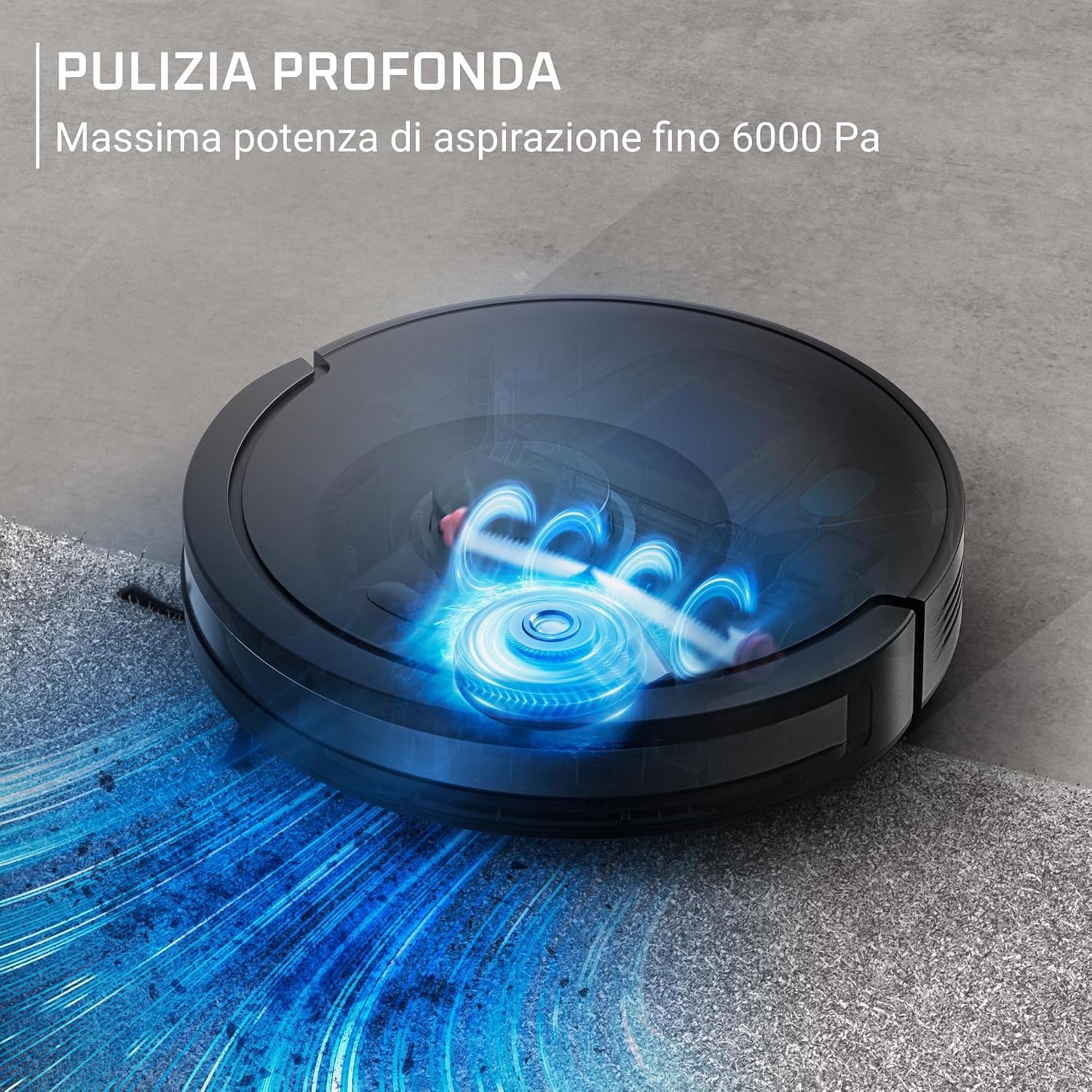
Image: Visual representation of the robot vacuum's powerful suction, indicated by blue swirling lines on a floor.

Image: An exploded view showing the robot vacuum simultaneously vacuuming debris and mopping the floor.

Image: A diagram illustrating the Smart Aqua Power system, showing controlled water droplet release for mopping.
4.3 Smart Navigation and App Control
The robot uses 360° laser navigation for precise and permanent room mapping. The intuitive app allows for personalized control:
- Map Management: View and edit saved maps of your home.
- Scheduled Cleanings: Set specific times for the robot to clean.
- No-Go Zones: Define areas the robot should avoid.
- Custom Preferences: Adjust suction power, water flow, and cleaning patterns.

Image: A robot vacuum cleaning a room, with a smartphone displaying the cleaning map and control options.
4.4 Automatic Recharge and Resume
The robot automatically returns to its charging station when the battery is low. Once recharged, it resumes cleaning from where it left off, ensuring complete coverage of up to 270 m² on a single charge (270 minutes runtime).

Image: The robot vacuum returning to its charging station, with an icon indicating battery charging and cleaning resumption.
5. Maintenance
Regular maintenance ensures optimal performance and extends the lifespan of your robot vacuum cleaner.
5.1 Auto-Empty Station and Dust Bags
The auto-empty station automatically empties the robot's dustbin, providing up to 60 days of autonomy before the station's dust bag needs replacement.
- Dust Bag Replacement: When the indicator light on the station signals, replace the Hygiene+ dust bag. Open the station's lid, remove the full bag, and insert a new one.

Image: The robot vacuum docked at its auto-empty station, with an illustration showing dust being transferred from the robot to the station.
5.2 Cleaning Mop Pads
The package includes three types of mop pads for different cleaning needs:
- Grey Pad: For normal, everyday mopping.
- Blue Pad: Designed for stubborn stains.
- Green Pad: For capturing fine dust.
After each mopping session, remove the used pad from the support and clean it according to the care instructions (typically hand wash or machine wash at low temperature). Allow to air dry completely before reattaching.
5.3 Brush and Filter Cleaning
- Electro-Brush: Regularly remove hair and debris tangled around the main Electro-Brush and side brushes. Use the cleaning tool provided (if any) or scissors to cut tangled hair.
- Filters: Tap the filter to remove loose dust. Rinse the filter under running water if washable, and ensure it is completely dry before reinserting. Replace filters periodically as recommended in the full manual.
5.4 Sensor Cleaning
Wipe the robot's sensors (cliff sensors, wall sensors, charging contacts) with a clean, dry cloth to ensure proper navigation and charging.
6. Troubleshooting
If you encounter issues with your robot vacuum, refer to the following common problems and solutions:
| Problem | Possible Cause | Solution |
|---|---|---|
| Robot does not start or respond. | Low battery; power switch off; robot stuck. | Ensure robot is charged. Check power switch. Clear any obstructions. |
| Poor cleaning performance. | Full dustbin; clogged brushes/filters; worn mop pad. | Empty dustbin. Clean brushes and filters. Replace mop pad if necessary. |
| Robot cannot find charging station. | Station obstructed; station not powered; robot too far. | Ensure clear path to station. Check power connection. Manually place robot near station. |
| App connectivity issues. | Wi-Fi signal weak; incorrect network; app outdated. | Check Wi-Fi signal strength. Ensure robot is on 2.4GHz network. Update app. Restart robot and router. |
| Robot gets stuck frequently. | Obstacles; dark surfaces (cliff sensors); loose cables. | Clear obstacles. Use no-go zones for problem areas. Secure loose cables. Clean sensors. |
For more detailed troubleshooting, refer to the comprehensive user manual available on the Rowenta website or contact customer support.
7. Specifications
| Feature | Detail |
|---|---|
| Model Number | RR87D5FE |
| Brand | Rowenta |
| Suction Power | Up to 6000 Pa |
| Navigation System | 360° Laser Detection |
| Cleaning Functions | Vacuum and Mop (2-in-1) |
| Battery Runtime | Up to 270 minutes (4 hours 30 minutes) |
| Coverage Area | Up to 270 m² per charge |
| Auto-Empty Station Autonomy | Up to 60 days |
| Dimensions (Robot) | 32.5 x 32.5 x 9.7 cm (L x W x H) |
| Weight (Robot) | 5.7 Kilograms |
| Color | Nero Glama (Black) |
| Recommended Surfaces | Carpet, Hard Floor |

Image: Diagram showing the dimensions of the Rowenta X-Plorer Serie 85+ robot vacuum cleaner: 32.5 cm width, 32.5 cm depth, and 9.7 cm height.
8. Warranty and Support
Rowenta is committed to product durability and customer satisfaction.
- 15-Year Repairability: This product is designed for easy repair for up to 15 years. Spare parts are available at low cost with fast delivery.
- Global Service Network: Access to over 6200 authorized repair centers worldwide.
For warranty claims, technical assistance, or to locate a repair center, please visit the official Rowenta website or contact their customer service department.


