
1. Introduction
This manual provides detailed instructions for the installation, operation, and maintenance of your Hawkrown Bathroom Exhaust Fan, Model H05. This unit is designed to improve air quality in bathrooms by effectively removing humidity and odors, while also providing versatile lighting options.
2. Safety Information
- Always disconnect power at the circuit breaker before installing or servicing the fan.
- Installation should be performed by a qualified electrician in accordance with all local and national electrical codes.
- Wear safety glasses and gloves during installation.
- Ensure all wiring connections are secure and properly insulated.
- Do not use this fan in areas where it may be exposed to water spray from a shower or other water source unless specifically rated for such use.
3. Package Contents
Verify that all components are present before beginning installation:
- Main Exhaust Fan Unit
- Remote Control
- Flexible Ventilation Pipe
- Metal Hoops/Clamps
- Mounting Screws and Washers
- Adhesive Tape
- User Manual

4. Product Features
- Humidity Sensor: Automatically activates the fan when humidity levels reach a preset threshold (30%, 60%, or 80%).
- Odor Sensor: Detects unpleasant odors and initiates ventilation automatically.
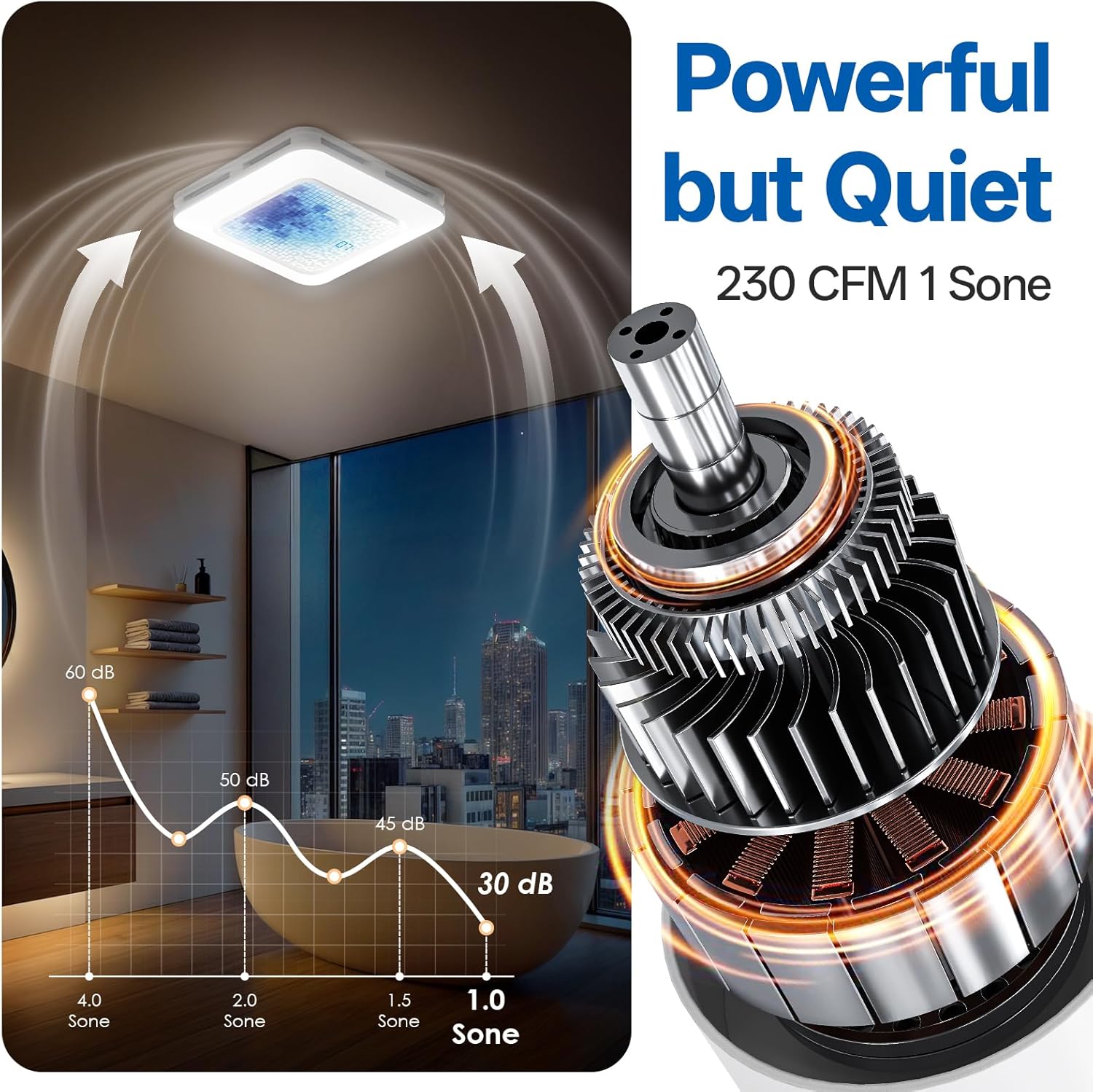
- High Airflow: 230 CFM (Cubic Feet Per Minute) for effective ventilation in medium to large bathrooms (160-230 sq ft).
- Quiet Operation: Operates at 1.0 Sone for minimal noise disturbance.
- 3CCT LED Light: Adjustable color temperature (3000K Warm, 4500K Natural, 6500K Cool).
- 7 LED Color Options: Supports various LED light colors for ambiance.
- Stepless Dimming: Adjustable brightness for the LED light.
- Wireless Remote Control: Convenient control of all fan and light functions, including a timer (1-4 hours).

5. Setup and Installation
Before proceeding with installation, ensure you have reviewed the safety information and gathered all necessary tools.
5.1 Pre-Installation Checks
- Confirm the ceiling opening requirements: 11.22 x 11.22 inches.
- Ensure a minimum of 11-inch roof-to-ceiling clearance for proper installation.
- Test the unit by connecting it to a power source and pairing the remote control. Long-press the power button on the remote for 5 seconds until a ringtone indicates successful pairing.

5.2 Wiring Connections
- The socket wire is a power cord and is not used as a control wire. Control is handled by the remote.
- Carefully read the color distribution of the live (black), neutral (white), and ground (green) wires in the manual.
- Safely connect the power cord to your home power supply using the intermediate terminal block. Ensure it is fully secured.
- Connect the motherboard and the host by corresponding to the circuits respectively.

5.3 Duct Connection
- Slip the metal hoop over the ventilation pipe.
- Expand the ventilation pipe and align it with the air outlet of the main unit.
- Slip the pipe over the outlet and tighten the metal hoop with power tools.
- Fix the air duct with adhesive tape and then use cable ties or hoops for additional fixation to prevent air leakage.
5.4 Mounting the Unit
- Insert one side of the ventilation pipe into the ceiling first, inserting it diagonally from the side.
- Push the air duct into the pre-reserved ventilation pipeline at home and wind it with adhesive tape to ensure no air leakage.
- Position the main unit correctly, connect the corresponding motherboard cables, press the spring clips on both sides, and sequentially press them into the pre-reserved spring slots of the main unit.
- Organize the cables.
- If installing directly on attic or frame wooden beams, use long self-tapping screws and washers at the installation auxiliary feet. Install the four holes in sequence to ensure stable installation.
5.5 Installation Video Guide
For a visual guide on the installation process, please refer to the official video below:
6. Operation
All functions of the Hawkrown H05 exhaust fan are controlled via the wireless remote. The ideal working distance for the remote is within 6 feet, with a maximum range of 19 feet.
6.1 Remote Control Functions
- Power On/Off: Press the power button to turn the unit on or off.
- Ventilator: Press the fan icon to turn ventilation on or off.
- Purification (Humidity/Odor Sensor):
- Short press: Turn purification mode ON/OFF.
- Long press (≥2s): Cycle through humidity levels (30%→60%→80%).
- Lamp (Main Light):
- Short press: Turn the lamp on/off.
- Long press: Customize the color temperature (3000K, 4500K, 6500K).
- Brightness Adjustment (+/-): Long press to adjust the brightness of the main light.
- RGB Lighting:
- Short press: Turn RGB modes ON/OFF.
- Long press: Switch between 3 RGB modes (Aurora, Breathing, Blinking).
- Timer:
- Short press: Turn Timer ON/OFF.
- Long press: Cycle through 0H→1H→...→4H.
Note: Ventilation and purification are two independent modes that cannot be activated simultaneously; only one can be switched on at a time.


7. Maintenance
Regular maintenance ensures optimal performance and longevity of your exhaust fan.
- Cleaning: Periodically clean the exterior of the fan with a soft, damp cloth. Do not use abrasive cleaners or solvents.
- Filter Cleaning: Refer to the detailed instructions in the full manual for cleaning or replacing any internal filters, if applicable.
- Power Disconnection: Always disconnect power before performing any cleaning or maintenance.
8. Troubleshooting
If you encounter issues with your Hawkrown H05 exhaust fan, refer to the following common troubleshooting steps:
- No Power: If the unit does not power on when plugged in, ensure all connectors are securely reattached. Match wire colors: Green to green, white to white, black to black. Replug the power cord.
- Fan Not Working: The fan has two modes: purification (auto) and manual. Purification (auto) turns on automatically when the standby mode is on, only activating when indoor humidity reaches a preset level (30%/60%/80%) or odors are detected. For manual mode, press the fan icon to turn ventilation on/off after disabling purification.
- Remote Control Not Paired: In 30 seconds after powering on, long press the standby button for 3 seconds. A long "Beep" indicates successful pairing. If unsuccessful, unplug and retry. If the remote is paired but not working, try pressing standby first, then long press any function button.

9. Specifications
| Attribute | Detail |
|---|---|
| Brand | Hawkrown |
| Model Name | H05 |
| Style | Humidity & Odor Sensor |
| Air Flow Capacity | 230 Cubic Feet Per Minute (CFM) |
| Noise Level | 1 Sone |
| Wattage | 36 watts |
| Voltage | 120 Volts (AC) |
| Product Dimensions | 10.62"D x 10.98"W x 7.08"H |
| Item Weight | 9.98 pounds |
| Control Method | Remote |
| Installation Type | Ceiling Mount |
| Certifications | UL, FCC |
10. Warranty and Support
Hawkrown products are designed for reliability and performance. For any questions, technical assistance, or warranty claims, please contact Hawkrown customer service.
- Customer Service: Hawkrown provides 24-hour online customer service.
- After-Sales Guarantee: A worry-free after-sales guarantee is provided.
Please retain your proof of purchase for warranty purposes.


