
Introduction
Thank you for choosing the Haudio 7 Inch Double Din Car Stereo. This manual provides essential information for the proper installation, operation, and maintenance of your new car stereo system. Please read this manual thoroughly before use to ensure optimal performance and safety.
What's in the Box
- Haudio Android Car Radio (x1)
- Power Cord (x2)
- 4Pin-USB Cable (x1)
- 6Pin-USB Cable (x1)
- Rear Camera Interface Cable (x1)
- GPS Antenna (x1)
- 20Pin-RCA Antenna (x1)
- Mounting Screws (x6)
- User Manual (x1)
- Rear View Camera (x1)
- Bracket (x2)
Product Overview
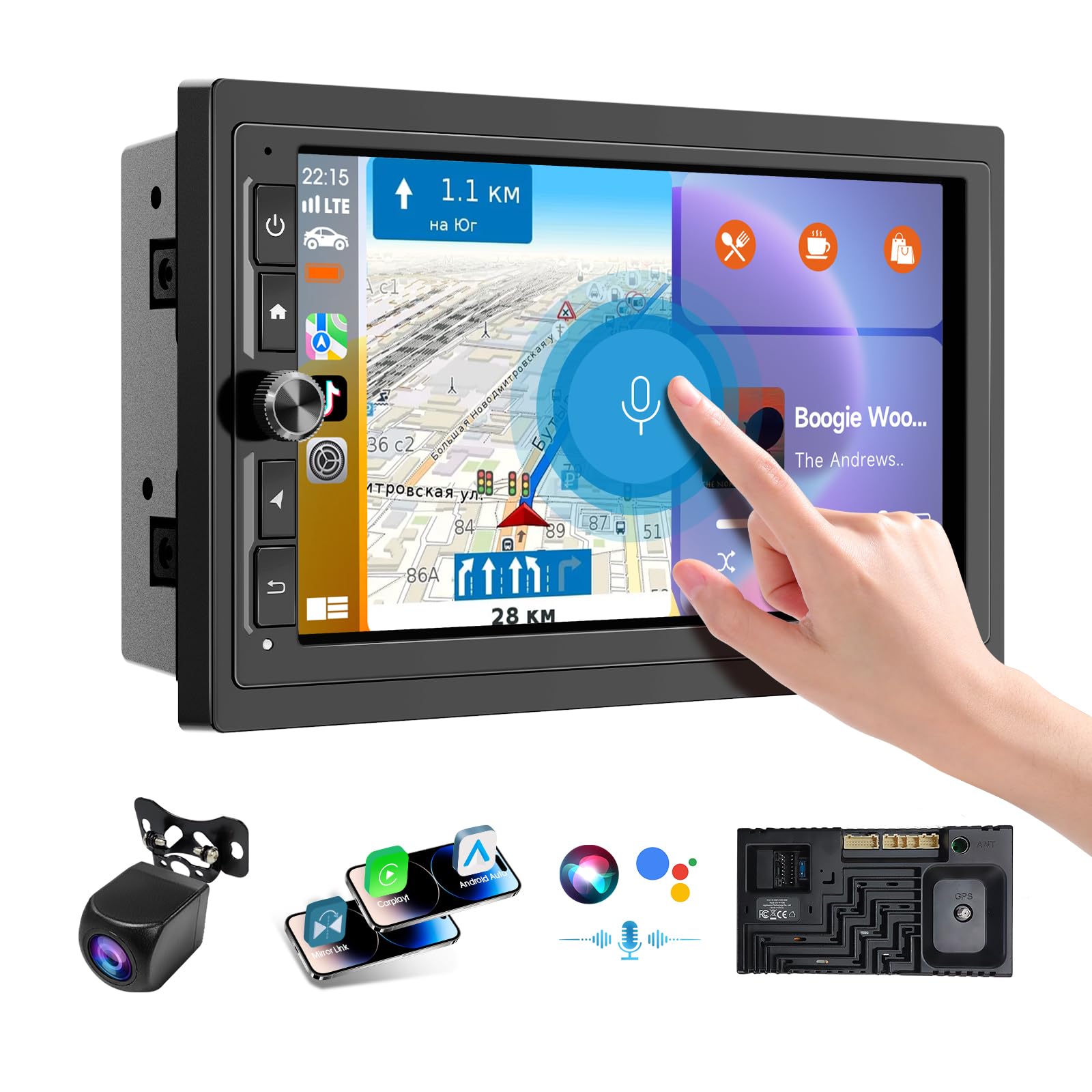
Figure 1: Main unit of the Haudio 7 Inch Double Din Car Stereo.

Figure 2: Detailed dimensions of the 7-inch car stereo and a visual representation of all included accessories.
Setup and Installation
Before installation, ensure your dashboard opening size fits the car stereo. Professional installation is recommended. Refer to the wiring diagram below for proper connections.

Figure 3: Easy installation wiring diagram showing connections for the smart screen, reversing light, and rear camera.
Installation Video Tutorial
Video 1: Detailed installation and wiring tutorial for the Haudio car stereo.
Rear Camera Installation

Figure 4: The HD Night Vision Backup Camera provides a wide-angle reversing image for enhanced safety.
Video 2: Instructions for removing and installing the reversing image camera.
Operating Instructions
Immersive 7 Inch IPS Touchscreen
The vivid HD display offers multi-angle adjustment for comfortable viewing. The capacitive touchscreen is responsive and allows for smooth navigation through menus and applications.

Figure 5: Comparison of HD Touch Screen resolutions, highlighting the 1024x600 resolution of the Haudio stereo.
Wireless CarPlay and Android Auto with Voice Control
Choose between wired or wireless CarPlay and Android Auto. Enjoy voice control through Apple Siri or Google Assistant for calls, in-dash navigation, and music, enhancing safety and convenience during your drive.

Figure 6: The stereo supports Wireless CarPlay and Android Auto, enriching your driving experience with seamless smartphone integration.
Bluetooth and AM/FM
The double din car radio features Bluetooth hands-free function for safe calling. The built-in smart chip enables listening to various FM radio stations for traffic messages, weather forecasts, and news. You can save preferred stations, time, date, and other personal settings.

Figure 7: FM & AM Radio functionality with voice control for music playback and hands-free calling.
Mirror Link Function
Wireless MirrorLink connects iOS/Android devices, allowing you to display your phone's screen directly on the car stereo, turning your car into an entertainment hub.

Figure 8: The Mirror Link function allows mirroring of phone content, such as maps and music, to the navigation screen.
Multi-transmission Sound
Utilize Bluetooth to transmit audio wirelessly to the car stereo speakers. The FM function can accurately play music or navigation sounds from your mobile phone through the car radio. An AUX interface is also provided for connecting other audio devices.

Figure 9: The stereo offers four audio options: Wireless CarPlay, Android Auto, FM & AM Reception, and AUX In.
Functional Demonstration Video
Video 3: A functional demonstration of the 7-inch Android car stereo.
Specifications
| Product Dimensions | 2.12 x 7.36 x 4.61 inches |
| Item Weight | 2.57 pounds |
| Brand | Haudio |
| Connectivity Technology | Bluetooth |
| Controller Type | Android |
| Special Feature | FM Tuner |
| Compatible Devices | Smartphone |
| Connector Type | RCA |
| Audio Output Mode | Stereo |
| Surround Sound Channel Configuration | 2.0 |
| Video Encoding | H.264, H.265/HEVC, MPEG-4 |
| Number of Channels | 2 |
Troubleshooting
If you encounter any issues during installation or operation, please refer to the detailed instructions in the included user manual. For complex problems, it is recommended to consult a professional car audio store for assistance.
Warranty and Support
For additional assistance with installation, wiring, or any product-related inquiries, please do not hesitate to reach out to our online services via the "contact seller" option on the product's purchase platform. We are committed to providing a pleasant driving experience for every customer.

