1. Introduction
Thank you for purchasing the Fisher FBX390 Portable Bluetooth Speaker. This manual provides essential information for setting up, operating, and maintaining your speaker. Please read it thoroughly before use to ensure optimal performance and safety.
Package Contents:
- Fisher FBX390 Portable Bluetooth Speaker
- Power Cable
- Quick Start Guide
- Warranty Card
2. Safety Information
To prevent fire, electric shock, or product damage, please observe the following safety guidelines:
- Do not expose the speaker to extreme temperatures, direct sunlight, or open flames.
- Avoid dropping or subjecting the speaker to strong impacts.
- Do not disassemble, repair, or modify the speaker yourself. Contact qualified service personnel.
- Keep the speaker away from water and liquids, despite its IPX4 water resistance. IPX4 protects against splashing water, not submersion.
- Use only the provided power cable for charging.
- Ensure proper ventilation when operating the speaker.
3. Product Features
The Fisher FBX390 speaker offers a range of features designed for an enhanced audio experience:
- Powerful Audio: 10W RMS (20W Peak) output for clear and immersive sound.
- Bluetooth 5.3: Stable and fast wireless connectivity up to 33 feet (10 meters).
- Dynamic RGB Lights: Integrated lighting effects that synchronize with music.
- True Wireless Stereo (TWS): Pair two FBX390 speakers for a stereo sound experience.
- IPX4 Water Resistance: Protection against splashing water, suitable for outdoor use.
- Multiple Playback Options: Bluetooth, AUX input, USB, and TF card support.
- FM Radio: Built-in tuner for listening to radio stations.
- Portable Design: Lightweight (3.13 lbs) with a carrying handle for easy transport.
- Long Playtime: Up to 5 hours of playback on a single charge (1500mAh battery).

Image: The Fisher FBX390 speaker demonstrating its IPX4 water resistance with water splashing around it. This feature makes it suitable for outdoor environments where splashes may occur.

Image: An exploded view diagram of the Fisher FBX390 speaker's internal components, illustrating its 2-way audio system and a 3-inch subwoofer for enhanced bass and vibrant sound.

Image: Three Fisher FBX390 speakers showcasing their dynamic RGB lighting effects, which breathe and beat to the rhythm of the music, adding a visual element to the audio experience.
4. Setup Guide
4.1 Charging the Speaker
Before first use, fully charge the speaker. Connect the provided power cable to the charging port on the speaker and a suitable power source. The charging indicator light will illuminate. Once fully charged, the indicator light may change or turn off.
4.2 Powering On/Off
- To power on: Press and hold the Power button (Ⓘ) for a few seconds until you hear an audible prompt or see the indicator lights activate.
- To power off: Press and hold the Power button (Ⓘ) again for a few seconds.
4.3 Bluetooth Pairing
To connect your speaker to a Bluetooth-enabled device:
- Ensure the speaker is powered on and in Bluetooth pairing mode (indicated by a flashing LED).
- On your device (smartphone, tablet, etc.), enable Bluetooth and search for available devices.
- Select "FBX390" from the list of devices.
- Once connected, you will hear a confirmation tone, and the LED indicator will stop flashing.
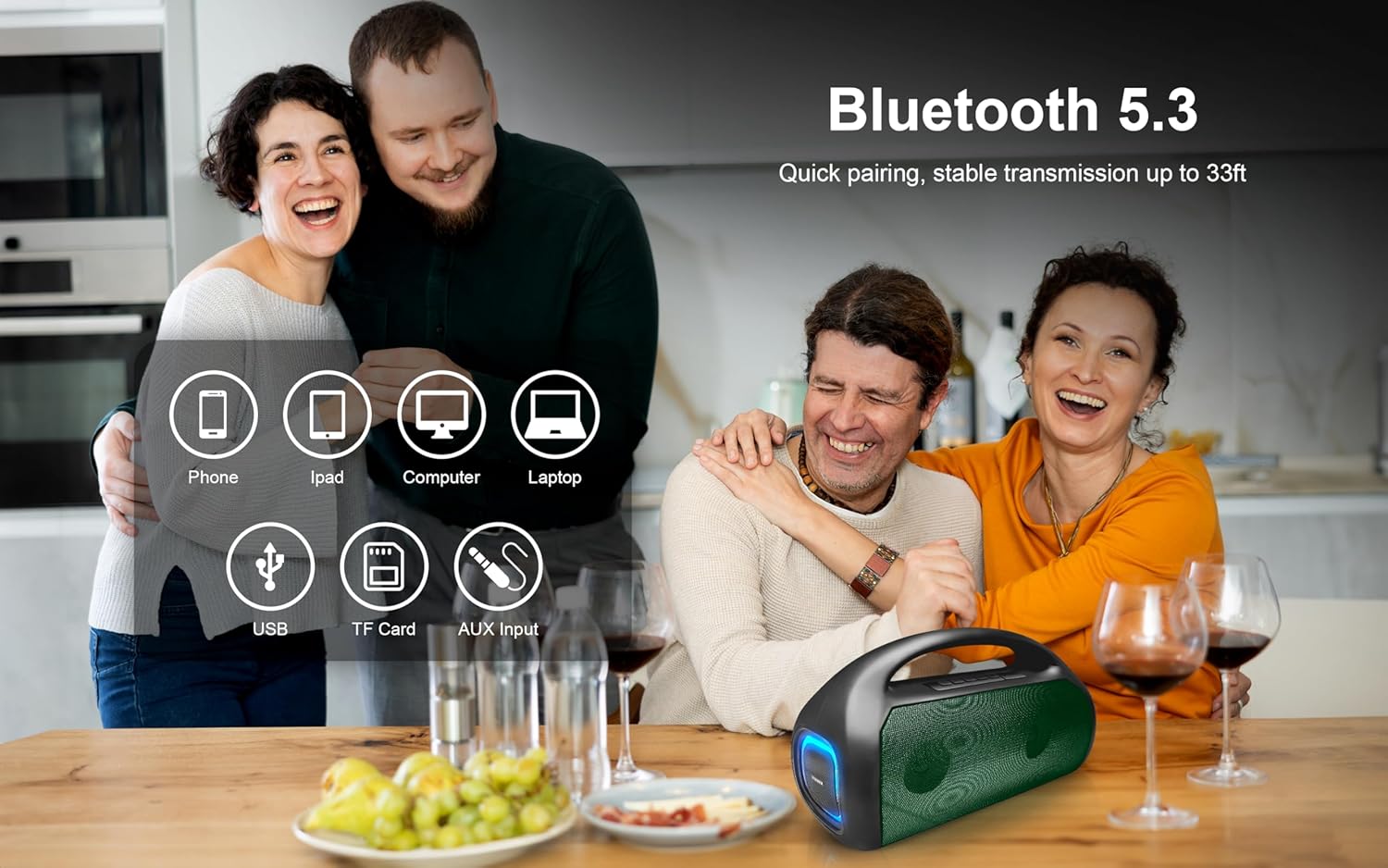
Image: A group of people enjoying music with the Fisher FBX390 speaker, illustrating its Bluetooth 5.3 connectivity and compatibility with various devices like phones, tablets, computers, and laptops, along with USB, TF card, and AUX input options.
4.4 True Wireless Stereo (TWS) Pairing
To pair two FBX390 speakers for a stereo sound experience:
- Ensure both FBX390 speakers are powered on and not connected to any Bluetooth device.
- On one speaker (this will be the primary speaker), press and hold the TWS button (often indicated by two interlocking circles or a similar icon) until you hear a pairing prompt.
- The two speakers will automatically search and connect to each other. A confirmation tone will sound once paired.
- Now, connect your device to the primary speaker via Bluetooth as described in section 4.3. Audio will play in stereo through both speakers.

Image: Two Fisher FBX390 speakers positioned for True Wireless Stereo (TWS) pairing, providing dynamic audio for a user engaged in a gaming session, demonstrating enhanced sound immersion.
5. Operating Instructions
5.1 Control Buttons
The speaker features intuitive control buttons located on the top panel:

Image: A close-up view of the control panel on the top of the Fisher FBX390 speaker, showing buttons for power, volume, track control, mode selection, and TWS pairing.
- Power Button (Ⓘ): Press and hold to power on/off. Short press to play/pause in Bluetooth mode.
- Mode Button (M): Short press to switch between Bluetooth, FM Radio, AUX, USB, and TF card modes.
- Volume Down / Previous Track (-): Short press for previous track. Press and hold to decrease volume.
- Volume Up / Next Track (+): Short press for next track. Press and hold to increase volume.
- TWS Button: Press and hold to initiate TWS pairing (refer to section 4.4).
5.2 FM Radio Operation
- Press the Mode button (M) to switch to FM Radio mode.
- Short press the Power button (Ⓘ) to automatically scan and save available FM stations.
- Use the Previous/Next Track buttons (−/+) to navigate between saved stations.
5.3 AUX Input
Connect an external audio device using a 3.5mm AUX cable (not included) to the AUX input port. The speaker will automatically switch to AUX mode or can be selected using the Mode button.
5.4 USB / TF Card Playback
Insert a USB drive or TF (microSD) card containing audio files into the respective port. The speaker will automatically switch to the corresponding mode and begin playback, or you can select it using the Mode button.
6. Maintenance
- Cleaning: Use a soft, dry cloth to clean the speaker's surface. Do not use abrasive cleaners or solvents.
- Storage: Store the speaker in a cool, dry place away from direct sunlight and extreme temperatures.
- Battery Care: If not used for extended periods, charge the speaker at least once every three months to maintain battery health.
7. Troubleshooting
| Problem | Possible Cause | Solution |
|---|---|---|
| Speaker does not power on. | Low battery. | Charge the speaker using the provided power cable. |
| Cannot pair via Bluetooth. | Speaker not in pairing mode; device Bluetooth off; too far from speaker. | Ensure speaker is in pairing mode. Enable Bluetooth on your device. Move device closer to speaker (within 33ft/10m). |
| No sound. | Volume too low; incorrect mode selected; device not playing audio. | Increase speaker and device volume. Check if the correct input mode (Bluetooth, AUX, etc.) is selected. Ensure audio is playing on your connected device. |
| TWS pairing fails. | Speakers already connected to other devices; TWS pairing not initiated correctly. | Disconnect both speakers from any Bluetooth devices. Ensure both are FBX390 models. Follow TWS pairing steps precisely (Section 4.4). |
| Poor FM radio reception. | Weak signal; environmental interference. | Relocate the speaker to an area with better reception. |
8. Specifications
| Feature | Detail |
|---|---|
| Model Name | FBX390 |
| Brand | Fisher |
| Connectivity Technology | Bluetooth 5.3 |
| Wireless Range | Up to 32.8 feet (10 meters) |
| Speaker Output Power | 20 Watts Peak (10W RMS) |
| Frequency Response | 80Hz-18kHz |
| Battery Capacity | 1500mAh |
| Playback Time | Up to 5 hours |
| Water Resistance Rating | IPX4 |
| Product Dimensions (D x W x H) | 5.58" x 8.1" x 13.64" |
| Item Weight | 3.13 pounds |
| Included Components | Power Cable, Quick Start Guide, Warranty Card |
| Audio Input Modes | Bluetooth, AUX, USB, TF Card, FM Radio |

Image: A diagram illustrating the physical dimensions of the Fisher FBX390 speaker, with measurements of 13.64 inches in width, 8.1 inches in height, and 5.58 inches in depth.
9. Warranty and Support
This Fisher FBX390 Portable Bluetooth Speaker comes with a Limited Warranty. Please refer to the included Warranty Card for detailed terms and conditions.
For technical support or warranty claims, please contact Fisher customer service. Contact information can typically be found on the Warranty Card or the official Fisher website.
Return Policy: Products purchased may be eligible for return/replacement within 30 days, subject to the retailer's return policy.


