
MONSTER AC221
Monster Open Ear AC221 Headphones User Manual
Model: AC221 (E103)
1. Introduction
Thank you for choosing the Monster Open Ear AC221 Headphones. These wireless earbuds are designed to provide a comfortable listening experience with open-ear design, clear audio, and extended battery life. This manual provides essential information for setting up, operating, and maintaining your device.

Image 1.1: Monster Open Ear AC221 Headphones. This image displays the two earbuds in their open-ear, clip-on design, showcasing their compact and ergonomic form factor.
2. What's in the Box
Please check the package contents to ensure all items are present:
- Monster Open Ear AC221 Earbuds (1 pair)
- Type-C Charging Cable (1)
- User Manual (1)

Image 2.1: Package contents. This image illustrates the Monster Open Ear AC221 earbuds, their charging case, a Type-C charging cable, and the user manual, as they appear when unboxed.
3. Charging the Earbuds and Case
Before first use, fully charge the earbuds and the charging case.
3.1 Charging the Earbuds
- Place the earbuds into the charging case, ensuring they are correctly seated.
- The indicator lights on the earbuds will show their charging status.
3.2 Charging the Charging Case
- Connect the provided Type-C charging cable to the charging port on the case.
- Connect the other end of the cable to a USB power adapter (not included) or a computer's USB port.
- The indicator light on the charging case will illuminate to show charging status. A full charge takes approximately 2 hours.
The earbuds provide up to 8 hours of playback on a single charge, with the charging case extending total playback time to approximately 30 hours.

Image 3.1: Earbuds and charging case with battery life indicators. This image highlights the 8 hours of single charge playback and 30 hours total playback with the charging case.
4. Setup and Pairing
4.1 Initial Pairing
- Ensure the earbuds are charged.
- Open the charging case. The earbuds will automatically enter pairing mode, indicated by a flashing LED light.
- On your device (smartphone, tablet, etc.), enable Bluetooth.
- Search for available Bluetooth devices and select "Monster AC221" from the list.
- Once connected, the earbud indicator lights will stop flashing.
4.2 Reconnecting
After initial pairing, the earbuds will automatically connect to the last paired device when removed from the charging case and Bluetooth is enabled on the device.

Image 4.1: Bluetooth 6.0 Technology. This image illustrates the internal components of an earbud, highlighting the Bluetooth 6.0 chip, which enables faster pairing, wider range, and lower latency connections.
5. How to Wear
The Monster Open Ear AC221 Headphones feature a clip-on design for secure and comfortable wear.
- Identify Left and Right: Locate the 'L' and 'R' markings on each earbud.
- Positioning: Gently clip the earbud onto your ear, ensuring the speaker portion is aligned with your ear canal and the clip rests comfortably over the top of your ear.
- Adjust for Comfort: Adjust the earbud's position until it feels secure and comfortable. The open-ear design allows for ambient sound awareness.

Image 5.1: How to Wear. This diagram provides a step-by-step visual guide on correctly identifying the left/right earbuds, positioning them on the ear, and adjusting for optimal comfort and fit.
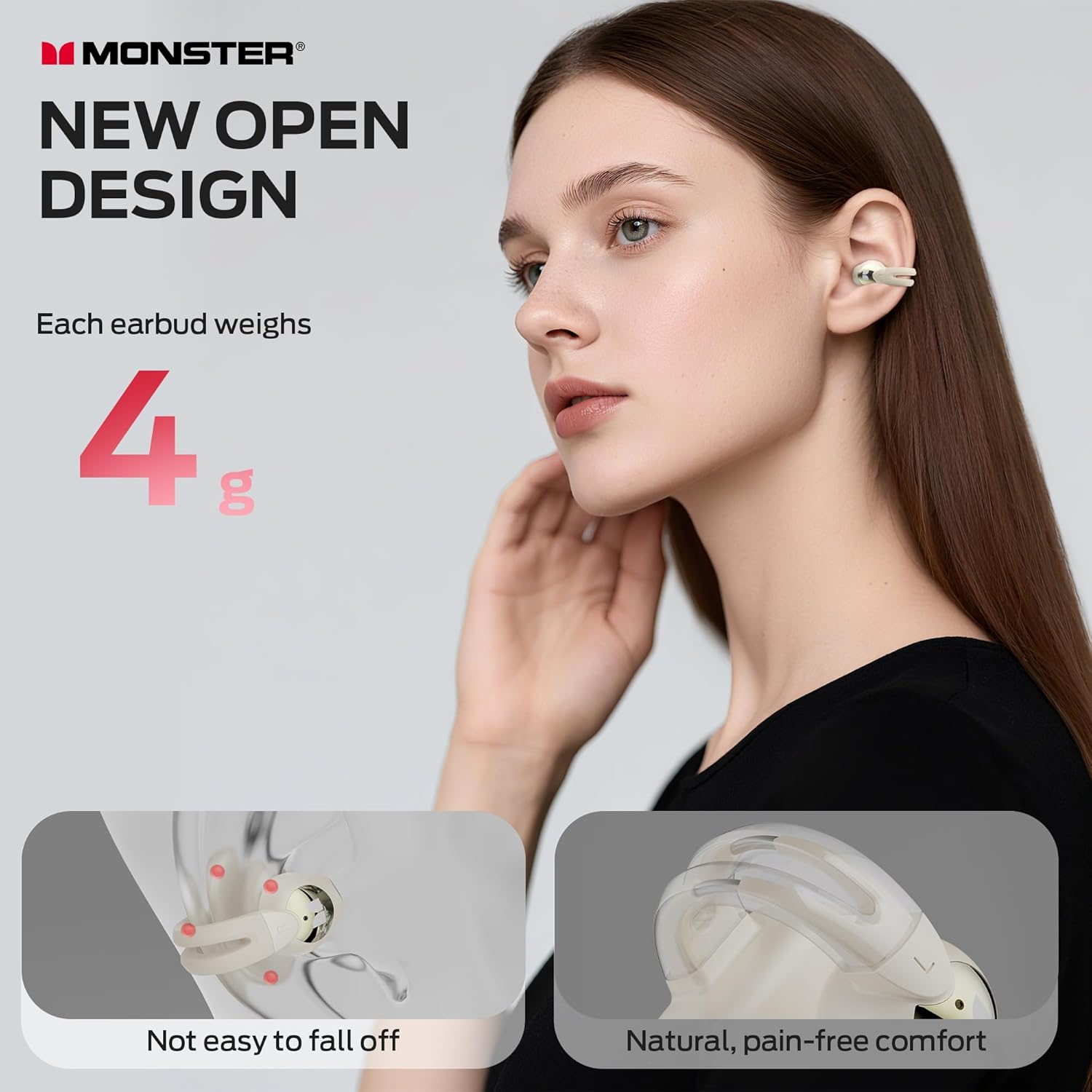
Image 5.2: Earbuds worn by a user. This image shows a person wearing the Monster Open Ear AC221 headphones, demonstrating their discreet and comfortable fit.
6. Operating the Earbuds (Touch Controls)
The Monster AC221 earbuds feature touch controls for various functions:
- Answer/End Call: Double-tap L/R earbud.
- Decline Phone Call: Press and hold L/R earbud for 2 seconds.
- Play/Pause: Double-tap L/R earbud.
- Voice Assistant: Press and hold L/R earbud for 2 seconds.
- Previous Song: Triple-tap L earbud.
- Next Song: Triple-tap R earbud.
- Increase Volume: Single-tap R earbud.
- Reduce Volume: Single-tap L earbud.

Image 6.1: Touch Control Functions. This diagram visually represents the various touch gestures on the earbuds and their corresponding functions, such as answering calls, controlling music playback, and activating the voice assistant.
6.1 Clear Call Technology
The earbuds incorporate technology to intelligently filter out ambient sounds, ensuring your voice is captured clearly during calls.
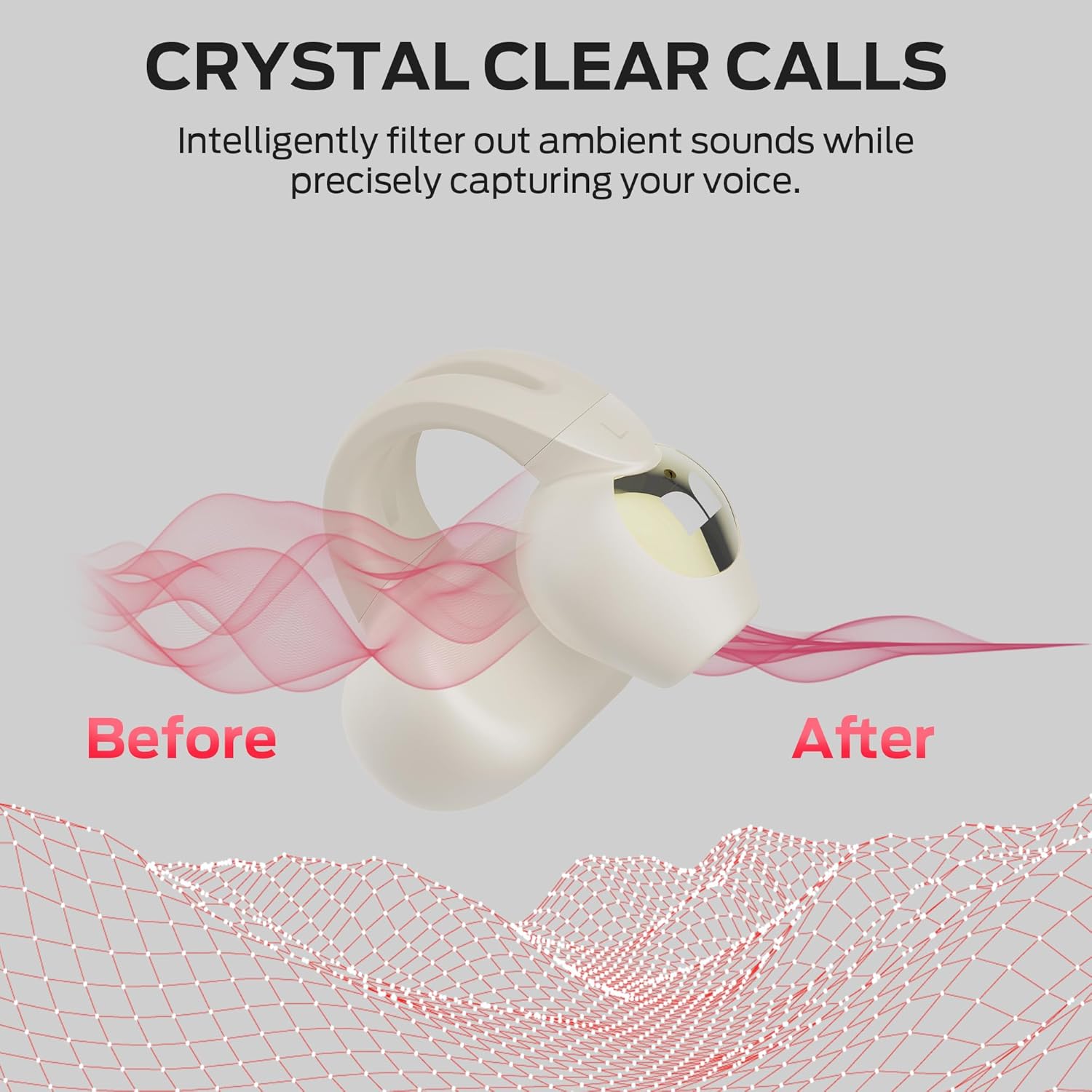
Image 6.2: Crystal Clear Calls. This image visually demonstrates the effect of the earbud's call technology, showing how ambient noise is filtered out to provide a clearer voice transmission.
7. Maintenance and Care
7.1 Cleaning
- Gently wipe the earbuds and charging case with a soft, dry, lint-free cloth.
- Do not use abrasive cleaners, alcohol, or chemical solvents.
7.2 Storage
- When not in use, store the earbuds in their charging case to protect them and keep them charged.
- Store in a cool, dry place, away from extreme temperatures and direct sunlight.
7.3 Water Resistance (IPX6)
The earbuds are IPX6 water-resistant, meaning they can withstand heavy sweat and splashes. They are not designed for submersion in water.

Image 7.1: IPX6 Water Resistant. This image features an earbud with water droplets, emphasizing its IPX6 rating, which indicates resistance to strong jets of water, making it suitable for workouts and outdoor use.
8. Troubleshooting
If you encounter issues with your Monster Open Ear AC221 Headphones, refer to the following common solutions:
| Problem | Possible Solution |
|---|---|
| Earbuds not pairing |
|
| No sound from one earbud |
|
| Charging issue |
|
| Touch controls unresponsive |
|
9. Specifications
| Feature | Detail |
|---|---|
| Model Name | AC221 (E103) |
| Connectivity Technology | Wireless (Bluetooth 6.0) |
| Ear Placement | Open Ear, Clip-on |
| Material | Plastic |
| Battery Life (Single Charge) | Up to 8 hours |
| Total Battery Life (with Case) | Up to 30 hours |
| Charging Time | Approximately 2 hours |
| Water Resistance Rating | IPX6 |
| Control Type | Touch Control |
| Maximum Operating Distance | 35 Feet (approx. 10 meters) |
| Weight (each earbud) | Approximately 4 grams |
10. Safety Information
- Do not disassemble, repair, or modify the product.
- Keep the product away from extreme temperatures, humidity, and corrosive substances.
- Avoid prolonged exposure to high volume levels to prevent hearing damage.
- Use only the provided charging cable or a certified Type-C cable for charging.
- Dispose of batteries and electronic components responsibly according to local regulations.
11. Warranty and Support
For warranty information, technical support, or customer service inquiries, please refer to the warranty card included with your product or visit the official Monster website. Contact details and support resources are typically available on the manufacturer's official channels.
Related documentsAC221


Ask a question about this manual
Ask about setup, troubleshooting, compatibility, parts, safety, or missing instructions. Manuals+ will review the question and use this page’s manual context to help answer it.