
1. Introduction
Welcome to the LIGE DM1-F-US GPS Sports Smartwatch user manual. This guide provides detailed instructions to help you get the most out of your new device. The LIGE DM1-F-US is a rugged smartwatch designed for active lifestyles, featuring GPS, a compass, LED flashlight, AMOLED display, and extensive health and fitness tracking capabilities.

Image 1: LIGE DM1-F-US GPS Sports Smartwatch with various display elements.
2. What's in the Box
Please verify that all items are present in your package:
- Smartwatch
- 2 Straps (one attached, one spare)
- Charger
- Strap Installation and Removal Tools
- Instructions Manual (this document)
3. Setup
3.1 Initial Charging
Before first use, fully charge your smartwatch. Connect the magnetic charging cable to the charging contacts on the back of the watch and plug the USB end into a power adapter (not included) or a computer's USB port. A full charge typically takes approximately 2.5 hours.

Image 2: The LIGE DM1-F-US Smartwatch connected to its magnetic charger.
3.2 App Installation and Pairing
- Download the App: Scan the QR code in the quick start guide or search for the companion app (e.g., 'FitCloudPro' as mentioned in reviews) on your smartphone's app store (iOS 11.0+ or Android 5.0+).
- Enable Bluetooth: Ensure Bluetooth is enabled on your smartphone.
- Pair the Device: Open the app, create an account if prompted, and follow the on-screen instructions to add your device. Select 'DM1-F-US' from the list of available devices. Confirm the pairing request on both your phone and watch.
- Grant Permissions: Allow necessary permissions for the app to function correctly (e.g., notifications, location access).
4. Operating Instructions
4.1 Display and Navigation
The LIGE DM1-F-US features a 1.43-inch AMOLED touchscreen. Navigate the watch interface using swipes and taps:
- Swipe Up/Down: Scroll through menus and notifications.
- Swipe Left/Right: Access quick functions or different watch faces.
- Tap: Select an item or confirm an action.
- Side Buttons: The physical buttons on the side provide quick access to functions like power on/off, back, and specific app shortcuts.
Video 1: Demonstrates the 1.43-inch AMOLED display and navigation of the LIGE DM1-F-US smartwatch, showcasing its always-on display feature and various sports modes.
4.2 Customizing Watch Faces
Personalize your smartwatch by choosing from over 300 preset watch faces or uploading your own photos via the companion app. To change the watch face:
- Long-press on the current watch face on your smartwatch.
- Swipe left or right to browse available watch faces.
- Tap to select your desired watch face.
- Alternatively, use the companion app to explore more options and upload custom images.
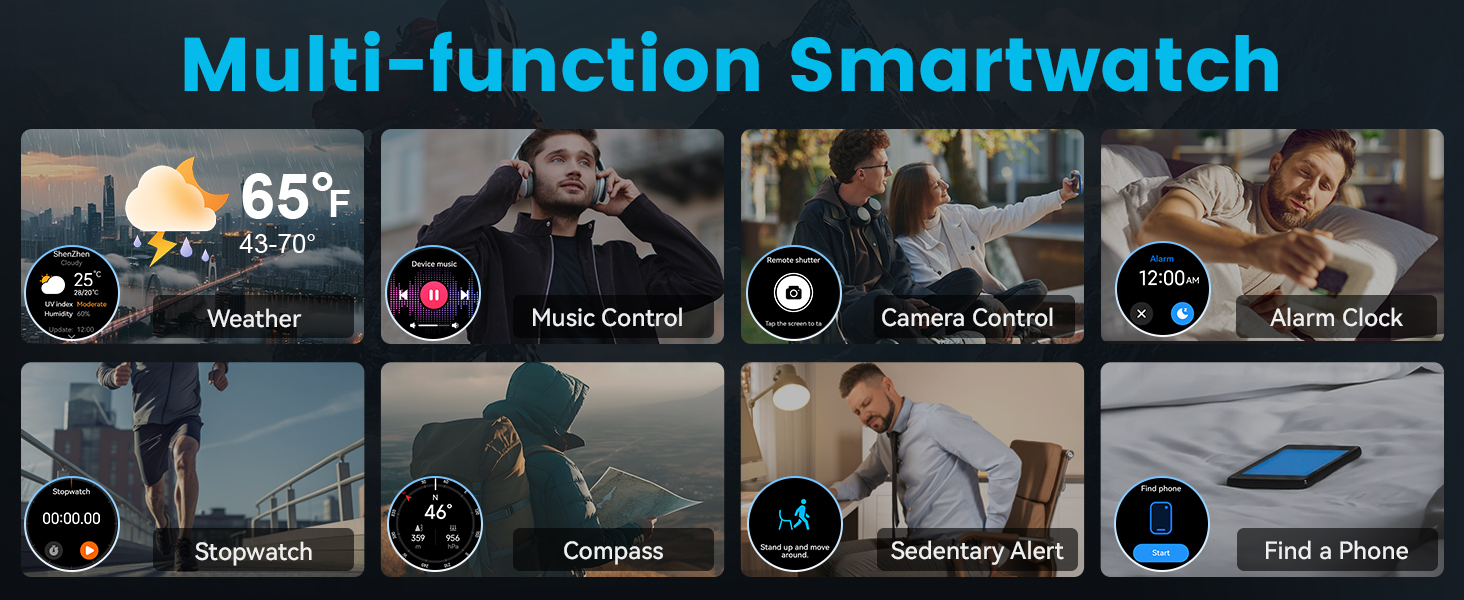
Image 3: A selection of customizable watch faces available for the LIGE DM1-F-US Smartwatch.
4.3 Bluetooth Calling & Message Notifications
The smartwatch supports Bluetooth 5.3 for seamless call and message management directly from your wrist.
- Making/Receiving Calls: Once paired, you can answer, reject, or make calls using the watch's built-in speaker and microphone.
- Message Notifications: Receive real-time alerts for calls, SMS, and social media apps (Facebook, WhatsApp, Gmail, etc.). The watch will vibrate to notify you of new messages.
Video 2: Highlights the 1.43-inch AMOLED screen of the LIGE DM1-F-US GPS sports smartwatch, demonstrating its vibrant display and potentially showing call/notification features.
4.4 GPS and Navigation Features
The LIGE DM1-F-US integrates GPS, compass, and barometric altimeter for outdoor activities.
- GPS Tracking: Supports GLONASS, Beidou, Galileo, NAVIC, and QZSS for accurate route tracking. Activate GPS in open areas for best performance.
- Compass: Provides directional guidance. Calibrate the compass by moving the watch in a figure-eight motion if accuracy issues arise.
- Barometric Altimeter: Displays current altitude and atmospheric pressure.
Video 3: Provides instructions on how to use the GPS functionality of the LIGE DM1-F-US smartwatch for men, including tracking routes during outdoor activities.

Image 4: The LIGE DM1-F-US Smartwatch displaying GPS route tracking, mirrored on a smartphone.

Image 5: The LIGE DM1-F-US Smartwatch displaying compass direction, altitude, and barometric pressure.
4.5 LED Flashlight
The smartwatch is equipped with a powerful LED flashlight for various situations.
- Activation: Access the flashlight function from the quick settings menu (swipe down from the watch face) or through a designated side button.
- Usage: Suitable for camping, emergencies, or finding items in low-light conditions.

Image 6: The LIGE DM1-F-US Smartwatch's LED flashlight illuminating a dark environment.
5. Health Monitoring
The LIGE DM1-F-US provides comprehensive health monitoring features.
5.1 Heart Rate, Blood Oxygen, Blood Pressure
Monitor your vital signs in real-time:
- Access: Navigate to the respective health monitoring sections on your watch or through the app.
- Measurement: Ensure the watch is snugly fitted on your wrist for accurate readings. Remain still during measurements.

Image 7: The LIGE DM1-F-US Smartwatch displaying heart rate, blood oxygen, and stress levels.
5.2 Sleep Tracking
The smartwatch intelligently recognizes different sleep stages (light, deep, REM, awake) to help you understand and improve your sleep patterns.
- Activation: Wear the watch to bed. Sleep tracking is automatic.
- Data Review: View detailed sleep analysis in the companion app.

Image 8: The LIGE DM1-F-US Smartwatch displaying sleep stages and duration.
Note: Health monitoring data is for reference only and cannot be used for professional medical diagnosis.
6. Sports Modes and Fitness Tracking
The LIGE DM1-F-US supports over 100 sports modes, tracking steps, distance, calories, and heart rate in real-time.
6.1 Activating a Sports Mode
- Navigate to the 'Workout' section on your watch.
- Select your desired sports mode (e.g., Outdoor Run, Outdoor Cycle, Swimming).
- Tap 'GO' to start the activity. Ensure GPS is active for outdoor activities.
- Tap to pause or end the workout.

Image 9: The LIGE DM1-F-US Smartwatch displaying a selection of its numerous sports modes.
6.2 Waterproof Rating (IP68)
The watch has an IP68 waterproof rating, making it suitable for daily handwashing, swimming, and use in rainy conditions. It supports swimming modes for freestyle, breaststroke, backstroke, and butterfly.
Note: Not suitable for sea diving or hot water activities.

Image 10: The LIGE DM1-F-US Smartwatch being used underwater, demonstrating its IP68 waterproof capability.
7. Maintenance
- Cleaning: Regularly clean the watch and straps with a soft, dry cloth. For waterproof models, rinse with fresh water after exposure to sweat or saltwater.
- Charging: Use only the provided charging cable. Avoid exposing the charging contacts to moisture.
- Storage: Store the watch in a cool, dry place when not in use.
- Avoid Extreme Conditions: Do not expose the watch to extreme temperatures, strong impacts, or corrosive chemicals.
8. Troubleshooting
If you encounter issues with your LIGE DM1-F-US smartwatch, refer to the following common solutions:
| Issue | Possible Solution |
|---|---|
| Watch not turning on | Ensure the watch is fully charged. Press and hold the power button for several seconds. |
| Cannot pair with phone | Ensure Bluetooth is on, the app is installed, and the watch is within range. Restart both the watch and phone. Check app permissions. |
| Inaccurate GPS tracking | Ensure GPS is activated in an open outdoor area. Allow the watch time to acquire a satellite signal. |
| No notifications received | Check app notification permissions on your phone. Ensure the watch is connected via Bluetooth. Verify notification settings within the watch app. |
| Health data seems incorrect | Ensure the watch is worn snugly on your wrist. Remain still during measurements. Note that data is for reference only. |
| Short battery life | Reduce screen brightness, disable unnecessary features (e.g., continuous heart rate monitoring if not needed), and ensure background app usage is optimized. |
9. Specifications
| Feature | Detail |
|---|---|
| Model Number | DM1-F-US |
| Screen Size | 1.43 inches AMOLED |
| Battery Capacity | 600 mAh Lithium Polymer |
| Charging Time | Approx. 2.5 hours |
| Typical Usage Battery Life | 5-7 days |
| Standby Time | Up to 45 days |
| Waterproof Rating | IP68 |
| Connectivity | Bluetooth 5.3 |
| GPS | Built-in GPS (GLONASS, Beidou, Galileo, NAVIC, QZSS) |
| Operating System Compatibility | iOS 11.0+ (calls require iOS 13+), Android 5.0+ |
| Special Features | Compass, LED Flashlight, 100+ Sports Modes, Heart Rate Monitor, Blood Oxygen Monitor, Blood Pressure Monitor, Sleep Monitor, Bluetooth Calling, Message Notifications, Music Control, Camera Control, Weather Forecast, Alarm Clock, Timer, Stopwatch, Pedometer, Sedentary Reminder, Find Phone/Watch. |
| Product Dimensions | 8.11 x 3.78 x 0.87 inches |
| Item Weight | 2.82 ounces |
10. Warranty and Support
LIGE smartwatches come with a 24-month warranty. For any issues regarding accessories, quality, operation, or charging, please contact our customer service team. We are committed to providing a solution within 24 hours.
Contact Support: Refer to the contact information provided in your product packaging or visit the official LIGE website for support options.
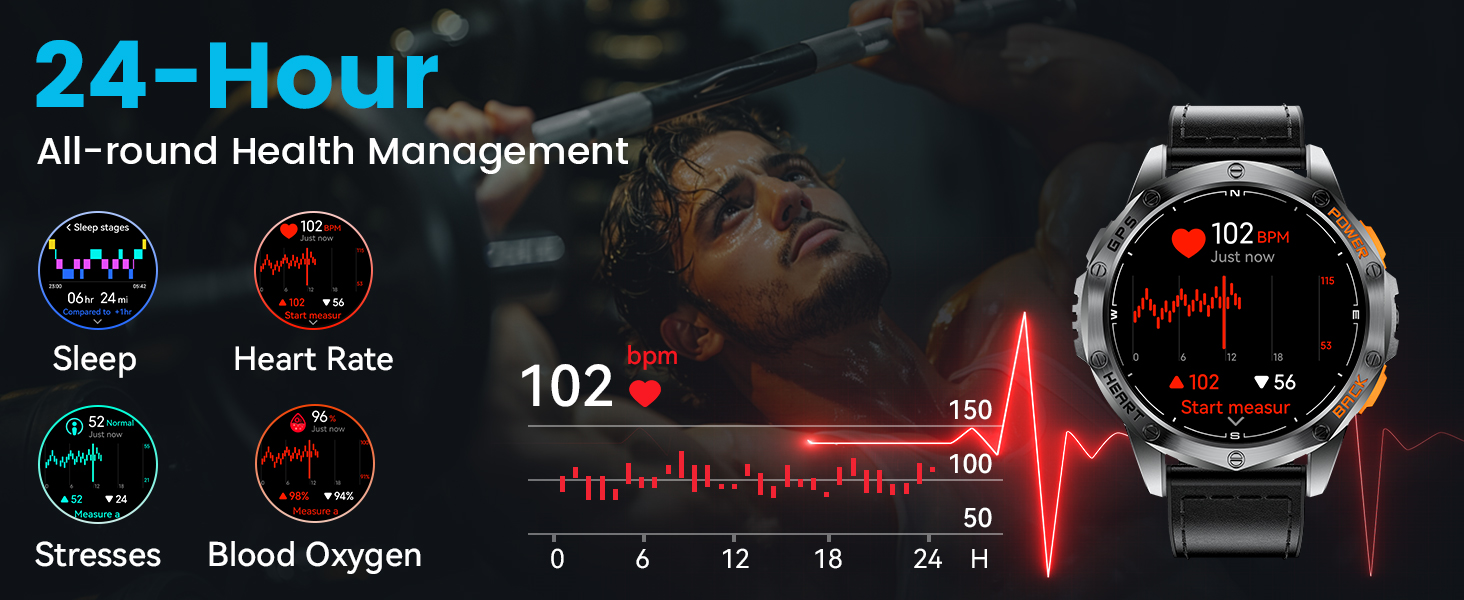
Image 11: LIGE customer service details, including 24-month warranty and 24-hour online support.


