
LIGE BW1847-A
LIGE Smartwatch User Manual
Model: BW1847-A
Introduction
Thank you for choosing the LIGE Smartwatch. This manual provides essential information for setting up, operating, and maintaining your device. Please read it carefully before use to ensure optimal performance and longevity of your smartwatch.
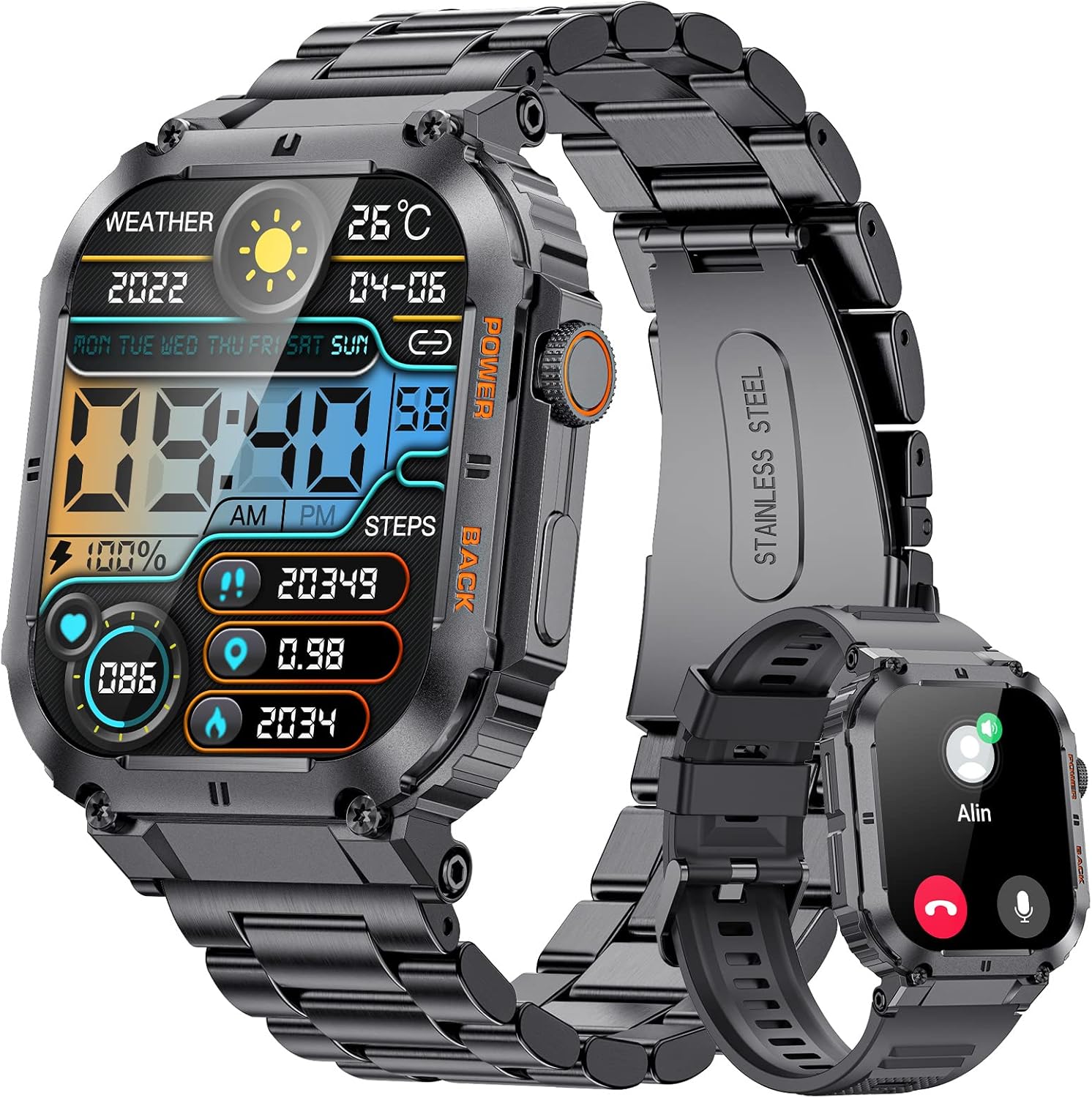
Image: The LIGE Smartwatch, showcasing its design with both metal and silicone strap options. The watch face displays time, date, weather, battery, steps, and calories.
What's in the Box
- Smartwatch x 1
- Stainless Steel Bracelet x 1
- Silicone Strap x 1
- Charging Cable x 1
- 2-Year Warranty Card x 1
Setup
1. Charging the Smartwatch
Before first use, fully charge your smartwatch. Connect the magnetic charging cable to the charging points on the back of the watch and plug the USB end into a power adapter (not included) or a computer's USB port. A full charge takes approximately 2 hours.
2. App Installation and Pairing
To unlock the full features of your smartwatch, download the companion app on your smartphone. The smartwatch is compatible with Android and iOS operating systems.
- Scan the QR code in the watch manual or search for the app name (usually mentioned in the watch's initial setup screen or packaging) in your phone's app store (Google Play Store for Android, Apple App Store for iOS).
- Install the app and open it.
- Enable Bluetooth on your smartphone.
- In the app, follow the on-screen instructions to search for and pair with your LIGE Smartwatch. Ensure the watch is powered on and discoverable.
- Confirm the pairing request on both your phone and the smartwatch.
Note: For optimal performance, grant all necessary permissions to the app when prompted.
Operating Instructions
Basic Navigation
- Touchscreen: Swipe left/right, up/down to navigate through menus and features. Tap to select.
- Side Buttons: The smartwatch features physical buttons for power on/off, returning to the home screen, or accessing specific functions. Refer to the watch's on-screen prompts for specific button actions.
Key Features
- Bluetooth Calls: Make and receive calls directly from your smartwatch. Ensure your watch is connected to your phone via Bluetooth.
- Message Notifications: Receive SMS, social media, and app notifications directly on your wrist.
- AI Voice Assistant: Use voice commands for various functions.
- Health Monitoring:
- Pedometer: Tracks your daily steps.
- Calorie Counter: Estimates calories burned based on activity.
- Heart Rate Monitor: Measures your heart rate throughout the day.
- Blood Pressure & Blood Oxygen: Provides readings for these metrics.
- Sleep Monitoring: Analyzes your sleep patterns.
- Stress Tracker: Monitors stress levels.
- Women's Health: Specific tracking features for women.
- Sports Modes: Over 100 sports modes to track various activities.
- Remote Camera Control: Control your smartphone camera remotely from the watch.
- Music Control: Play, pause, skip tracks on your phone's music player.
- Weather Forecast: Get real-time weather updates.
- Alarms & Timers: Set alarms and use stopwatch/timer functions.
- Sedentary Reminder & Drink Water Reminder: Prompts to move or hydrate.

Image: The LIGE Smartwatch screen showing incoming message notifications from various social media and messaging applications.

Image: A visual representation of the LIGE Smartwatch's health tracking capabilities, including displays for blood pressure, blood oxygen, heart rate, and sleep monitoring, with a person cycling in the background.
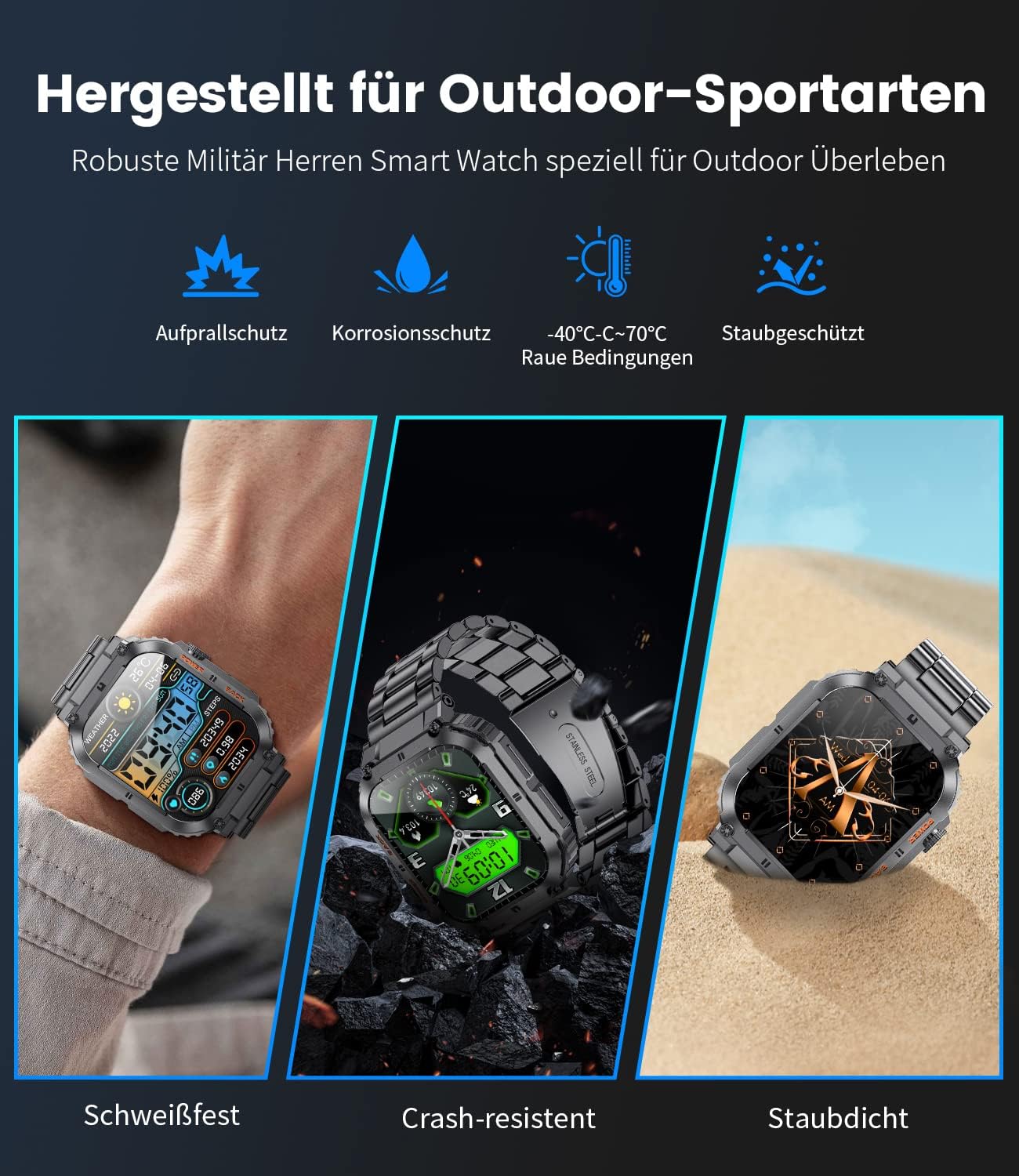
Image: The LIGE Smartwatch showing its AI voice assistant and Bluetooth call functionality, with a user interacting with the watch to make a call and ask about the weather.

Image: The LIGE Smartwatch screen showing a selection of over 100 sport modes, with a runner in the background, highlighting features like calorie burn, distance, and step tracking.
Maintenance
- Cleaning: Wipe the watch and straps regularly with a soft, dry cloth. For stubborn dirt, use a slightly damp cloth and then dry thoroughly.
- Water Resistance: The smartwatch is designed for daily use and is sweat-resistant and splash-proof. Avoid prolonged immersion in water, hot water, or steam. Do not wear it while swimming or showering.
- Temperature: Avoid exposing the watch to extreme temperatures (below -40°C or above 70°C) as this can affect battery life and performance.
- Impact: While designed to be robust and crash-resistant, avoid dropping the watch or subjecting it to strong impacts.
- Charging: Use only the provided charging cable. Do not use damaged cables or chargers.

Image: The LIGE Smartwatch highlighting its robust design for outdoor sports, emphasizing features such as impact protection, corrosion protection, and dust resistance, with visuals of the watch in various rugged environments.
Troubleshooting
| Problem | Possible Solution |
|---|---|
| Watch not turning on | Ensure the watch is fully charged. Press and hold the power button for several seconds. |
| Cannot pair with phone |
|
| Inaccurate health data | Ensure the watch is worn snugly on your wrist, about one finger's width from the wrist bone. Clean the sensor on the back of the watch. |
| Notifications not appearing |
|
Specifications
| Feature | Detail |
|---|---|
| Model Number | BW1847-A |
| Screen Size | 1.96 Inches |
| Battery Capacity | 400 mAh (Lithium Polymer) |
| Charging Time | Approx. 2 Hours |
| Typical Battery Life | Up to 10 Days |
| Memory Capacity | 128 MB |
| Connectivity | Bluetooth |
| Compatible OS | Android / iOS |
| Weight | 100 g |
| Dimensions | 20.4 x 9.7 x 2.5 cm (Package) |
| Input Interface | Touchscreen, Buttons |
| Special Features | Bluetooth Call/Answer, Music Control, Message Notifications, Password Protection, Pedometer, Stress Tracker, Calorie Counter, Stopwatch, Breathing Exercises, Women's Health, Water/Sedentary Reminders, AI Voice Assistant, 100+ Sport Modes, Alarm, Remote Camera Control. |
Warranty and Support
Your LIGE Smartwatch comes with a 2-year warranty card included in the box. Please retain your proof of purchase for warranty claims.
For technical support, troubleshooting assistance beyond this manual, or warranty inquiries, please contact LIGE customer service through the contact information provided on the warranty card or the official LIGE website.
Note: Software updates may be released periodically to improve performance and add new features. Ensure your app and smartwatch firmware are kept up to date.
Related documentsBW1847-A

Ask a question about this manual
Ask about setup, troubleshooting, compatibility, parts, safety, or missing instructions. Manuals+ will review the question and use this page’s manual context to help answer it.