
TP-Link Tapo C206
TP-Link Tapo C206 Mini Surveillance Camera User Manual
Model: Tapo C206 | Brand: TP-Link
1. Introduction
The TP-Link Tapo C206 is a compact and powerful 1080p surveillance camera designed for both indoor and outdoor use. It offers extensive room surveillance with its 360° swivel and tilt function, ensuring comprehensive coverage. Equipped with intelligent AI detection, the camera can reliably distinguish between people and other movements, sending instant notifications when necessary. Its built-in night vision provides clear images even in total darkness. Recordings can be stored locally on a microSD card (up to 512GB) or securely via Tapo Care Cloud services. Thanks to two-way audio, you can communicate with family or visitors at any time. The easy-to-use Tapo app gives you access to live views and recordings around the world.

Figure 1.1: Front view of the Tapo C206 surveillance camera, showcasing its compact design and lens.
2. Key Features
- Compact Design: Discreetly sized at 105.3 × 77.8 × 69.8 mm, suitable for various indoor and outdoor placements.
- 360° Pan/Tilt Coverage: Offers 360° horizontal and 146° vertical rotation for complete surveillance without blind spots.
- Smart AI Detection: Advanced AI detects people and crying babies, sending immediate notifications.
- IP65 Weather Resistance: Designed to withstand outdoor conditions, being waterproof and dustproof.
- Motion Detection and Tracking: Automatically tracks detected movements, keeping subjects in view.
- Color Night Vision: Provides vivid color images even in low-light conditions or total darkness, enhanced by built-in headlights.
- Two-Way Audio: Communicate clearly with visitors or family using the integrated microphone and speaker.
- Flexible Storage Options: Supports local storage on a microSD card (up to 512GB) and secure cloud recording via Tapo Care services.
- Smart Home Integration: Compatible with Amazon Alexa, Google Assistant, and Samsung SmartThings for convenient voice control.
- Multiple Installation Options: Can be mounted on walls, ceilings, tables, or masts.
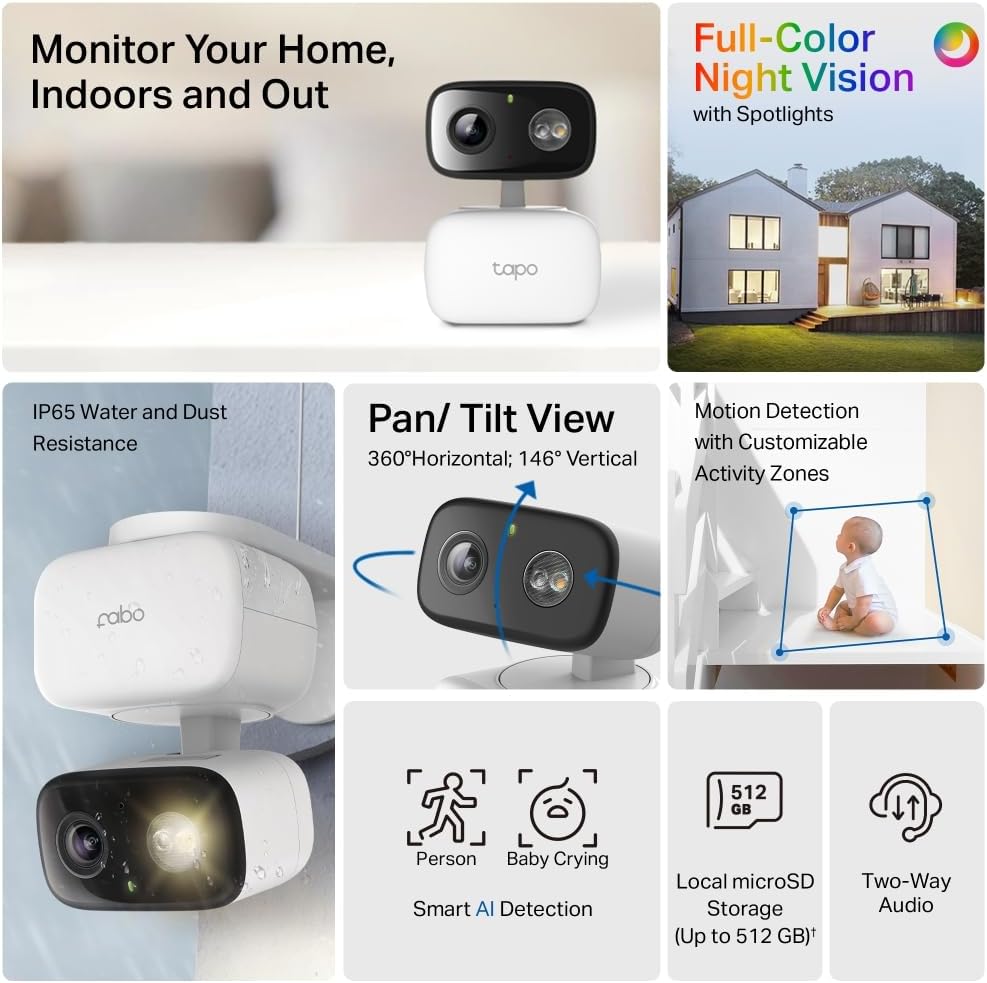
Figure 2.1: Overview of key features, highlighting full-color night vision, IP65 weather resistance, pan/tilt view, smart AI detection, local storage, and two-way audio.
3. Setup Guide
3.1 Unboxing and Initial Power-Up
- Carefully unbox your Tapo C206 camera and its accessories.
- Connect the power adapter to the camera's power port and plug it into a power outlet. The camera's LED indicator will light up.

Figure 3.1: The Tapo C206 product packaging, indicating the camera's model and key features.
3.2 Tapo App Installation and Camera Pairing
- Download the Tapo app from the App Store (iOS) or Google Play Store (Android).
- Open the Tapo app and create a TP-Link ID or log in if you already have one.
- Tap the "+" icon in the app to add a new device. Select your Tapo C206 model from the list.
- Follow the on-screen instructions in the app to connect the camera to your Wi-Fi network (2.4 GHz only).
- Once connected, you can name your camera and set its location.
3.3 Installation Options
The Tapo C206 offers versatile installation options to suit your needs:
- Table Mount: Simply place the camera on a flat surface like a table or shelf.
- Wall Mount: Use the provided mounting template and screws to secure the camera to a wall.
- Ceiling Mount: Attach the camera to the ceiling for an overhead view.
- Mast Mount: Secure the camera to a pole or mast using appropriate mounting accessories (sold separately if not included).

Figure 3.2: Side view of the Tapo C206 camera, demonstrating its potential for wall mounting.
4. Operating Instructions
4.1 Live View and Pan/Tilt Control
Once connected, open the Tapo app to access the live view of your camera. You can control the camera's pan (horizontal) and tilt (vertical) movements directly from the app to adjust the viewing angle. The camera offers 360° horizontal and 146° vertical coverage.

Figure 4.1: Illustration of the camera's pan and tilt capabilities, showing its 360° horizontal and 146° vertical range.
4.2 Smart AI Detection and Notifications
The Tapo C206 utilizes advanced AI to detect specific events. You will receive instant notifications on your smartphone when the camera detects people or crying babies. You can customize detection zones and sensitivity settings within the Tapo app to minimize false alerts.

Figure 4.2: Example of Smart Person Detection, where the camera identifies and highlights a person within its view.
4.3 Motion Detection and Tracking
The camera can automatically detect motion and track the moving object within its field of view. This ensures that any suspicious activity or movement is continuously monitored and recorded.

Figure 4.3: Illustration of Precise Smart Motion Tracking, showing the camera's ability to follow moving subjects like pets.
4.4 Color Night Vision
The Tapo C206 features color night vision with built-in headlights, allowing it to capture vivid, full-color images even in complete darkness, unlike traditional black-and-white night vision.
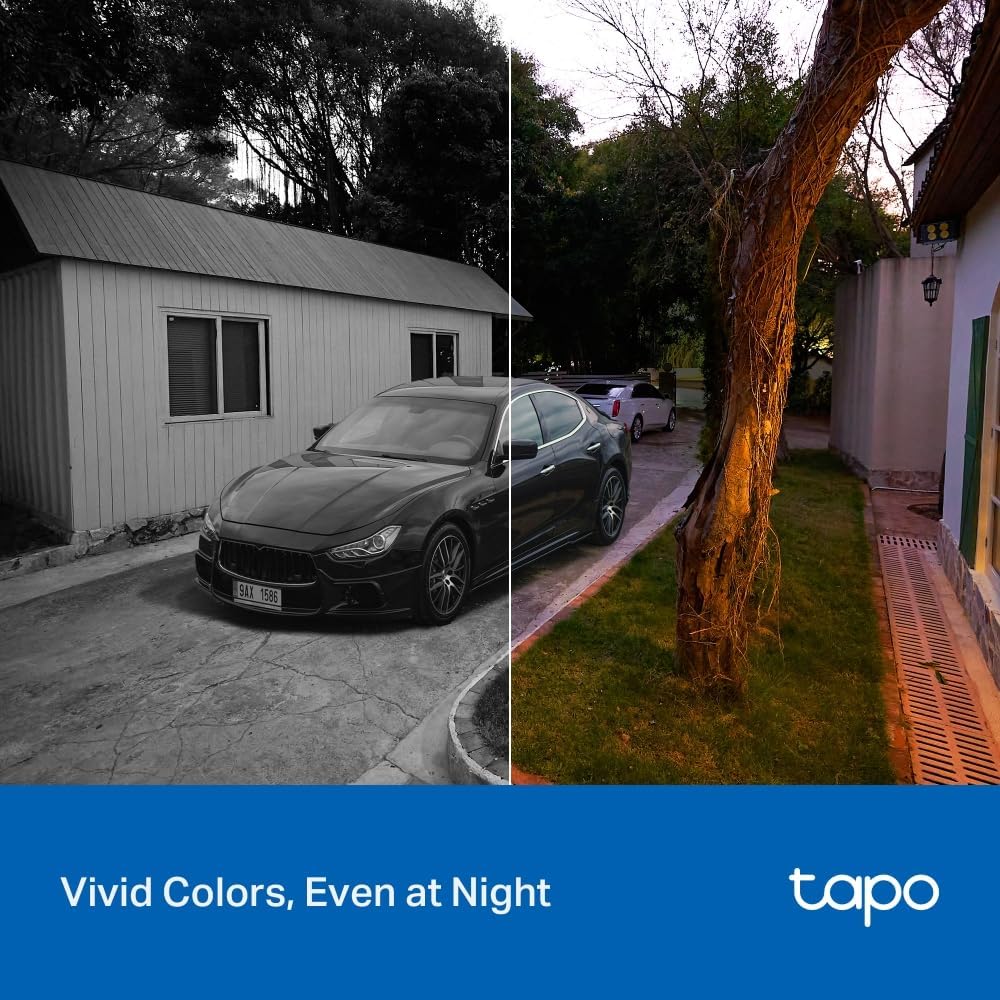
Figure 4.4: Comparison showing vivid colors captured by the camera at night, contrasting with typical black and white night vision.
4.5 Two-Way Audio
With the integrated microphone and speaker, you can engage in two-way communication through the camera. This feature is useful for speaking to family members, pets, or even deterring unwanted visitors.

Figure 4.5: Demonstration of two-way audio, allowing communication through the camera.
4.6 Storage Options
The Tapo C206 offers flexible recording storage solutions:
- Local Storage: Insert a microSD card (up to 512GB, not included) into the camera's slot for continuous or event-based recording.
- Cloud Storage: Subscribe to Tapo Care Cloud services for secure, off-site storage of your video recordings.

Figure 4.6: Visual representation of local storage capability (up to 512GB microSD) and cloud storage options via the Tapo app.
4.7 Smart Home Integration
Integrate your Tapo C206 camera with popular smart home ecosystems for enhanced control and automation:
- Amazon Alexa: Use voice commands to view live feeds on compatible Alexa devices.
- Google Assistant: Control your camera and view streams via Google Assistant-enabled devices.
- Samsung SmartThings: Incorporate the camera into your SmartThings routines for seamless home automation.
5. Maintenance
Regular maintenance ensures the optimal performance and longevity of your Tapo C206 camera.
- Cleaning: Gently wipe the camera lens and body with a soft, dry cloth. Avoid using harsh chemicals or abrasive materials that could scratch the lens or damage the casing.
- Firmware Updates: Periodically check for and install firmware updates via the Tapo app. Updates often include performance improvements, new features, and security enhancements.
- Power Cycle: If the camera becomes unresponsive, try unplugging it from the power source for a few seconds and then plugging it back in.
- MicroSD Card Management: If using local storage, regularly check the status of your microSD card in the app. Format the card periodically to maintain performance and free up space.

Figure 5.1: The camera's IP65 weather resistance, indicating its durability for outdoor use, but still requiring periodic cleaning.
6. Troubleshooting
If you encounter issues with your Tapo C206 camera, refer to the following common troubleshooting steps:
| Problem | Possible Solution |
|---|---|
| Camera offline/Cannot connect to Wi-Fi |
|
| Poor video quality |
|
| Notifications not received |
|
| MicroSD card not recognized/recording |
|
7. Specifications
| Feature | Detail |
|---|---|
| Product Dimensions | 10.53 x 7.78 x 6.98 cm |
| Weight | 500 g |
| Manufacturer | TP-Link |
| Model Name | Tapo C206 |
| Connectivity Technology | WiFi 2.4 GHz |
| Special Features | Compact size, Two-way audio, Color Night Vision, AI Detection, Motion Tracking, IP65 Weather Resistance |
| Indoor/Outdoor Use | Outdoor (also suitable for indoor) |
| Power Source | Electric Cable |
| Controller Type | Amazon Alexa, Google Assistant, Samsung SmartThings |
| Mounting Type | Table Mount, Wall Mount, Ceiling Mount, Mast Mount |
| Video Capture Resolution | 1080p Full HD |
| MicroSD Card Support | Up to 512GB |
8. Warranty and Support
For warranty information specific to your region and purchase, please refer to the warranty card included with your product or visit the official TP-Link website. TP-Link provides technical support for its products.
If you require further assistance or have questions not covered in this manual, please contact TP-Link Customer Support:
- Online Support: Visit TP-Link Support Website for FAQs, troubleshooting guides, and contact options.
- Tapo App: The Tapo app often includes a "Help & Feedback" section where you can find support resources or submit a query.
Ask a question about this manual
Ask about setup, troubleshooting, compatibility, parts, safety, or missing instructions. Manuals+ will review the question and use this page’s manual context to help answer it.