
Blackview BL7000
Blackview BL7000 AI 5G Rugged Phone User Manual
Model: BL7000
1. Product Overview
The Blackview BL7000 is a rugged smartphone designed for durability and performance. It features advanced AI capabilities, 5G connectivity, a high-resolution display, and a robust camera system, all powered by Android 15.

Image: Front and back view of the Blackview BL7000 AI 5G Rugged Phone, showcasing its design and camera module.
2. What's in the Box
Verify that all items are present in the product packaging:
- Blackview BL7000 Smartphone
- Charger
- USB charging cable
- SIM slot opener
- User Manuals
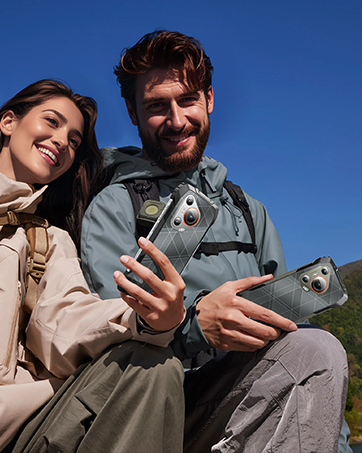
Image: Illustration of the Blackview BL7000 smartphone and its included accessories: charger, USB cable, SIM tool, and user manuals.
3. Setup
3.1 SIM Card Installation
- Locate the SIM card tray on the side of the device.
- Insert the SIM slot opener into the small hole next to the tray and press gently until the tray ejects.
- Place your Nano-SIM cards and/or TF (microSD) card into the designated slots on the tray. Ensure correct orientation.
- Carefully reinsert the tray into the phone until it is flush with the device body.
Note on Network Compatibility: The Blackview BL7000 supports dual SIM cards and is compatible with T-Mobile. It is not compatible with CDMA carriers such as AT&T, Cricket Wireless, Verizon, Straight Talk, or U.S. Cellular.

Image: Diagram showing the dual SIM card slot and TF card expansion on the Blackview BL7000, along with other features like GPS, fingerprint, Face ID, NFC, and the customizable shortcut button.
3.2 Initial Power On and Setup
- Press and hold the Power button until the Blackview logo appears.
- Follow the on-screen prompts to complete the initial setup, including language selection, Wi-Fi connection, Google account login, and security settings.
3.3 Security Features Setup
- Fingerprint Unlock: Navigate to Settings > Security & privacy > Fingerprint unlock to register your fingerprints.
- Face ID Unlock: Navigate to Settings > Security & privacy > Face unlock to set up facial recognition.
4. Operating Instructions
4.1 Basic Navigation
The Blackview BL7000 operates on Android 15 with Doke OS 4.1. Use standard Android gestures for navigation:
- Swipe up from the bottom: Go to Home screen.
- Swipe up and hold: Open recent apps.
- Swipe from the left or right edge: Go back.
- Tap: Select an item.
- Long press: Access contextual menus or move icons.
4.2 AI Features (Doke AI & Gemini 2.0)
The BL7000 integrates advanced AI capabilities to enhance user experience:
- Smart Q&A: Ask questions and receive intelligent responses.
- Voice Chat: Engage in natural language conversations with the AI assistant.
- Predictive Text: Improved text input with smart suggestions.
- Doke AI Apps: Explore dedicated applications for image editing, video creation, and music generation.

Image: Overview of Doke AI features including Smart Q&A, voice interaction, and AI-powered apps for image, video, and music creation.
4.3 Camera Operation
The BL7000 features a versatile camera system:
- 50MP AI Main Camera: For high-resolution photos with AI enhancements.
- 32MP Self-facing Camera: For clear selfies.
- 20MP Night Vision Camera: Utilizes advanced ISOCELL 2.0 Technology for low-light photography. Access this mode in the camera app for enhanced visibility in dark environments.
- AI Capabilities: The camera app includes features like magic eraser, photo unblur, sky replacement, and color focus.

Image: Diagram illustrating the Blackview BL7000's camera setup, highlighting the 50MP main, 32MP self-facing, and 20MP night vision cameras.
4.4 Display Features
The 6.78-inch 2.4K display offers a smooth visual experience:
- 120Hz Refresh Rate: Provides fluid scrolling and animations. The intelligent adaptive refresh rate adjusts dynamically for optimal performance and power efficiency.
- 2460x1080 Resolution: Ensures sharp and clear visuals.
- 750 nits Brightness: Offers good visibility even in bright outdoor conditions.

Image: The Blackview BL7000 display showcasing its 120Hz refresh rate and 2.4K resolution for smooth and detailed visuals.
4.5 Connectivity
- 5G Connectivity: Supports high-speed 5G networks.
- Bluetooth 5.2: For stable and fast wireless connections with accessories.
- NFC: For convenient contactless payments and data sharing.
- Wi-Fi: Supports standard Wi-Fi protocols for internet access.
- USB: For charging and data transfer.
4.6 Useful ToolBag and Shortcut Button
The BL7000 includes a pre-installed ToolBag app and a customizable shortcut button:
- ToolBag Apps: Compass, Height Measure, Flashlight, Sound Meter, Protractor, Mirror, Warning, Magnifier, Pic Hanging, Plumb Bob, Barometer, Step Count.
- Customized Shortcut Button: This physical button can be configured for quick access to functions such as starting sound recording, opening the flashlight, taking a screenshot, Push-to-Talk (PTT), SOS emergency call, or opening game mode.
5. Maintenance
5.1 Battery Management
- The BL7000 is equipped with a 7500mAh battery.
- Use the provided 33W fast charger for quick recharging. A 30-minute charge can provide approximately 40% battery.
- OTG Reverse Charging: The phone can act as a power bank to charge other devices. Connect a compatible OTG cable to your BL7000 and then to the device you wish to charge.

Image: Diagram showing the internal battery structure and the 33W fast charging capability of the Blackview BL7000.
5.2 Ruggedness and Durability
The BL7000 is built to withstand harsh environments:
- Waterproof (IP68 & IP69K): Submersible up to 1.5 meters for 30 minutes.
- Dust-proof (IP68 & IP69K): Protected against dust ingress.
- Drop-proof (MIL-STD-810H): Certified to military standards for durability against drops.
- Corning Gorilla Glass 5: Protects the screen from scratches and impacts.
- Operating Temperature: Designed to function in temperatures ranging from -20°C to +60°C.

Image: Visuals demonstrating the Blackview BL7000's MIL-STD-810H drop-proof certification and IP68/IP69K water and dust resistance, along with its operational temperature range.
5.3 Cleaning and Care
To maintain your device, wipe it with a soft, damp cloth. Avoid harsh chemicals or abrasive materials. Ensure all ports are dry before charging.
6. Troubleshooting
- No Network Connection:
- Ensure your SIM card is correctly inserted.
- Verify that your carrier is compatible with the Blackview BL7000 (T-Mobile compatible; not compatible with AT&T, Cricket Wireless, Verizon, Straight Talk, or U.S. Cellular).
- Check network settings (Settings > Network & internet > Mobile network).
- Restart the phone.
- Device Unresponsive:
- Press and hold the Power button for 10-15 seconds to force a restart.
- If the issue persists, ensure the battery is charged.
- Apps Crashing/Slow Performance:
- Close background applications.
- Clear app cache (Settings > Apps > [App Name] > Storage & cache > Clear cache).
- Ensure sufficient storage space is available.
- Consider a factory reset as a last resort (Settings > System > Reset options > Erase all data (factory reset)). Warning: This will delete all data on your phone. Back up important information first.
7. Specifications
| Feature | Specification |
|---|---|
| Model Name | BL7000 |
| Operating System | Android 15 (Doke OS 4.1) |
| Processor | MTK Dimensity 6300 (5G) |
| RAM | Up to 24GB (8GB physical + 16GB virtual) |
| Internal Storage | 256GB |
| Expandable Storage | Up to 2TB via TF card |
| Display Size | 6.78 inches |
| Display Resolution | 2460x1080 (2.4K) |
| Refresh Rate | 120Hz |
| Main Camera | 50MP AI Camera |
| Selfie Camera | 32MP Camera |
| Night Vision Camera | 20MP Camera |
| Battery Capacity | 7500mAh |
| Charging | 33W Fast Charging, OTG Reverse Charging |
| Durability Ratings | IP68, IP69K, MIL-STD-810H |
| Screen Protection | Corning Gorilla Glass 5 |
| Connectivity | 5G, Bluetooth 5.2, NFC, Wi-Fi, USB |
| Dimensions | 6.92 x 3.2 x 0.71 inches |
| Weight | 12.7 ounces (360 grams) |
8. Warranty and Support
- Warranty: The Blackview BL7000 comes with a 2-year warranty.
- Customer Service: Dedicated customer service is available for support.
- Quick Response: Expect 7/24 1v1 quick response for inquiries.
- Lifelong Support: Blackview provides lifelong support for its products.
- On-site Repair: On-site repair services may be available.
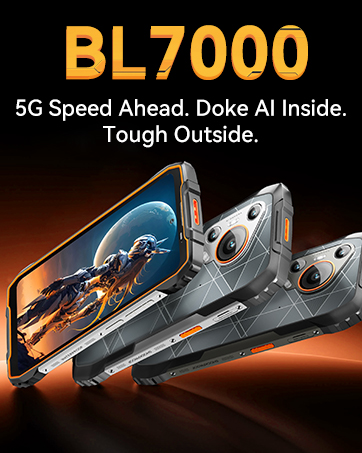
Image: A team of Blackview customer service representatives, symbolizing available support.
Related documentsBL7000


Ask a question about this manual
Ask about setup, troubleshooting, compatibility, parts, safety, or missing instructions. Manuals+ will review the question and use this page’s manual context to help answer it.