
Baseus Spacemate RD1 11-in-1(WIN)
Baseus Laptop Docking Station User Manual
Model: Spacemate RD1 11-in-1 (WIN)
Product Overview
The Baseus 11-in-1 Triple 4K Display HDMI/DP Docking Station is designed to expand your laptop's connectivity and enhance productivity. It offers a comprehensive set of ports for various peripherals, multiple display outputs, fast data transfer, and power delivery.

Image: Baseus 11-in-1 Docking Station with included 100W GaN power adapter.
Key Features:
- High-Spec 11-in-1 Expansion: Includes 2 HDMI ports, 2 DisplayPorts, 1 USB-C and 2 USB-A 10Gbps data ports, an additional USB-A 2.0 port, 100W USB-C PD input, Gigabit Ethernet, and a 3.5mm AUX jack.
- Efficient Triple Display for Windows: Supports up to 3 monitors in 4K resolution via HDMI and DisplayPort. Note: macOS supports only one extended display by default.
- 100W PD Fast Charging: Provides up to 85W power output to your laptop via the 100W PD port, with a high-quality 100W GaN power adapter included.
- Ultra-Fast 10Gbps Data Transfer: Equipped with USB 3.2 Gen 2 ports (1 USB-C and 2 USB-A) for rapid data transfer speeds.
- Innovative Upright Design with Screen-Lock: Sleek aluminum finish, vertical stand with magnetic base, and an 80cm cable. Features a built-in LED screen for port status and a screen-lock button for privacy.
Setup Guide
Package Contents:
- Baseus 11-in-1 Docking Station
- 100W GaN Power Adapter
- USB-C to USB-C Cable (80cm)
- User Manual (this document)
Initial Connection:
- Connect Power: Plug the included 100W GaN power adapter into a wall outlet, then connect its USB-C cable to the 100W PD input port on the docking station. The LED screen on the docking station will illuminate.
- Connect to Laptop: Use the provided USB-C to USB-C cable to connect your laptop's USB-C port (which supports video output and power delivery) to the designated USB-C input port on the docking station.
- Install Drivers (if necessary): For optimal performance, especially with multi-display setups on Windows, ensure your laptop's graphics drivers are up to date. In most cases, the docking station is plug-and-play.

Image: Detailed view of the 11-in-1 expansion ports on the Baseus docking station.
Operating Instructions
Connecting External Displays:
The docking station supports multiple display configurations. Connect your monitors to the available HDMI and DisplayPort outputs.
- Windows Systems: Supports triple display output (HDMI1+HDMI2+DP, or DP1+DP2+HDMI) for extended desktop functionality. You can extend your desktop across up to three external monitors at 4K resolution.
- macOS Systems: Due to macOS limitations, only one extended display is supported. Other connected monitors will mirror the content of the extended display.

Image: Example of a triple display setup for Windows users, showcasing efficient multitasking.

Image: Comparison of triple display capabilities on Windows (extended) versus macOS (mirrored).
Data Transfer and Peripherals:
- USB Data Ports: Utilize the USB 3.2 Gen 2 (1 USB-C, 2 USB-A) and USB-A 2.0 ports for connecting external hard drives, USB drives, keyboards, mice, and other peripherals. The 10Gbps ports enable fast data transfer.
- Gigabit Ethernet: Connect an Ethernet cable to the Gigabit Ethernet port for a stable and high-speed wired network connection.
- Audio Jack: Use the 3.5mm AUX jack to connect headphones, speakers, or microphones.
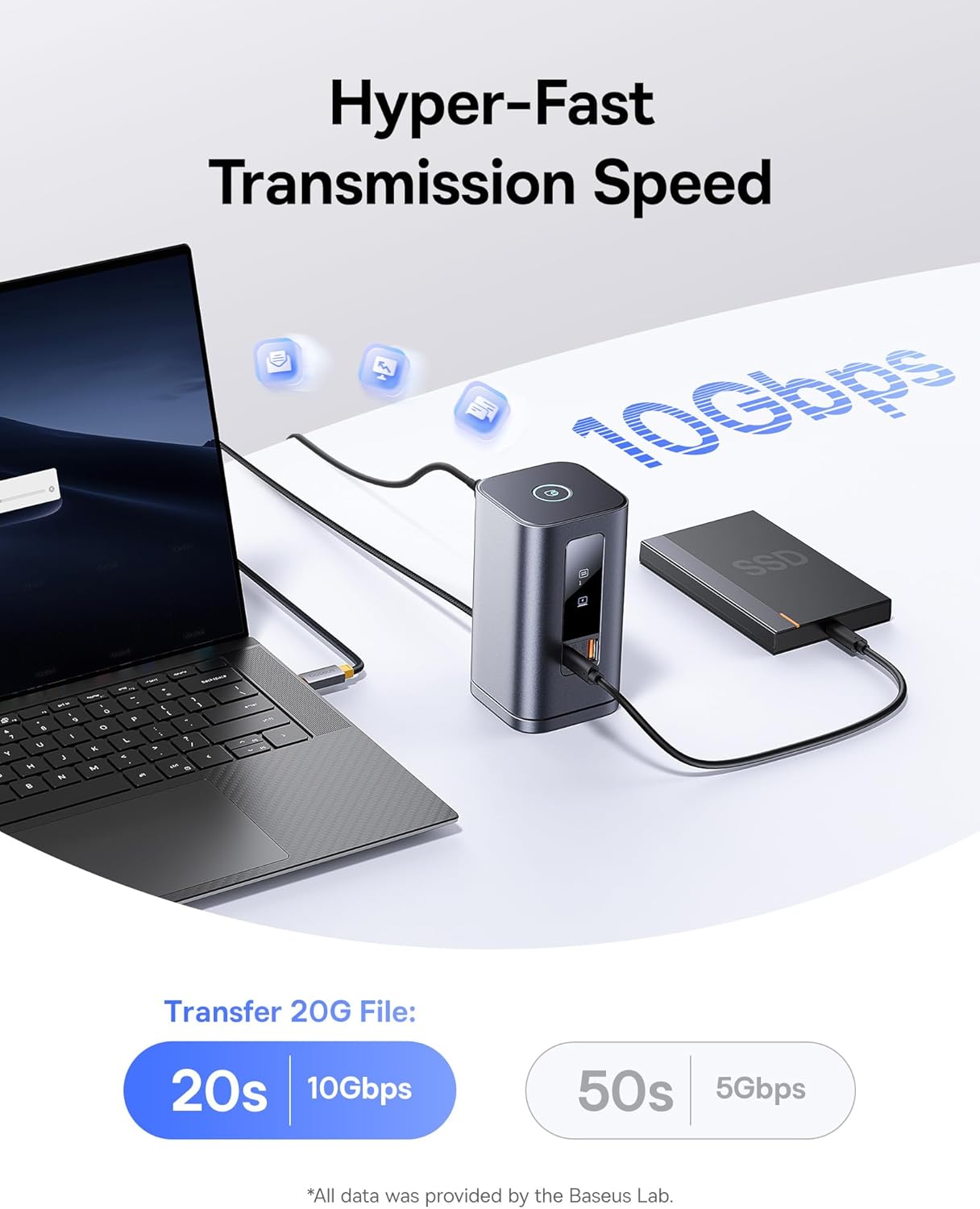
Image: Demonstrates the hyper-fast 10Gbps data transmission speed for large file transfers.
Power Delivery:
The 100W PD input port not only powers the docking station but also provides up to 85W pass-through charging to your connected laptop, ensuring your device remains charged during use.

Image: Illustrates the fast charging capability for laptops via the 100W Power Delivery port.
Screen Lock Function:
The docking station features a convenient screen-lock button on top. Press it once for Windows systems or twice for macOS to instantly lock your screen, protecting your privacy.
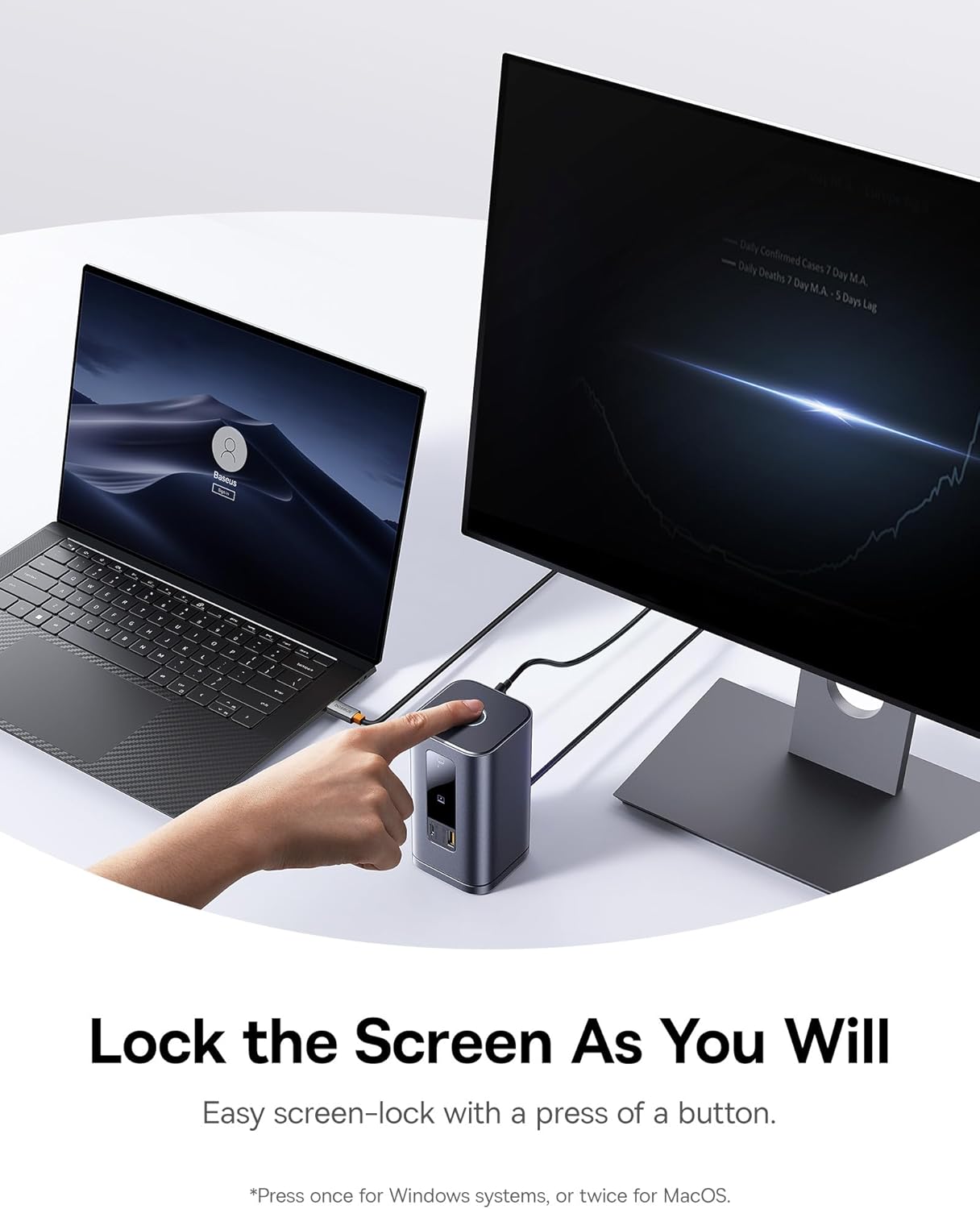
Image: Demonstrates the screen-lock button for quick privacy protection.
LED Digital Display:
The built-in LED screen provides real-time status of connected ports, indicating which ports are actively in use.

Image: Close-up of the smart digital display showing the operation info of each port.
Maintenance
- Cleaning: Use a soft, dry cloth to wipe the surface of the docking station. Avoid using liquid cleaners or aerosols.
- Storage: Store the docking station in a cool, dry place away from direct sunlight and extreme temperatures.
- Detachable Base: The gel pad on the detachable base can be cleaned with water and reused if it loses its stickiness. Ensure it is dry before reattaching.
Troubleshooting
- HDMI Screen Projection Issues: Select the correct HDMI signal source on your monitor/TV (e.g., HDMI 1 or 2). Refer to your monitor's manual for specific steps.
- Reminder About Heating: Heat generation during operation is normal. The docking station's built-in chip and multiple interfaces generate heat, which the metal shell effectively dissipates to prevent overheating and maintain stability.
- Multi-Screen Limitations on Macs: Mac computers do not support Multi-Stream Transport (MST) due to the Apple OS system's lack of multi-screen display functionality. Only one extended display is supported; others will mirror.
- Data Transmission Issues with Multiple Hard Drives: Connect a 100W PD Charger if the docking station is fully loaded or connected to multiple high-power hard drives to avoid power supply issues.
- How to Turn Off the Indicator Light: Press and hold the top button to deactivate the front indicator light.
- DELL Computer Power Warning with Third-Party Chargers: Some DELL PD protocols are proprietary, causing low-voltage charging reminders with third-party chargers. This does not affect normal charging.
Specifications
| Feature | Detail |
|---|---|
| Brand | Baseus |
| Model Number | Spacemate RD1 11-in-1 (WIN) |
| Product Dimensions | 6.61 x 2.76 x 9.53 inches |
| Item Weight | 2.23 pounds |
| Color | Grey |
| Number of Ports | 11 |
| Hardware Interface | Ethernet, HDMI, MicroSD, USB 2.0, USB 3.1 Type A, USB 3.1 Type C |
| Total HDMI Ports | 2 |
| Total USB Ports | 4 (1 USB-C 10Gbps, 2 USB-A 10Gbps, 1 USB-A 480Mbps) |
| Power Delivery | 100W PD Input (up to 85W output to laptop) |
| Compatible Devices | Windows/Dell/HP/Lenovo/Asus/Acer/Mac laptops, iPhone 15 Series, Samsung Galaxy S/Note series, ASUS ROG Ally / Steam Deck. (Note: macOS supports only one extended display) |
| UPC | 810196181885 |
Warranty and Support
For warranty information and technical support, please refer to the official Baseus website or contact their customer service directly. Keep your purchase receipt for warranty claims.
Online Resources:
- Baseus Official Website: www.baseus.com
- Product Support Page: (Check official website for specific product support page)
Related documentsSpacemate RD1 11-in-1(WIN)


Ask a question about this manual
Ask about setup, troubleshooting, compatibility, parts, safety, or missing instructions. Manuals+ will review the question and use this page’s manual context to help answer it.