Introduction
Thank you for choosing the Monster S150 Plus Portable Bluetooth Speaker. This manual provides essential information for setting up, operating, and maintaining your speaker to ensure optimal performance and longevity. Please read this manual thoroughly before using the product.
Safety Information
To prevent damage to your speaker or injury to yourself or others, please observe the following precautions:
- Do not expose the speaker to extreme temperatures, direct sunlight, or high humidity.
- While the speaker is IPX7 waterproof, avoid prolonged submersion or exposure to saltwater. Ensure the charging port cover is securely closed before exposing to water.
- Do not disassemble, repair, or modify the speaker. This will void the warranty and may cause damage.
- Use only the provided charging cable or a certified USB-C cable for charging.
- Keep the speaker away from medical devices, as its magnetic components may interfere with their operation.
- Clean the speaker with a soft, dry cloth. Do not use abrasive cleaners or solvents.
Package Contents
Please check the package for the following items:
- 1 x Monster S150 Plus Bluetooth Speaker
- 1 x Type-C Charging Cable
- 1 x User Manual

Image: Contents of the Monster S150 Plus package, including the speaker, charging cable, and user manual.
Product Overview
The Monster S150 Plus speaker features a robust design with intuitive controls and dynamic lighting. Familiarize yourself with its components:
Key Features:
- 40W Immersive Sound: Dual drivers deliver rich highs and powerful bass.
- Dynamic RGB Lights: Vibrant lighting that pulses to your music.
- IPX7 Waterproof: Resists splashes, rain, and brief submersion (up to 1m for 30 minutes).
- Bluetooth 6.0: Stable wireless streaming.
- Multiple Playback Options: Supports TF card (up to 256GB) and AUX input.
- Built-in Microphone: For hands-free calls.
- 15-Hour Playtime: Extended battery life for prolonged use.
- Durable Anti-Loss Strap: For easy portability.
Visual Components:
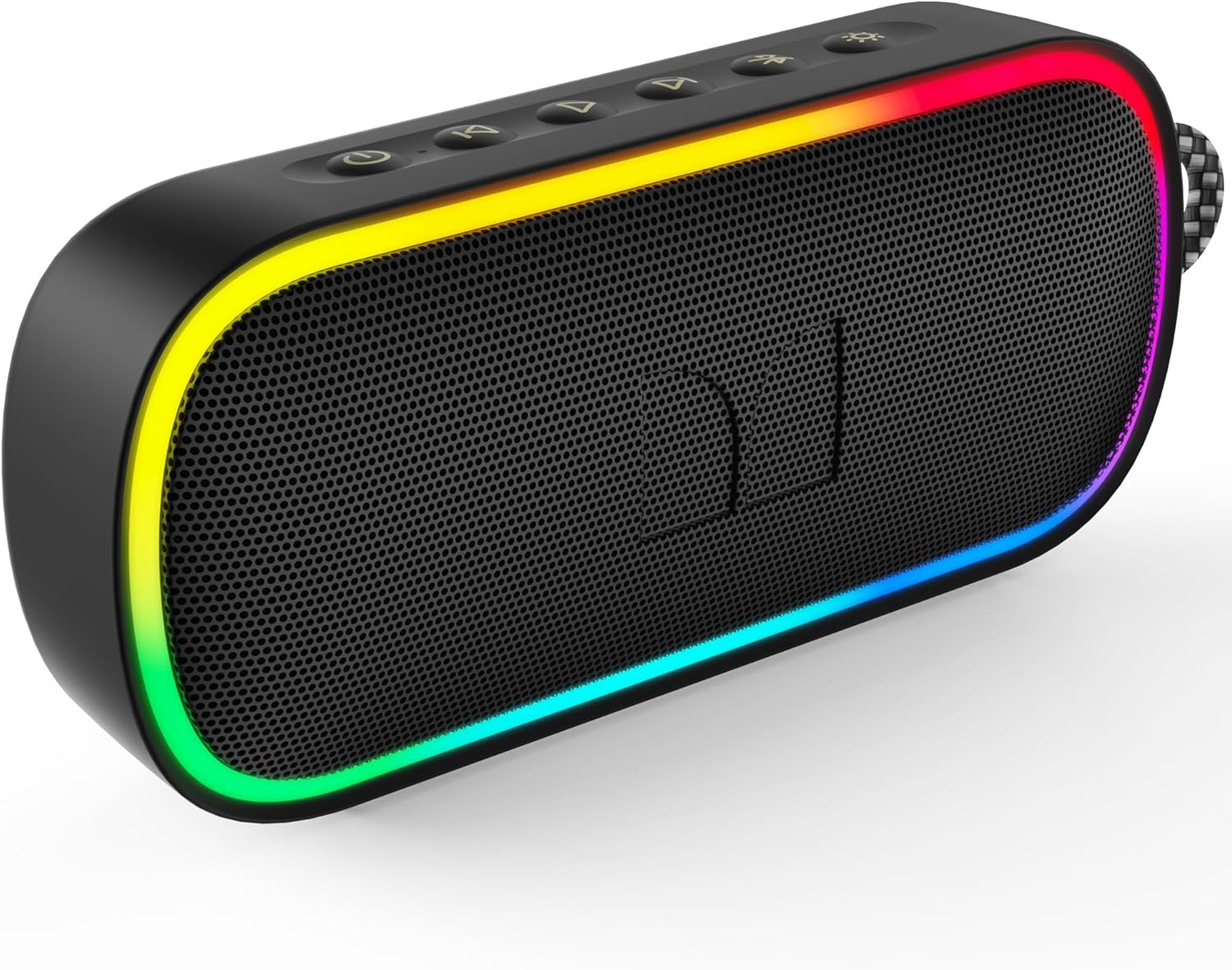
Image: Front view of the Monster S150 Plus speaker, showcasing its illuminated RGB light strips and control buttons on top.
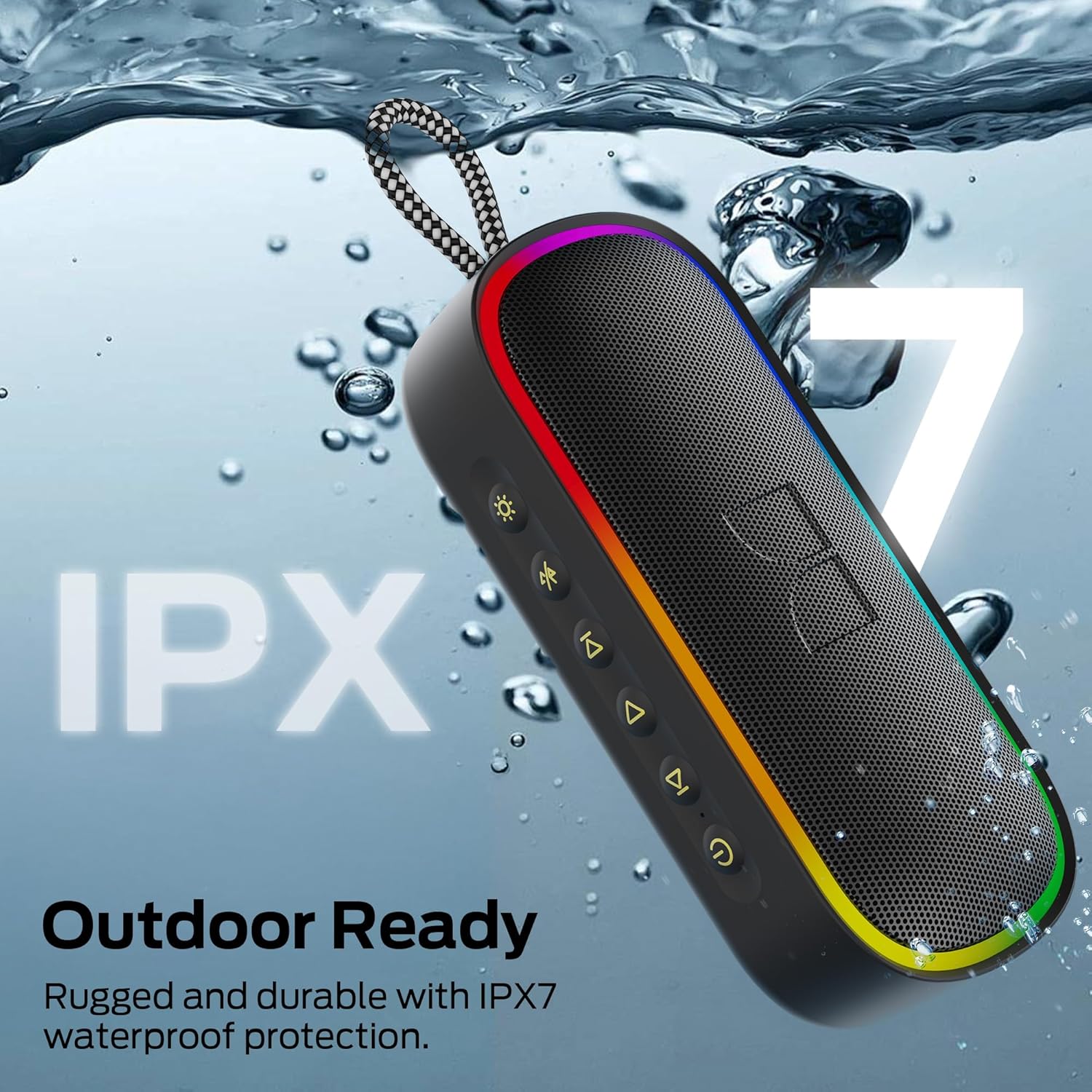
Image: The speaker being held in water, highlighting its IPX7 waterproof capability, suitable for outdoor and wet environments.

Image: An internal view illustrating the advanced Bluetooth 6.0 chip, indicating improved connectivity and power efficiency.

Image: A cutaway view of the speaker revealing its dual drivers, designed to deliver 40W of powerful stereo sound with deep bass.

Image: Detailed view of the speaker's universal compatibility ports, including AUX, USB-C for charging, and a TF card slot for direct media playback.
Video: A short demonstration of the Monster S150 Plus Portable Bluetooth Speaker's dynamic RGB lights and waterproof capabilities, highlighting its suitability for various environments.
Setup
1. Charging the Speaker:
- Connect the provided USB-C charging cable to the speaker's USB-C port.
- Connect the other end of the cable to a USB power adapter (not included) or a computer's USB port.
- The LED indicator will show charging status. A full charge typically takes 3-4 hours.
- Ensure the charging port cover is sealed tightly after charging to maintain IPX7 waterproof rating.
2. Powering On/Off:
- To power on, press and hold the Power button (symbol: circle with vertical line) for 2 seconds. You will hear an audible prompt.
- To power off, press and hold the Power button again for 2 seconds.
3. Bluetooth Pairing:
- Ensure the speaker is powered on and in Bluetooth pairing mode (LED indicator will flash blue).
- On your device (smartphone, tablet, etc.), enable Bluetooth and search for available devices.
- Select "Monster S150 Plus" from the list.
- Once paired, the LED indicator will turn solid blue, and you will hear a confirmation sound.
- The speaker will automatically reconnect to the last paired device when powered on, if within range.
Operating Instructions
Button Functions:
| Button | Function (Short Press) | Function (Long Press) |
|---|---|---|
| Power (symbol: circle with vertical line) | Play/Pause (Bluetooth/TF Card), Answer/End Call | Power On/Off |
| Volume Down (symbol: minus) | Decrease Volume | Previous Track |
| Volume Up (symbol: plus) | Increase Volume | Next Track |
| Mode (symbol: M) | Switch Playback Mode (Bluetooth/TF Card/AUX) | Disconnect Bluetooth |
| Light (symbol: sun/lightbulb) | Change RGB Light Mode | Turn RGB Lights On/Off |
Playback Modes:
- Bluetooth Mode: After successful pairing, audio from your device will play through the speaker.
- TF Card Mode: Insert a TF (microSD) card with MP3/WAV/FLAC audio files into the TF card slot. The speaker will automatically switch to TF card mode and begin playback.
- AUX Mode: Connect an audio device using a 3.5mm AUX cable (not included) to the AUX port. The speaker will automatically switch to AUX mode.
Hands-Free Calling:
- When a call comes in, the music will pause. Press the Power button once to answer.
- To end a call, press the Power button once.
- To reject a call, press and hold the Power button for 2 seconds.
Maintenance
- Cleaning: Wipe the speaker with a soft, damp cloth. Do not use harsh chemicals or abrasive materials.
- Storage: Store the speaker in a cool, dry place away from direct sunlight and extreme temperatures when not in use for extended periods.
- Battery Care: To prolong battery life, fully charge the speaker before first use and at least once every three months if not used regularly.
Troubleshooting
| Problem | Possible Cause | Solution |
|---|---|---|
| Speaker does not power on. | Low battery. | Charge the speaker fully. |
| Cannot pair with Bluetooth device. | Speaker not in pairing mode; device Bluetooth off; too far from speaker. | Ensure speaker is in pairing mode (flashing blue LED). Turn device Bluetooth off/on. Move device closer to speaker (within 10m). |
| No sound. | Volume too low; incorrect mode; device not playing. | Increase speaker and device volume. Press Mode button to switch to correct input. Ensure audio is playing on your device. |
| Sound distortion. | Volume too high; low battery; interference. | Reduce volume. Charge speaker. Move speaker away from other electronic devices. |
| Speaker not responding. | System error. | Use a thin object (like a paperclip) to press the Reset button located near the charging port. |
Specifications
| Feature | Detail |
|---|---|
| Brand | Monster |
| Model Name | Monster S150 Plus |
| Connectivity Technology | Wireless (Bluetooth 6.0) |
| Speaker Type | Built-In |
| Audio Output | 40W Peak |
| Water Resistance Level | IPX7 Waterproof |
| Playtime | Up to 15 hours |
| Charging Port | USB-C |
| Additional Inputs | TF Card (up to 256GB), AUX |
| Product Dimensions | 9"D x 2"W x 5"H |
| Item Weight | 1.43 pounds (0.65 Kilograms) |
| Batteries | 1 A battery (included) |
Warranty Information
Monster products are designed and manufactured to the highest quality standards. This product is covered by a limited warranty from the date of purchase. Please refer to the warranty card included in your package or visit the official Monster website for detailed warranty terms and conditions.
Customer Support
For technical assistance, troubleshooting, or general inquiries, please contact Monster customer support:
- Website: Visit the official Monster website for FAQs and support resources.
- Email: Refer to your product packaging or warranty card for support email address.
- Phone: Refer to your product packaging or warranty card for support phone number.
When contacting support, please have your product model number (Monster S150 Plus) and purchase information ready.


