
1. Introduction
This manual provides detailed instructions for the installation, operation, and maintenance of your eRapta ACT104 Wireless Backup Camera System. This system is designed to enhance safety and convenience for various vehicles, including RVs, campers, trucks, trailers, and tractors, through its wireless, magnetic cameras and 10.1-inch IPS DVR monitor. Please read this manual thoroughly before using the product to ensure proper function and longevity.
2. Product Overview
2.1 Package Contents
Verify that all components listed below are included in your package:
- 10.1" IPS Monitor (x1)
- Magnetic Cameras (x4 for 10 inch-4 cameras variant)
- Antennas (x5)
- Car Charger (x1)
- U-shaped Bracket (x1)
- Fan-shaped Bracket (x1)
- Type-C Cable (x1)
- Camera Screws
- Screen Installation Tool

3. Setup & Installation
3.1 Camera Installation
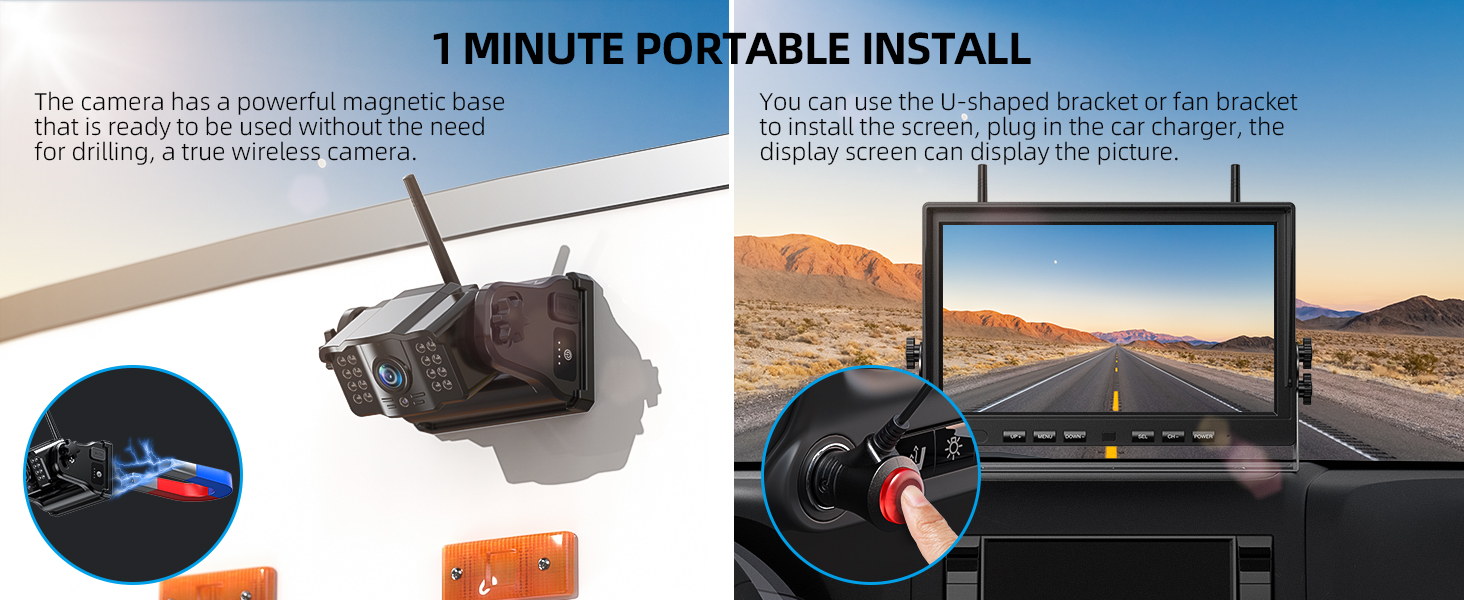
The eRapta ACT104 cameras feature a strong magnetic base for quick and easy installation without drilling or wiring. Simply attach the camera to any metal surface on your vehicle where you require a view (e.g., rear, front, or side). Ensure the camera is securely mounted.
3.2 Monitor Power Connection
Power the 10.1-inch IPS monitor by plugging the included car charger into your vehicle's cigarette lighter socket. The monitor will automatically power on once connected.
4. Operating Instructions
4.1 Monitor Functions
The monitor features intuitive buttons for navigation and control:
- Power Button: Turns the monitor on or off.
- Menu Button: Accesses system settings.
- UP/DOWN Buttons: Navigates through menu options or adjusts settings.
- SEL (Select) Button: Confirms selections.
- CH (Channel) Button: Switches between camera views.
4.2 Screen Modes (Full/Split/Quad View)
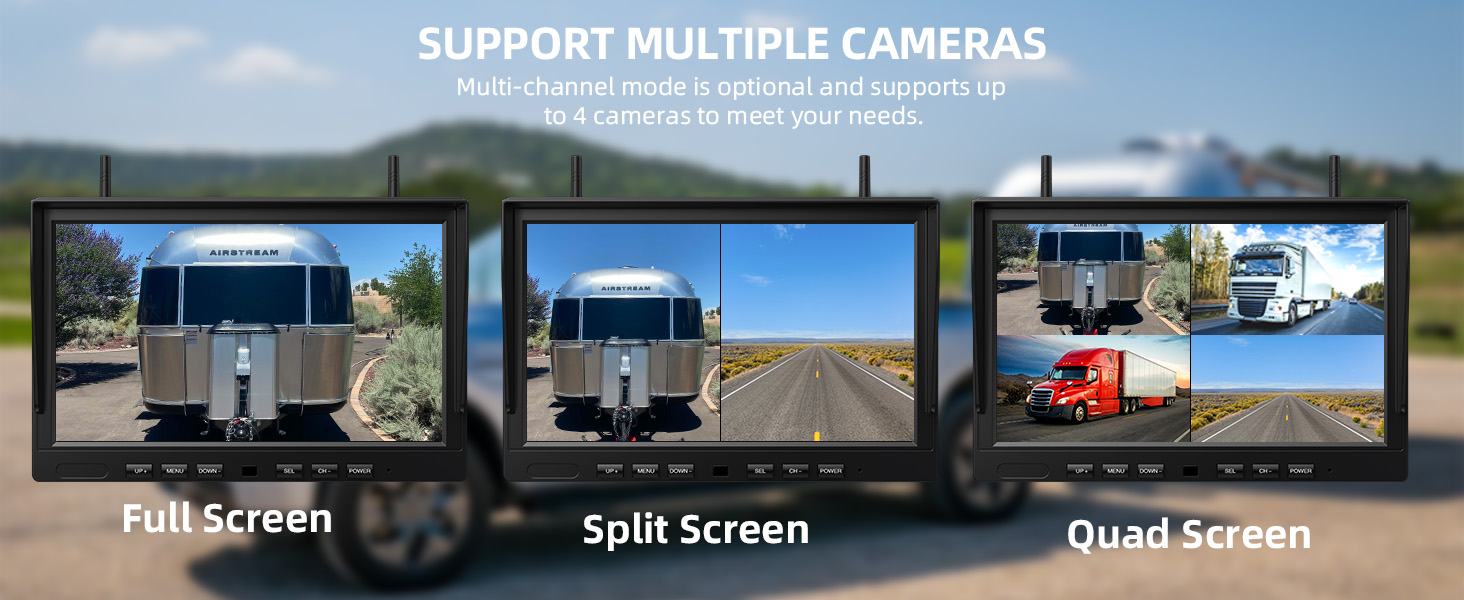
The ACT104 system supports multiple camera views. Use the CH button to cycle through different display modes:
- Full Screen: Displays a single camera view.
- Split Screen: Displays two camera views simultaneously.
- Quad Screen: Displays up to four camera views simultaneously.
4.3 DVR Recording & Playback
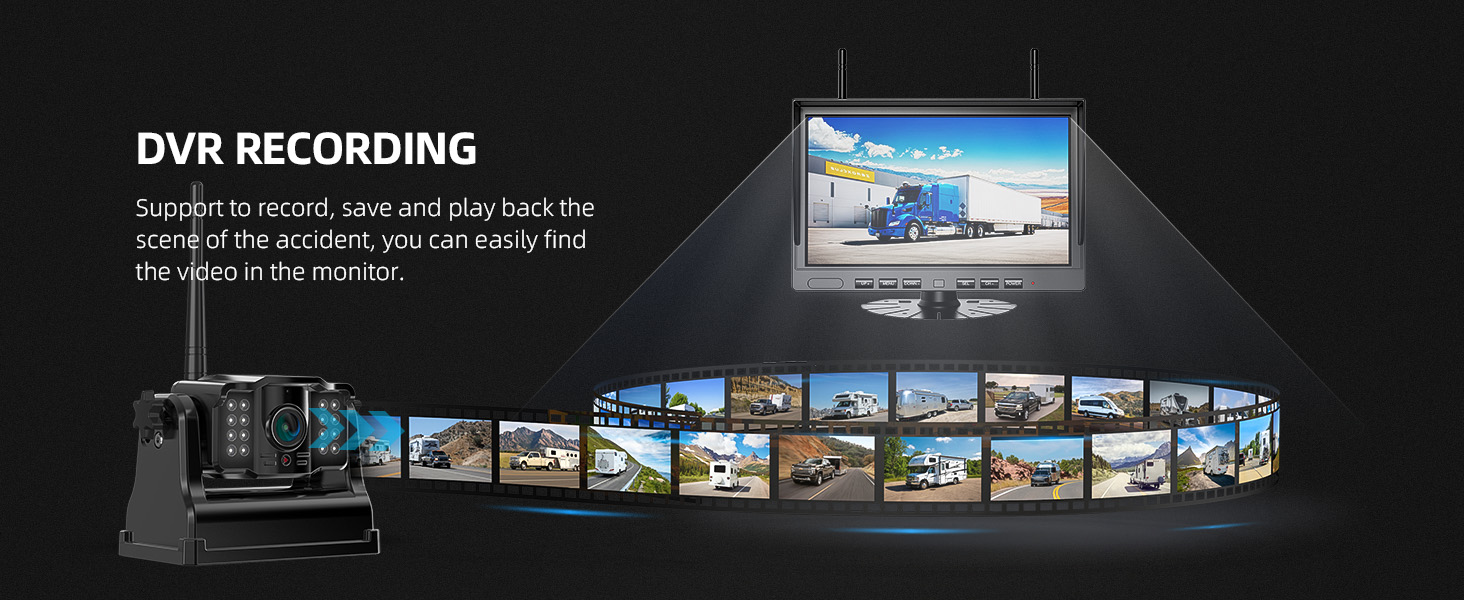
The built-in DVR allows for continuous recording. An SD card (not included) is required for this feature.
- Inserting SD Card: Locate the SD card slot on the monitor and insert a compatible SD card (up to 128GB, Class 10 recommended).
- Loop Recording: The system automatically records footage. When the SD card is full, older files are overwritten to ensure continuous recording.
- Playback: Access recorded videos through the monitor's menu to review footage as needed.
4.4 Parking Assisting Lines
The monitor displays adjustable parking lines to assist with reversing and parking maneuvers. These lines can be customized via the menu settings:
- Width Adjustment: Modify the horizontal spread of the lines.
- Height Adjustment: Change the vertical position of the lines.
- Up or Down: Shift the entire parking line display vertically.

4.5 Sleep Mode
To conserve power, the system features a sleep mode. When the monitor screen is turned off, the cameras automatically enter sleep mode. They will reactivate automatically when the monitor is turned back on.

5. Features
5.1 Wireless Digital Signal
The ACT104 system utilizes a 2.4GHz high-speed processor and dual antennas to provide a stable and clear wireless digital signal. This ensures reliable transmission with no signal loss, frame drops, or image delays within an effective vehicle range of approximately 36 feet (open distance up to 320 feet).

5.2 IR Night Vision & IP69K Waterproof
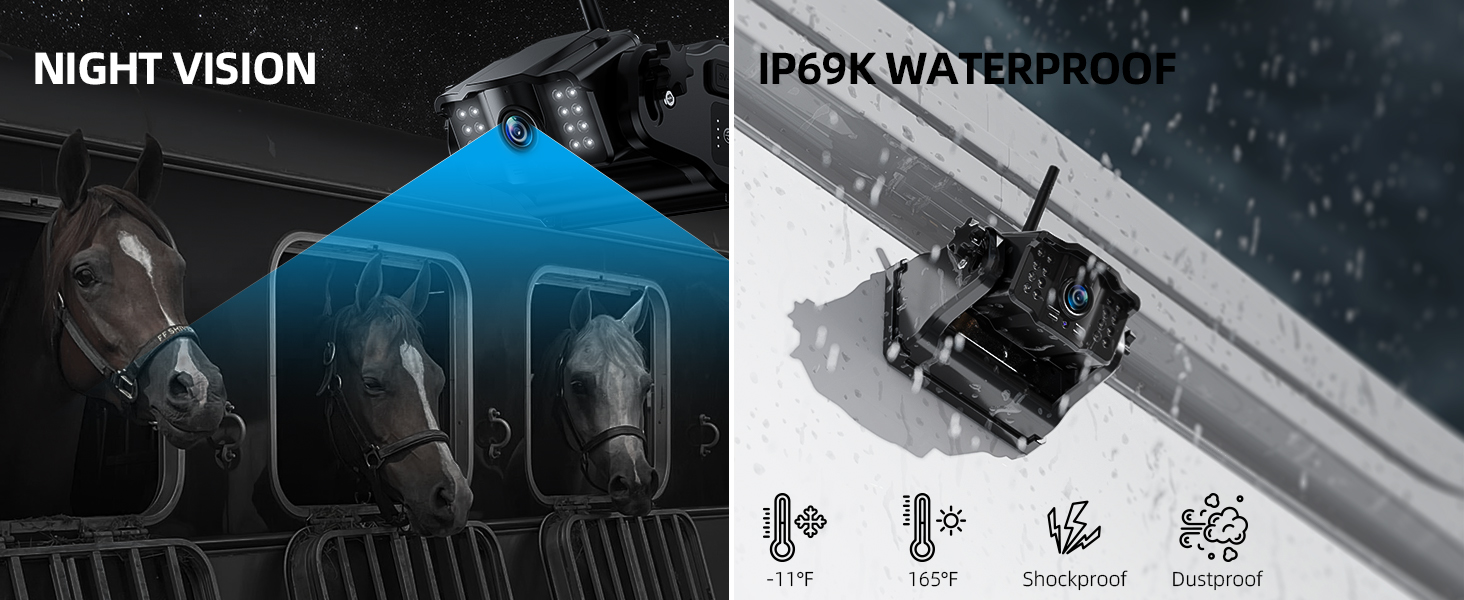
The cameras are equipped with IR (Infrared) night vision, providing clear images even in low-light conditions. With an IP69K waterproof rating, the cameras are built with high-quality waterproof materials and feature a sealed charging port, making them resistant to harsh weather conditions and extreme temperatures ranging from -6°F to 151°F.
5.3 Rechargeable Li-ion Battery
Each camera includes a built-in 9600mAh large-capacity Li-ion battery, offering extended operational life. The cameras can be charged using the provided Type-C cable and charger, eliminating the need for additional power wiring during operation.

6. Maintenance
6.1 Cleaning
To maintain optimal performance, regularly clean the camera lenses and monitor screen. Use a soft, dry cloth for the monitor. For camera lenses, use a lens cleaning solution and a microfiber cloth to avoid scratches. Ensure the camera's charging port is clean and dry before charging.
6.2 Battery Care
Charge the camera batteries fully before first use. For long-term storage, charge the batteries to approximately 50-70% and store in a cool, dry place. Avoid completely draining the battery frequently to prolong its lifespan.
7. Troubleshooting
If you encounter issues with your eRapta ACT104 system, please refer to the following common problems and solutions:
- No Signal/Intermittent Signal:
- Ensure cameras and monitor are within effective range (approx. 36ft on vehicle).
- Check for obstructions between cameras and monitor.
- Verify antennas are securely attached to both cameras and monitor.
- Ensure cameras are fully charged.
- Monitor Not Turning On:
- Check if the car charger is properly plugged into the cigarette lighter and the vehicle's ignition is on.
- Ensure the car charger is functioning correctly.
- Recording Not Working:
- Verify an SD card is inserted correctly.
- Ensure the SD card is not full (loop recording should manage this, but check for errors).
- Format the SD card via the monitor's menu if issues persist.
- Image Quality Issues:
- Clean camera lenses and monitor screen.
- Ensure sufficient lighting for optimal night vision performance.
If these steps do not resolve the issue, please contact customer support.
8. Specifications
| Feature | Specification |
|---|---|
| Brand | eRapta |
| Model Number | ACT104 |
| Screen Size | 10.1 Inches |
| Video Capture Resolution | 1080p |
| Real Angle of View | 150 Degrees |
| Optical Sensor Technology | Infrared CMOS |
| Installation Type | Monitor plug and play + camera wireless magnet adsorption |
| Voltage | 5 Volts |
| Connector Type | Type-C |
| Waterproof Rating | IP69K |
| Operating Temperature | -6°F to 151°F |
| Battery Capacity (Camera) | 9600mAh |
9. Warranty & Support
9.1 Warranty Information
The eRapta ACT104 Wireless Backup Camera System comes with a 2-year warranty from the date of purchase, covering manufacturing defects and malfunctions under normal use. Please retain your proof of purchase for warranty claims.
9.2 Customer Support
For any questions, concerns, or technical assistance, eRapta offers 24-hour online customer service and lifetime support. Please contact us directly through the retailer's platform or the official eRapta website for prompt assistance. Your satisfaction is important to us.


