
TCL 65C7K
TCL 65C7K QD-Mini LED Smart Google TV User Manual
Model: 65C7K
1. Introduction
This user manual provides detailed instructions for the safe and efficient operation of your TCL 65C7K 65-inch QD-Mini LED Smart Google TV. Please read this manual thoroughly before using the product and retain it for future reference. It covers setup, operation, maintenance, troubleshooting, and product specifications.
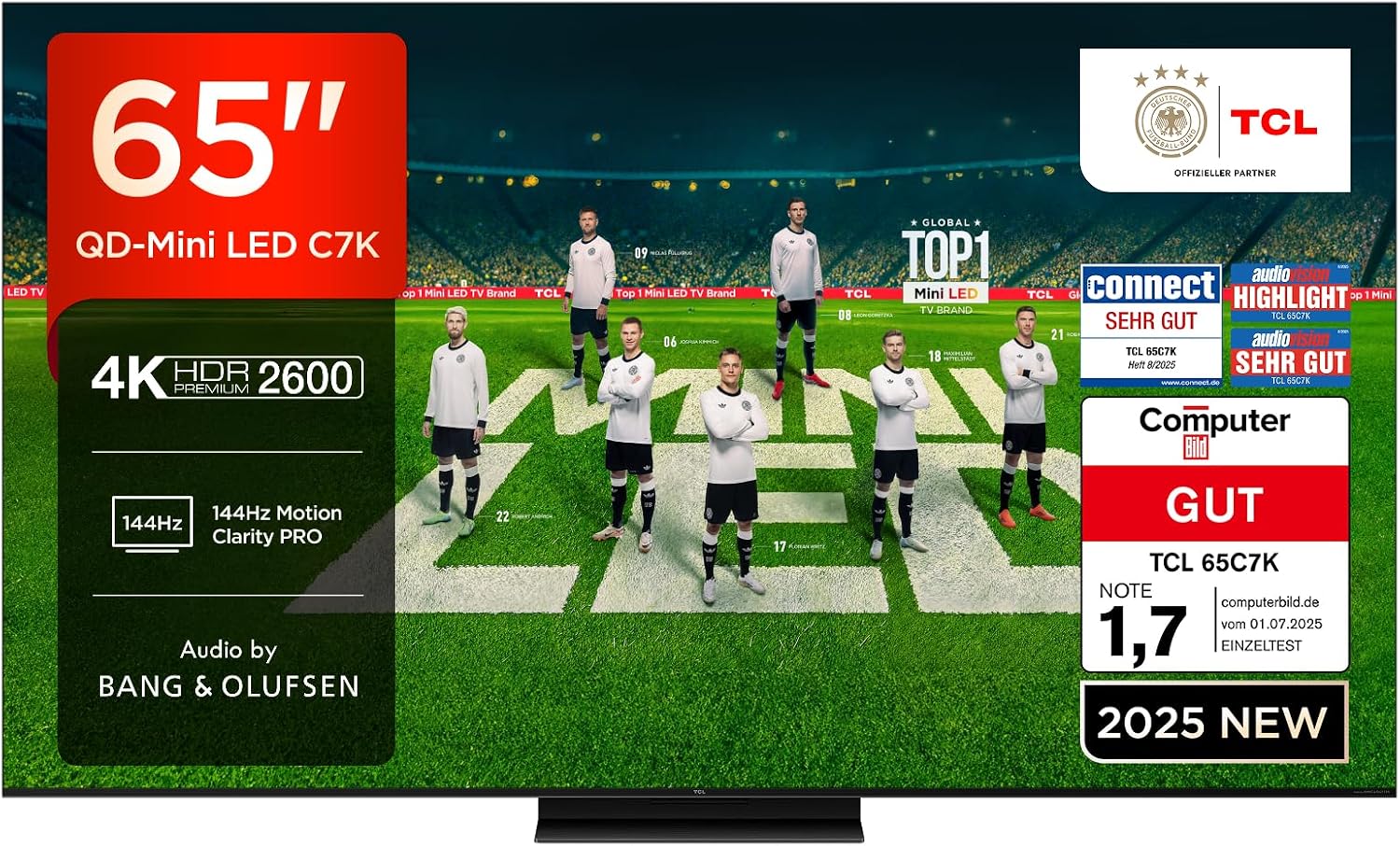
Image: The TCL 65C7K 65-inch QD-Mini LED TV, showcasing its sleek design and vibrant display.
2. Safety Information
Always adhere to the following safety precautions to prevent fire, electric shock, or injury:
- Do not expose the TV to rain or moisture.
- Ensure proper ventilation; do not block ventilation openings.
- Use only the power cord supplied with the TV.
- Do not place heavy objects on the power cord.
- Disconnect the power plug during lightning storms or when unused for long periods.
- Refer all servicing to qualified service personnel.
3. What's in the Box
Upon unpacking, please verify that all the following components are included:
- TCL 65C7K TV Unit
- Remote Control
- Stand (Base and Screws)
- Power Cable
- User Manual (this document)
4. Setup
4.1 Stand Installation
To install the TV stand:
- Place the TV face-down on a soft, flat surface to prevent screen damage.
- Align the stand components with the mounting holes on the bottom of the TV.
- Secure the stand using the provided screws. Ensure all screws are tightened firmly.
4.2 Wall Mounting (Optional)
If you choose to wall mount your TV, use a VESA-compatible wall mount (300x300mm) and follow the instructions provided with the wall mount kit. Professional installation is recommended.

Image: Detailed dimensions of the TCL 65C7K TV and its remote control, useful for planning installation.
4.3 Initial Power-On and Configuration
After physical setup:
- Connect the power cable to the TV and a power outlet.
- Press the power button on the TV or remote control.
- Follow the on-screen instructions to complete the initial setup, including language selection, network connection, and Google TV account setup.
5. Product Features
5.1 QD-Mini LED Technology
The TCL 65C7K features QD-Mini LED technology, combining the benefits of QLED and Mini LED for superior picture quality. This advanced backlighting system provides precise light control, resulting in incredibly vibrant images with true-to-life colors and an ultra-high contrast ratio. It also offers higher peak brightness, a wider color gamut, and extended lifespan compared to traditional LED TVs.

Image: An illustration demonstrating the QD-Mini LED technology, showing the precise light emission from the Mini LEDs and the Quantum Dot layer enhancing color.
5.2 CrystGlow HVA Panel
The advanced CrystGlow HVA Panel utilizes special nanomaterials to precisely control light, delivering stunningly vivid images. Its anti-reflection film minimizes screen glare, ensuring every detail is visible with remarkable clarity, even in brightly lit environments.

Image: A visual representation of the CrystGlow HVA Panel, highlighting its anti-reflection properties and enhanced contrast.
5.3 AiPQ Pro Processor
The AiPQ Pro Processor, powered by TCL's advanced algorithms, processes content to deliver high-quality 4K visuals with clear, fluid motion, high contrast, and fine details. It optimizes image quality across various aspects including contrast, color, clarity, motion, HDR, and scene recognition.

Image: A detailed graphic of the AiPQ Pro Processor chip, surrounded by icons representing its various image optimization capabilities.
5.4 HDR Multiformat Support
The TCL 65C7K supports multiple HDR formats including HDR10, HDR HLG, HDR10+, HDR Dolby Vision, and Dolby Vision IQ. This ensures you experience the best possible HDR picture quality from various sources. The TV is also IMAX Enhanced certified and supports Filmmaker Mode for an immersive cinematic experience.

Image: A visual comparison demonstrating the superior contrast and brightness of HDR Premium 2600 compared to conventional HDR, with a scene of burning wood.
5.5 144Hz Motion Clarity Pro
With a native 144Hz display, the TCL 65C7K delivers exceptionally smooth and clear motion, significantly faster than standard 50/60Hz TVs. This feature is ideal for fast-paced sports broadcasts and action movies, ensuring clear, blur-free images without compromise.

Image: A dynamic image illustrating the smooth motion provided by 144Hz Motion Clarity Pro, featuring a fast-moving car.
5.6 Audio by Bang & Olufsen
Experience elevated audio with sound engineered by Bang & Olufsen. The C7K series features a surround-acoustic design with Hi-End quality speakers, providing a detailed, natural, and three-dimensional sound experience. The Beosonic function allows real-time soundscape adjustment to match your mood.

Image: A living room scene with sound waves emanating from the TV, symbolizing the immersive audio experience provided by Bang & Olufsen.
5.7 Game Master
For gamers, the C7K series supports HDMI 2.1, ALLM, 144Hz VRR, and 120Hz VRR, ensuring the lowest latency and optimal picture settings for gaming. It also features VRR (Variable Refresh Rate), FreeSync Premium Pro certification, Game Bar, and 288Hz Game Accelerator for a smooth, tear-free gaming experience.

Image: A dynamic illustration depicting a character in a futuristic vehicle, representing the enhanced gaming experience with Game Master features.
6. Operating
6.1 Basic TV Functions
- Power On/Off: Press the power button on the remote or TV.
- Input Selection: Use the 'Input' button on the remote to switch between HDMI, USB, and other sources.
- Volume Control: Use the 'Volume +/-' buttons.
- Channel Navigation: Use the 'Channel +/-' buttons or number pad.
6.2 Smart Google TV Features
Your TCL 65C7K is powered by Google TV, offering a personalized entertainment experience.
- Content Discovery: Google TV organizes movies, shows, and live TV from your subscriptions and apps, providing personalized recommendations.
- Hands-Free Google Assistant: Control your TV, launch apps, switch inputs, and more using voice commands without the remote.
- Casting: Easily cast content from your phone, tablet, or laptop to the TV using Google Cast or AirPlay 2.
- Works with Alexa: Integrate your TV with Amazon Alexa devices to control it with voice commands.

Image: The Google TV interface displaying various streaming service apps and content recommendations.

Image: A person interacting with the TV using hands-free voice commands, demonstrating the Google Assistant feature.
7. Connectivity
The TCL 65C7K offers a variety of connectivity options:
- HDMI: 4 ports for connecting external devices like gaming consoles, Blu-ray players, and soundbars.
- USB: 1 port for media playback from USB drives.
- LAN (Ethernet): For wired internet connection.
- Optical: Digital audio output for connecting to external audio systems.
- Cable/Satellite: Antenna inputs for broadcast TV.
- CI Slot: For Conditional Access Modules (CAMs) to decrypt pay-TV channels.
- Bluetooth: For wireless audio devices and accessories.
- WLAN (Wi-Fi): For wireless internet connection.

Image: A diagram illustrating the various input and output ports available on the TCL 65C7K TV, including HDMI, USB, LAN, and optical audio.
8. Maintenance
8.1 Cleaning the TV
- Always unplug the TV before cleaning.
- Use a soft, dry cloth to wipe the screen and cabinet.
- For stubborn marks, lightly dampen the cloth with water or a mild, non-abrasive screen cleaner. Do not spray liquid directly onto the screen.
8.2 Software Updates
Your TV may receive automatic software updates to improve performance and add new features. Ensure your TV is connected to the internet for these updates. You can also manually check for updates in the TV's settings menu.

Image: A screenshot of the TV's energy-saving mode settings, showing options for brightness and adaptive brightness.
9. Troubleshooting
If you encounter issues with your TV, refer to the following common solutions:
| Problem | Possible Solution |
|---|---|
| No Power | Check if the power cable is securely connected to the TV and the power outlet. Try a different outlet. |
| No Picture/Sound | Ensure the correct input source is selected. Check cable connections to external devices. |
| Remote Not Working | Replace the batteries. Ensure there are no obstructions between the remote and the TV. |
| Poor Picture Quality | Check the signal source. Adjust picture settings (brightness, contrast, sharpness). |
| No Internet Connection | Check your Wi-Fi router or Ethernet cable. Restart the TV and router. |
For more complex issues, please refer to the online support resources or contact customer service.
10. Specifications
| Feature | Detail |
|---|---|
| Brand | TCL |
| Model Number | 65C7K |
| Screen Technology | Mini LED |
| Resolution | 4K (3840 x 2160) |
| Refresh Rate | 144 Hz |
| Product Dimensions (WxDxH) | 144.4 x 36.9 x 86.9 cm |
| Weight | 27.5 Kilograms |
| Connectivity | Bluetooth, Ethernet, HDMI, USB, WLAN |
| Supported Internet Services | Google TV |
| Energy Efficiency Class | F |

Image: The EU Energy Label for the TCL 65C7K, indicating its energy efficiency class F.
For more details, refer to the EPREL database.
11. Warranty and Support
11.1 Warranty Information
Your TCL 65C7K TV comes with a manufacturer's warranty. Please refer to the warranty card included in the packaging or visit the official TCL website for detailed warranty terms and conditions specific to your region.
11.2 Customer Support
For technical assistance, product inquiries, or service requests, please contact TCL customer support through their official website or the contact information provided in your product documentation. Ensure you have your model number (65C7K) and serial number ready when contacting support.
Related documents65C7K


Ask a question about this manual
Ask about setup, troubleshooting, compatibility, parts, safety, or missing instructions. Manuals+ will review the question and use this page’s manual context to help answer it.