
Introduction
The Blackview R30max Smartwatch is a versatile device designed to enhance your daily life with smart features and comprehensive health monitoring. This manual provides detailed instructions for setting up, operating, maintaining, and troubleshooting your smartwatch to ensure optimal performance and user experience.
What's in the Box
- Blackview R30max Smartwatch
- Silicone Watch Strap
- Magnetic Charging Cable
Setup
1. Charging the Smartwatch
Before initial use, fully charge your Blackview R30max smartwatch. Connect the magnetic charging cable to the charging contacts on the back of the watch and plug the USB end into a standard USB power adapter (not included) or a computer USB port. A full charge typically takes approximately 2.5 hours.

Image: Smartwatch displaying charging status and battery life. Normal use provides over 6 days of battery, passive mode over 30 days, with a 2.5-hour charging time.
2. App Installation
The Blackview R30max smartwatch requires a companion application for full functionality. It is compatible with smartphones running Android 6.0 or later, and iOS 9.0 or later. Search for the 'DA FIT' app in your smartphone's app store (Google Play Store for Android, Apple App Store for iOS) and install it.
3. Device Pairing
- Ensure Bluetooth is enabled on your smartphone.
- Open the 'DA FIT' app on your smartphone.
- Follow the on-screen instructions within the app to search for and connect to your Blackview R30max smartwatch. Confirm the pairing request on both your phone and the watch.
Operating Instructions
Basic Navigation
The smartwatch features a 1.91-inch high-definition touchscreen and dual physical buttons. Swipe across the screen to navigate through menus, tap to select options, and use the buttons for quick access to functions or to return to the home screen.
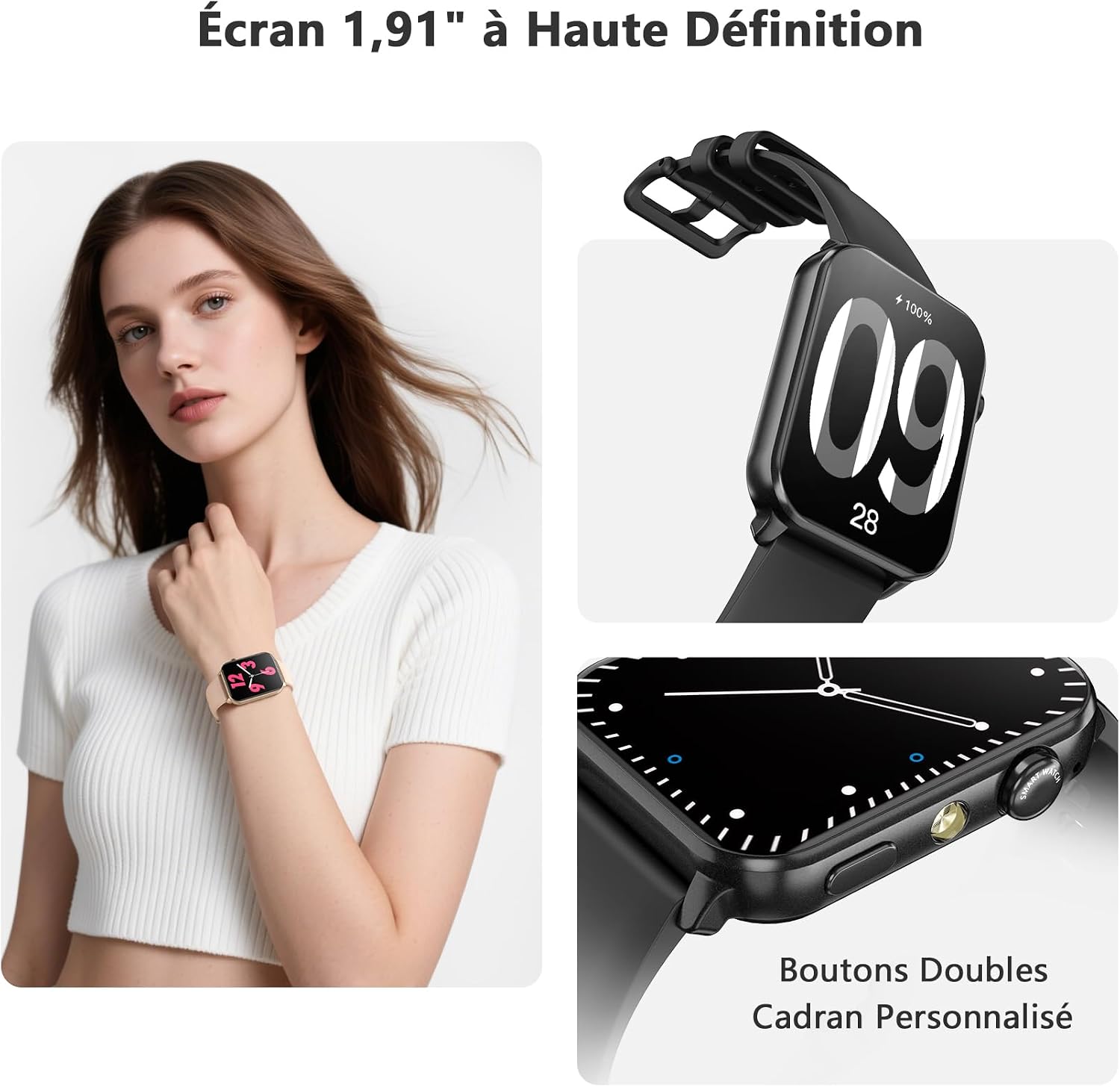
Image: The 1.91-inch high-definition screen of the Blackview R30max smartwatch, showing dual buttons and options for personalized watch faces.
Bluetooth Calling and SMS Messages
With its integrated microphone and speaker, the R30max allows you to make and receive calls directly from your wrist when connected to your smartphone via Bluetooth. You can also synchronize contacts, view call history, and receive notifications from social networks such as Facebook, WhatsApp, Instagram, and Twitter.

Image: The Blackview R30max smartwatch demonstrating Bluetooth call and SMS message reception capabilities.
Health Monitoring
The smartwatch provides various health monitoring features to help you maintain a healthier lifestyle:
- Heart Rate Monitoring: Continuously tracks your heart rate.
- Blood Oxygen (SpO2) Monitoring: Measures your blood oxygen saturation levels.
- Sleep Analysis: Records your sleep duration, distinguishing between light and deep sleep patterns.
- Blood Pressure Monitoring: Provides blood pressure readings.
Note: This smartwatch is not a medical device. For any health concerns or medical advice, please consult a healthcare professional.

Image: Visual representation of the smartwatch's health monitoring features, including heart rate, blood oxygen, sleep analysis, and blood pressure tracking.
Sports Modes
The Blackview R30max offers over 100 sports modes to track your physical activities. It records essential data such as heart rate, steps, distance covered, and calories burned, helping you monitor your fitness progress.

Image: The smartwatch supports over 100 sports modes, illustrated with various activity icons.
Custom Watch Faces
Personalize your smartwatch by choosing from a variety of pre-installed watch faces or download more through the companion app. You can also upload your favorite photos to create custom watch faces.

Image: The smartwatch offers personalized watch faces, allowing users to upload their own photos.
Integrated Flashlight
The smartwatch features an integrated flashlight with an illumination range of up to 10 meters. This provides stable and penetrating light, useful for navigating in dark environments or finding lost items at night.
Other Functions
The Blackview R30max includes additional useful features:
- Weather display
- Brightness adjustment
- Alarm clock
- Timer and Stopwatch
- Music control
- Female reminders
- Find my phone function
- Breathing training
- Raise-to-wake screen
- Calculator
- Games
- Voice Assistant
- Camera Control

Image: The smartwatch's interface showing a variety of applications and features.
Maintenance
Water Resistance
The Blackview R30max smartwatch has an IP68 water resistance rating, meaning it is protected against dust and can withstand immersion in water up to 1.5 meters for a limited time. It is suitable for daily use, including hand washing, rain, and swimming. Avoid prolonged exposure to hot water or steam.
Cleaning
Regularly clean your smartwatch and strap with a soft, dry, lint-free cloth. Avoid using abrasive materials, solvents, or harsh chemicals, as these can damage the device's finish and functionality.
Battery Care
To maximize battery lifespan, avoid fully discharging the battery frequently. Charge the device before the battery level drops too low. Store the watch in a cool, dry place when not in use for extended periods.
Troubleshooting
Connectivity Issues
- Ensure Bluetooth is enabled on your smartphone and the watch is within range.
- Restart both your smartphone and the smartwatch, then attempt to pair them again through the 'DA FIT' app.
- Check if the 'DA FIT' app has necessary permissions enabled on your phone (e.g., location, notifications).
Short Battery Life
- Reduce screen brightness and screen-on time.
- Limit the number of notifications received on the watch.
- Disable continuous heart rate monitoring or other intensive features if not needed constantly.
- Ensure the watch is fully charged (2.5 hours).
Incorrect Time or Date
- Ensure the smartwatch is properly connected and synced with the 'DA FIT' app on your smartphone. The time and date are typically synchronized automatically upon connection.
QR Code for App Not Working
- If the QR code provided in the manual or on the watch does not lead to the app, manually search for 'DA FIT' in your smartphone's app store (Google Play Store or Apple App Store).
Specifications
| Model Number | R30max |
| Display | 1.91-inch LCD or OLED Touchscreen, 280 x 320 Resolution |
| Battery Capacity | 350 mAh Lithium-ion |
| Battery Life | Up to 6 days (normal use), Over 30 days (passive mode) |
| Charging Time | Approximately 2.5 hours |
| Connectivity | Bluetooth |
| Compatibility | Android 6.0+ / iOS 9.0+ |
| Water Resistance | IP68 (up to 1.5 meters) |
| Sensors | Heart Rate Monitor, Blood Oxygen Monitor (Oxymeter), Sleep Analysis |
| Input Method | Touchscreen, Physical Buttons |
| Strap Material | Silicone |
| Dimensions | Watch Face: 46.6mm x 37.7mm; Strap Length: Max 235mm, Min 155mm |

Image: Detailed product dimensions of the Blackview R30max smartwatch.
Warranty and Support
Warranty Information
The Blackview R30max smartwatch comes with a 24-month warranty from the date of purchase. This warranty covers manufacturing defects and ensures the product meets quality standards.
Customer Support
For any questions, technical assistance, or warranty claims, please contact Blackview customer service. Refer to the contact information provided with your purchase or visit the official Blackview website for support details.


