
1. Introduction
Welcome to your Blackview W80PRO Smartwatch. This manual provides detailed instructions on how to set up, operate, and maintain your device. Please read this manual carefully before use to ensure optimal performance and longevity of your smartwatch.
The Blackview W80PRO is a rugged smartwatch designed for active lifestyles, featuring Bluetooth calling, GPS, health monitoring, and a durable build.

Image: The Blackview W80PRO Smartwatch, highlighting its rugged design and display.
Video: An overview of the Blackview W80PRO Smartwatch's key features, including charging, GPS, notifications, and durability.
2. What's in the Box
Upon opening your Blackview W80PRO Smartwatch package, you should find the following items:
- 1x Blackview W80PRO Smartwatch
- 1x USB Charging Cable
- 1x User Manual

Image: Contents of the Blackview W80PRO Smartwatch package, showing the smartwatch, a USB charging cable, the user manual, and a diagram of the product's dimensions.
3. Setup
3.1 Charging the Smartwatch
Before first use, fully charge your smartwatch. Connect the USB charging cable to the charging port on the back of the watch and to a USB power adapter (not included) or a computer's USB port.
3.2 App Installation and Pairing
To unlock all features, download the "GloryFit" app from your smartphone's app store (compatible with Android and iOS). Follow the in-app instructions to pair your smartwatch via Bluetooth.
- Download the "GloryFit" app.
- Enable Bluetooth on your smartphone.
- Open the GloryFit app and create an account or log in.
- Follow the prompts to add a new device and select "Blackview W80PRO".
- Confirm the pairing request on both your phone and the smartwatch.
4. Operating the Smartwatch
4.1 Button Functions
The Blackview W80PRO features four physical buttons:
- Top Left Button: Flashlight Power On/Off
- Bottom Left Button: GPS Function
- Top Right Button: Power On/Off / Screen On/Off / Menu Access
- Bottom Right Button: Back / Return
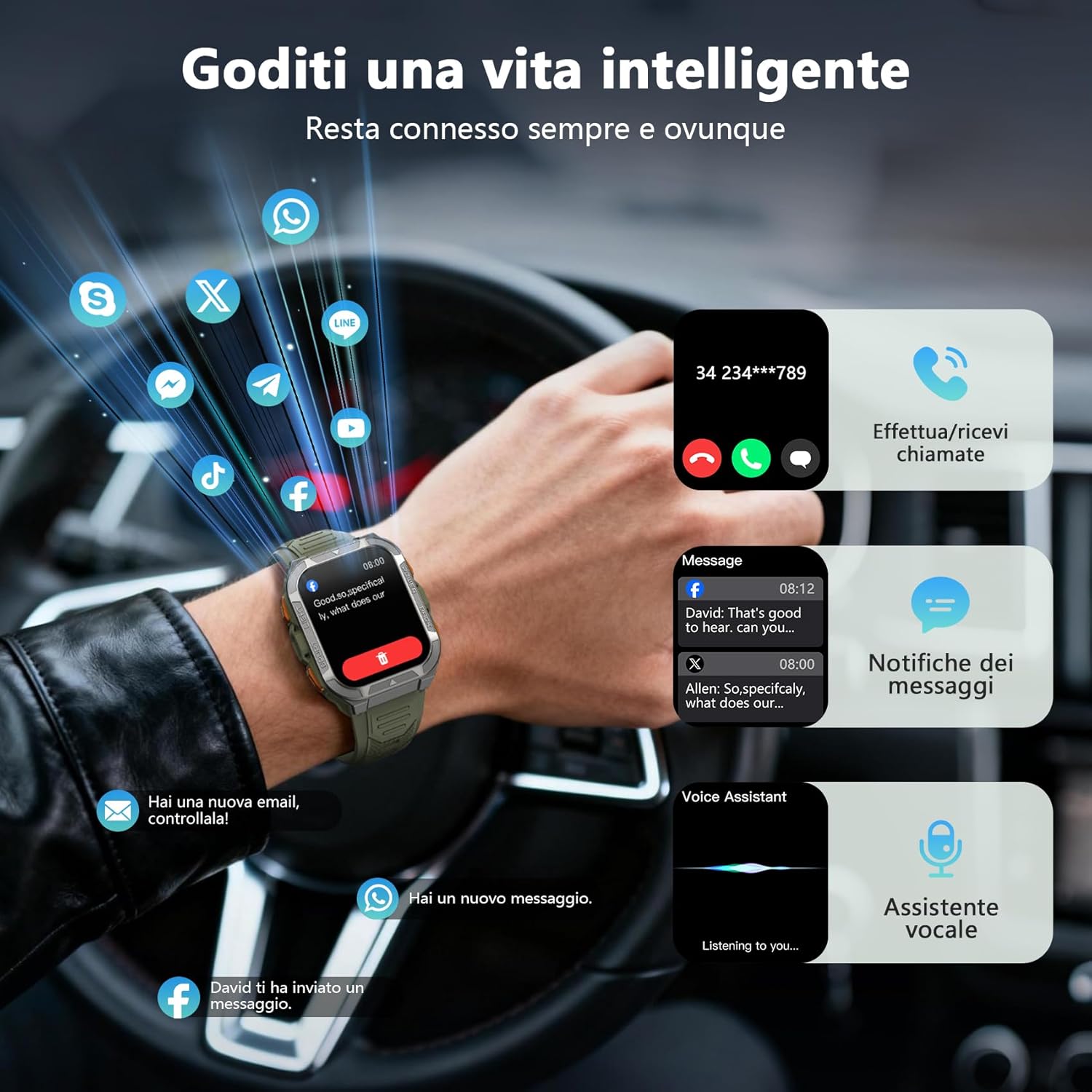
Image: Detailed view of the smartwatch screen and side buttons, indicating their respective functions such as Flashlight, GPS, Power, and Back.
4.2 Basic Navigation
The smartwatch features a 1.91-inch ultra-HD color touchscreen. Swipe left/right or up/down to navigate through menus and functions. Tap to select items.
4.3 Bluetooth Calling and Notifications
Once paired, you can make and receive calls directly from your smartwatch using its built-in speaker and microphone. You will also receive real-time notifications from your smartphone for messages, social media apps, and emails.
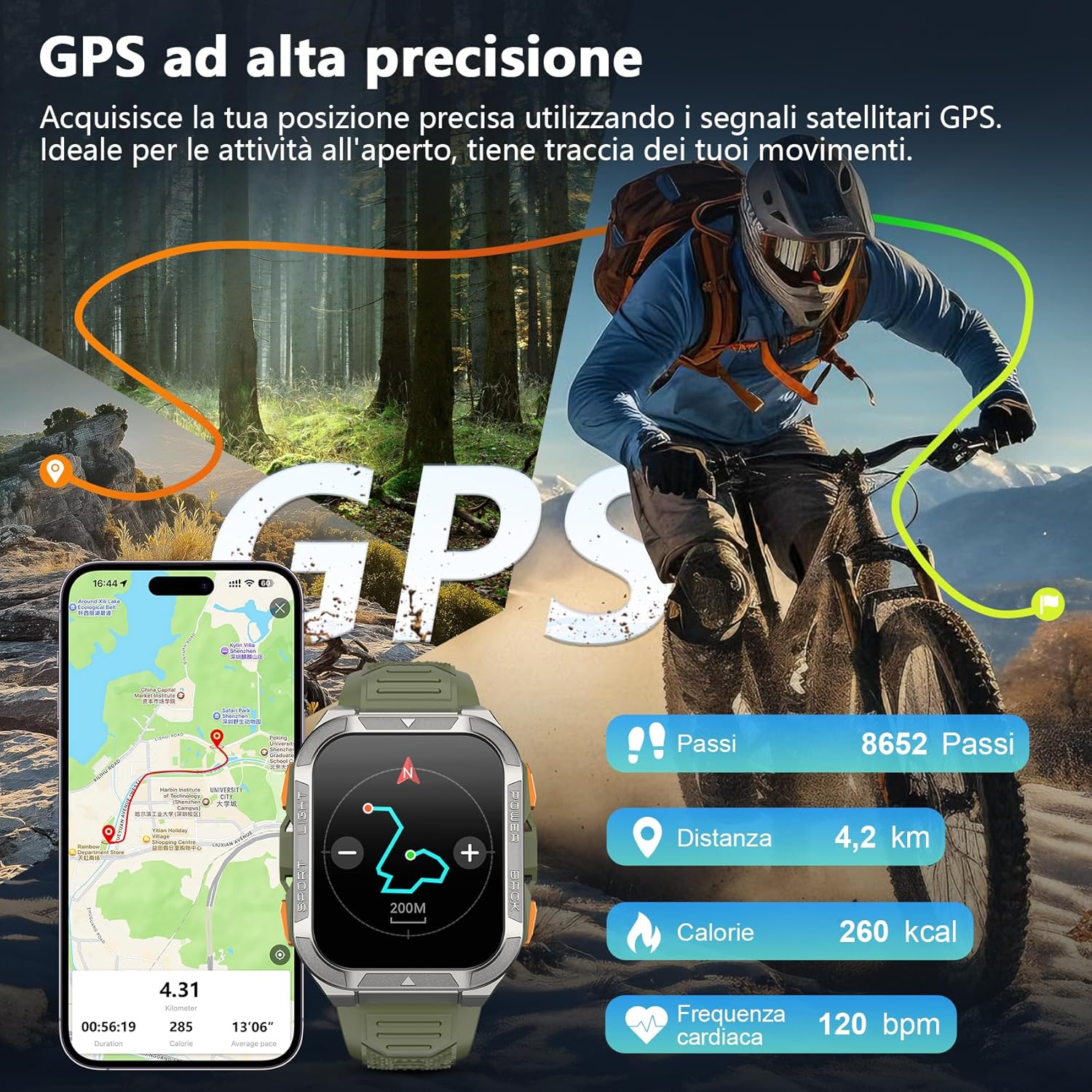
Image: The smartwatch screen displaying an incoming call and various message notifications from social media apps.
4.4 Health Monitoring
The smartwatch continuously monitors your health data, including heart rate, blood oxygen (SpO2), emotional stress, and sleep quality. Access these metrics through the watch interface or the GloryFit app for detailed insights.
- Heart Rate Monitoring: Tracks your heart rate throughout the day.
- Blood Oxygen (SpO2) Monitoring: Measures your blood oxygen saturation levels.
- Sleep Monitoring: Analyzes your sleep patterns and quality.
- Stress Monitoring: Provides insights into your emotional stress levels.

Image: A composite image illustrating the smartwatch's health monitoring capabilities, including heart rate, blood oxygen, sleep, and stress tracking, with corresponding data displays.
4.5 Sports Modes and GPS
The W80PRO supports over 110 sports modes. Select the appropriate mode for your activity (running, cycling, hiking, etc.) to track your performance. The integrated high-precision GPS accurately records your location, distance, steps, and calorie consumption during outdoor activities.
Image: The smartwatch screen displaying GPS data, including steps, distance, calories, and heart rate, overlaid on an image of a person cycling outdoors.
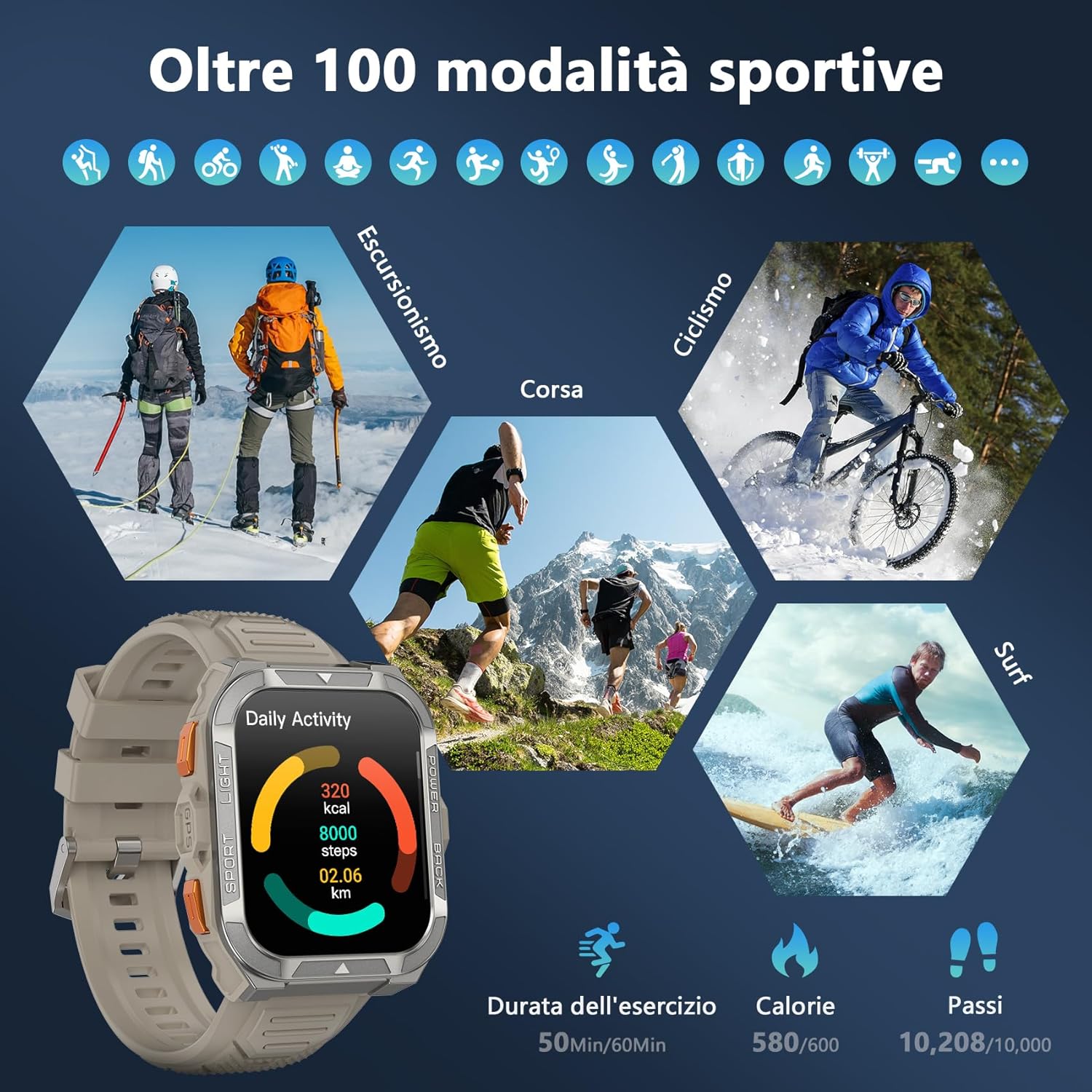
Image: A visual representation of the smartwatch's extensive sports mode selection, featuring icons for activities like hiking, cycling, and running.
4.6 Flashlight and Compass
The smartwatch includes a powerful LED flashlight with constant and SOS modes for outdoor adventures. The high-precision anti-magnetic compass provides accurate real-time directions, even in remote areas.

Image: The smartwatch demonstrating its LED flashlight feature in a dark environment and its compass function showing directional readings.
4.7 Other Smart Features
The W80PRO offers a range of additional features for convenience and intelligence:
- AI Watch Face: Customize your watch face with AI-generated designs or personal photos via the GloryFit app.
- ChatGPT & Translator: Access AI chat and translation functions directly from your wrist.
- Music Control: Control music playback on your smartphone.
- Weather Forecast: Get real-time weather updates.
- Alarm Clock, Timer, Calculator: Essential utility tools.
- Camera Control: Remotely trigger your phone's camera.
- Voice Assistant: Interact with your phone's voice assistant.
- Find Phone: Locate your misplaced smartphone.
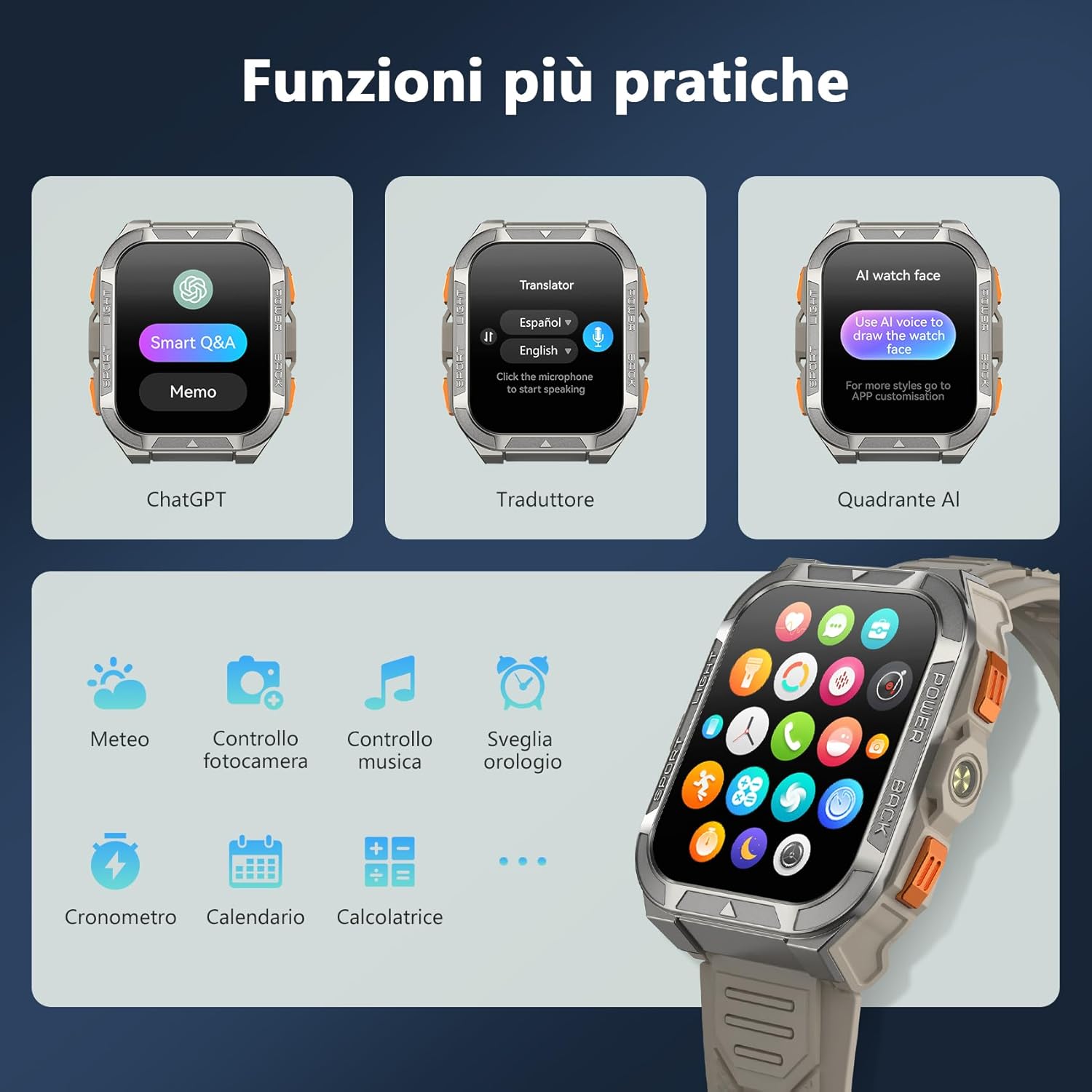
Image: A collage of smartwatch screens showcasing features like ChatGPT, a language translator, AI watch face customization, music control, weather, and other utility applications.
5. Maintenance
5.1 Durability Features
The Blackview W80PRO is built to withstand harsh conditions:
- Waterproof: IP68 rated, suitable for swimming and exposure to rain. Avoid hot water or steam.
- Dustproof: Designed to resist dust ingress.
- Cold Resistant: Operates effectively in low temperatures.
- Drop Resistant: Built with a zinc alloy bezel and stainless steel back case for enhanced shock resistance.

Image: The smartwatch being tested for dust resistance.

Image: The smartwatch undergoing a drop test, showcasing its resistance to impacts.

Image: The smartwatch submerged in water, illustrating its waterproof design.

Image: The smartwatch being used in a snowy environment, highlighting its cold resistance.
5.2 Cleaning and Care
To maintain your smartwatch, regularly wipe it with a soft, dry cloth. For stubborn dirt, use a slightly damp cloth and then dry thoroughly. Avoid using harsh chemicals or abrasive materials.
6. Troubleshooting
- Smartwatch not turning on: Ensure the device is fully charged. If not, connect it to the charger.
- Cannot pair with smartphone:
- Ensure Bluetooth is enabled on your phone.
- Make sure the smartwatch is within range.
- Restart both the smartwatch and your phone.
- Check if the GloryFit app is updated to the latest version.
- Inaccurate health data: Ensure the watch is worn snugly on your wrist, not too tight or too loose. Clean the sensors regularly.
- Notifications not received: Check app permissions in your phone settings and ensure notifications are enabled for the GloryFit app.
7. Specifications
| Feature | Detail |
|---|---|
| Model Name | W80PRO |
| Brand | Blackview |
| Operating System | Android, iOS compatible |
| Screen Size | 1.91 Inches |
| Resolution | 320 x 320 |
| Connectivity Technology | Bluetooth |
| GPS | Integrated GPS |
| Battery Capacity | 900 mAh |
| Average Battery Life | 15 Days (normal use), 60+ Days (standby) |
| Water Resistance Level | Water Resistant (IP68) |
| Band Material Type | Silicone |
| Health Monitoring | Heart Rate Monitor, Blood Oxygen Monitor, Sleep Duration, Stress |
| Special Features | Long battery life, ChatGPT, Translator, AI Watch Face, LED flashlight, Compass, Call answering/making, Notifications, 110+ Sports Modes, Weather, Alarm, Timer, Calculator, Menstrual Cycle Tracking, Sedentary/Water Reminder, Music Control, Camera Remote. |
8. Warranty and Support
The Blackview W80PRO Smartwatch comes with a 1-year limited warranty from the date of purchase. This warranty covers manufacturing defects and malfunctions under normal use.
For technical support, warranty claims, or further assistance, please contact Blackview customer service through their official website or the retailer where you purchased the product. Please retain your proof of purchase for warranty validation.
EU Spare Parts Availability: 2 Years.


