
1. Introduction
The Baseus Bass BC1 Open-Ear Wireless Earphones are designed to provide a comfortable and immersive audio experience while keeping you aware of your surroundings. Featuring an innovative ear-clip design, powerful bass, and advanced connectivity, these earphones are suitable for various activities, from daily commutes to intense workouts.

Image: Baseus Bass BC1 Open-Ear Wireless Earphones, showcasing their sleek design.
2. Setup
2.1. Package Contents
- Baseus Bass BC1 Open-Ear Wireless Earphones (L/R)
- Charging Case
- USB-C Charging Cable
- User Manual (this document)
2.2. Initial Charging
Before first use, fully charge the earphones and the charging case. Place the earphones into the charging case and connect the USB-C cable to a power source. The indicator lights on the case will show charging status.

Image: The Baseus Bass BC1 earphones and their charging case, illustrating the charging process and battery life.
A full charge provides up to 7.5 hours of continuous playback for the earphones, and up to 38 hours total with the charging case. A quick 15-minute charge can provide up to 2 hours of playback.
2.3. Bluetooth Pairing
- Open the charging case. The earphones will automatically enter pairing mode.
- On your device (smartphone, tablet, etc.), enable Bluetooth and search for available devices.
- Select "Baseus Bass BC1" from the list.
- Once connected, a voice prompt will confirm successful pairing.
The earphones support Bluetooth 6.0 for stable connection and low latency. They also feature multi-point connection, allowing seamless switching between two paired devices.
2.4. Dedicated App Installation
For enhanced functionality, download the dedicated Baseus app. The app allows for EQ settings, bass boost customization, finding your earphones, and customizing button functions.

Image: Screenshots of the Baseus dedicated app interface, showing customization options.
3. Operating Instructions
3.1. Wearing the Earphones
The Baseus Bass BC1 features a 3-curve ergonomic ear-clip design and a soft TPU C-type ring for a comfortable and secure fit. Ensure the sound hole is positioned in front of your ear and the button is facing upwards.

Image: Diagram illustrating the 3-curve ergonomic design and how to properly wear the earphones for optimal fit and stability.
Adjust the C-type ring slightly horizontally to achieve the most comfortable fit and optimal sound experience. The lightweight design (approx. 5.2g per earbud) ensures comfort during extended wear.
3.2. Controls
The earphones are equipped with physical buttons to prevent accidental touches during active use. The controls are as follows:
| Function | Action (L/R Earbud) |
|---|---|
| Play/Pause | Press 1 time |
| Next Track | Press 2 times |
| Previous Track | Press 3 times |
| Answer/End Call | Press 1 time |
| Reject Call | Long press for 1.5 seconds |
| Volume +/- | Long press for 1.5 seconds |
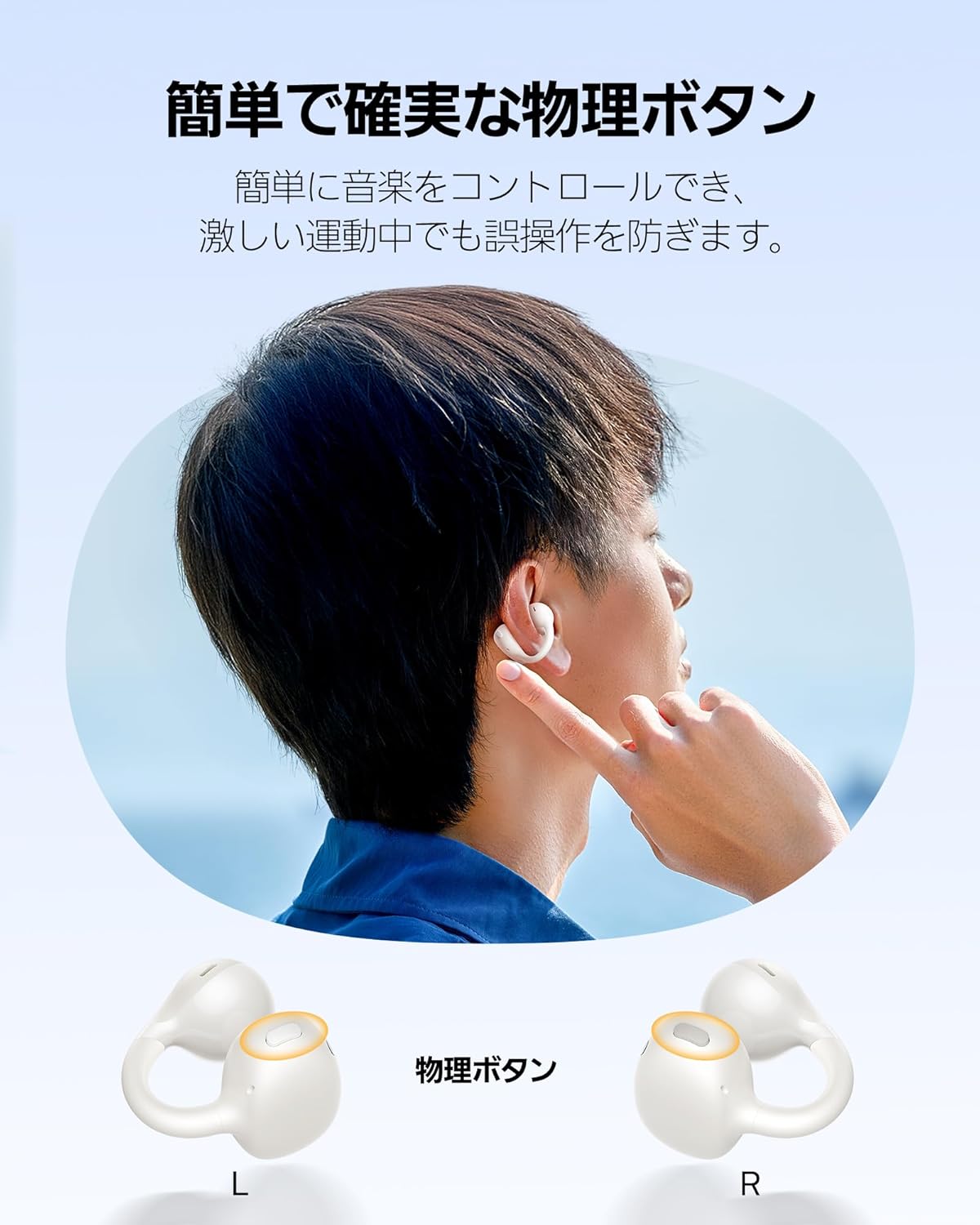
Image: Close-up view of the physical buttons on the Baseus Bass BC1 earphones.
3.3. Sound Features
The BC1 earphones are equipped with a 12mm large dynamic driver and a bio-cellulose diaphragm, delivering rich and clear sound across all frequencies, from deep bass to crisp highs. The AI-powered bass boost function optimizes low frequencies for an immersive audio experience.

Image: Illustration of the 12mm dynamic driver and bass boost technology within the earphone.
Directional audio technology minimizes sound leakage, allowing you to enjoy your music privately even in public spaces like trains or quiet rooms, without disturbing others.
3.4. Call Features
With four built-in microphones and AI ENC (Environmental Noise Cancellation) algorithm, the BC1 ensures clear call quality. It accurately picks up your voice while suppressing ambient noise, even in windy conditions or busy streets, providing a stress-free calling experience for both parties.

Image: Diagram showing the 4-microphone array and AI ENC technology for clear calls.
4. Maintenance
4.1. Cleaning
Regularly clean the earphones and charging case with a soft, dry, lint-free cloth. Do not use abrasive cleaners, alcohol, or chemical solvents. Ensure no moisture enters the charging ports or speaker grilles.
4.2. Water and Dust Resistance
The Baseus Bass BC1 earphones are rated IP57 for dust and water resistance. This means they are protected against dust ingress and can withstand immersion in up to 1 meter of fresh water for up to 30 minutes. They are resistant to sweat and splashes, making them suitable for workouts and outdoor activities.

Image: Visual representation of the IP57 dust and water resistance of the earphones.
While resistant, avoid prolonged exposure to water or extreme conditions. Ensure the earphones are completely dry before placing them back into the charging case to prevent damage.
4.3. Storage
When not in use, store the earphones in their charging case to protect them from dust and physical damage. Store in a cool, dry place away from direct sunlight and extreme temperatures.
5. Troubleshooting
If you encounter any issues with your Baseus Bass BC1 earphones, please refer to the following common troubleshooting steps:
5.1. No Sound or Disconnection
- Ensure the earphones are charged.
- Check if Bluetooth is enabled on your device and the earphones are paired.
- Move the earphones closer to your device to avoid interference.
- Try unpairing and re-pairing the earphones with your device.
- Restart your device.
5.2. Charging Issues
- Ensure the charging cable is securely connected to both the case and the power source.
- Check if the charging port is clean and free of debris.
- Try using a different USB-C cable or power adapter.
5.3. Poor Call Quality
- Ensure the microphones are not obstructed.
- Try moving to a quieter environment.
- Check the earphone's position on your ear.
For further assistance, refer to the Baseus dedicated app or contact customer support.
6. Specifications
| Feature | Detail |
|---|---|
| Model Name | BC1 |
| Connectivity Technology | Wireless |
| Wireless Communication Technology | Bluetooth 6.0 |
| Compatible Devices | iPhone/Galaxy/Sony/Google/Huawei/Honor/OPPO/OnePlus/Xiaomi etc. |
| Item Weight | 49 g |
| Water Resistance Level | IP57 (Waterproof) |
| Continuous Use Time | Up to 38 Hours (with charging case) |
| Manufacturer Model Number | PM153_1 |
| Color | White |
| Ear Placement | Open-Ear |
| Headphone Form Factor | On-Ear |
7. Warranty and Support
Baseus provides a 24-month warranty for this product. In case of product defects or malfunctions under normal use within the warranty period, you may be eligible for a new product exchange, return, or refund.
This product has obtained Electromagnetic Compatibility Law Technical Conformity Certification. Certification Number: 214-250108.
For support, please contact Baseus customer service through the official channels or refer to the dedicated app for more information.


