
Product Overview
The Juboos Kids Digital Watch Model 8206B is a multi-functional sports watch designed for children. It features a digital display, 7-color LED backlight, alarm clock, stopwatch, calendar, 12/24-hour format, and hourly chime. The watch is 3ATM water-resistant, making it suitable for daily activities.

Image: Overview of the Juboos Kids Digital Watch highlighting its various functions including LED light, 30M water resistance, alarm, stopwatch, calendar, 12/24H display, hourly chime, and anti-shock design.
Watch Components
Familiarize yourself with the watch buttons:
- LIGHT Button: Activates the backlight and changes its color.
- MODE Button: Cycles through different modes (Time, Alarm, Stopwatch).
- START Button: Used to start/stop stopwatch, adjust settings.
- RESET Button: Used to reset stopwatch, adjust settings.

Image: Illustration of the watch's LED Light button and examples of the seven available backlight colors.
Setup and Basic Operation
Setting Time and Date
- In normal time display mode, press the MODE button three times to enter time setting mode. The seconds will flash.
- Press the RESET button to cycle through seconds, hours, minutes, month, date, and day of the week settings.
- Use the START button to adjust the flashing value.
- Press the MODE button once to exit setting mode and return to normal time display.
12/24-Hour Format
While in time setting mode (seconds flashing), press the START button when the hour is flashing to toggle between 12-hour (with AM/PM indicator) and 24-hour formats.
Using the Backlight
Press the LIGHT button to illuminate the display. Press and hold the LIGHT button for 3 seconds to cycle through the seven available backlight colors (dark blue, green, red, yellow, light blue, purple, white) and a color flash mode.
Operating Functions
Alarm Clock
- From normal time display, press the MODE button twice to enter alarm setting mode. The hour digits will flash.
- Press the START button to adjust the hour.
- Press the RESET button to switch to minute setting.
- Press the START button to adjust the minutes.
- Press the MODE button to exit alarm setting.
- To turn the alarm ON/OFF: In alarm display mode, press the START button to activate or deactivate the alarm. An alarm icon will appear/disappear.
Hourly Chime
To activate/deactivate the hourly chime: In alarm display mode, press the RESET button. All day indicators will appear/disappear to show if the chime is ON or OFF.
Stopwatch
- From normal time display, press the MODE button once to enter stopwatch mode.
- Press the START button to begin timing.
- Press the START button again to pause timing.
- Press the RESET button to clear the stopwatch to zero.
- To resume timing after pausing, press the START button.
- Press the MODE button to exit stopwatch mode.
Maintenance and Care
- Water Resistance: The watch is 3ATM water-resistant, suitable for daily use like handwashing and exposure to rain. Do not press any buttons while the watch is in water. Avoid wearing the watch during bathing or swimming to prevent damage.
- Temperature: Avoid exposing the watch to extreme hot or cold temperatures.
- Cleaning: Regularly clean the strap with a soft, damp cloth.
- Impact: While designed to be anti-shock, avoid unnecessary drops or impacts to prolong the watch's lifespan.
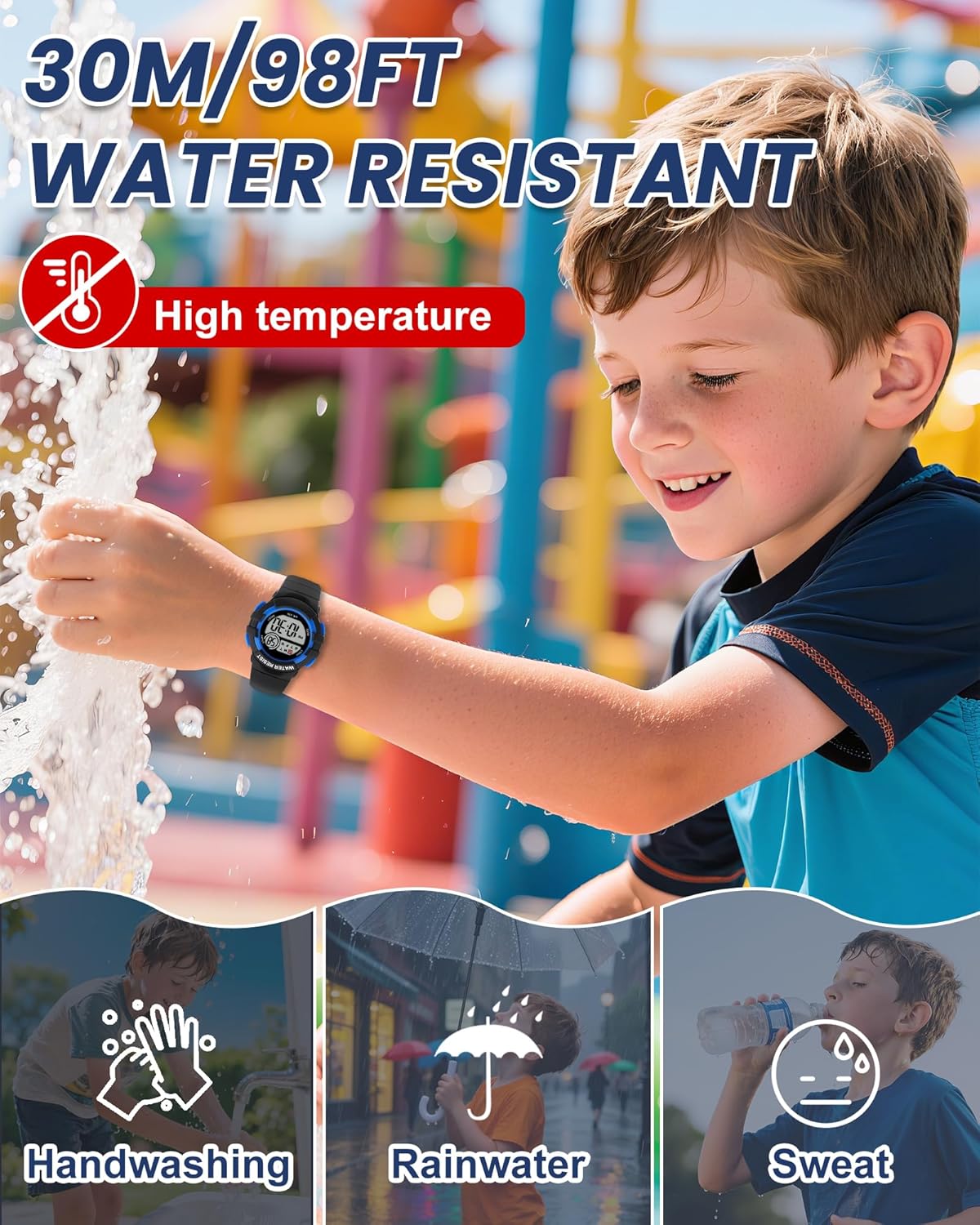
Image: Visual guide to the watch's 30M water resistance, illustrating suitability for handwashing, exposure to rainwater, and sweat.
Troubleshooting
- Display is blank: The battery may be depleted. Contact customer support for battery replacement information.
- Time is inaccurate: Re-set the time following the "Setting Time and Date" instructions. If the issue persists, the battery may be low or the watch may require service.
- Buttons are unresponsive: Ensure the watch is dry. If the issue continues, contact customer support.
- Water inside the watch: Immediately stop using the watch and contact customer support. Water damage may not be covered under warranty if care instructions were not followed.
Specifications
| Feature | Detail |
|---|---|
| Model Number | 8206B |
| Display Type | Digital |
| Movement Type | Japanese Automatic |
| Water Resistance Depth | 30 Meters (3ATM) |
| Case Material | Resin |
| Band Material | Resin (TPU) |
| Crystal Material | Acrylic |
| Case Diameter | 3.2 cm / 1.26 inches |
| Case Thickness | 1.4 cm / 0.55 inches |
| Band Width | 1.4 cm / 0.55 inches |
| Band Length | 22.5 cm / 8.86 inches |
| Item Weight | 23 Grams / 0.051 lb |
| Battery Code | SR626SW |
| Additional Features | Alarm, 7-Color LED Light, Stopwatch, Calendar, 12/24H, Hourly Chime, Shock Resistant |
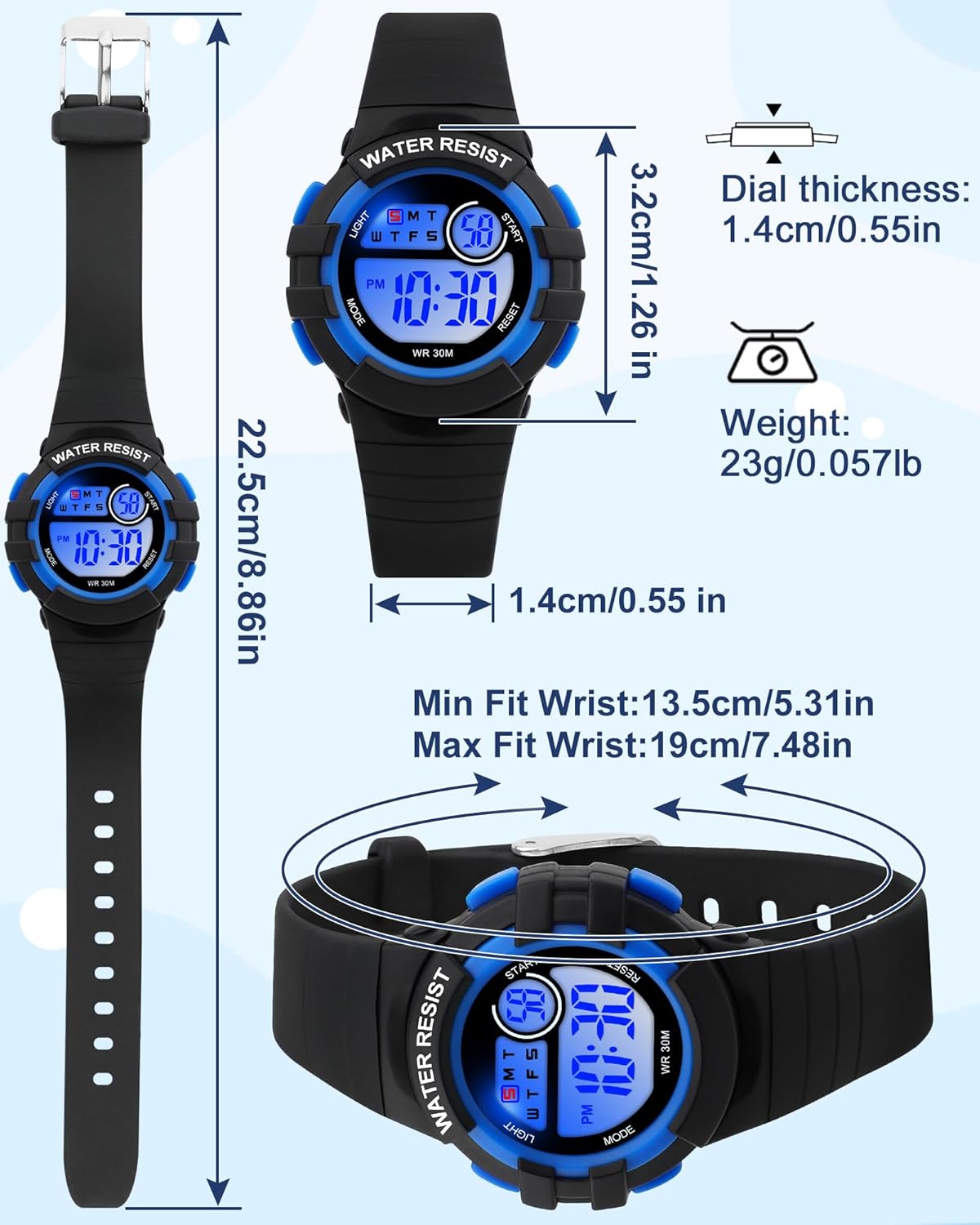
Image: Detailed diagram illustrating the watch's dimensions (dial size, case thickness, strap length, band width) and weight.
Warranty and Support
This Juboos Kids Digital Watch comes with a limited warranty. For warranty claims, technical support, or any inquiries, please contact Juboos customer service.
- Warranty Type: Limited
- Contact Information: Juboosaftersales@outlook
Please retain your purchase receipt as proof of purchase for warranty purposes.