1. Introduction
This manual provides comprehensive instructions for the assembly, operation, and maintenance of your MAHANCRIS Bar Cart and Industrial Printer Stand bundle. Please read all instructions carefully before assembly and use to ensure safe and proper functionality.

Image 1: The MAHANCRIS Bar Cart and Industrial Printer Stand bundle.
2. Safety Information
- Always assemble on a soft, clean surface to prevent scratches.
- Ensure all screws and fasteners are tightened securely before use.
- Do not overload shelves beyond their specified weight capacity.
- Keep small parts away from children during assembly.
- Use caution when moving the carts, especially when loaded. Engage wheel locks when stationary.
- For the printer stand, ensure the power cord is not pinched or damaged.
3. Package Contents
Verify that all components are present before beginning assembly. Refer to the included parts list for detailed identification.
4. Assembly - Bar Cart
Follow these steps to assemble your MAHANCRIS Bar Cart. An installation video is available for visual guidance.
Video 1: Bar Cart Assembly Guide. This video demonstrates the step-by-step process for assembling the bar cart components.
4.1. Bar Cart Components
The bar cart features a multi-level storage design with a wine rack and hanging glass holders. It is constructed with a sturdy metal frame and durable shelves.

Image 2: Detailed dimensions and weight capacity for the bar cart. Each shelf supports up to 66 lbs (30 kg).
4.2. Assembly Steps
- Unpack all components and verify against the parts list.
- Assemble the main frame sections using the provided screws and tools. Ensure all connections are secure.
- Attach the wine rack and glass holders to the designated frame sections.
- Insert the shelves into the frame, ensuring they are properly seated and stable.
- Attach the rolling casters to the bottom of the cart. Two of the casters include locking mechanisms.
- Attach the handle to the top frame for easy maneuverability.

Image 3: The fully assembled bar cart, showcasing its storage for wine bottles and glasses.
5. Assembly - Industrial Printer Stand
Follow these steps to assemble your MAHANCRIS Industrial Printer Stand.
5.1. Printer Stand Components
The printer stand features three open shelves and includes two hooks for hanging items. It is designed for stability and utility in various settings.
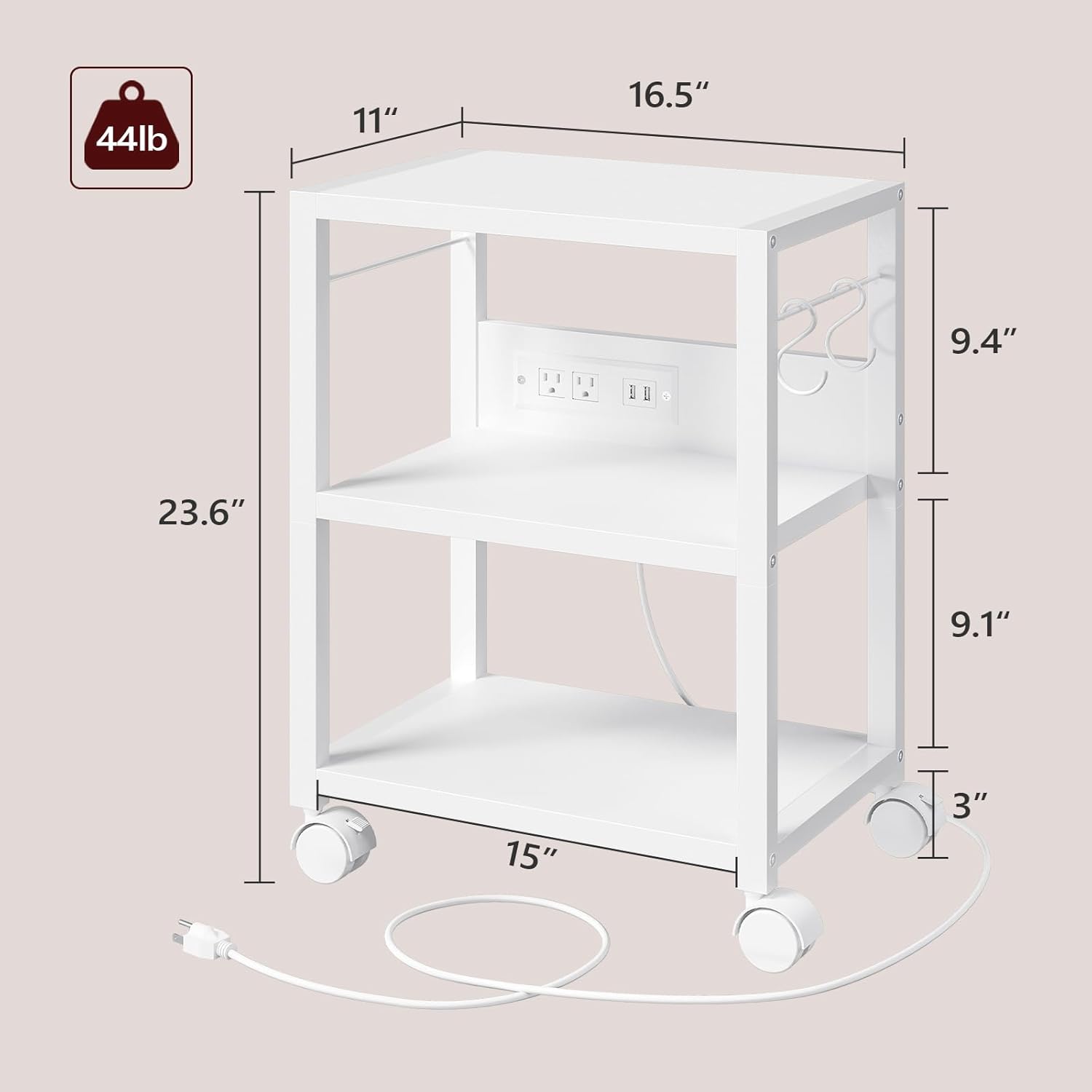
Image 4: Detailed dimensions and weight capacity for the printer stand. Each layer supports up to 44 lbs.
5.2. Assembly Steps
- Unpack all components and verify against the parts list.
- Assemble the main frame of the printer stand using the provided hardware.
- Secure the three shelves into the frame.
- Attach the rolling casters to the bottom of the stand.
- Install the two multifunctional hooks on the side of the stand as desired.
- If applicable, connect the power cord to the integrated power strip and plug it into a wall outlet.
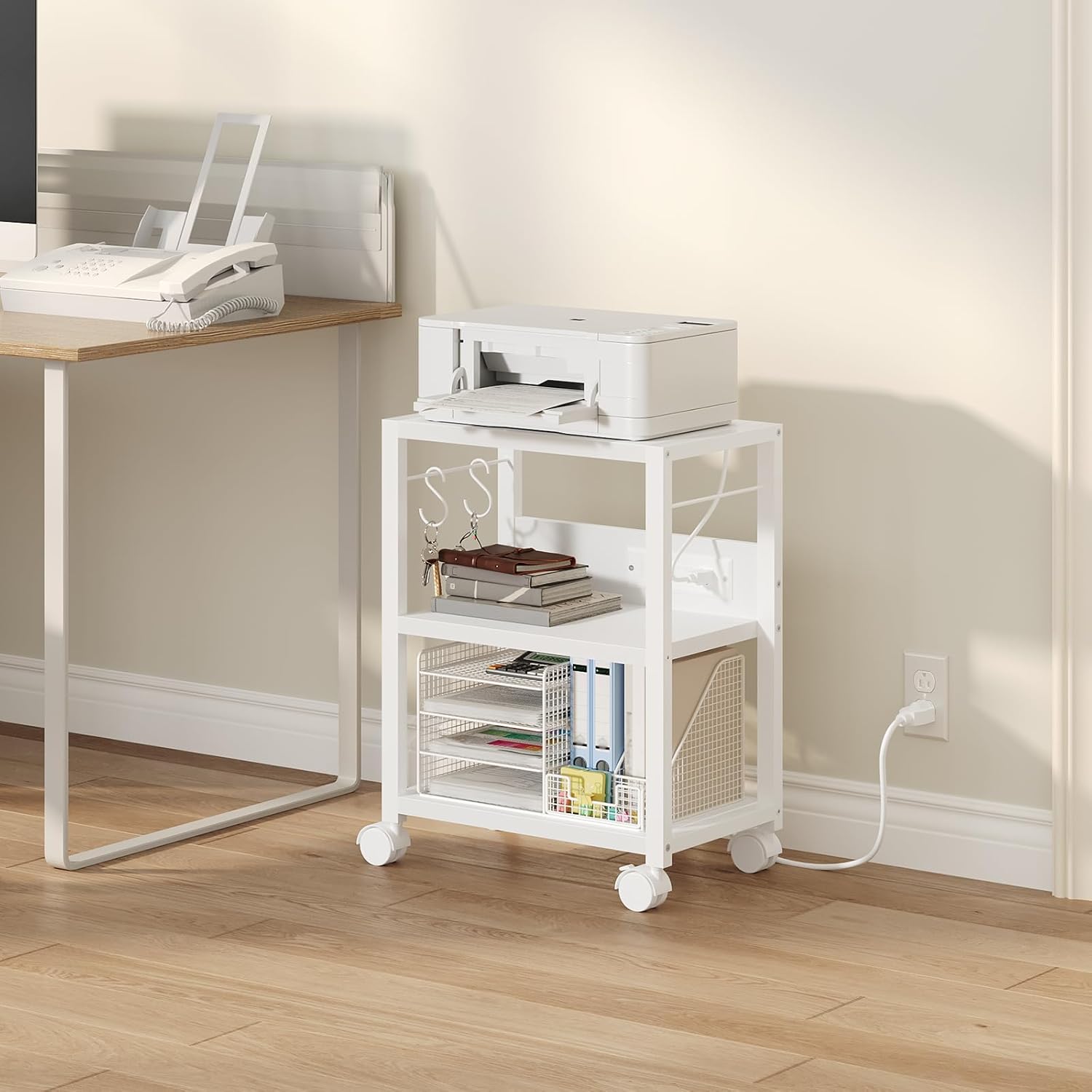
Image 5: The fully assembled printer stand, shown with a printer and office supplies.

Image 6: Close-up of the printer stand's integrated power outlets and USB ports.

Image 7: Close-up of the multifunctional hooks on the printer stand, suitable for hanging various items.
6. Operating Instructions
6.1. Bar Cart Usage
- Place bottles, glasses, and accessories on the shelves. Utilize the wine rack for horizontal bottle storage and the hanging holders for stemware.
- To move the cart, unlock the casters by pressing the lever on each locking wheel. Push or pull the cart using the handle.
- To secure the cart in place, engage the caster locks by pressing the lever down.
6.2. Printer Stand Usage
- Place your printer on the top shelf. Use the lower shelves for paper, ink, office supplies, or other items.
- Utilize the integrated power outlets and USB ports for convenient charging and power access for your devices.
- Hang office folders, cables, or small bags on the multifunctional hooks.
- To move the stand, unlock the casters. To secure, engage the caster locks.
7. Maintenance
- Cleaning: Wipe surfaces with a soft, damp cloth. Avoid abrasive cleaners or harsh chemicals that may damage the finish.
- Inspection: Periodically check all screws and connections to ensure they remain tight. Re-tighten as necessary.
- Casters: Keep casters free of debris to ensure smooth rolling.
8. Troubleshooting
| Issue | Possible Cause | Solution |
|---|---|---|
| Cart/Stand is wobbly | Loose screws or uneven assembly. | Check and tighten all screws. Ensure components are correctly aligned. |
| Casters not rolling smoothly | Debris in wheels or locks engaged. | Clear any debris from the wheels. Ensure caster locks are disengaged. |
| Power outlets not working (Printer Stand) | Not plugged into wall outlet or internal wiring issue. | Ensure the stand's power cord is securely plugged into a functional wall outlet. If issue persists, contact support. |
9. Specifications
9.1. Bar Cart
- Dimensions: 24.8''L x 11''W x 32''H
- Shelf Load Capacity: 66 lbs (30 kg) per layer
- Wine Bottle Capacity: At least 6 bottles
- Glass Holder Capacity: At least 6 goblets
- Material: Metal frame, durable shelves
9.2. Industrial Printer Stand
- Dimensions: 16.5"L x 11"W x 23.6"H
- Shelf Load Capacity: 44 lbs per layer
- Features: 3-tier storage, 2 multifunctional hooks, integrated power outlets (2 AC, 2 USB)
- Material: Metal frame, wooden shelves
10. Warranty and Support
For warranty information, product support, or to report any issues, please contact MAHANCRIS customer service through the retailer's platform or the official MAHANCRIS website. Please have your model number (RCJ61B01-PTWT40E01) and purchase date available.


