
Introduction
The AQQA Internal Aquarium Filter, model AQ047, is a versatile 3-in-1 submersible power filter designed for aquariums ranging from 26 to 70 gallons. It provides oxygenation, wave-making, and water circulation, ensuring a clean and well-oxygenated environment for aquatic life. This manual provides detailed instructions for the safe and efficient installation, operation, and maintenance of your filter.
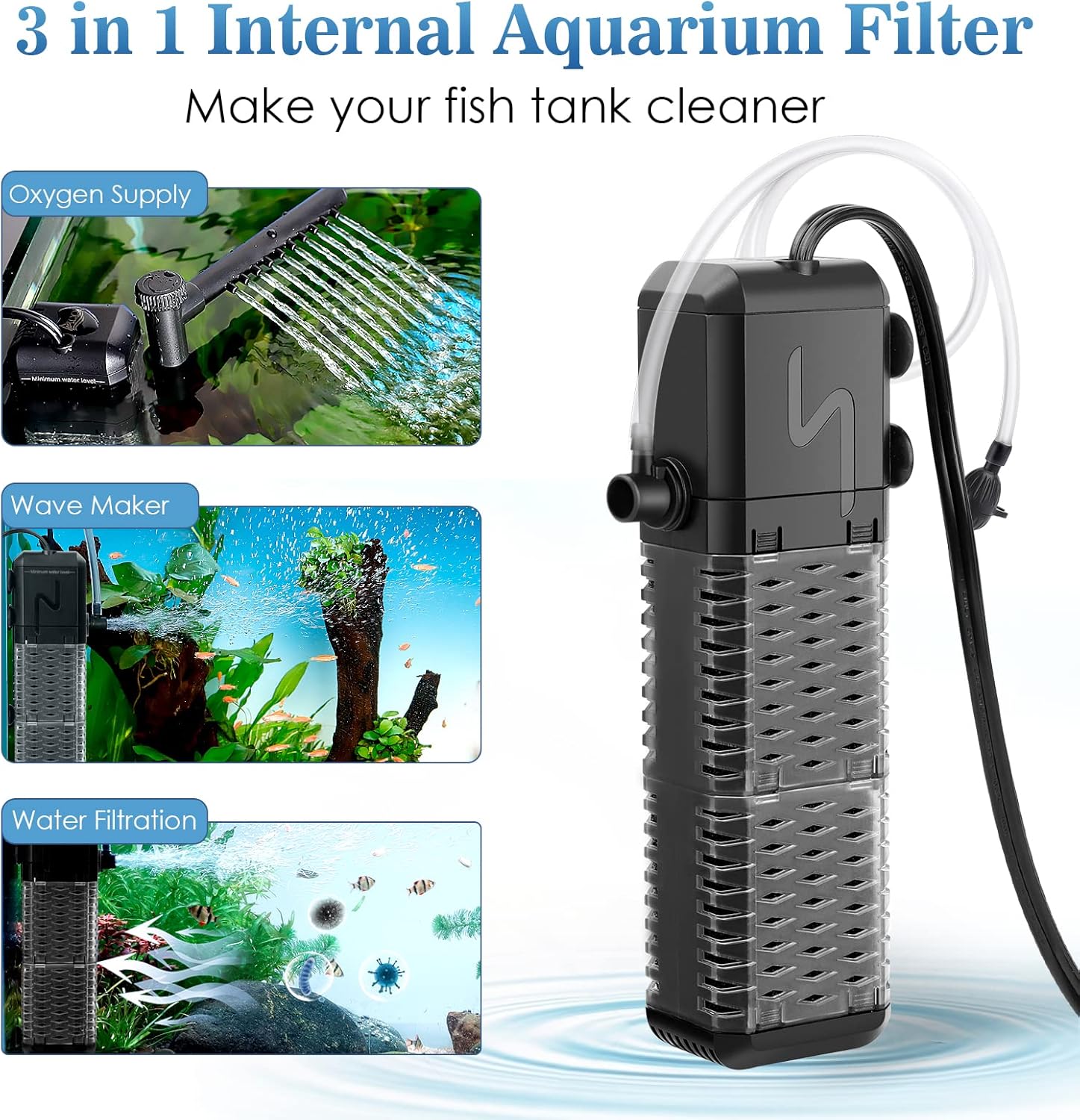
Image Description: A visual representation of the AQQA 3-in-1 Internal Aquarium Filter, highlighting its three main functions: oxygen supply, wave-making, and water filtration, with the filter unit shown on the right.
Product Features
- 3-in-1 Functionality: Offers oxygen supply, wave-making, and water filtration modes to create a healthy aquatic environment.
- Fish-Friendly Design: Features small, dense holes to prevent small fish and shrimp from getting trapped, while ensuring efficient water circulation.

Image Description: The AQQA filter unit with a close-up inset showing its fish-friendly design with small, dense holes, ensuring the safety of small aquatic life.
- Ultra-Silent Operation: Equipped with a premium motor, operating at a low noise level of ≤ 30dB for a quiet aquarium experience.
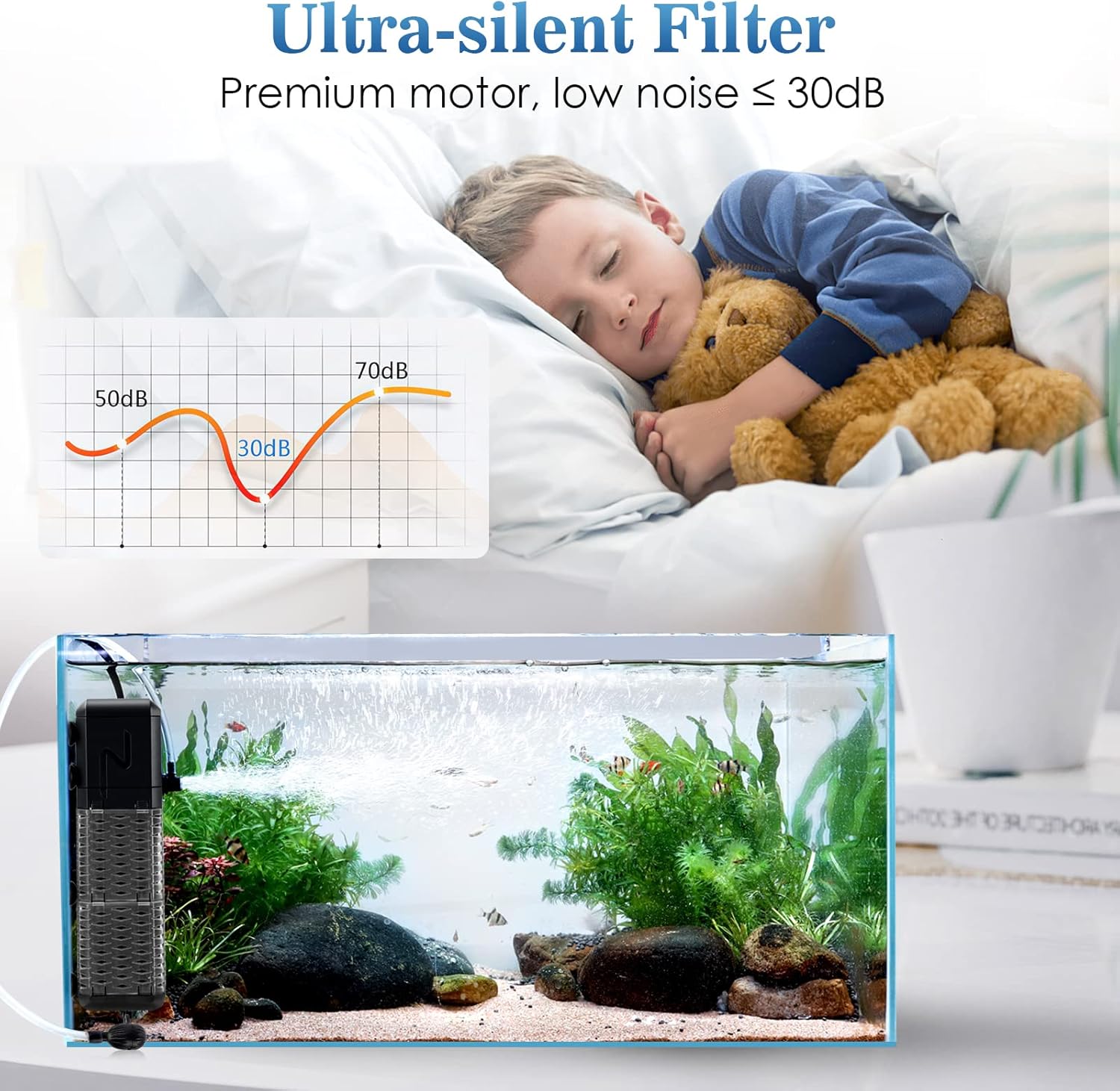
Image Description: An image depicting the ultra-silent operation of the AQQA filter, with a graphic showing noise levels and a child sleeping undisturbed, indicating low noise output.
- Efficient Biochemical Filtration: Utilizes sponge filtration compartments for effective biological purification, removing various impurities from the water.

Image Description: A visual showing the filter sponge capturing impurities, with arrows indicating dirty water entering and clean water exiting, alongside 'before' and 'after' images of an aquarium.
- Adjustable Water Flow and Aeration: Includes an air regulator and flow adjusting knob for precise control over water distribution and oxygen levels.
Package Contents
Please verify that all items are present in the package:
- 1 x AQQA Internal Aquarium Filter
- 1 x Replacement Suction Cup
- 1 x Rainwater Pipe
- 1 x Aerator Tube
- 1 x User Manual (this document)
Safety Instructions
- Always disconnect the power supply before performing any maintenance or installation.
- Ensure the filter is fully submerged in water during operation to prevent damage to the motor.
- Do not operate the filter if the power cord or plug is damaged.
- This appliance is for indoor use only and intended for use with aquariums.
- Keep out of reach of children.
Setup
- Prepare the Filter: Unpack all components and ensure they are intact.
- Rainwater Pipe Installation:
- Attach the rainwater pipe to the filter outlet. Ensure it is securely fitted.

Image Description: A four-panel image illustrating the step-by-step installation of the rainwater pipe onto the filter unit. Panel 1 shows the filter and pipe separated. Panel 2 shows attaching the pipe. Panel 3 shows securing the pipe. Panel 4 shows the pipe fully installed.
- Aerator Tube Installation:
- Connect the aerator tube to the designated air intake port on the filter.
- Attach the air regulator to the other end of the aerator tube.

Image Description: A three-panel image demonstrating the installation of the aerator tube. Panel 1 shows connecting the tube to the filter. Panel 2 shows attaching the air regulator. Panel 3 shows the complete aerator tube setup.
- Placement in Aquarium:
- Secure the filter to the inside wall of your aquarium using the suction cups.
- Ensure the filter is fully submerged below the minimum water level line before plugging it in.

Image Description: A four-panel image showing various installation methods for the filter, emphasizing the importance of submerging the pump to at least the minimum water level.
Operating Instructions
- Power On: Once installed and fully submerged, plug the filter into a power outlet.
- Adjusting Water Flow:
- The water flow can be adjusted by turning the flow adjusting knob located on the filter outlet.
- Turn the knob to achieve the desired water distribution and current strength.

Image Description: An image showing a close-up of the flow adjusting knob on the filter, with an arrow indicating the direction to turn for adjustment.
- Adjusting Airflow (Aerator Mode):
- If using the aerator tube, the airflow can be adjusted by turning the air adjusting knob on the air regulator.
- This controls the amount of air introduced into the water, affecting oxygenation and wave-making.

Image Description: An image showing a close-up of the air adjusting knob on the aerator tube, with an arrow indicating the direction to turn for adjustment.
Maintenance
Regular maintenance is crucial for the longevity and efficiency of your filter.
- Disconnect Power: Always unplug the filter from the power source before cleaning.
- Sponge Cleaning:
- Gently remove the filter unit from the aquarium.
- Separate the filter housing to access the biochemical sponges.
- Rinse the sponges thoroughly with old aquarium water (not tap water) to preserve beneficial bacteria. Replace sponges if they are heavily degraded.
- Impeller Cleaning:
- It is suggested to clean the impeller monthly to prevent noise and maintain performance.
- Separate the pump from the filter body.
- Carefully remove the impeller cover and then the impeller itself.
- Clean the impeller and its chamber using a small brush (not included) to remove any debris or mineral buildup.
- Reassemble the impeller and pump components securely.

Image Description: A four-panel image detailing the steps to clean the filter's impeller. Panel 1 shows separating the pump from the filter. Panel 2 shows removing the impeller. Panel 3 shows cleaning the chamber. Panel 4 shows cleaning the impeller itself.
Troubleshooting
- Filter Not Working:
- Check if the power cord is securely plugged into an outlet.
- Ensure the filter is fully submerged in water.
- Inspect the impeller for any obstructions or damage. Clean if necessary.
- Low Water Flow:
- Check if the filter sponges are clogged. Clean them as per maintenance instructions.
- Ensure the impeller is clean and spinning freely.
- Verify that the water flow adjusting knob is set to an appropriate level.
- Excessive Noise:
- Clean the impeller and its chamber thoroughly, as debris can cause vibrations.
- Ensure the filter is securely mounted and not vibrating against the aquarium glass.
- Check for proper water level; insufficient water can cause air intake and noise.
Specifications
| Brand | AQQA |
| Model Number | AQ047 |
| Power | 9W |
| Flow Rate | 211 GPH (Gallons Per Hour) |
| Recommended Tank Size | 26-70 Gallons |
| Noise Level | ≤ 30dB |
| Dimensions (approx.) | 23.1 x 10.2 x 7.2 cm |
| Weight (approx.) | 440 g |
| Functions | 3-in-1 (Oxygenation, Wave Maker, Water Circulation/Filtration) |
Warranty and Support
This product comes with a 1-year warranty. For any questions, technical assistance, or warranty claims, please contact AQQA customer service. Lifetime customer service is available 7 days a week, 24 hours a day. Refer to the contact information provided with your purchase or visit the official AQQA website for support details.


