
XIAOMI H40
Xiaomi Robot Vacuum H40 User Manual
Model: H40 (BHR07XBEU)
1. Introduction
Welcome to the user manual for your new Xiaomi Robot Vacuum H40. This intelligent cleaning device is designed to provide efficient and thorough cleaning for your home. Featuring advanced LDS laser navigation, powerful 10,000 Pa suction, and a versatile mopping function, it ensures comprehensive coverage and spotless floors.
The H40 model includes an anti-tangle main brush and side brush to minimize hair entanglement, simplifying maintenance. Its automatic dust collection system with a 4L high-capacity dust bag allows for up to 90 days of hands-free operation, making it convenient and hygienic.
This manual provides essential information on setting up, operating, maintaining, and troubleshooting your robot vacuum to ensure optimal performance and longevity.

Figure 1.1: The Xiaomi Robot Vacuum H40 shown with its automatic dust collection station. A smartphone displays the accompanying mobile application, illustrating the device's smart mapping and control capabilities.
2. Package Contents
Please check the package contents carefully. If any items are missing or damaged, contact customer support.
- Xiaomi Robot Vacuum H40 Unit
- Charging & Mop-Cleaning Dock (Auto-Dust Collection Station)
- Main Brush (pre-installed)
- Anti-tangle Side Brush
- 4L Dust Bag (pre-installed in dock)
- Power Cable
- User Manual
3. Product Overview
Familiarize yourself with the main components and features of your Xiaomi Robot Vacuum H40.

Figure 3.1: An infographic highlighting the primary features of the Xiaomi Robot Vacuum H40. These include a powerful 10,000 Pa suction, multi-dimensional anti-tangle technology for brushes, a 5,200 mAh battery for large homes, a 4L automatic dust collection bag, precise LDS navigation, and combined vacuuming and mopping functionality.
3.1 Anti-Tangle Technology
The robot vacuum is equipped with multi-dimensional anti-tangle technology for its main and side brushes, effectively preventing hair from wrapping around them. This design ensures consistent cleaning performance and reduces the frequency of manual brush cleaning.

Figure 3.2: A detailed view of the robot vacuum's multi-dimensional anti-tangle technology, showing the V-shaped main brush and the anti-tangle side brush designed to prevent hair entanglement.
This feature is particularly effective in homes with pets, as demonstrated by its ability to collect various types of hair without tangling.

Figure 3.3: The robot vacuum cleaning a carpet in a living room, demonstrating its effectiveness in picking up long hair, short hair, and pet fur, thanks to its anti-tangle features.
3.2 Automatic Dust Collection
The H40 features an automatic dust collection system with a large 4-liter dust bag, allowing for up to 90 days of hands-free dust disposal. This system minimizes contact with dust, making it ideal for allergy sufferers.

Figure 3.4: This image illustrates the automatic dust collection system, featuring a large 4-liter dust bag being inserted into the charging dock.
3.3 Powerful Suction and Mopping
Experience superior cleaning with 10,000 Pa suction power and a versatile mopping function with intelligent 3-level water flow control.

Figure 3.5: An image highlighting the robot vacuum's powerful 10,000 Pa suction, capable of tackling stubborn dust. It also shows four cleaning modes: Silent, Standard, Strong, and Turbo.

Figure 3.6: This image demonstrates the intelligent water flow control system for the mopping function, offering three adjustable water flow levels for effective cleaning.
3.4 Long Battery Life
The H40 is equipped with a 5,200 mAh high-capacity battery, providing up to 180 minutes of continuous operation in standard mode, ideal for cleaning large living spaces on a single charge.

Figure 3.7: This image emphasizes the robot vacuum's ultra-long battery life, powered by a 5,200 mAh high-capacity battery, enabling up to 180 minutes of cleaning.
3.5 Compact Design
The robot vacuum and its base station feature a new compact and elegant design, taking up less space and integrating seamlessly into your home decor while retaining all essential functions.

Figure 3.8: This image showcases the new compact and elegant design of the robot vacuum and its base station, designed for seamless integration into home decor.
4. Setup
4.1 Unpacking and Placement
- Carefully remove all components from the packaging.
- Choose a suitable location for the charging & mop-cleaning dock. Ensure it is against a wall, with at least 0.5 meters of clear space on either side and 1.5 meters in front, free from obstacles.
- Plug the power cable into the dock and connect it to a power outlet. Ensure the dock is powered on.
4.2 Initial Charge
Place the robot vacuum onto the charging dock. Ensure the charging contacts on the robot align with those on the dock. The robot will begin charging automatically. For first-time use, it is recommended to fully charge the robot before operation.
4.3 Connecting to the Xiaomi Home App
The Xiaomi Robot Vacuum H40 is compatible with the Xiaomi Home app, which provides advanced control and customization options.
- Download the Xiaomi Home app from your device's app store (available on iOS and Android).
- Open the app and create an account or log in.
- Tap the "+" icon to add a new device.
- Follow the on-screen instructions to connect your Xiaomi Robot Vacuum H40 to your home Wi-Fi network.
4.4 LDS Navigation and Mapping
The robot uses an LDS laser navigation system for precise mapping of your home. Upon its first cleaning cycle, it will create a detailed map. This map can be viewed and managed within the Xiaomi Home app.

Figure 4.1: An image detailing the LDS high-precision mapping system, which performs a 360-degree scan of the entire home to create detailed floor plans.
5. Operating Your Robot Vacuum
5.1 Starting and Stopping Cleaning
- Start Cleaning: Press the power button on the robot or use the Xiaomi Home app to start a cleaning cycle.
- Pause/Resume: Press the power button once during cleaning to pause. Press again to resume.
- Return to Dock: Press and hold the power button for 3 seconds, or use the app, to send the robot back to its charging dock.
5.2 Cleaning Modes
The robot offers various cleaning modes to suit different needs:
- Silent: For quiet operation.
- Standard: Default cleaning mode.
- Strong: For more intensive cleaning.
- Turbo: Maximum suction for stubborn dirt.
These modes can be selected via the Xiaomi Home app.
5.3 Mopping Function
To use the mopping function, ensure the water tank is filled and the mopping pad is attached. You can adjust the water flow level (3 levels) through the Xiaomi Home app for optimal cleaning on different floor types.
5.4 Smart Navigation and Obstacle Avoidance
The robot utilizes multiple sensors to navigate your home, avoid obstacles, and prevent falls. It can cross thresholds up to 20mm.

Figure 5.1: This image highlights the robot vacuum's multiple sensors that ensure it avoids obstacles and navigates complex environments, such as stairs and door thresholds.
5.5 Xiaomi Home App Control
The Xiaomi Home app provides extensive control and customization options:
- Remote Control: Start, stop, or send the robot to its dock from anywhere.
- Scheduled Cleaning: Set specific times for cleaning cycles.
- Parental Lock: Prevent accidental operation.
- Do Not Disturb (DND) Period: Define times when the robot should not operate.
- Cleaning History: Review past cleaning maps and data.
- OTA Updates: Receive over-the-air firmware updates for improved performance.
- Shortcuts: Create quick commands for specific cleaning tasks.
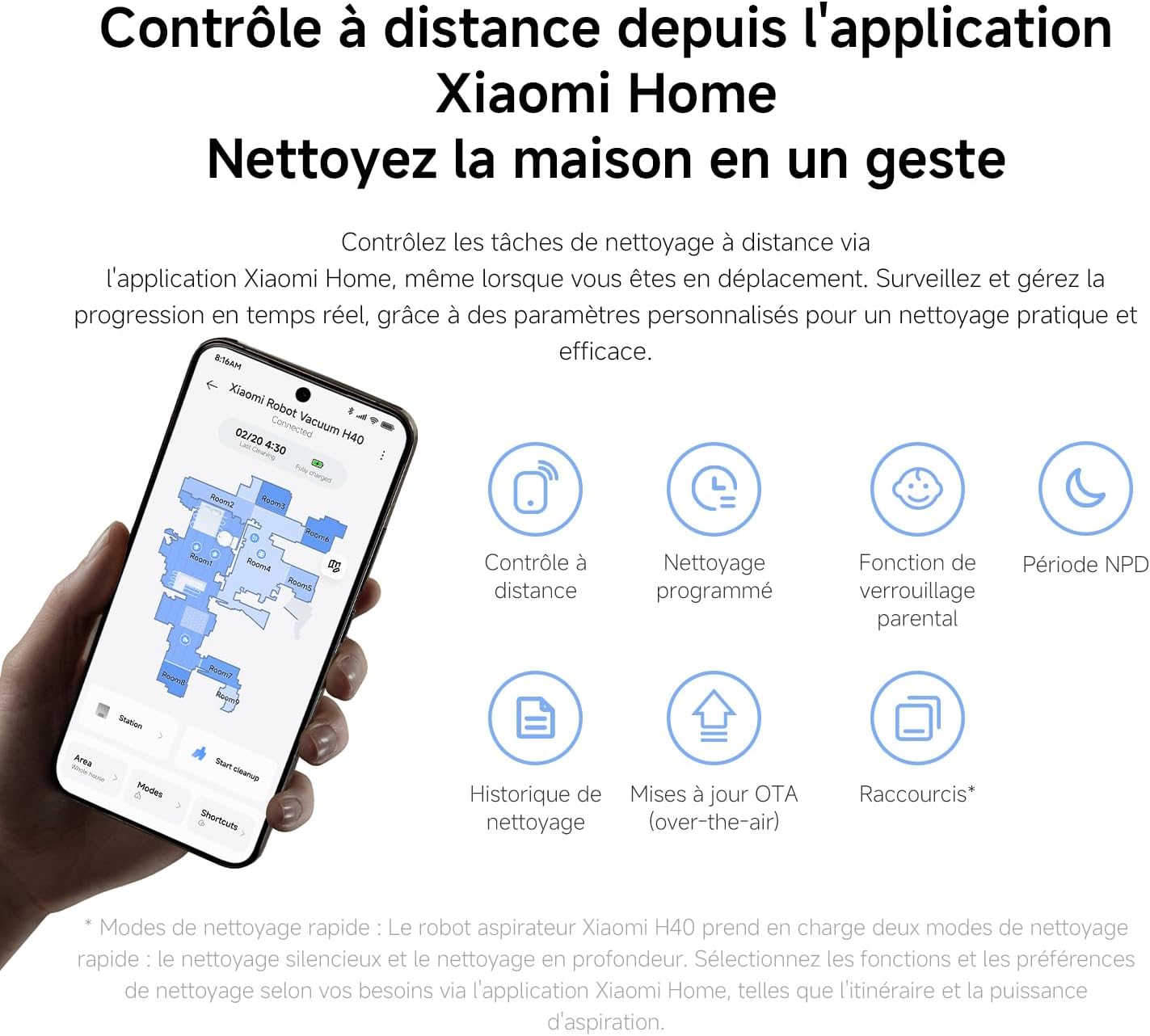
Figure 5.2: An illustration of the remote control capabilities through the Xiaomi Home app, showing various control options and settings.
5.6 Smart Zone Cleaning and Customization
After mapping, you can define specific cleaning zones, virtual walls, and restricted areas within the app.

Figure 5.3: An illustration of the smart zone cleaning feature, allowing users to define cleaning zones and modes via the Xiaomi Home app.
You can also perform quick and targeted cleaning around specific furniture items.
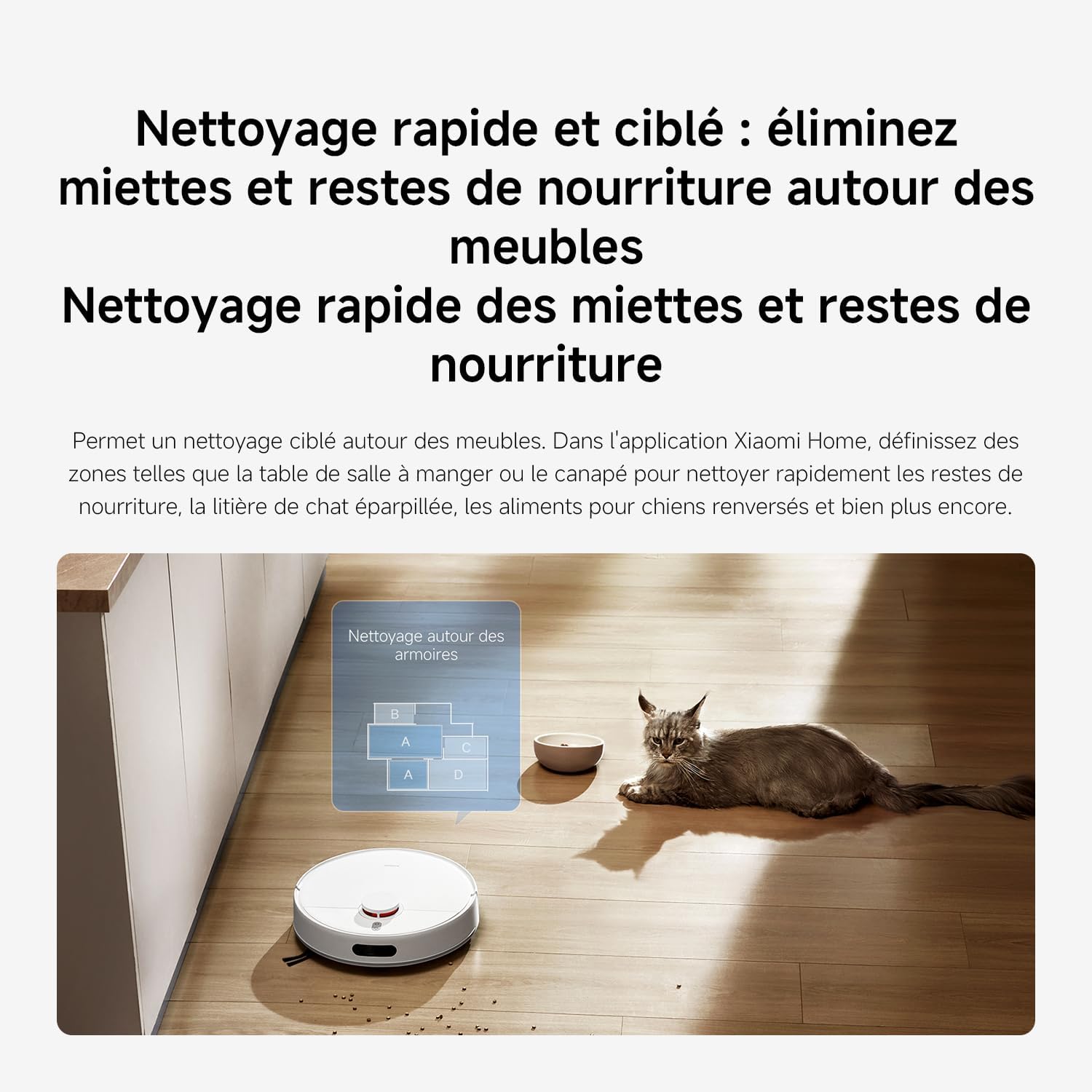
Figure 5.4: This image demonstrates the quick and targeted cleaning function, allowing users to define specific areas around furniture for rapid cleanup.
Customize how the robot interacts with carpets, choosing to ignore, cross, vacuum only, or avoid them.

Figure 5.5: An image showing how to customize carpet cleaning settings through the Xiaomi Home app, including options to ignore, cross, vacuum only, or avoid carpets.
5.7 Voice Commands
The Xiaomi Robot Vacuum H40 supports voice control via Amazon Alexa and Google Assistant.
- Amazon Alexa: "Alexa, turn on the robot vacuum." / "Alexa, turn off the robot vacuum."
- Google Assistant: "OK Google, start the robot vacuum." / "OK Google, stop the robot vacuum."

Figure 5.6: This image demonstrates the voice command functionality, allowing users to control the robot vacuum using Amazon Alexa or Google Assistant.
6. Maintenance
Regular maintenance ensures optimal performance and extends the lifespan of your robot vacuum.
6.1 Dust Bag Replacement
The 4L dust bag in the auto-collection station typically lasts up to 90 days. When the bag is full, the app will notify you. Simply remove the full bag and replace it with a new one.
6.2 Cleaning Brushes
- Main Brush: Periodically remove the main brush and clean any tangled hair or debris. The anti-tangle design reduces this, but occasional checks are recommended.
- Side Brush: Check the side brush for tangled hair or debris and clean as needed.
6.3 HEPA Filter Cleaning
The robot vacuum uses a HEPA filter. Tap out dust from the filter regularly. Replace the HEPA filter every 3-6 months, or as indicated by the app, to maintain suction efficiency.
6.4 Mopping Pad Maintenance
After each mopping session, remove the mopping pad and wash it thoroughly. Allow it to air dry completely before reattaching.
6.5 Sensor Cleaning
Wipe the robot's sensors (LDS sensor, cliff sensors, bumper sensors) with a soft, dry cloth to ensure accurate navigation and obstacle detection.
7. Troubleshooting
If you encounter issues with your robot vacuum, refer to the following common problems and solutions. For more detailed troubleshooting, consult the Xiaomi Home app or Xiaomi's official support resources.
| Problem | Possible Cause | Solution |
|---|---|---|
| Robot does not start | Low battery; Power button not pressed correctly; Robot stuck. | Charge the robot; Press power button firmly; Clear any obstructions. |
| Poor cleaning performance | Dust bag full; Brushes tangled; Filter clogged; Suction mode too low. | Replace dust bag; Clean brushes; Clean/replace filter; Select a higher suction mode in the app. |
| Robot cannot find charging dock | Dock is obstructed; Dock is unplugged; Robot is too far from dock. | Ensure clear space around dock; Check power connection; Manually place robot closer to dock. |
| App connection issues | Incorrect Wi-Fi password; Router issues; Robot too far from router. | Verify Wi-Fi password; Restart router; Move robot closer to router; Re-pair device in app. |
| Robot gets stuck frequently | Small obstacles; Loose cables; Uneven surfaces. | Clear floor of small items; Secure cables; Use virtual walls in app for problem areas. |
8. Specifications
| Feature | Detail |
|---|---|
| Brand | XIAOMI |
| Model Name | H40 |
| Model Number | BHR07XBEU |
| Color | Black |
| Product Dimensions | 34 x 34 x 9.7 cm |
| Item Weight | 3.44 Kilograms |
| Suction Power | 10,000 Pa |
| Dust Bag Capacity | 4 Liters |
| Battery Capacity | 5200mAh |
| Operating Time | Up to 180 minutes (Standard Mode) |
| Navigation Type | LDS Laser Navigation |
| Mopping Function | Yes, with 3-level smart water output control |
| Filter Type | HEPA |
| Compatible App | Xiaomi Home app |
| Controller Type | Mobile App, Remote Control |
| Voice Assistant Support | Amazon Alexa, Google Assistant |
| Surface Recommendation | All Floors |
| Auto Shutoff | Yes |
| Voltage | 230 Volts |
| Date First Available | 10 August 2025 |
9. Warranty and Support
9.1 Warranty Information
For detailed warranty information, please refer to the warranty card included with your product or visit the official Xiaomi website. Warranty terms and conditions may vary by region.
9.2 Customer Support
If you require further assistance, technical support, or have questions not covered in this manual, please contact Xiaomi customer service through their official website or the Xiaomi Home app. You can also visit the XIAOMI Store on Amazon for additional resources.
Related documentsH40


Ask a question about this manual
Ask about setup, troubleshooting, compatibility, parts, safety, or missing instructions. Manuals+ will review the question and use this page’s manual context to help answer it.