
Introduction
Thank you for choosing the KJK WiFi Trail Camera KJK230. This advanced trail camera is designed for reliable surveillance and monitoring in various environments, offering high-resolution imaging and robust features. Please read this manual carefully to ensure proper setup, operation, and maintenance of your device.
What's in the Box
Verify that all items are present in your package:
- KJK WiFi Trail Camera KJK230 (Green)
- 8 x AA Alkaline Batteries
- USB Cable
- Mounting Strap
- Wall Mount Bracket
- Screws and Wall Plugs
- User Manual (Japanese)

Image: All components included in the KJK WiFi Trail Camera KJK230 package.
Product Overview
The KJK230 features a robust design with advanced imaging and sensing capabilities. Its camouflage green exterior helps it blend into natural environments.

Image: Overview of the KJK 8K WiFi Trail Camera KJK230 highlighting its main features.
Setup
- Install Batteries: Open the camera casing and insert 8 AA alkaline batteries into the designated slots. Ensure correct polarity.
- Insert SD Card: Insert a microSD card (up to 128GB, not included unless specified) into the card slot. It is recommended to format the SD card before first use via the camera's menu.
- Power On: Slide the power switch to the 'SETUP' position to enter setup mode. The screen will light up.
- Initial Settings: Press the 'MENU' button to access settings. Adjust date, time, language, and other preferences.
Video: A demonstration of the initial setup process for a trail camera, including battery and SD card installation, and basic menu navigation.
Operating Modes
The KJK230 offers three primary recording modes:
- Photo Mode: Captures still images.
- Video Mode: Records video clips.
- Photo + Video Mode: Captures a still image followed by a video clip.
You can also enable time-lapse shooting for observing long-term changes, such as plant growth.

Image: Illustration of the camera's three recording modes and time-lapse function.
Connectivity (WiFi & App)
The camera supports WiFi connectivity for remote control and media management via a dedicated smartphone app (not compatible with home WiFi networks).
- Download App: Download the 'Waskame' app from your device's app store.
- Connect to Camera: Enable WiFi on the camera and connect your smartphone to the camera's WiFi hotspot.
- Remote Control: Use the app to view live footage, change settings, trigger recordings, and download media directly to your phone.

Image: Smartphone connected to the camera via WiFi, showing live feed of wildlife.
Video: A detailed demonstration of connecting the trail camera to a smartphone app, viewing live footage, and managing settings remotely.
Image and Video Playback
You can review captured media directly on the camera's built-in screen or via the smartphone app.
- On Camera: In 'SETUP' mode, press the 'PLAY' button to browse recorded photos and videos.
- Via App: Connect to the camera via WiFi and use the app's gallery function to view and download media to your smartphone.
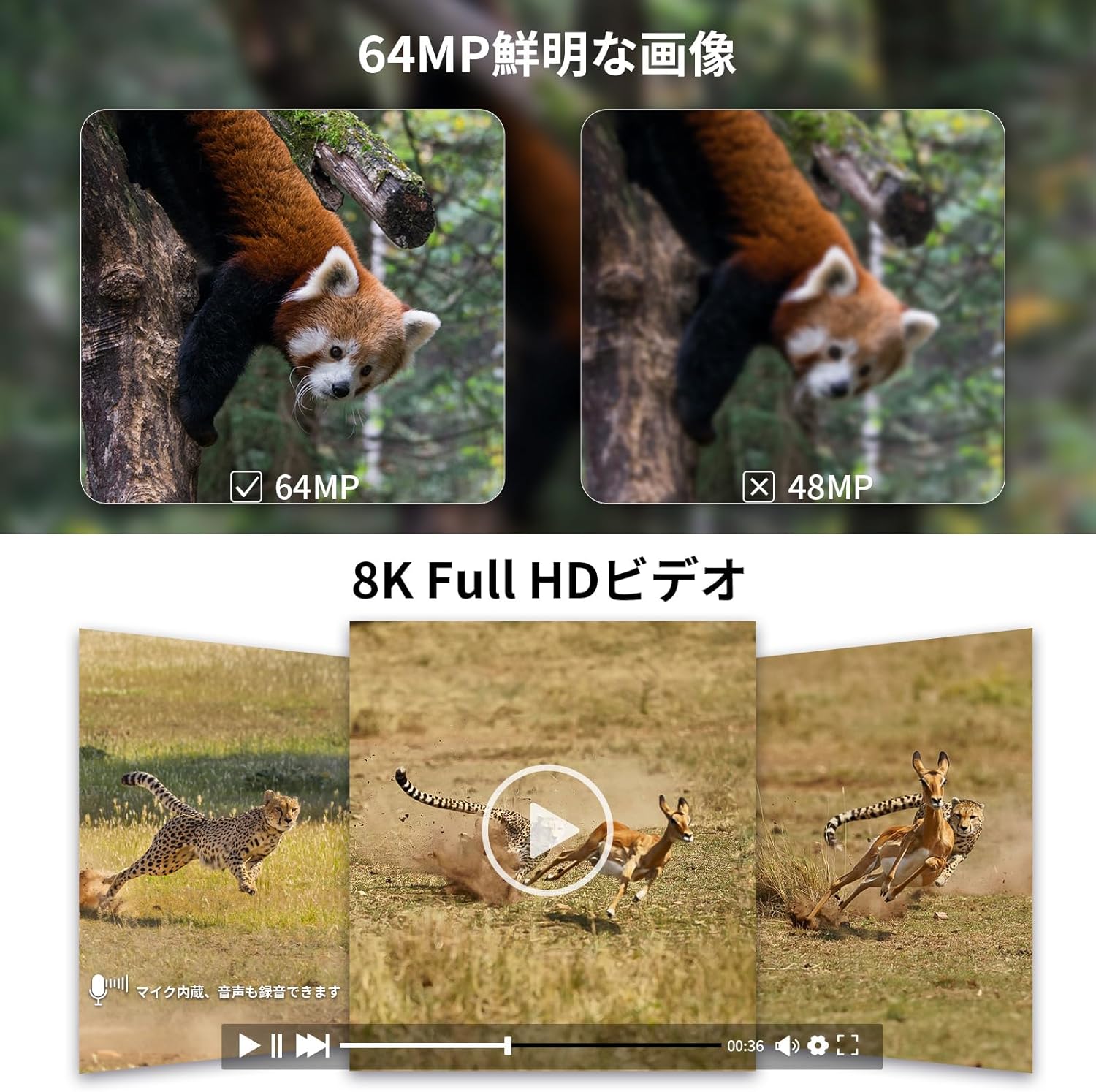
Image: Examples of 64MP photos and 8K videos captured by the camera.
Mounting and Placement
The KJK230 offers flexible mounting options for various surveillance needs:
- Strap Mounting: Use the included mounting strap to secure the camera to trees, poles, or other vertical structures.
- Wall Mount: Utilize the wall mount bracket and screws to fix the camera to a wall or flat surface.
- Freestanding: The camera can also be placed on a flat surface for temporary monitoring.
Its IP67 waterproof and dustproof design ensures stable operation in rain, dust, and extreme temperatures (-22°F to 158°F), making it ideal for long-term outdoor surveillance in forests, farms, warehouses, and entryways.

Image: Different mounting methods and diverse application scenarios for the camera.

Image: The camera's IP67 waterproof design ensures functionality in various weather conditions.
Night Vision & Motion Detection
The camera features low-luminance infrared LEDs and a high-sensitivity PIR sensor for effective night vision and motion detection.
- No-Glow Infrared: The low-luminance infrared LEDs allow for discreet shooting in dark places without startling animals. (Not suitable for shooting through glass).
- 0.05s Trigger Speed: A rapid 0.05-second trigger speed ensures that fast-moving subjects are captured.
- 130° Wide-Angle Sensor: The 130° wide-angle PIR sensor covers a broad area with a sensing distance of up to 10 meters, reliably capturing important moments.

Image: Night vision capabilities with low-luminance infrared LEDs.

Image: The camera's 0.05s trigger speed and 130° wide-angle sensor capture fast-moving subjects.

Image: PIR motion detection automatically triggers recording when movement is detected.
Maintenance
- Battery Replacement: Replace all 8 AA alkaline batteries when the battery indicator is low.
- SD Card Management: Regularly check the SD card capacity and transfer important files to another device. Format the SD card periodically to maintain optimal performance. The camera supports up to 128GB microSD cards.
- Cleaning: Gently wipe the lens and sensor areas with a soft, dry cloth to ensure clear image quality.
- Storage: When not in use for extended periods, remove batteries and store the camera in a cool, dry place.
Troubleshooting
- Camera Not Powering On: Ensure batteries are correctly inserted and fully charged. Check the power switch position.
- Poor Image/Video Quality: Clean the camera lens. Ensure sufficient lighting for night vision (if applicable). Check resolution settings in the menu.
- Motion Sensor Not Triggering: Verify PIR sensor sensitivity settings. Ensure no obstructions are blocking the sensor.
- WiFi Connection Issues: Ensure the camera's WiFi is enabled and your smartphone is within range. Restart both devices if necessary.
Specifications
| Feature | Specification |
|---|---|
| Product Model | KJK230 |
| Image Resolution | 64 Megapixels |
| Video Resolution | 8K |
| Trigger Speed | 0.05 seconds |
| PIR Sensor Angle | 130° |
| PIR Sensing Distance | Up to 10 meters |
| Night Vision Range | 10 meters |
| Infrared LEDs | Low-luminance (No-Glow) |
| Waterproof Rating | IP67 |
| Operating Temperature | -22°F to 158°F (-30°C to 70°C) |
| Storage | MicroSD card (up to 128GB) |
| Power Supply | 8 x AA Alkaline Batteries |
| Wireless Technology | Wi-Fi |
| Material | Plastic |
Warranty & Support
Your KJK WiFi Trail Camera KJK230 comes with a 12-month warranty from the date of purchase. For detailed instructions beyond basic operation, please scan the QR code in the Japanese user manual or contact customer service.
For any inquiries or technical assistance, please reach out to KJK Customer Service.


